


Release Date:- 17 February, 2026
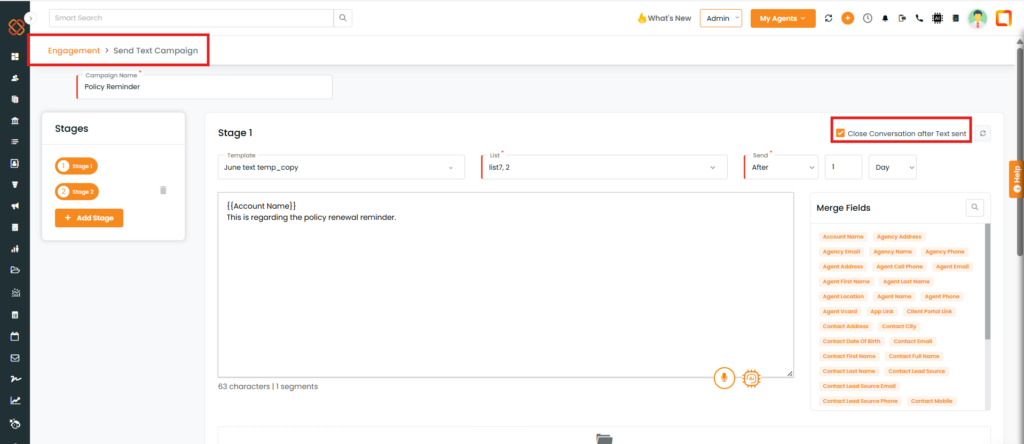
A new option, Close Conversation after text sent, is now available in the Engagement → Bulk Text section.
The Close Conversation feature has now been introduced in Bulk Text Campaigns, allowing users to close multiple conversation threads at once after a campaign is triggered. This means that once responses are received and reviewed, agents can mark selected threads as closed in bulk instead of handling them individually. When a conversation is closed, no further automated messages will be sent for that thread, but the message history remains available for reference and reporting.
Use Case: This feature enables agents to close resolved client conversations directly after sending a final text message.
It prevents completed interactions from appearing as open conversations, helping agents maintain accurate conversation records and improving communication tracking.
To View the Enhancement:
- Navigate to Engagement.
- From the Bulk Text section, click Create.
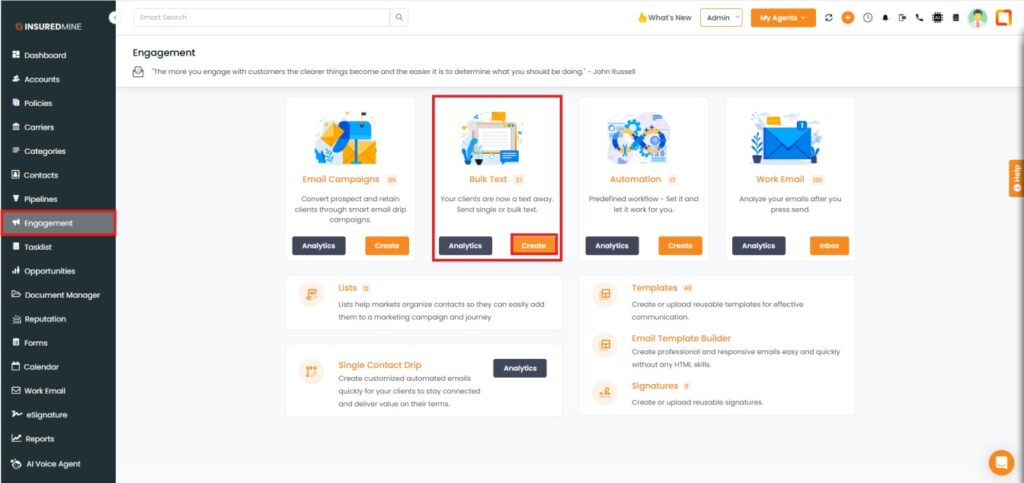
- You are redirected to the Engagement → Send Text Campaign page.
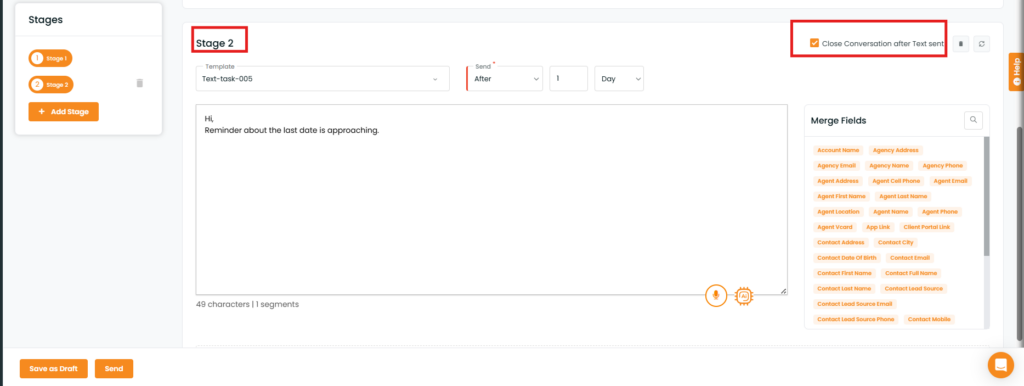
- As shown below, the new option Close Conversation after Text Sent is available.
- Fill in the required fields.
- Click Send.
Note: This option is available for all stages.
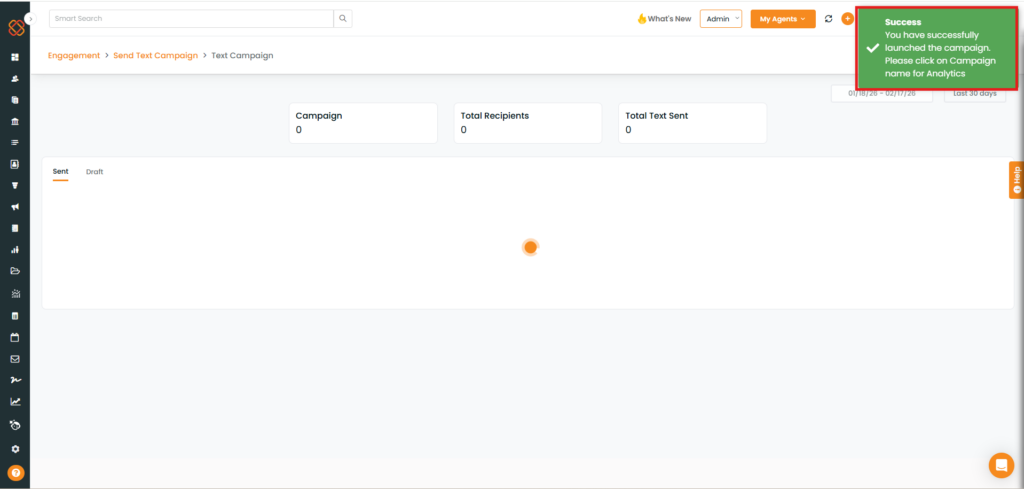
- A Success pop-up: “You have Successfully launched the campaign” appears.
Why Use “Close Conversation”?
Closing a conversation is useful when:
- The customer has completed the required action (e.g., made a payment).
- The inquiry has been fully resolved.
- The customer requests no further communication.
- The lead is no longer qualified.
- The campaign objective has been achieved.


