Home » Knowledge Base » Multiple select and Add Due Date and Deal Health in Pipeline
User Interface and Navigation
Multiple select and Add Due Date and Deal Health in Pipeline
March 10, 2026
Release Date: 6 March 2026
We have introduced a new enhancement in the Pipeline module that allows users to select multiple deal cards at once and update the Due Date and Deal Health in bulk. This enhancement helps users manage and update multiple Pipeline cards more efficiently without having to edit each deal card individually.
Use Case: This enhancement helps users update the Due Date or Deal Health status for multiple Pipeline cards at the same time.
By selecting multiple deal cards and applying the required updates in a single action, users can save time and ensure consistent updates across Pipeline cards, improving overall pipeline management.
To view the Enhancement in Deal Health
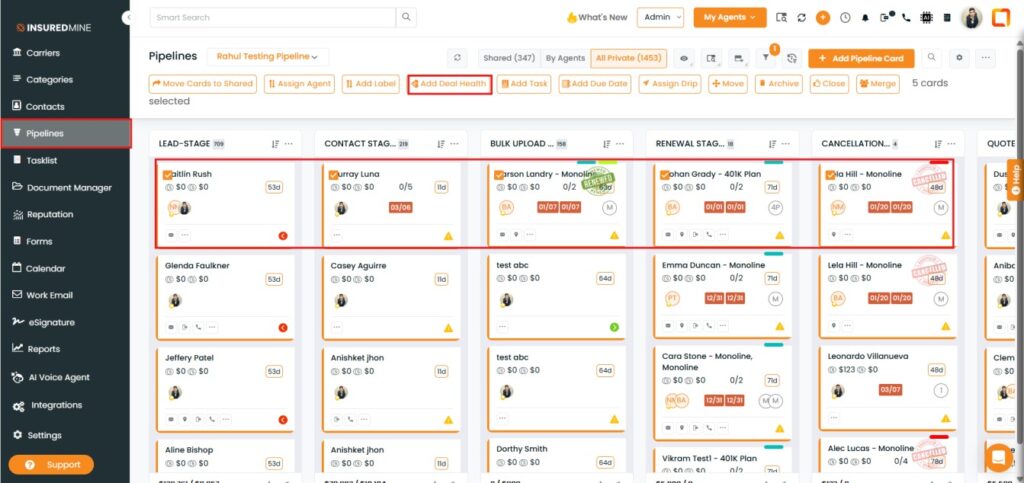
Navigate to Pipelines.
Check the box beside the preferred pipeline cards.
Click on Add Deal Health from the Top action buttons.
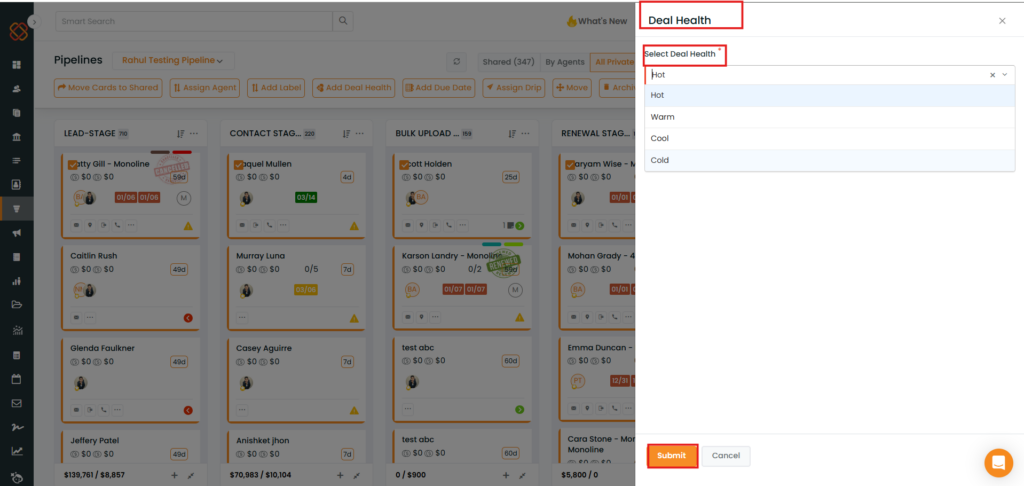
A Deal Health panel appears on the right side.
Select the preferred Deal Health from the dropdown.
Click Submit.
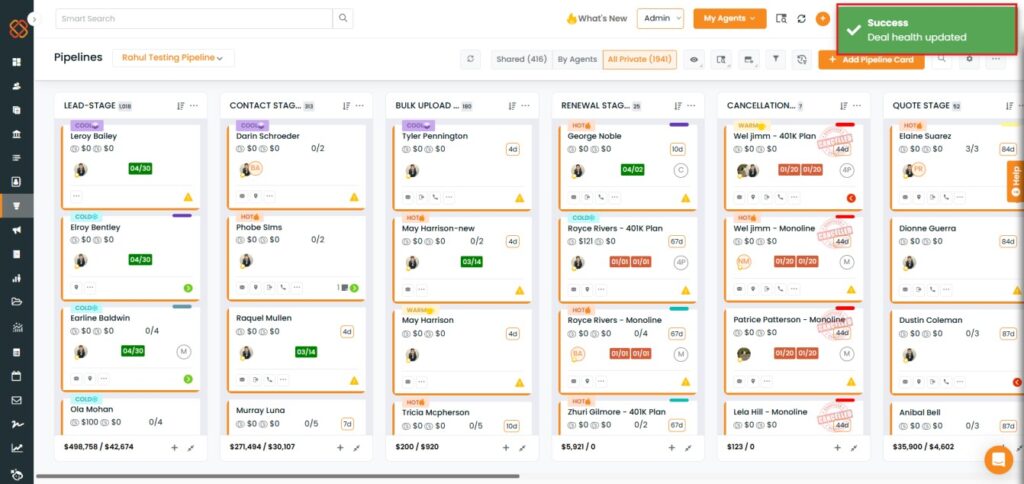
A successful pop-up “Deal Health updated” appears.
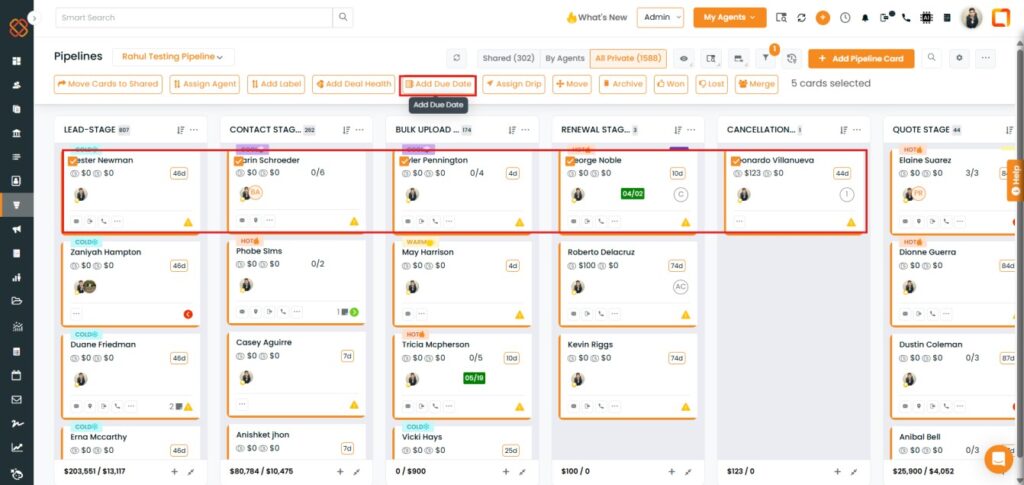
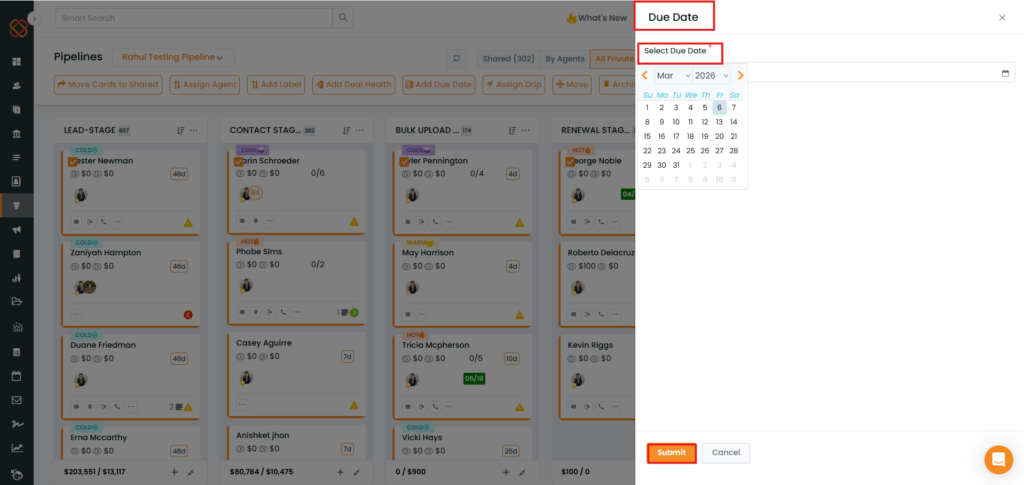
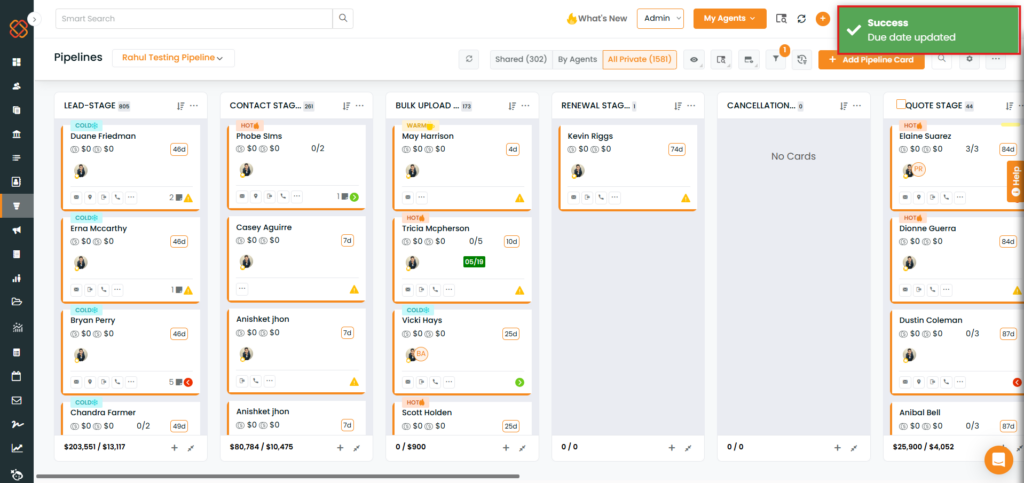
To View the Enhancement in Due Date:
Check the box beside the preferred pipeline cards.