Home » Knowledge Base » Not Available (NA) Option in the Filter for Deal Health and Due Date in Pipelines
User Interface and Navigation
Not Available (NA) Option in the Filter for Deal Health and Due Date in Pipelines
March 10, 2026
Release Date: 6 March 2026
We have introduced a new enhancement in the Pipeline module filter section that allows users to filter pipeline cards more effectively with the addition of a Not Available(NA) option in both Deal Health and Due Date filter dropdowns.
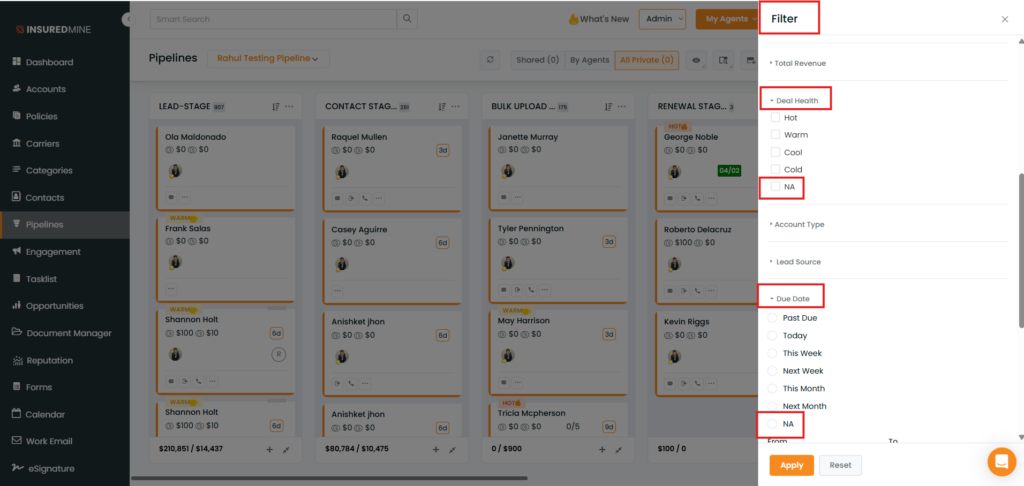
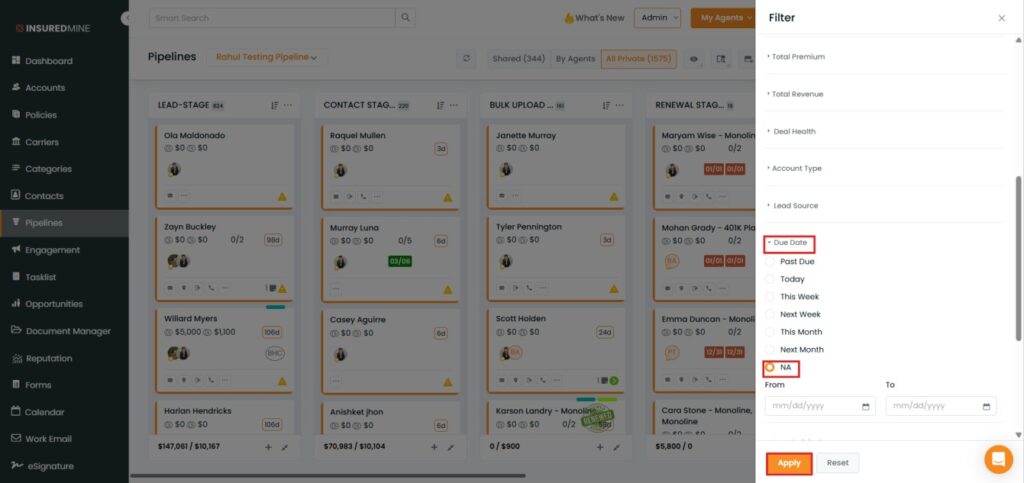
In Deal Health, along with the existing options (Hot, Warm, and Cool), the Not Available (NA) option has been added. Similarly, in the Due Date filter, along with the existing options (Past Due, Today, This Week, Next Week), the Not Available (NA)option has also been added.
Use Case: This enhancement helps users easily identify and filter pipeline cards where Deal Health or Due Date information is missing.
It enables better pipeline card management by allowing users to quickly identify deals that require updates or additional information.
To view the Enhancement:
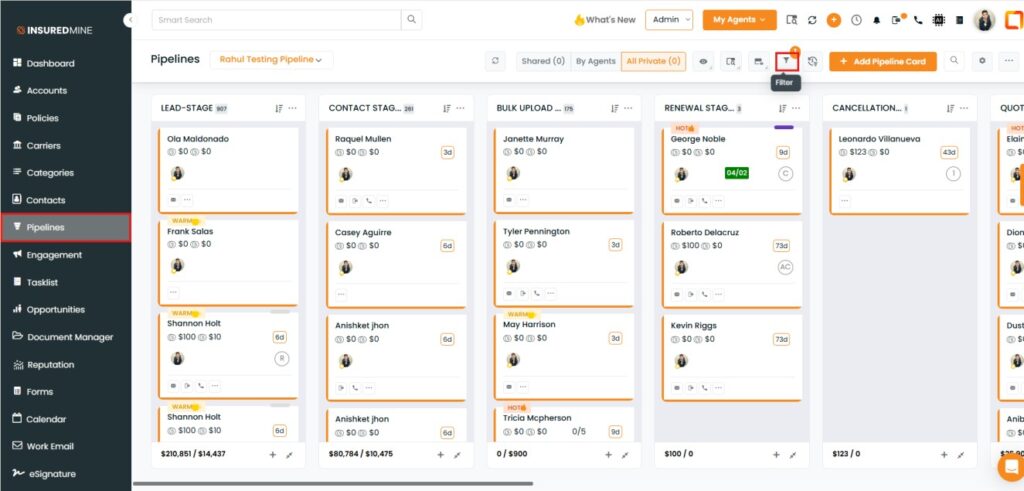
Navigate to Pipelines.
As shown below, click on the Filter icon.
A Filter panel appears on the right side.
As shown below, a new option, NA, has been added in both the Deal Health and Due Date dropdowns.
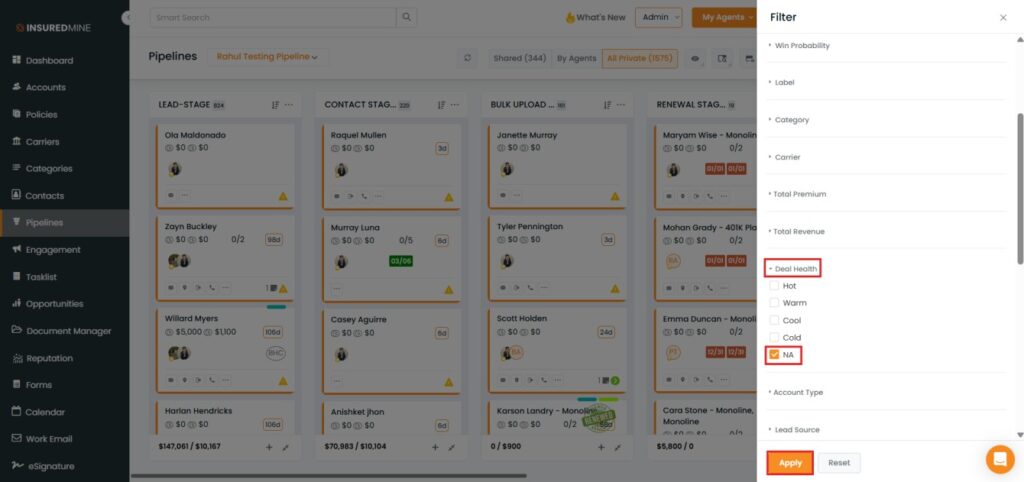
To view the result based on NA in Deal Health:
Check the Box beside the NA.
Click Apply.
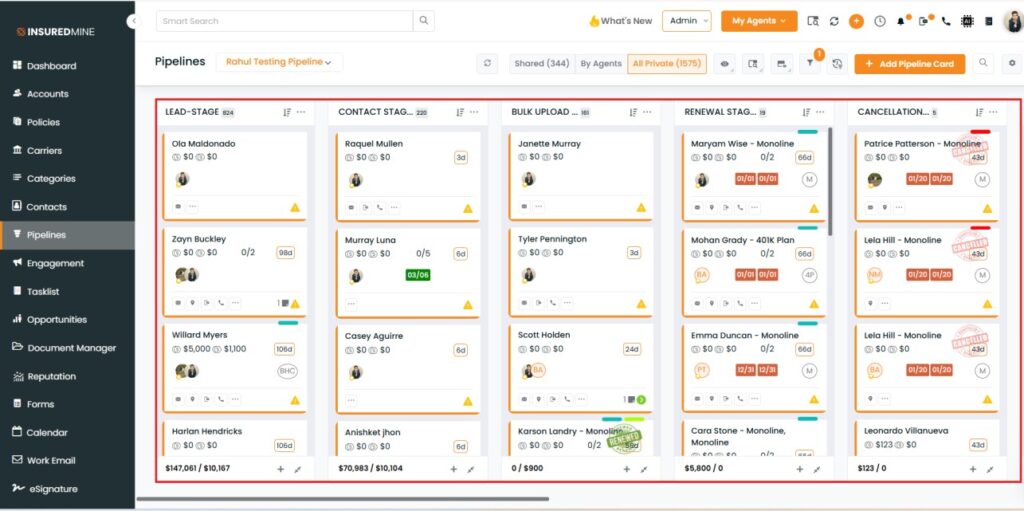
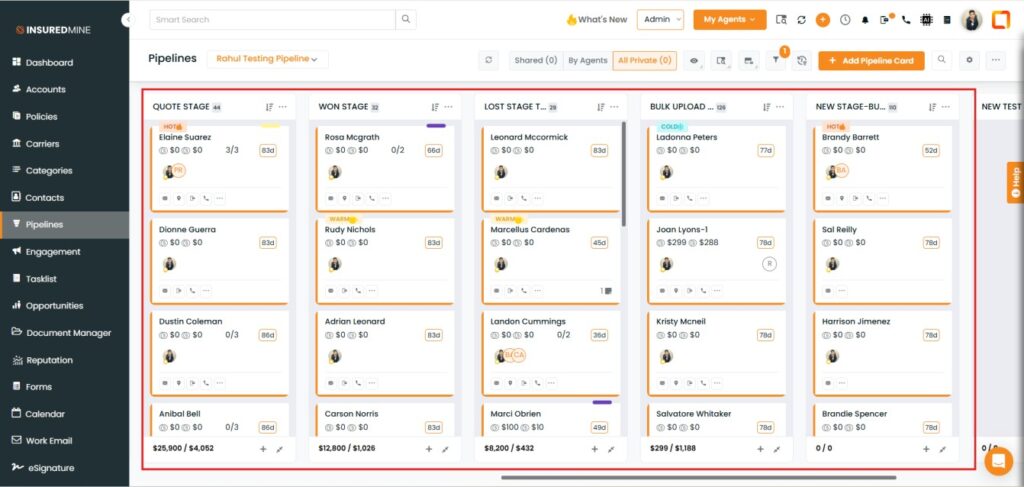
As shown below, pipeline cards with no Deal Health statusare displayed.
To view the result based on NA in Due Date:
Select the box beside the NA.
Click Apply
As shown below, pipeline cards with no Due Date assigned are displayed.