Release Date: 13 May 2026
Earlier, the system had only a single upload option for both creating and updating contacts together. This often created confusion for users when uploading data, especially in scenarios where they wanted to only add new contacts or update existing records separately. It also increased the chances of unintended updates or duplicate handling issues during bulk uploads. To improve flexibility, accuracy, and overall user experience, the contact upload functionality has now been enhanced by separating the process into dedicated upload options based on the required action.
Use Case: These enhanced upload options provide better control over how contact data is managed during bulk uploads. Users can now choose the exact action they want to perform based on their business requirement, whether it is adding only new contacts, updating existing records, or handling both together in a single upload. This helps maintain cleaner data, reduces duplicate records, prevents accidental updates, and improves overall upload efficiency while also protecting AMS synced contacts from unintended overrides.
Note: Contacts that are already present and synced with the respective AMS will be skipped during bulk upload to prevent any disruption or override of synced data.
This improves data accuracy and saves time during bulk contact management.
To view the Enhancement:
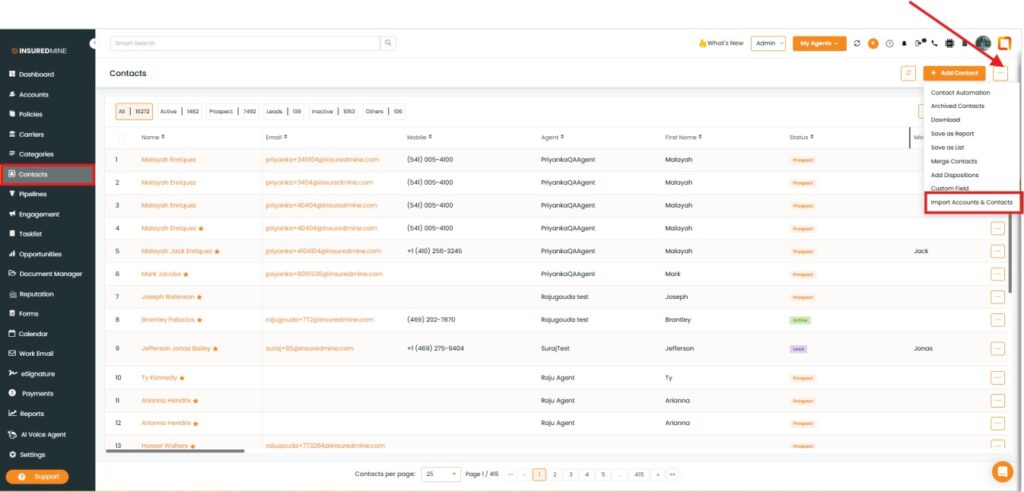
- Navigate to Contacts.
- Click on the three dots.
- From the dropdown, select Import Account and contacts.
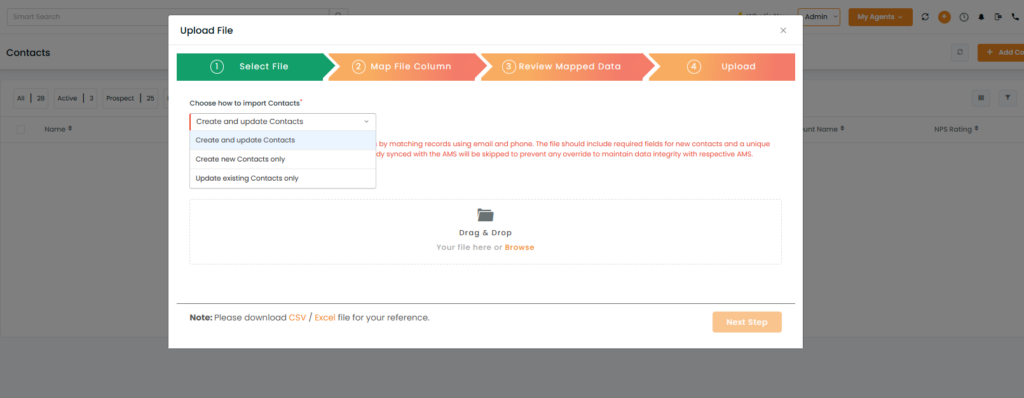
- An Upload File panel appears
- As shown below, three new options have been added.
- Create and Update Contacts
This option allows users to create new contacts while also updating existing contacts in a single upload process. The system identifies existing records using the contact’s email address and phone number. If a match is found, the existing contact information is updated, and if no match is found, a new contact is created automatically. This option is best suited for regular bulk uploads where both new and existing contact records may be present in the same file.
Note
- AMS synced contacts will be skipped, and a duplicate contact will be created for those records to maintain data integrity. Users should not be able to update synced contacts.
- Create New Contacts Only
This option is designed specifically for adding only new contacts to the system. During the upload process, the system checks existing records using email address and phone number to identify duplicates. If a contact already exists (synced or non-synced), that record will be ignored, and no updates will be made to existing data. This helps users safely import fresh lead or prospect lists without affecting current records.
Note
- Existing contacts will not be updated.
- Update Existing Contacts Only
This option updates only the contacts that already exist in the system. The system matches records using email address and phone number, and updates only the eligible existing contacts found during the upload. Any new contacts included in the file will be skipped automatically. This option is useful when users want to refresh or correct existing contact information without creating additional records.
Note
- New contacts will not be created.
- AMS synced contacts will be skipped to maintain data integrity.
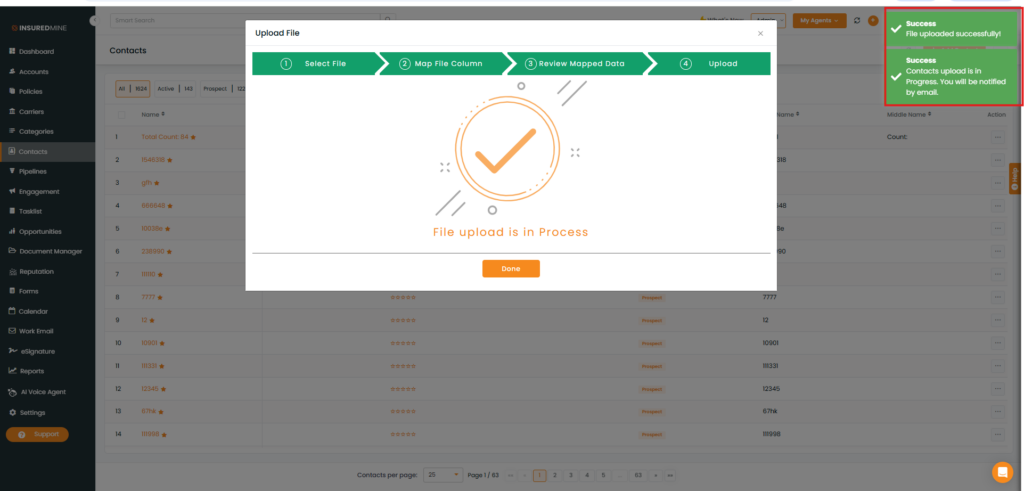
Note: After selecting the preferred import option, upload the preferred file. Once the upload process is completed, two success pop-ups will appear, as shown below.