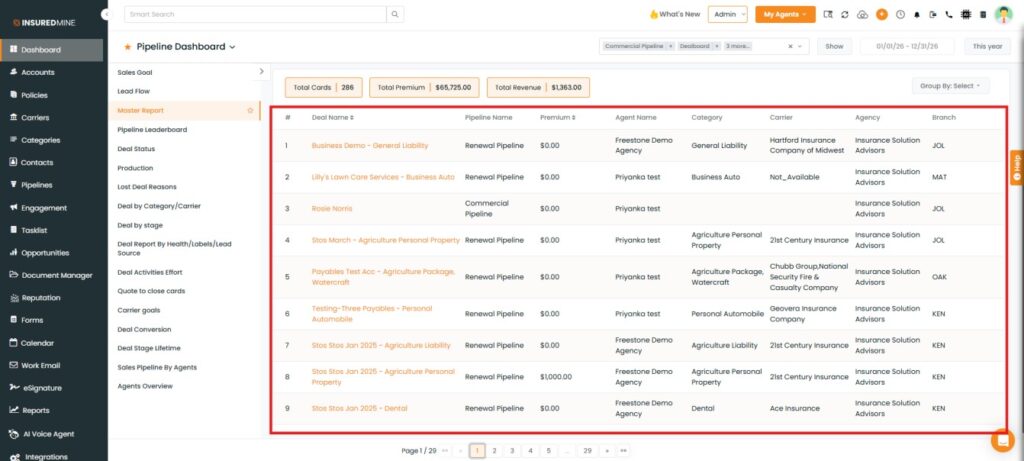
We have introduced a new Agency filter under the Dashboard module (Pipeline Dashboard > Master Report), allowing users to refine report data based on selected agencies. This enhancement helps users quickly view and analyze data for one or multiple agencies.
Use Case:The Agency filter enables users to segment pipeline data based on agencies, helping them focus on relevant records more efficiently.
It helps analyze performance across agencies, track deals more effectively, and improve decision-making by allowing users to view only the required data instead of the entire dataset, reducing manual effort and saving time.
Note: This feature is available only for Epic agencies.
To view the enhancement:
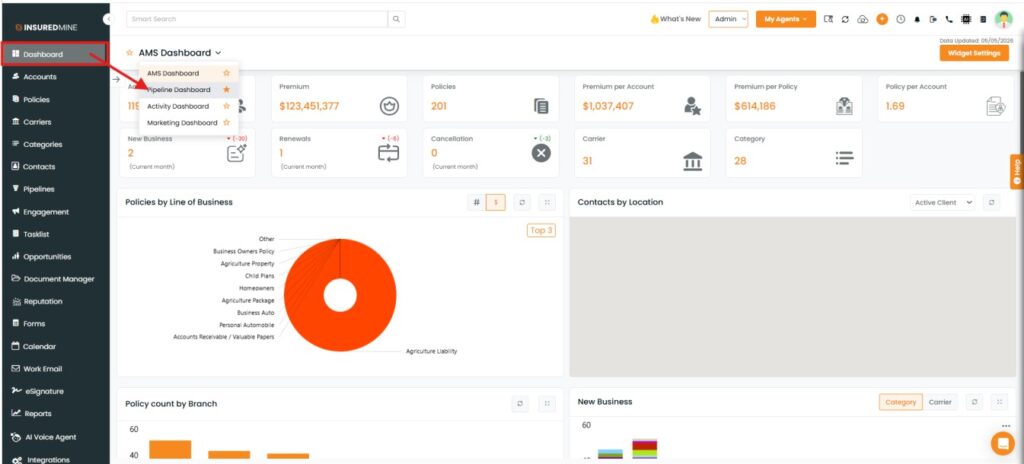
Navigate to Dashboard.
From the dropdown, select Pipeline Dashboard.
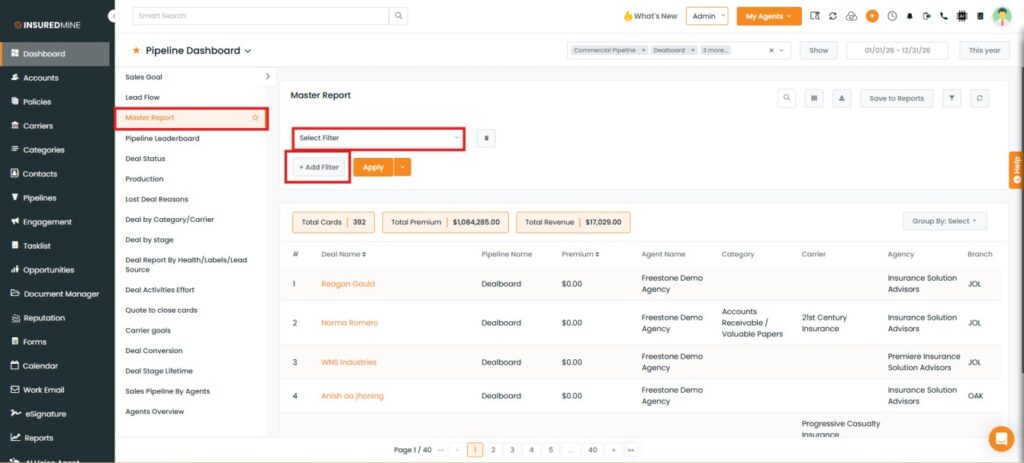
From the Pipeline Dashboard dropdown, select Master Report.
Click on + Add Filter.
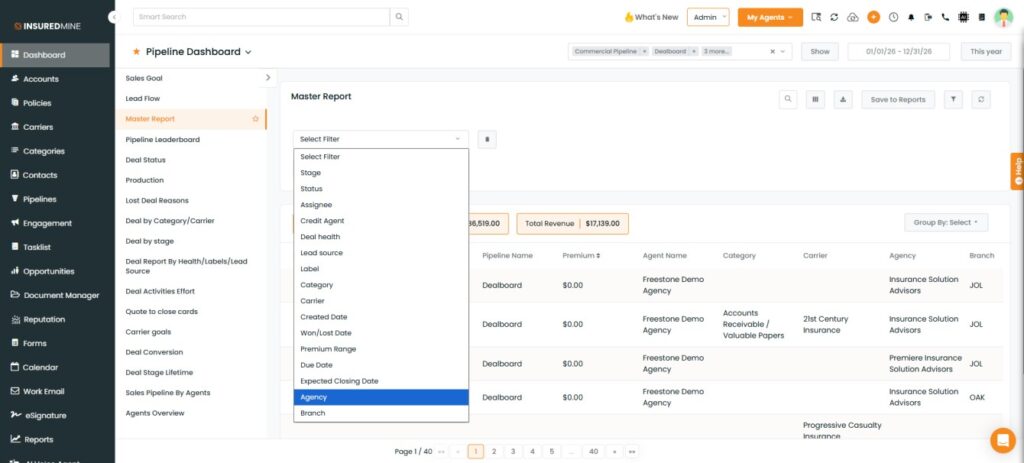
The Select Filter dropdown appears.
Select Agency from the dropdown.
To view the result:
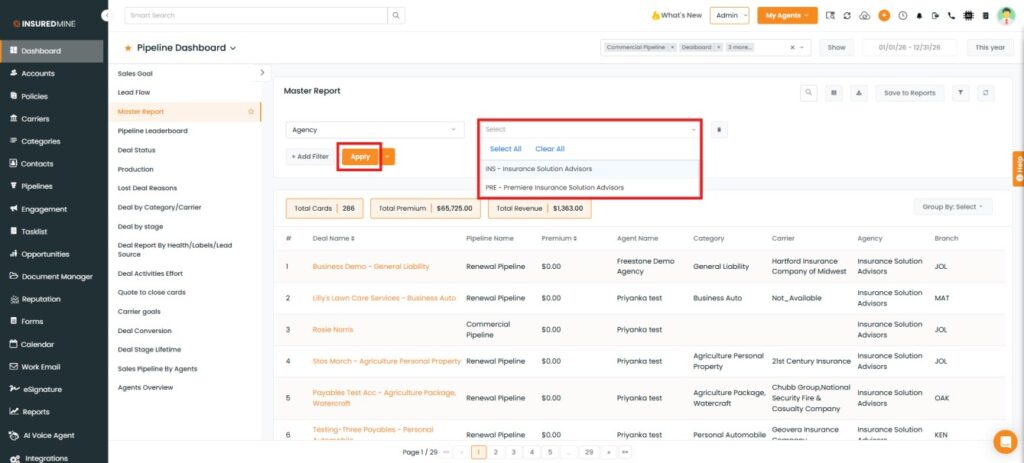
As shown below, select the desired Agency, or use the Select All option to choose all agencies.
Click on Apply.
Based on the selected agency, the data is displayed in the report, including details from Deal Name to Branch.