Release Date: June 3 2026
This enhancement is available to all users.
Overview
We have introduced a new Call Forwarding feature under the Call Settings section in the Settings module. This enhancement allows Admins and Agents to choose between Forward Immediately and Ring First, Then Forward call forwarding modes.
With this feature, important calls can be redirected to a designated phone number, helping users stay connected and ensuring that calls are not missed even when away from the office.
Use Case: This enhancement helps insurance agents and agencies maintain accessibility by forwarding calls to mobile devices or alternate office numbers. It improves client communication, ensures better call handling, and allows users to answer calls before they are forwarded when using the Ring First, Then Forward option, helping them respond to important calls more efficiently.
To View the Enhancement:
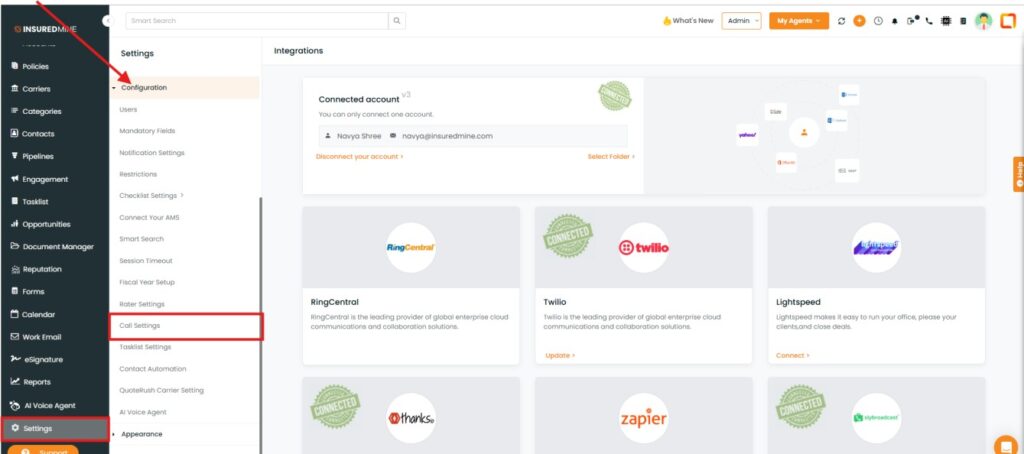
- Navigate to the Settings Module.
- Within Configuration, click on ‘Call Settings’.
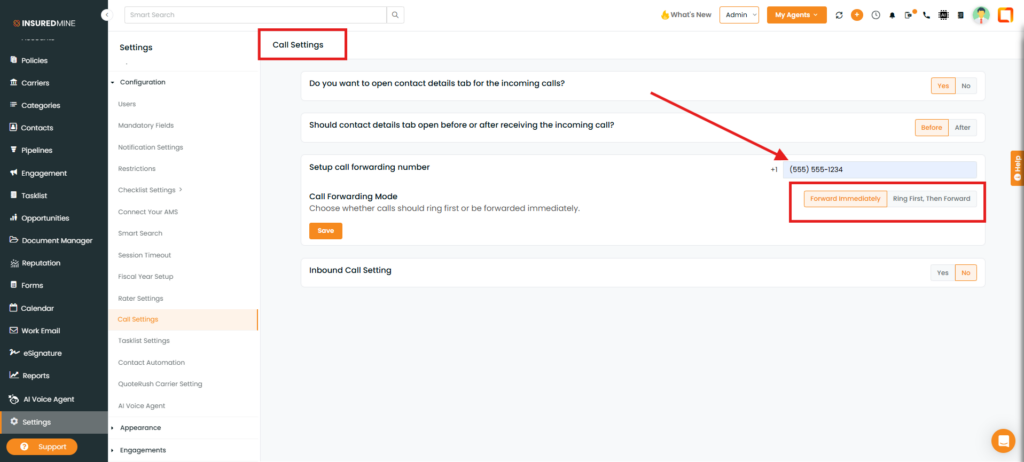
- The Call Settings page has been displayed.
- Select the preferred option: ‘Forward immediately’ or Ring First, Then Forward ‘.
To set up Call Forwarding:
- Add the Phone Number.
- Select either:
- Forward Immediately
- Ring First, Then Forward
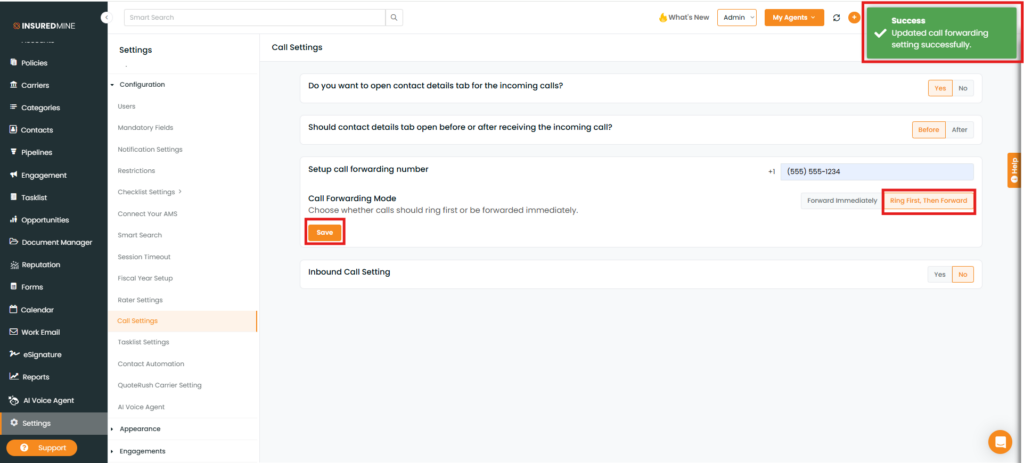
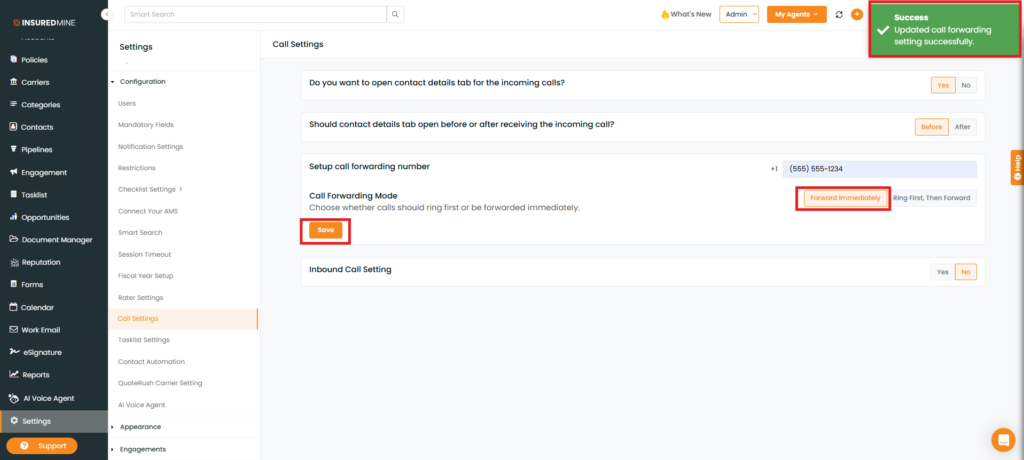
- Click on Save
- A success message, “Updated call forwarding successfully,” appears.
Note:
- Forward Immediately: Calls are directly forwarded to the configured number without ringing the primary number first.
- Ring First, Then Forward: The primary number rings first. If the call is not answered or disconnected, it is forwarded to the configured number.
Ring First, Then Forward