


Release Date: July 23, 2026
Availability
This enhancement is available to Admins, Managers, and Agents who have access to the Master Report.
Overview
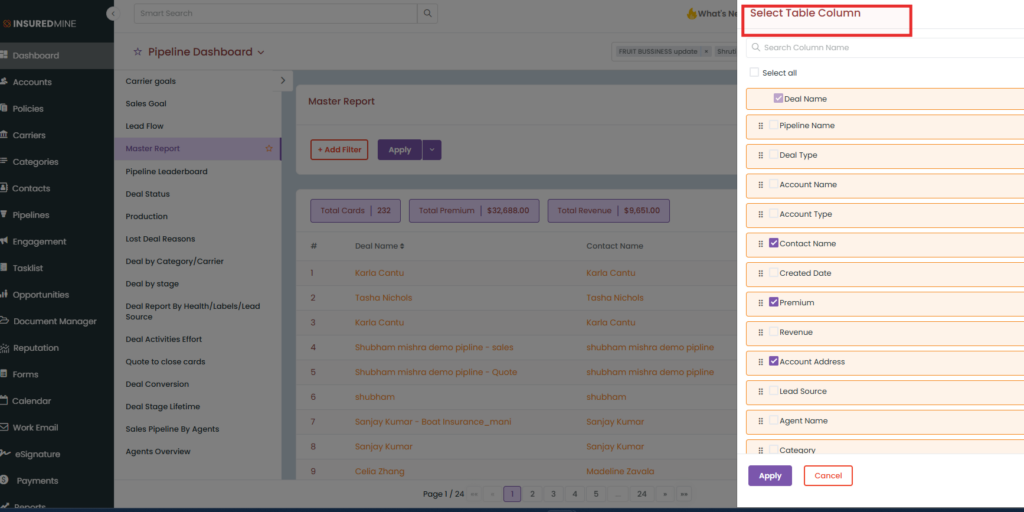
The Master Report allows users to customize the report view using the Select Table Columns option, enabling them to display only the columns relevant to their workflow. By default, when the report is downloaded, only the currently selected table columns are included in the exported file.
With this enhancement, a new Include Every Table Column checkbox has been added to the report download window. When selected, the exported report will include all available Master Report columns, regardless of the columns currently selected in the table view.
This gives users the flexibility to maintain a simplified on-screen view while still downloading a comprehensive report whenever needed.
Use Case: Users often customize the Master Report to display only the columns they use regularly. While this improves day-to-day usability, there are situations where a complete report is required for management reviews, audits, client reporting, or further analysis.
The Include Every Table Column option eliminates the need to first modify the table view before exporting the report, allowing users to generate a complete report with a single click.
Download the Master Report with All Columns
- Navigate to Dashboard.
- Switch to the Pipeline Dashboard.
- Open the Master Report.
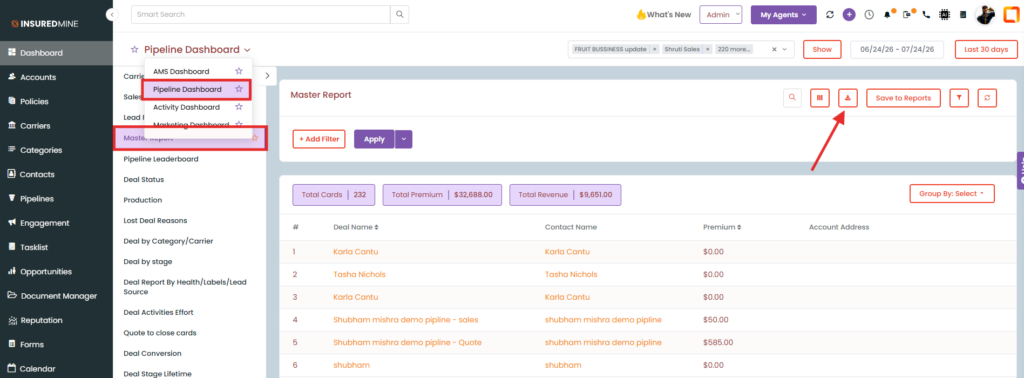
- Click the Download icon.
- Enter the email address where you want to receive the report.
- To export every available column, select the Include Every Table Column checkbox.
- Click Download.
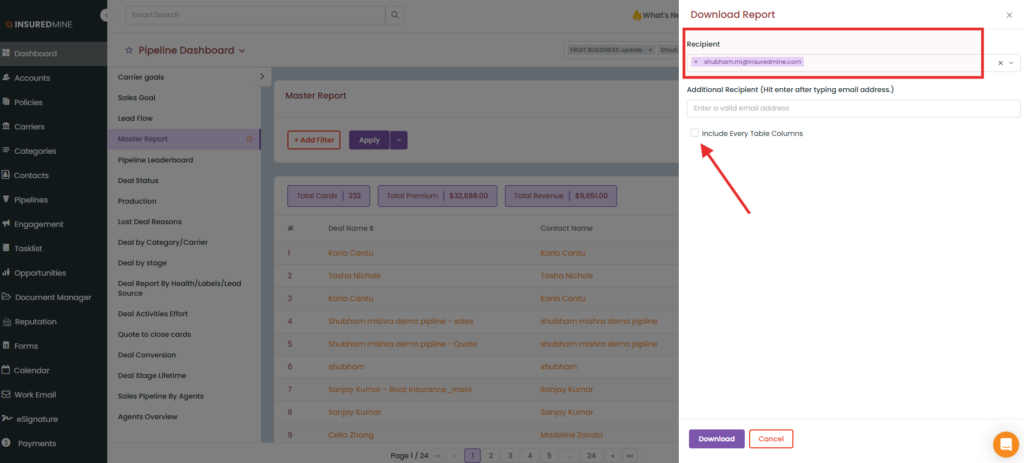
- If the checkbox is not selected, the downloaded report will contain only the columns currently displayed based on the Select Table Columns configuration.
- If the checkbox is selected, the downloaded report will include all available Master Report columns, regardless of the selected table view.
Notes
- By default, downloaded reports include only the columns selected under Select Table Columns.
- Selecting Include Every Table Column overrides the current table view for the exported report only.
- This enhancement does not change the columns displayed within the Master Report; it affects only the downloaded file.
- The report will be delivered to the email address entered during the download process.


