Release Date: July 28, 2026
This enhancement is available to Agents and Admins
Overview
We have introduced a new Label Mapped Date option in the Deal Report By Health/Labels/Lead Source report within the Pipeline Dashboard. This enhancement allows users to view and analyze Pipeline Cards label data based on the date a label was mapped to a deal card, providing more accurate insights into labeling Pipeline cards over a selected period.
Use Case: Users can track when labels were applied to Pipeline cards and generate reports based on label assignment dates rather than deal creation dates, enabling more accurate performance and activity analysis.
To view the enhancement:
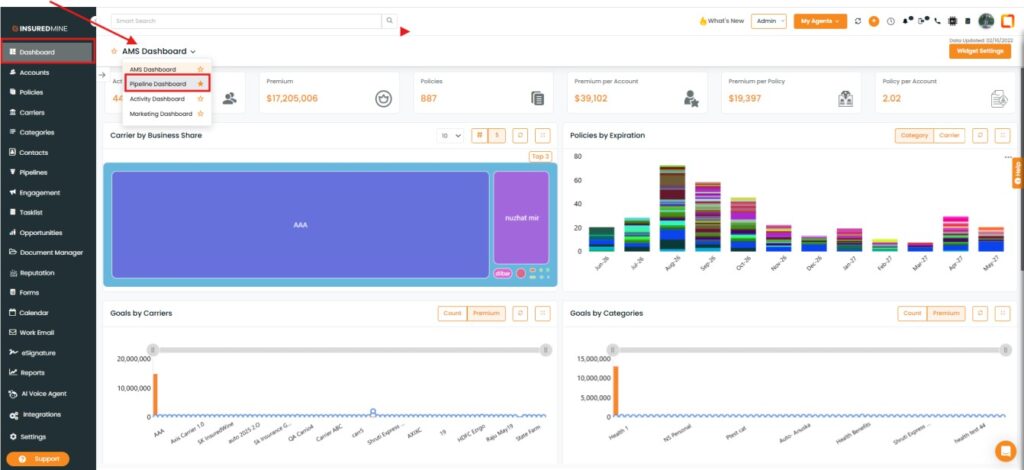
- Navigate to Dashboard.
- From the Dashboard dropdown, select Pipeline Dashboard.
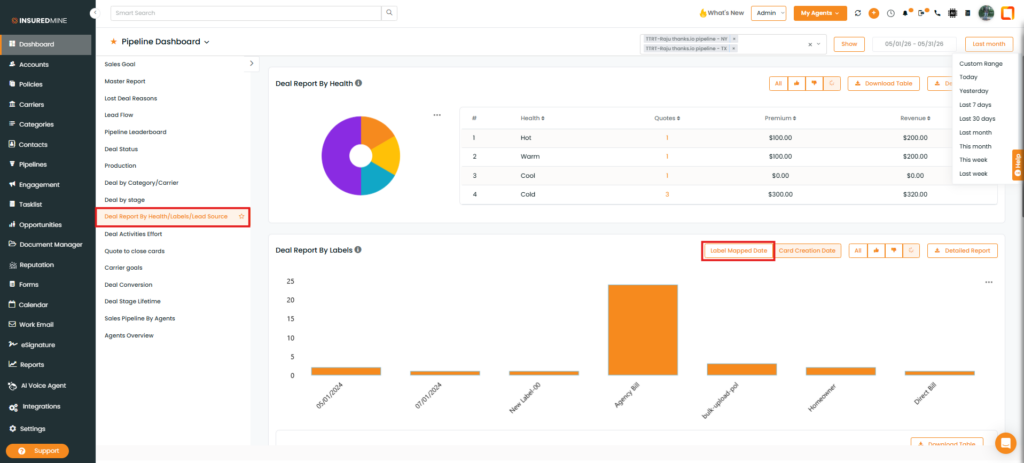
- From the Pipeline Dashboard, Select Deal Report By Health/ Labels/ Lead Source.
- As shown below, a new option, Label Mapped Date, has been added.
How to see the Label Mapped Date Filter?
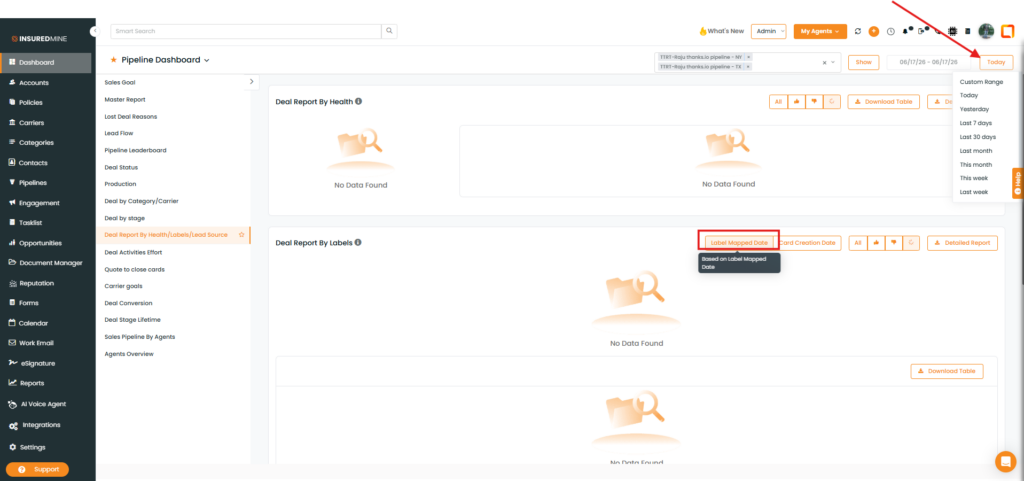
- Click Label Mapped Date.
- Click the Date Filter dropdown in the top-right corner.
- Select the preferred date range.
Note: The Label Mapped Date filter allows you to view Pipeline cards based on the date a label was mapped to them, helping you analyze label activity within a specific time period.
- The Deal Report by Labels is displayed based on the selected Date.
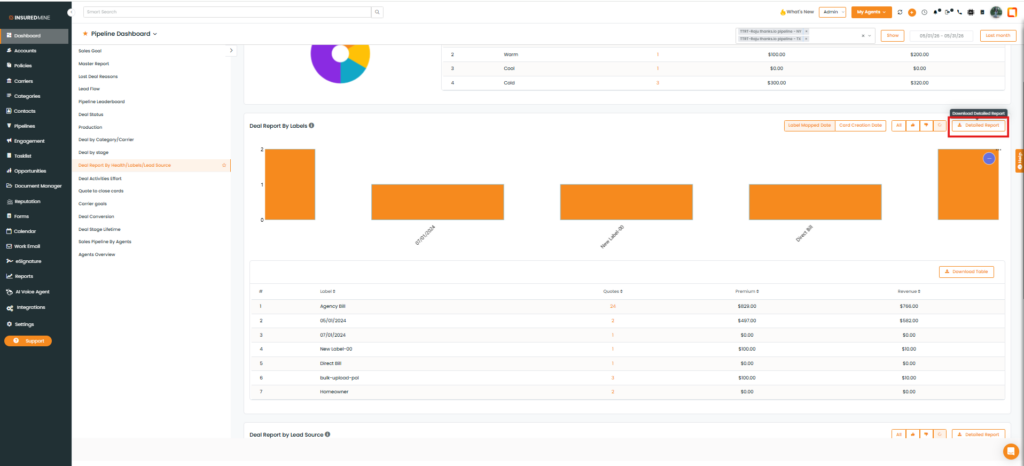
- You also have the option to download the Detailed Report of the Deal Card.