We have introduced an enhancement that allows users to synchronize policies directly from InsuredMine with HawkSoft. Users can initiate policy synchronization manually from the Policy Details page, import the policy into HawkSoft using the HawkSoft Importer, and verify the synchronization status in InsuredMine.
Use Case: This enhancement helps users reduce manual data entry and maintain consistent policy records between InsuredMine and HawkSoft while providing visibility into the synchronization status.
Note: The Account must be synced before the Policy can be synced from InsuredMine to HawkSoft.
Policy auto-sync is supported only for the first Policy associated with an Account. When the Account is synced, the first Policy will automatically be synced to HawkSoft. For any additional Policies under the same Account, users will need to manually trigger the CMSMTF sync process.
Steps to Sync Policies IM to HawkSoft:
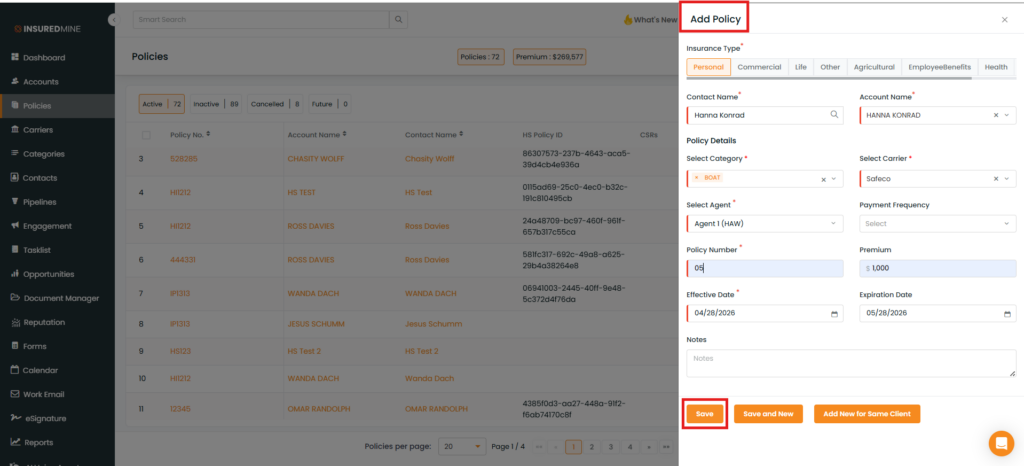
Navigate to Policy.
Click on Add Policy.
Fill in the required details.
Click on Save.
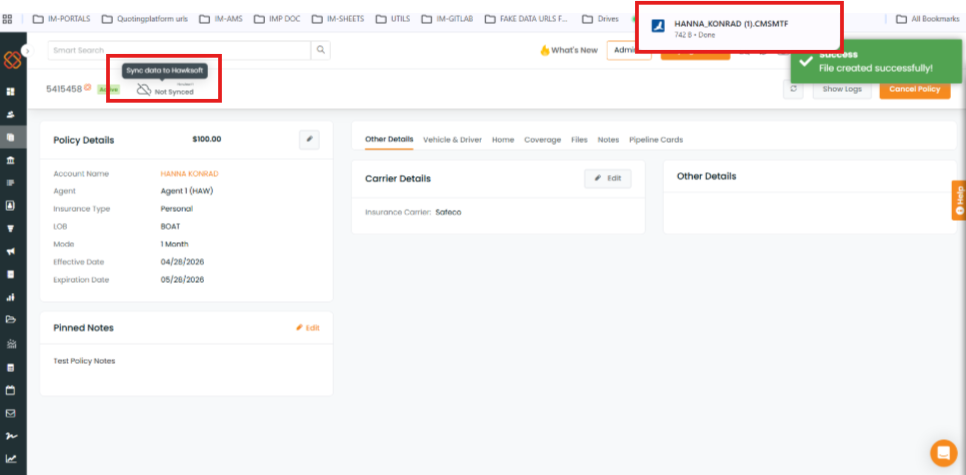
As shown below, from the Policy Details, click on the Not Synced
A successful pop-up of the file is created, and a downloaded file appears
Click on the downloaded File
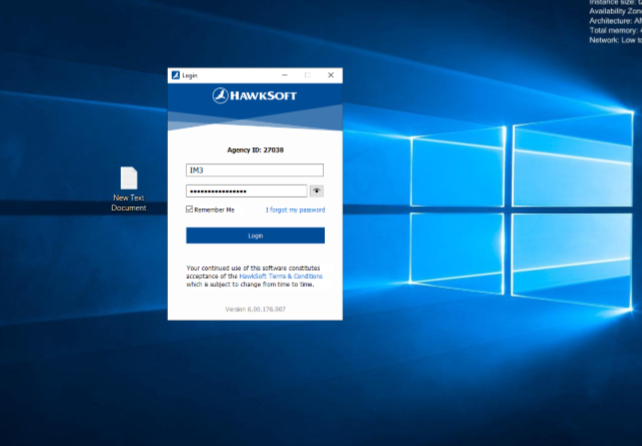
Note: Log in to Hawksoft using your credentials.
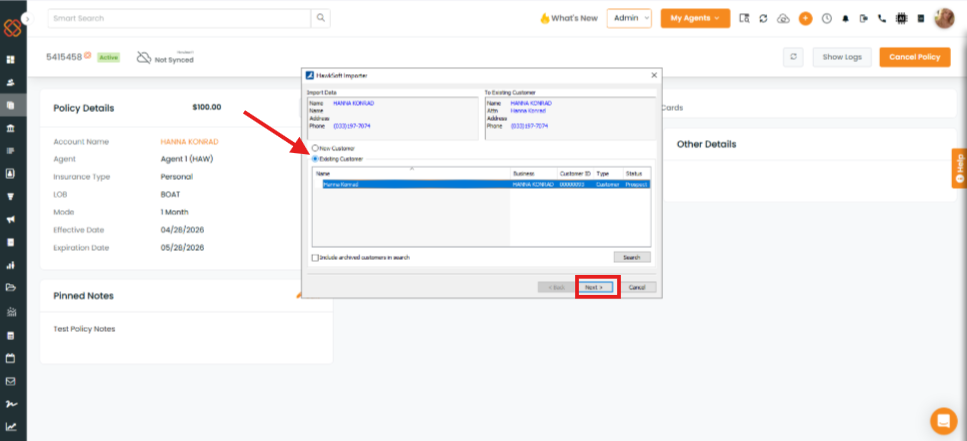
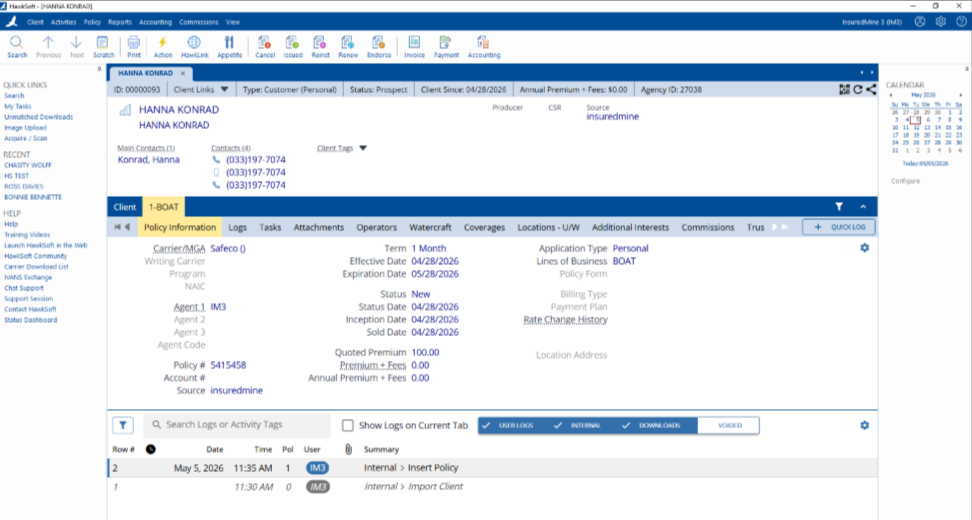
The Hawksoft Importer pop-up opens automatically.
Select Existing Customers.
Click on Next.
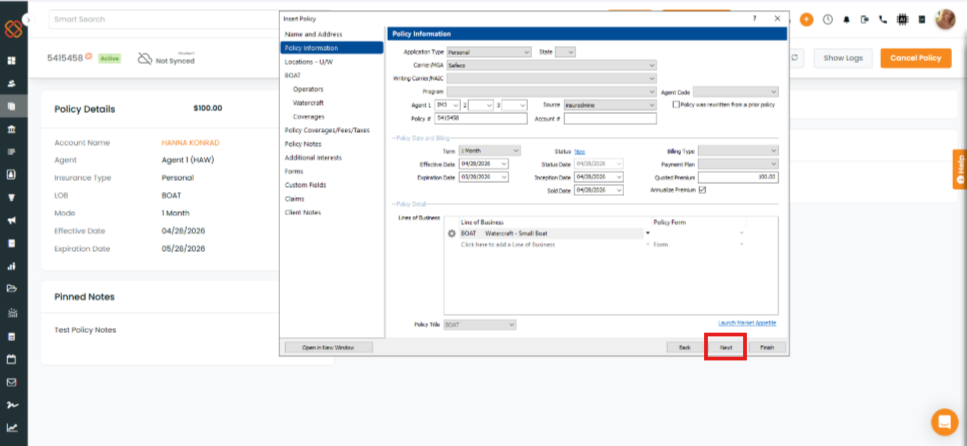
A Policy Information pop-up appears to map data.
Click on Next
How to verify Policy Sync in IM:
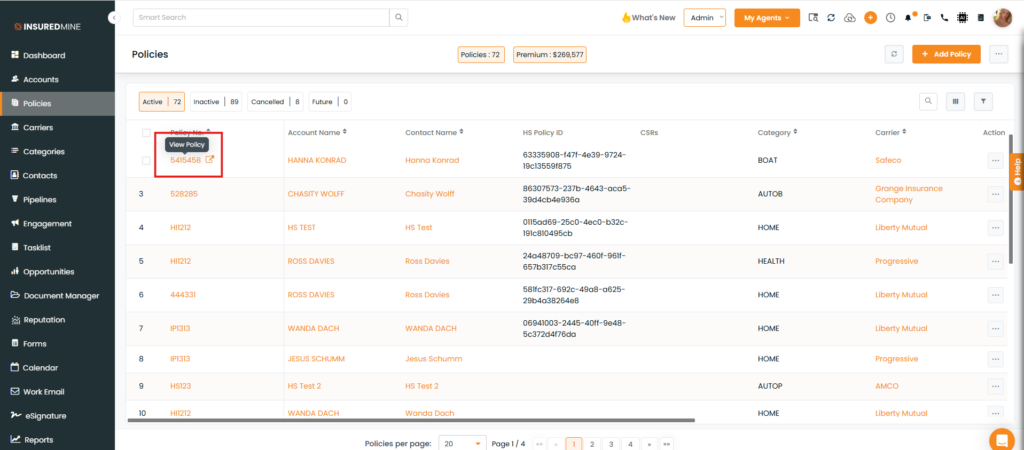
Click on the Policy No.
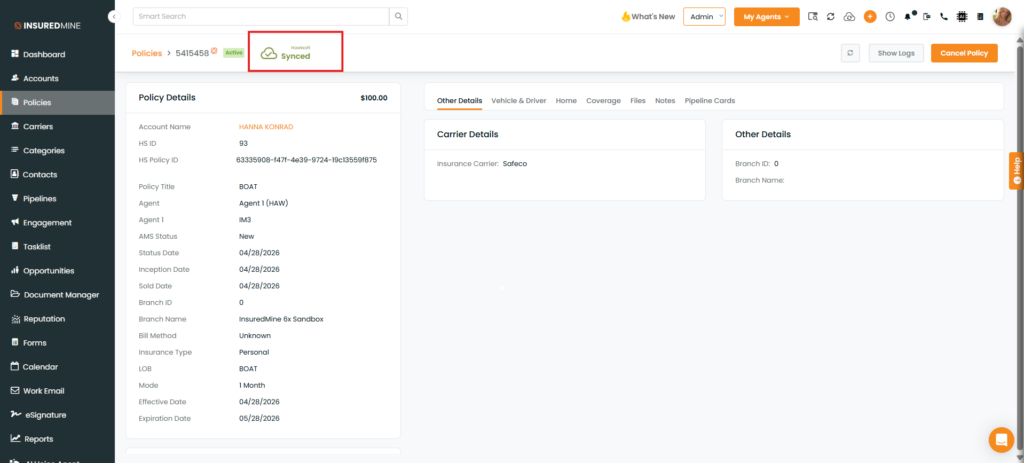
As shown below, the status is displayed as Synced.