Home » Knowledge Base » Agency group Management (Manage Module, Restrictions, Manage Pipelines, Manage Checklist, Manage Custom Forms & Manage Templates)
User Profile/ Profile Settings
Agency group Management (Manage Module, Restrictions, Manage Pipelines, Manage Checklist, Manage Custom Forms & Manage Templates)
September 25, 2026
Release Date: July 3, 2026
This enhancement is available only to Admins.
Overview
We have introduced a new enhancement under the User Management Agency Group now you have more option to manage Group Name by Manage by Pipelines, Manage by Checklist, Manage by Custom Forms, Manage by Templates
Use Case:
This enhancement helps Admins efficiently manage access to pipelines, checklists, custom forms, and templates for different agency groups. By assigning permissions at the group level, admins can ensure that all users within the selected group have access to the appropriate resources.
To view the enhancement:
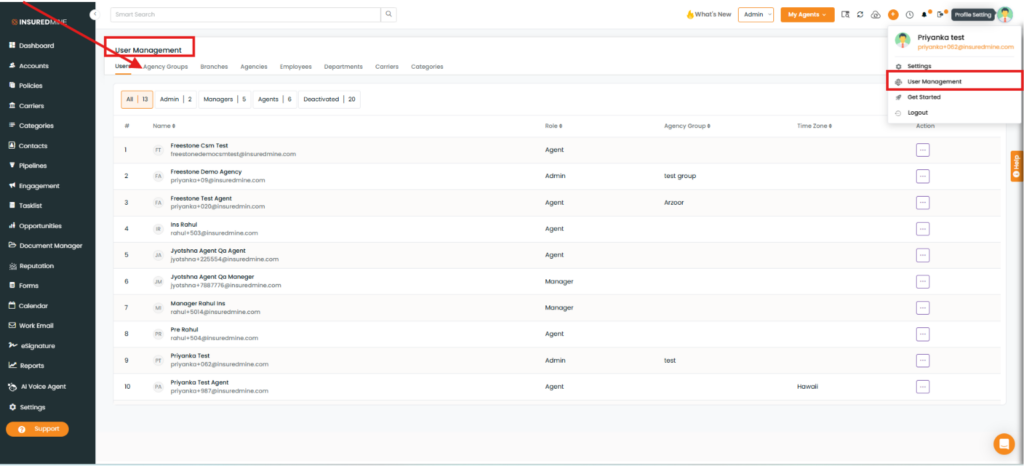
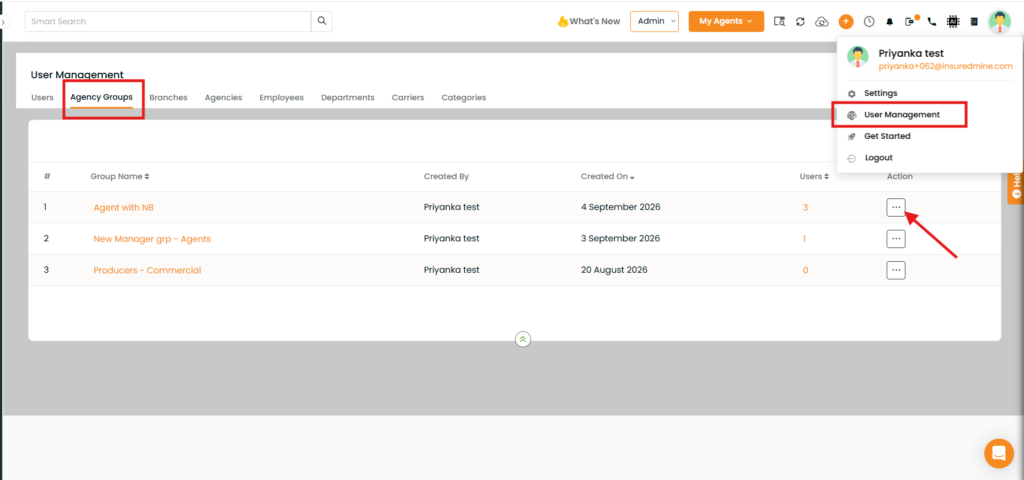
Navigate to Profile Settings from the header.
Click User Management.
The User Management page appears.
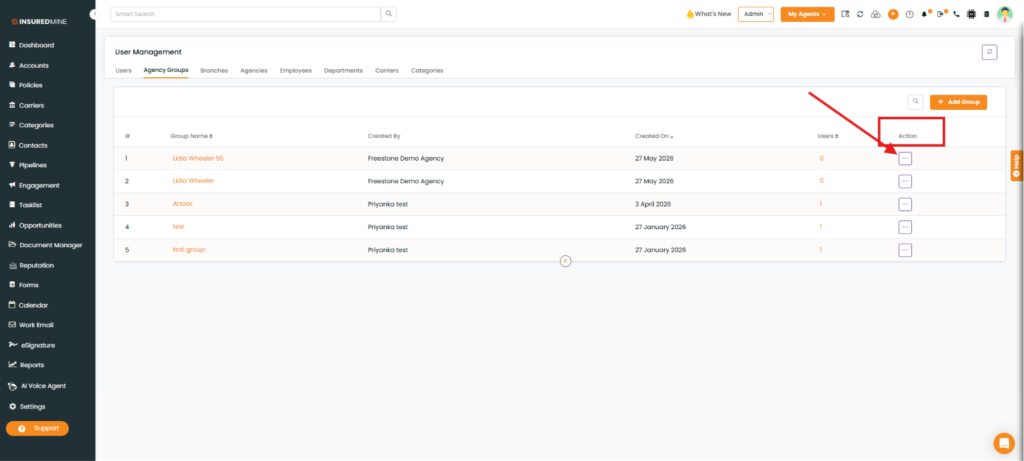
Click Agency Groups.
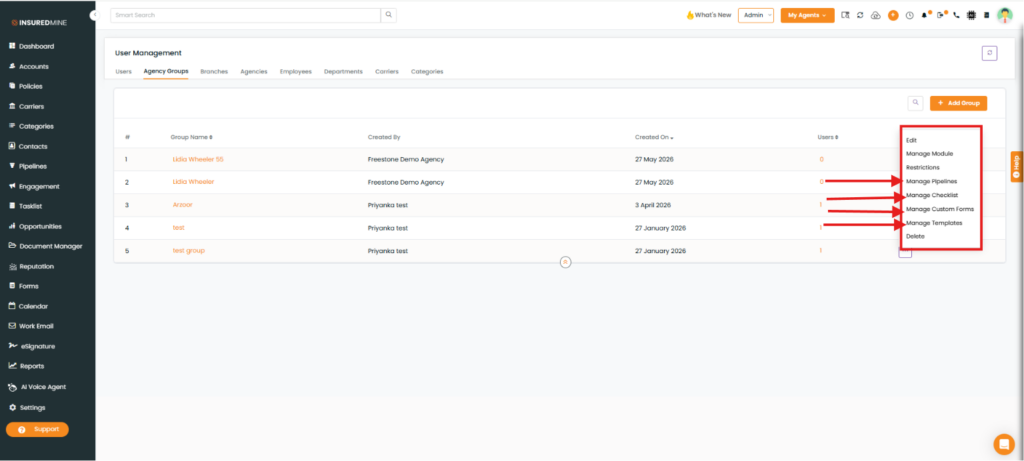
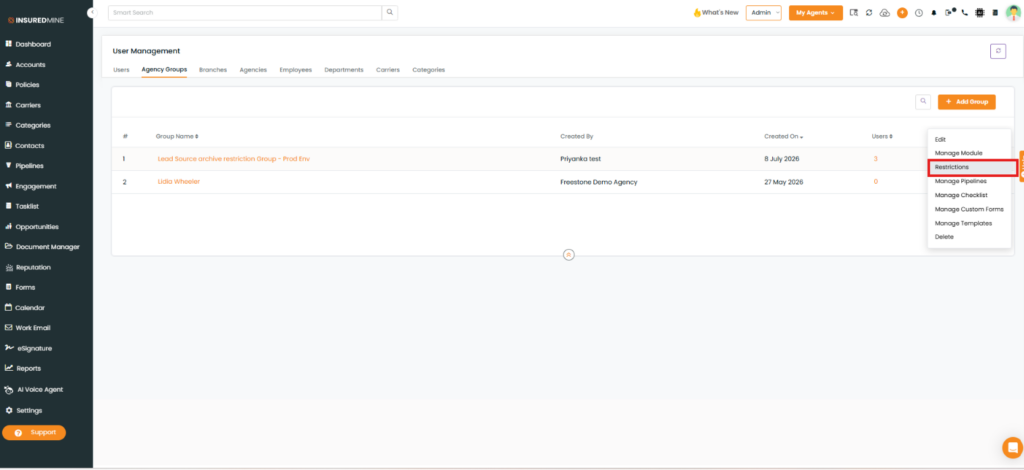
In the Action column, click the three-dot (More Options) icon for the required agency group.
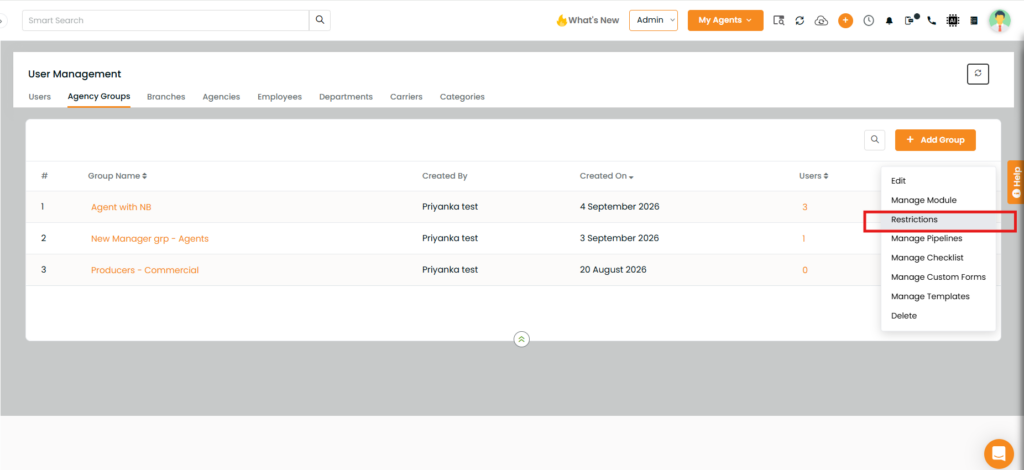
A drop-down menu appears with the following newly added options:
Manage Pipelines
Manage Checklist
Manage Custom Forms
Manage Templates
To Apply The Configuration
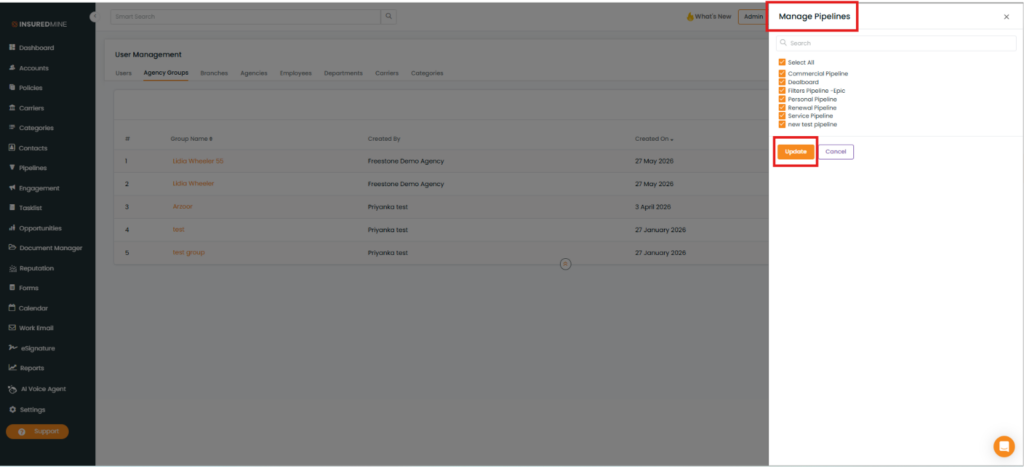
Click the preferred management option (for example, Manage Pipelines).
A Manage Pipelines panel appears on the right-hand side.
Select the preferred pipeline(s) or click Select All.
Click Update.
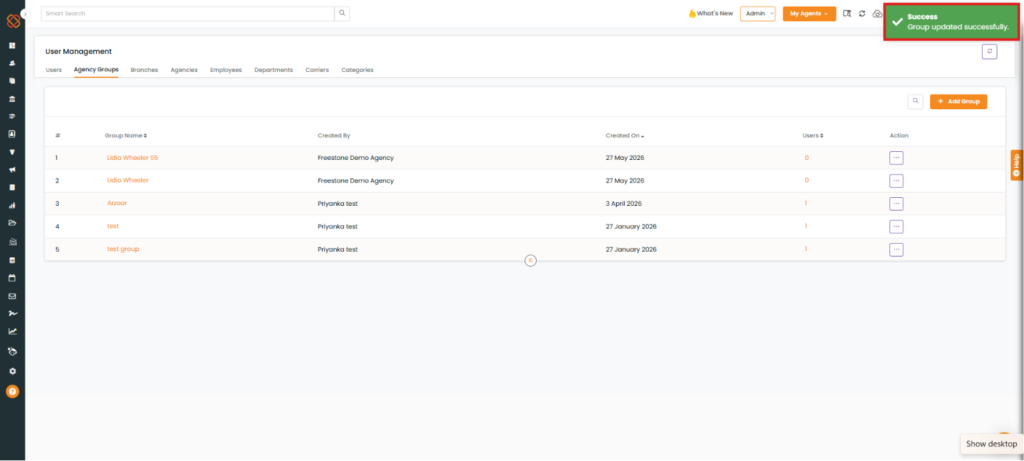
A success message, “Group Updated Successfully,” appears.
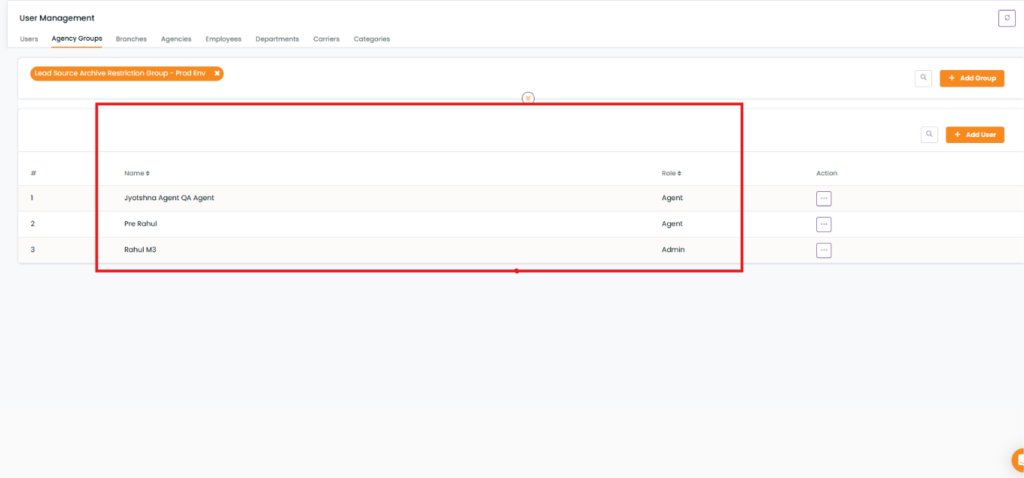
Note: All agents assigned to the selected agency group will have access to the configured pipeline(s).
Note: Follow the same steps to configure Manage Checklist, Manage Custom Forms, and Manage Templates.
Enhancement - July 15, 2026
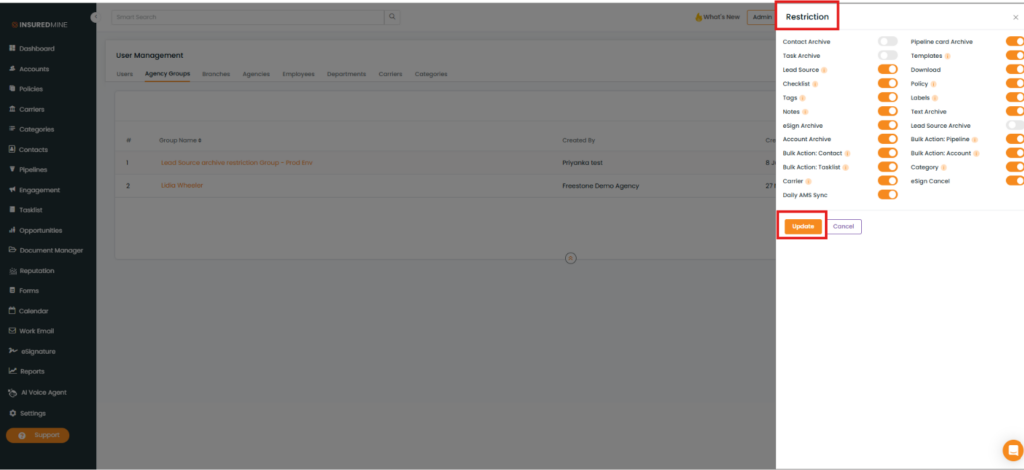
Note: Any restriction configured under User Management > Agency Groups is applied to all Agents (users) belonging to that Group Name. If a user’s individual restriction settings under Settings > Restrictions differ from the agency group configuration, the agency group restrictions override the individual user restrictions.
User Management > Agency Groups
Enhancement – 09/09/2026
Manage Module Changes:
Agency Groups now have access to all available modules. Previously, module availability was inconsistent between the user level and the agency group level. This enhancement ensures feature parity by making all modules accessible at the agency group level.
To Manage Modules for an Agency Group
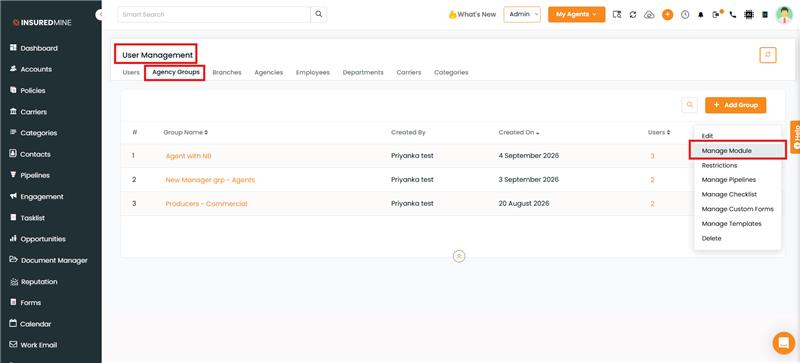
Navigate to User Management > Agency Groups
Locate the agency group you want to configure
Click the Edit button or the three-dot menu for that group
Select Manage Module
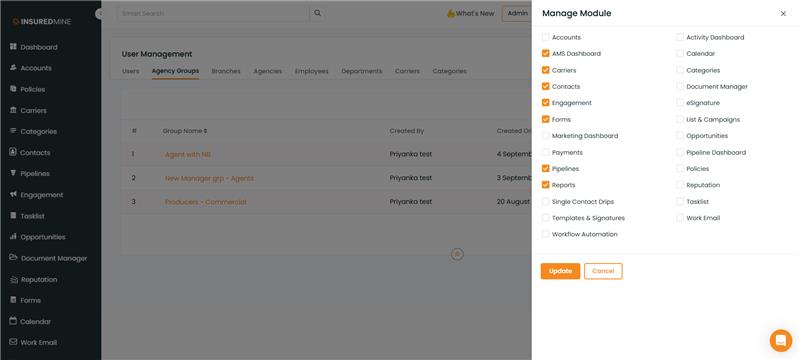
5. The Manage Module dialog displays all available modules with checkboxes
6. Check or uncheck modules as needed to control access for users in that group
7. Save your changes
Benefit
Administrators can now:
Ensure complete feature access when configuring agency groups
Maintain consistent module availability across user and group levels
Reduce setup time by eliminating the need for manual user-level module assignments
Have full transparency over which modules are available in each agency group
Enhancement – 09/25/2026
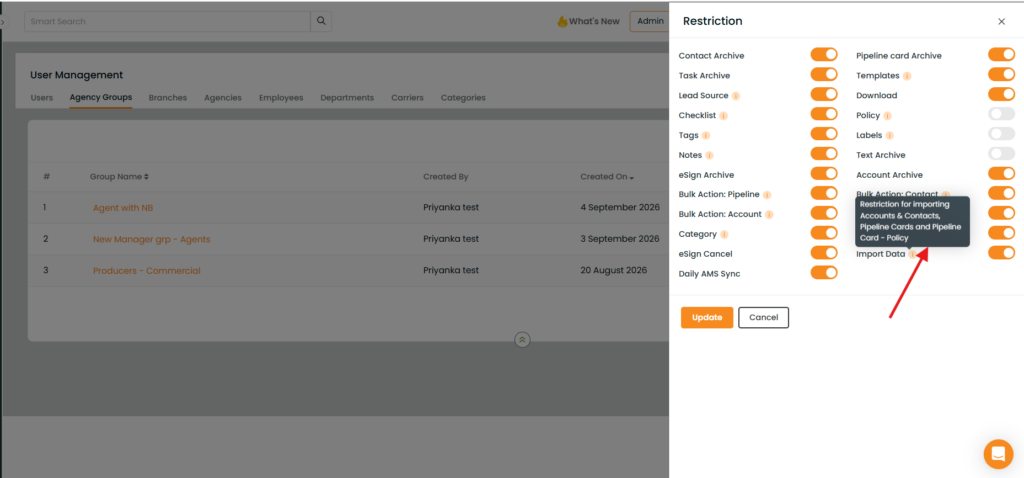
Agency Group – Import Data Restriction
Overview
InsuredMine now allows Admins to restrict data imports for specific Agency Groups.
A new Import Data (Import Accounts & Contacts, Import Pipeline Cards and Import Pipeline Card – Policy) restriction has been added under Agency Group settings. When enabled, users in the selected Agency Group will not be able to import data into InsuredMine.
Use Case
Admins can prevent users from importing data into InsuredMine based on their Agency Group permissions, helping maintain control over data imports.
To Configure Import Data Restriction
Navigate to User Management > Agency Groups.
2. Select the Agency Group and click on the action button.
3. Open the Restrictions section.
4. Enable the Import Data restriction.
5. Save the changes.
Users in the selected Agency Group will no longer be able to import data into InsuredMine.