


Release Date: July 3, 2026
Overview
We have introduced a new automation enhancement under the Opportunities module for Auto No Home and Home No Auto policies. This enhancement allows to automatically create pipeline cards by configuring the pipeline, stage, ownership, and probability threshold. Pipeline cards are created only for policies whose probability falls within the configured threshold range.
Use Case: This enhancement automatically creates pipeline cards for eligible Auto No Home and Home No Auto policies based on the configured probability threshold. It eliminates manual pipeline card creation and ensures opportunities are created in the appropriate pipeline, stage, and assigned to the selected agent.
To view the enhancement:
- Navigate to Opportunities.
- Select Auto No Home or Home No Auto.
- Click Automation.
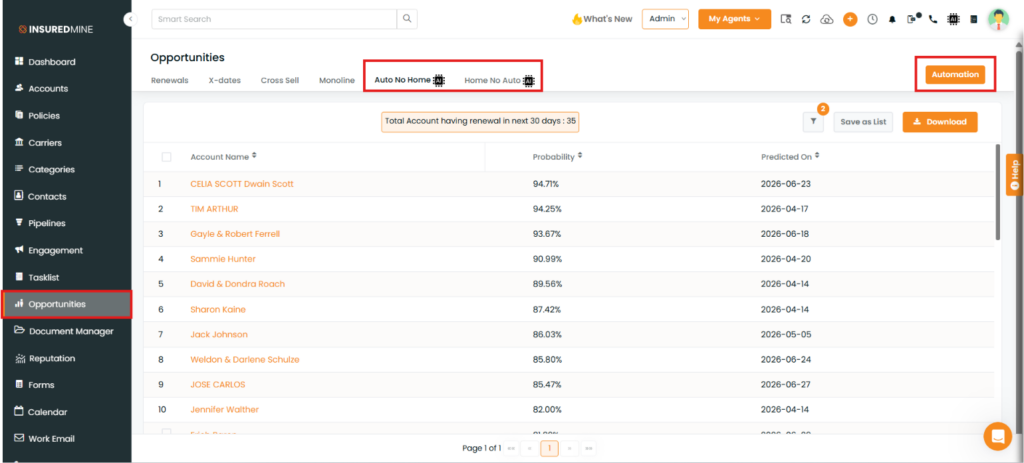
An Automation Setting panel appears on the right-hand side.
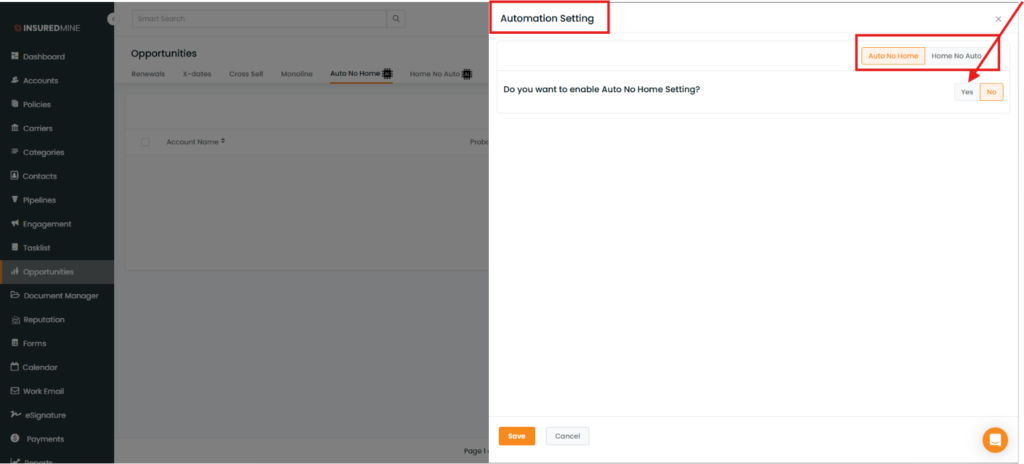
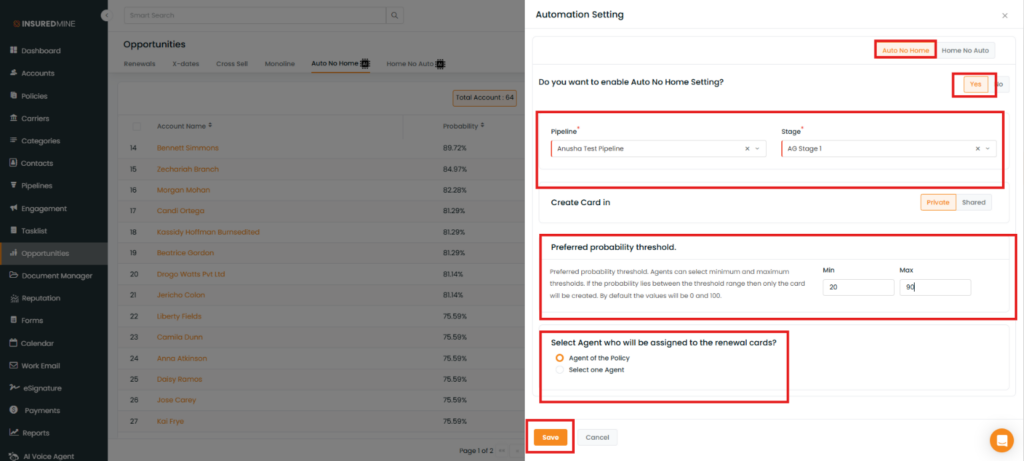
Steps to Set the Automation For Auto No Home:
- Click Auto No Home
- Select Yes to enable the Auto No Home setting.
- From the Pipeline dropdown, select the required pipeline.
- From the Stage dropdown, select the stage where the renewal deal card should be created.
- Under Create Card In, choose whether to create the deal card in the Private or Shared pipeline.
- In the Preferred Probability Threshold section, specify the minimum and maximum probability values.
- Under Select Agent who will be assigned to the renewal cards, choose one of the following:
- Agent of the Policy
- Select One Agent
- Click Save.
Note: Pipeline cards are created only for policies whose probability falls within the configured threshold range.
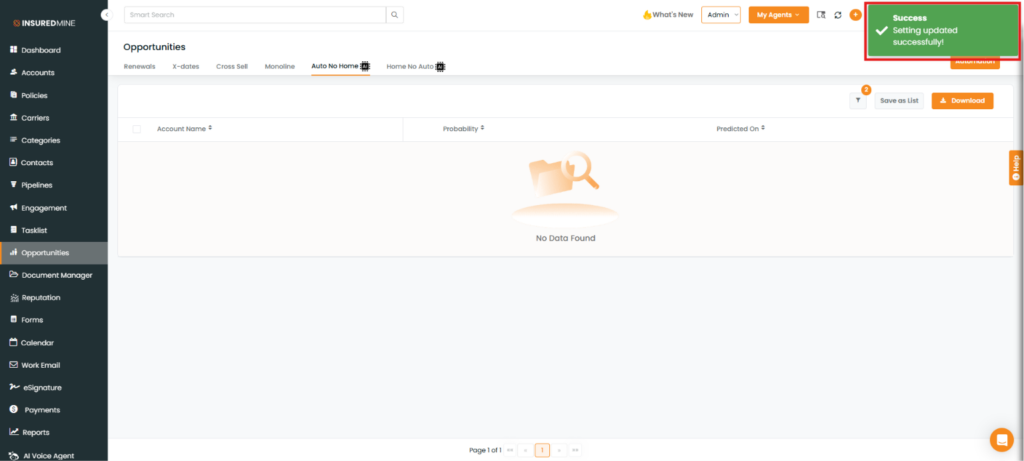
A success message: “Setting Updated Successfully” appears.
Note: To set up the automation for Home No Auto, follow the same steps described above for Auto No Home.


