


Release Date: 3 April 2026
Module | Access Level | Applies To |
Overview
A new enhancement has been introduced under the Settings module in the Restrictions and Users section. Admins can now restrict agents from accessing Daily AMS Sync through both Agent Account Restrictions and Agency Group Restrictions, providing granular operational control over sync permissions.
Use Case: This enhancement helps address the need to control Daily AMS Sync access at multiple levels:
- Grant daily sync permissions only to authorised users.
- Prevent unauthorised updates to AMS data
- Improve operational control across individual agents and groups.
Part 1- Individual agent/user Restrictions
Admins can restrict Daily AMS Sync access for individual agents directly from the Restrictions page.
To view the enhancement:
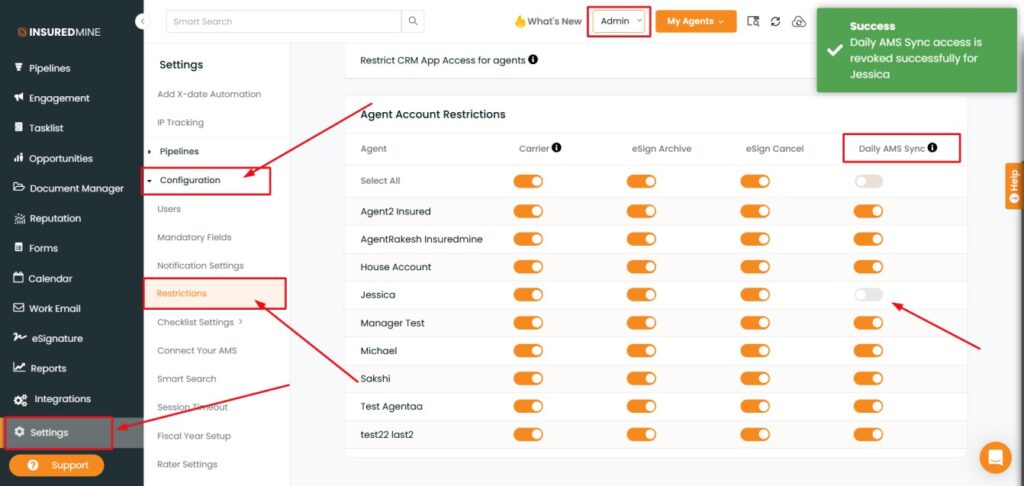
- Navigate to Settings
- Under Configuration, click on Restrictions.
- You will be redirected to the Restrictions page.
- Scroll down to view the Daily AMS Sync toggle added under Agent Account Restrictions.
- Use the toggle button to enable or disable Daily AMS Sync for agents.
Note: You can also use Select All to apply the restriction to all listed agents at once.
Expected Behavior
- Disabling the toggle revokes Daily AMS Sync access for the selected agent.
- A success pop-up appears confirming that access is revoked successfully for the agent.
- The Daily AMS Sync icon will no longer be visible in the restricted agent’s interface.
How to use it?
- Disable the toggle button to revoke access to Daily AMS Sync for the preferred agent.
- A successful pop-up confirms that access has been revoked.
- The Daily AMS Sync icon is no longer visible for the restricted agent.
Part 2 - Agency Group Restrictions
Admins can also restrict Daily AMS Sync for an entire Agency Group. All agents belonging to that group will be restricted once the setting is applied.
To View the Enhancement in Users:
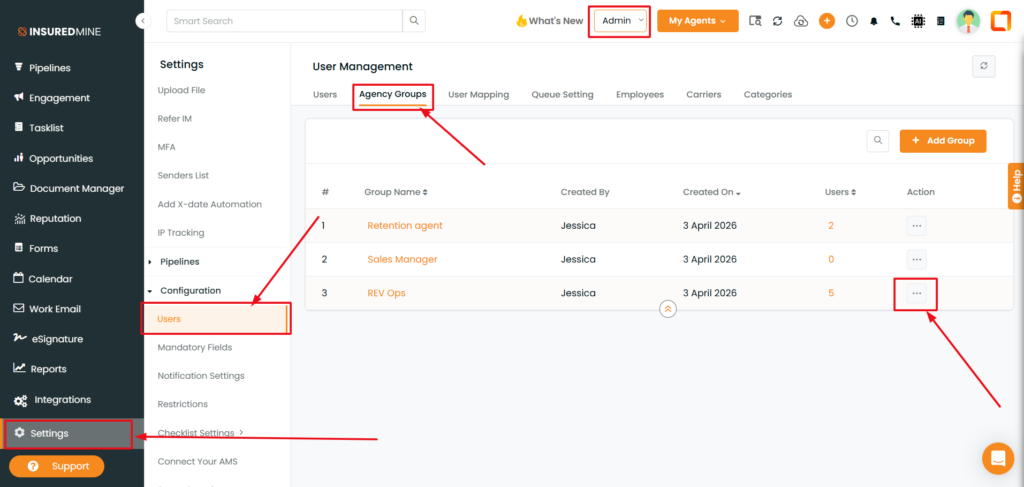
- Navigate to Settings.
- Under Configuration, click Users.
- You are redirected to the User Management page.
- Click Agency Groups and select the preferred group name.
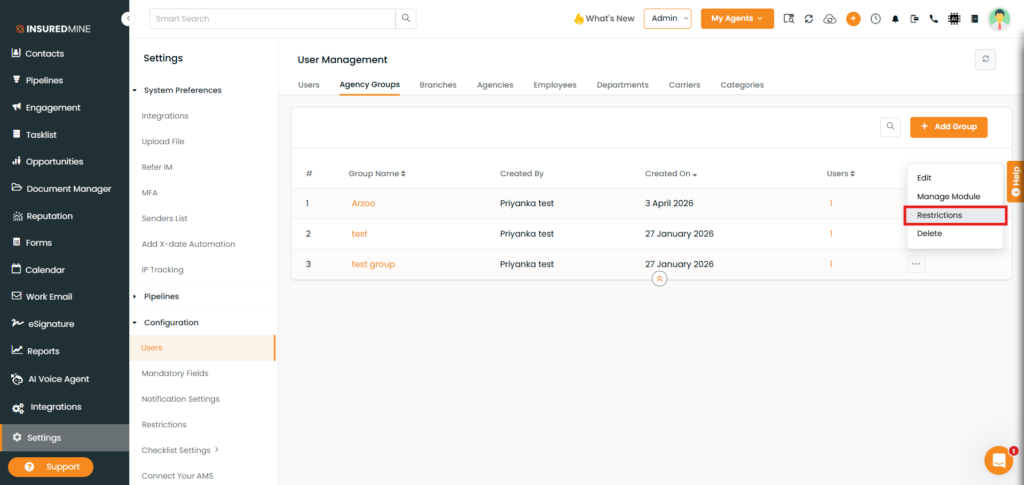
- Click on the three dots (⋯) beside the preferred group name.
- From the dropdown menu, select Restrictions.
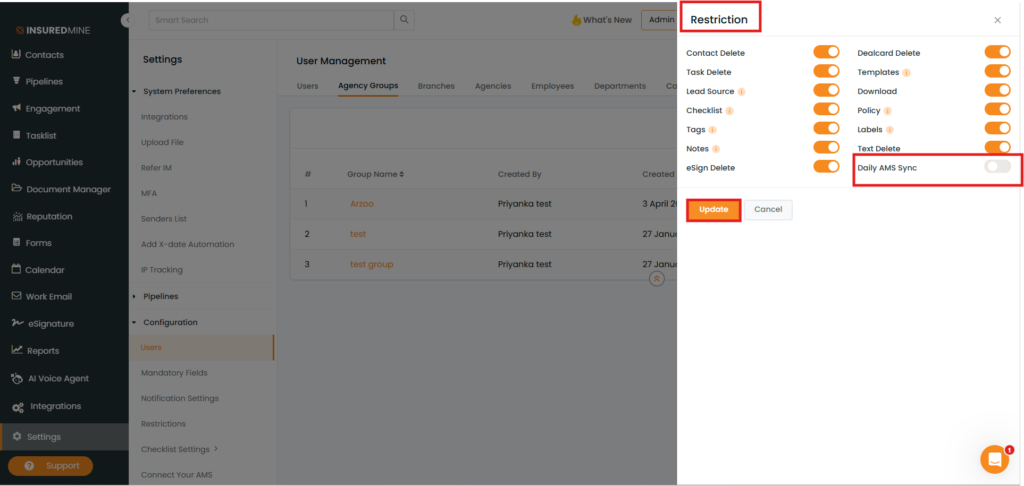
- A Restriction panel appears on the right side.
- Disable the toggle beside Daily AMS Sync.
- Click Update.
Note: All agents added to that group will be restricted from using the Daily AMS Sync icon once the group restriction is applied.
Expected Behavior
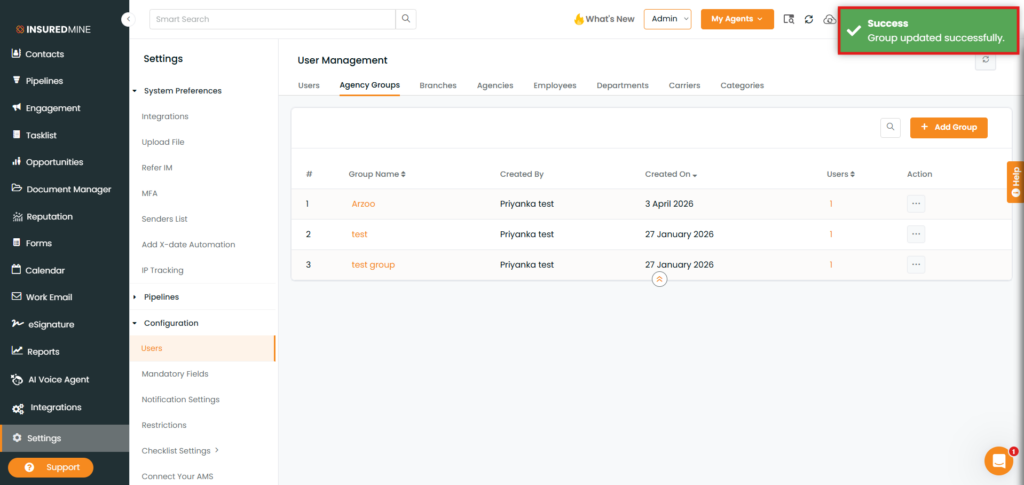
- A successful pop-up message “Group Updated successfully” appears after saving.
- The Daily AMS Sync icon is hidden for all agents in the restricted group.
Summary: Restriction Methods
Restriction Type | Navigation Path | Scope |
Individual agent/user Restrictions | Settings › Configuration › Restrictions | Individual agent |
Agency Group Restriction | Settings › Configuration › Users › Agency Groups › Restrictions | All agents in the group |


