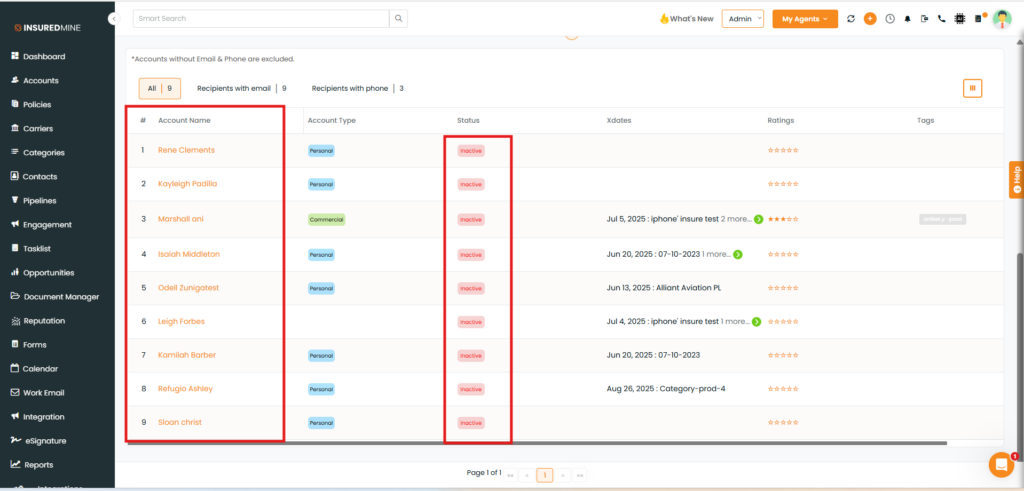
We have introduced a new enhancement under the engagement module create list section, now you can filter out your data for Accounts and Contacts on the basis of inactive clients.
Use case: An agent can filter Accounts and Contacts to identify inactive clients and plan re-engagement campaigns easily.
This helps agents easily identify inactive Accounts/Contacts for follow-ups and improve client retention.
To view the Enhancement:
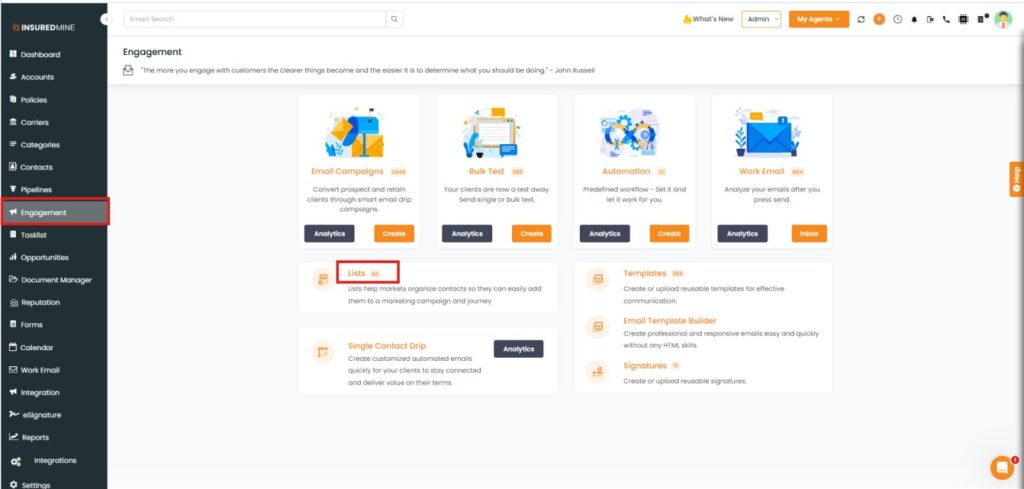
Navigate to the Engagement.
Click on Lists.
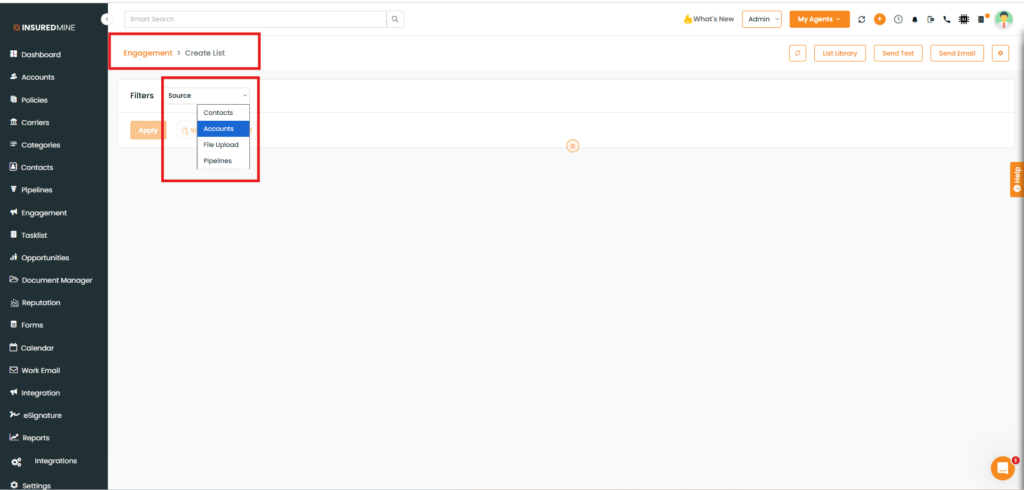
You will be redirected to the Engagement> Create List page.
From the dropdown, select the source as Accounts/Contact whose data you want to view.
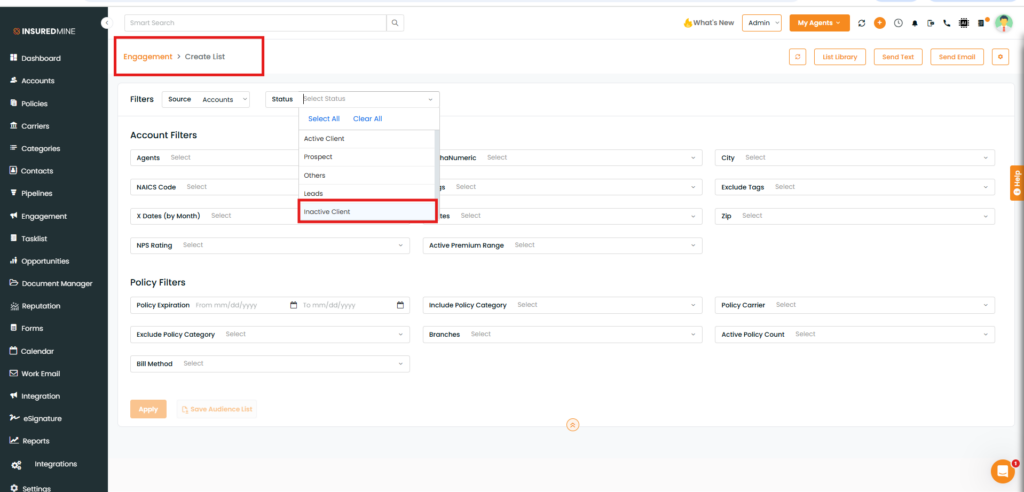
As shown below, you are re-directed to this page.
Select inactive status of the account.
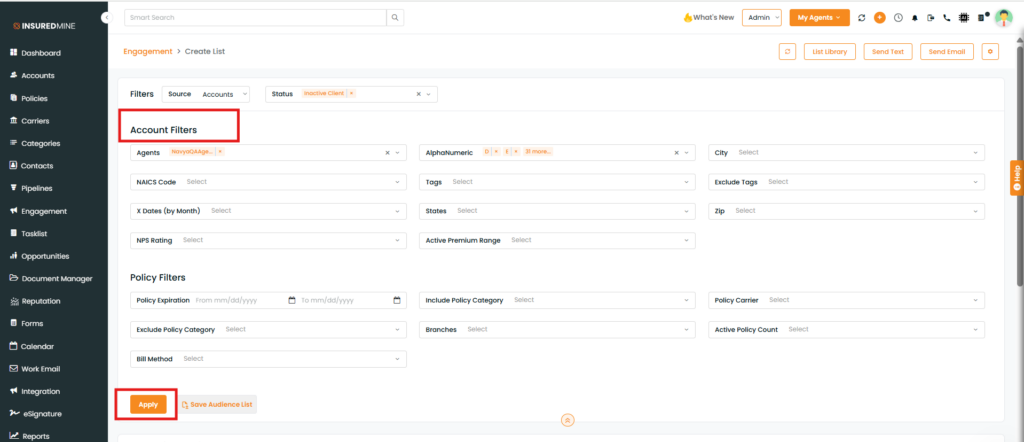
Apply the Filters as per your choice and click Apply.
The result displays Account Name with Inactive Status.