Home » Knowledge Base » Group By Servicing Roles in New Business, Cancellation, and Renewed Reports
Data Grouping and Fields
Group By Servicing Roles in New Business, Cancellation, and Renewed Reports
July 13, 2026
Release Date: July 3, 2026
This enhancement is available to both Admins and Agents.
Overview
We have introduced a new enhancement to the Reports module. You can now filter data by Servicing Roles in the New Business Report, Cancellation Report, and Renewed Report. Selecting a servicing role allows you to view detailed report data for that role.
Use Case: This enhancement helps users track how policies, accounts, and contacts are distributed across different servicing roles. It provides better visibility into workload distribution and enables more efficient tracking and performance analysis.
Note:This feature is released only for Epic Integration.
To View the Enhancement:
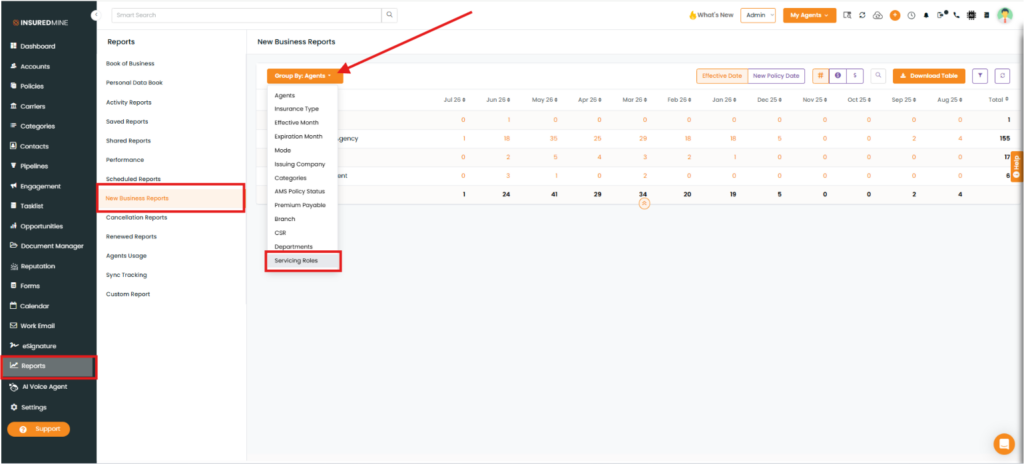
Navigate to Reports.
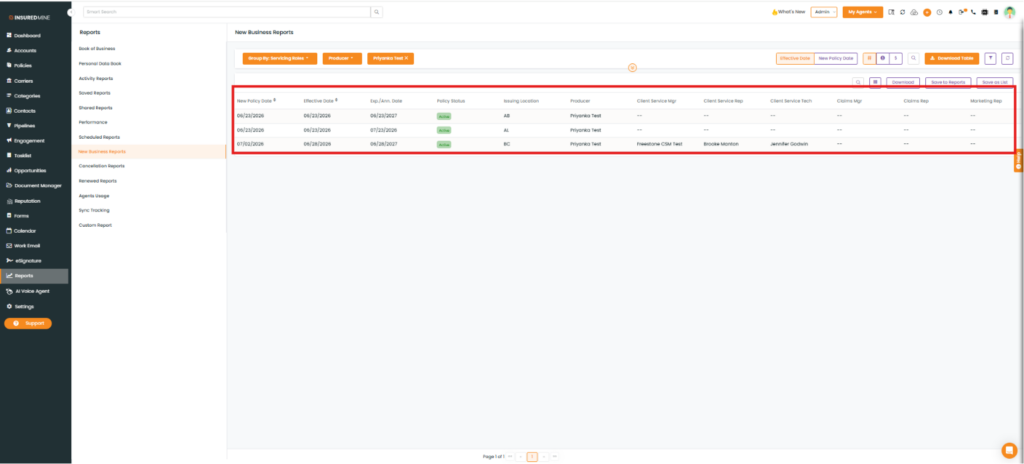
Click New Business Reports.
Click Group By, and then select Servicing Roles from the dropdown.
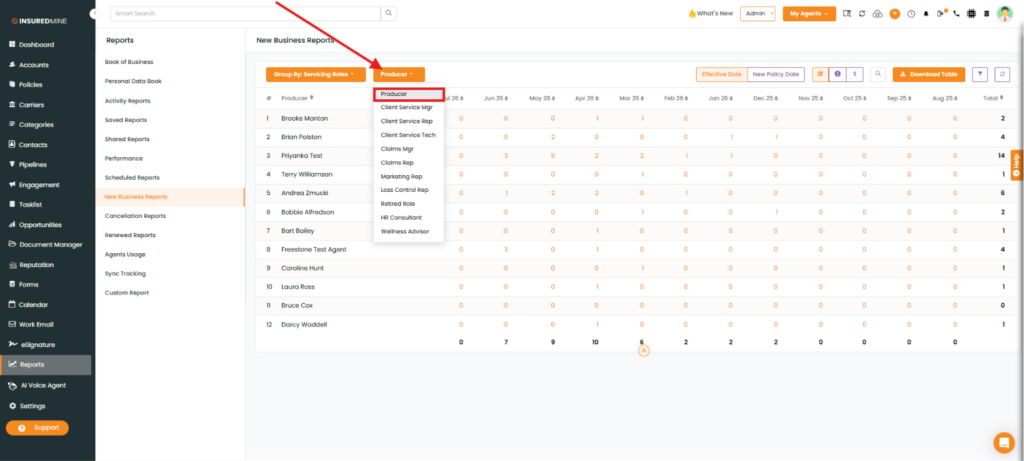
As shown below, a new dropdown for different servicing roles is displayed.
Click the preferred Servicing Role.
The report displays policy counts grouped by Servicing Role for each month.
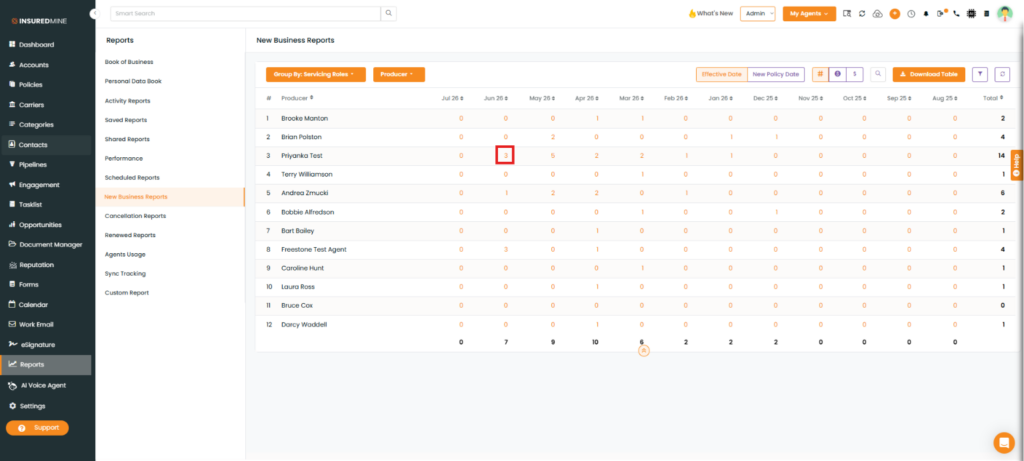
Click the policy count for the required month under the selected servicing role.
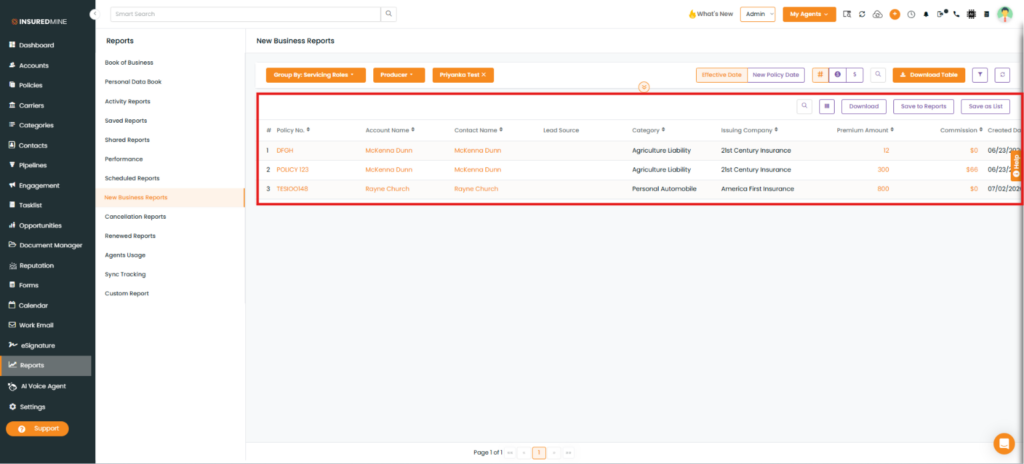
A detailed report opens, displaying all policies associated with the selected servicing role for that month.
Note: As shown below, you can view complete policy information, including Account Name, Contact Name, Policy Number, Policy Status, and other related details.
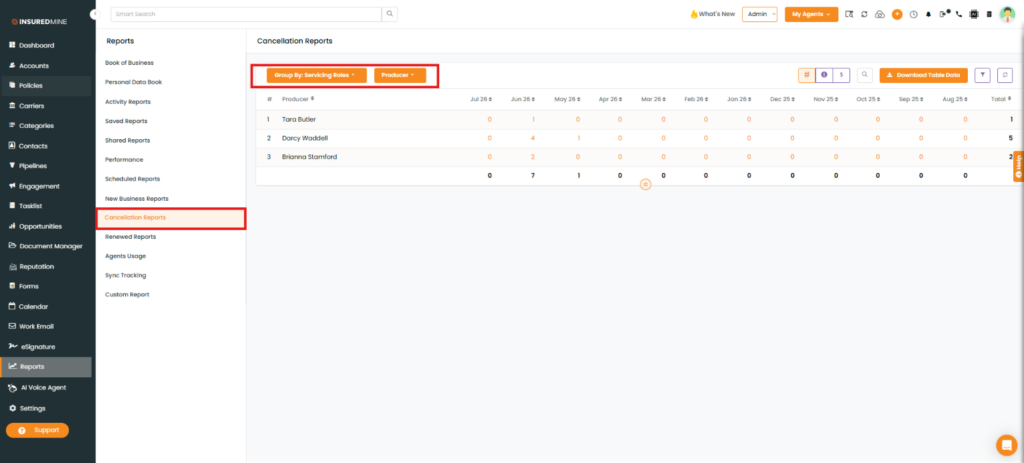
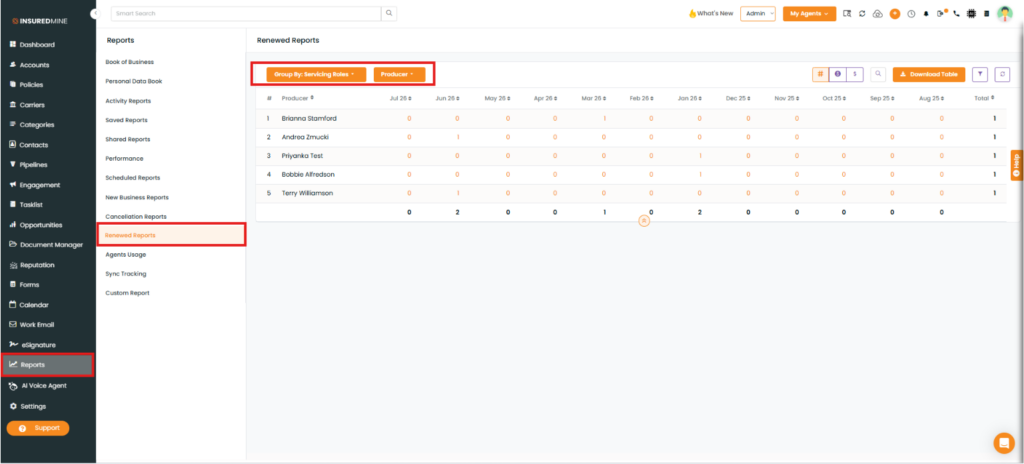
Note: To View the Enhancement in Cancellation Reports and Renewed Reports Follow the same steps described above for the New Business Report. Apply the required filters to view data for your preferred Servicing Role.