Home » Knowledge Base » Help Me Write in Email Campaign/workflow/Single Contact Drip
Email and Text Automation
Help Me Write in Email Campaign/workflow/Single Contact Drip
February 24, 2026
Release Date:- 24 February, 2026
The Help Me Write feature has been introduced in Email Campaign, Automation, and Single Contact Drip within the Engagement module. This enhancement enables users to easily create, edit, and refine email or SMS content, ensuring more effective and personalized communication.
Use Case: When agents need to send tailored messages to clients, they can quickly draft emails, Single Contact Drips, or Workflow messages using the Help Me Write feature.
This helps save time while ensuring communications are clear, accurate, and relevant.
To View the Enhancement:
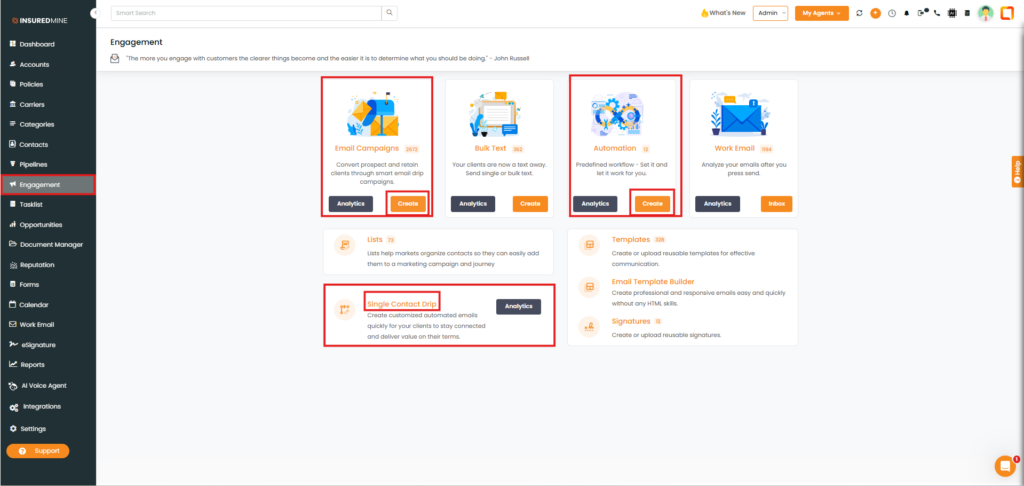
Navigate to Engagement.
As shown below, the Help Me Write feature is available in Email Campaign, Automation, and Single Contact Drip.
Click Create for Email Campaign, Automation, or Single Contact Drip to view the enhancement.
Email Campaign:
After clicking Create in Email Campaign(as shown above).
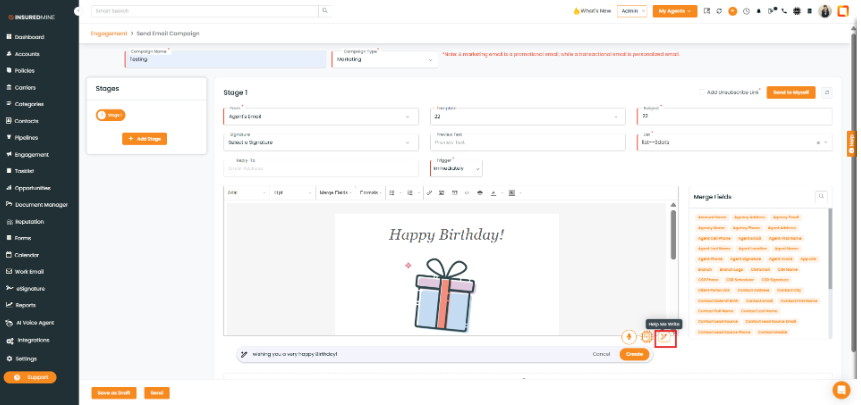
You are redirected to the Send Email Campaign page.
Fill in the required details.
As shown below, the Help Me Write feature is available.
Automation:
After clicking Create in Automation (as shown above).
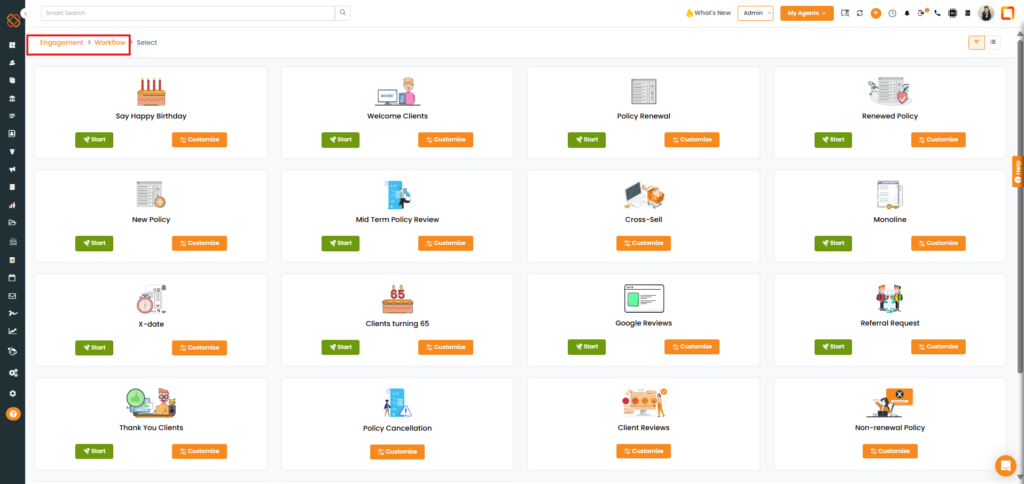
You are redirected to the Engagement > Workflow page.
Select the preferred workflow.
Click on Customize.
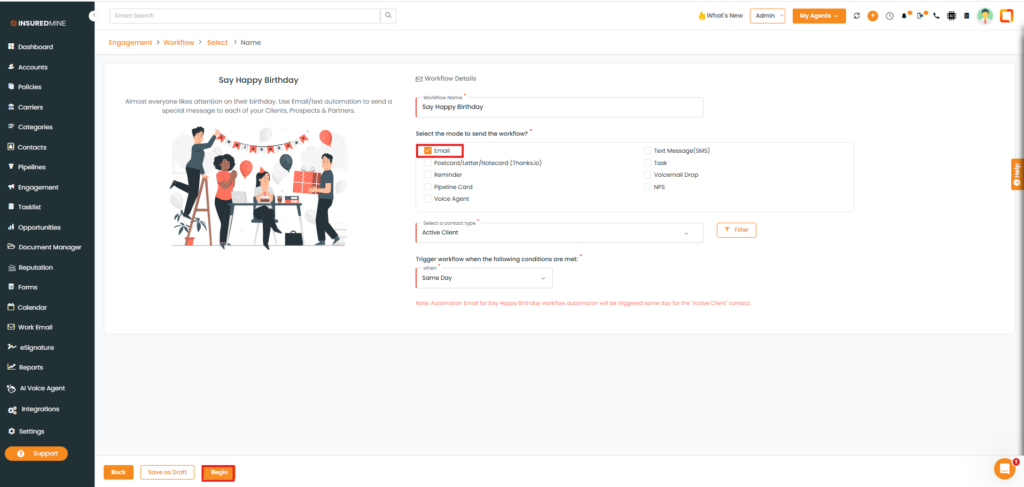
You are redirected to Workflow > Select page.
Check the box beside the Email.
Click on Begin.
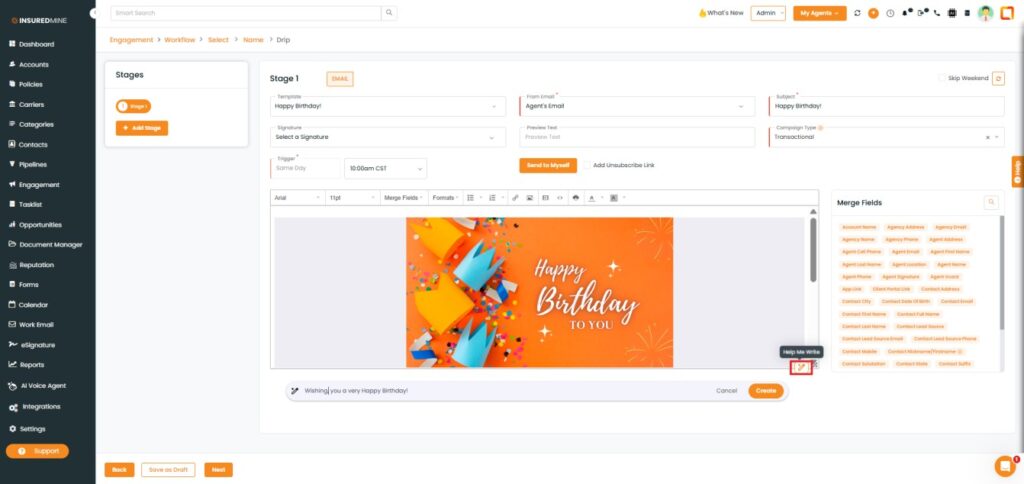
You are redirected to Select > Name Page.
As shown below, a Help Me write feature is available.
Single Contact Drip:
After clicking on Single Contact Drip (as shown above).
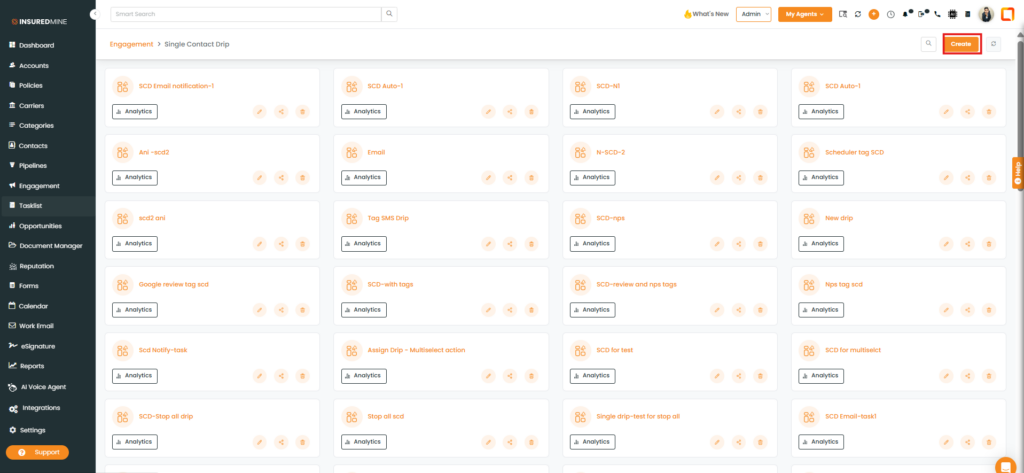
You are redirected to the Single Contact Drip page.
Click on Create.
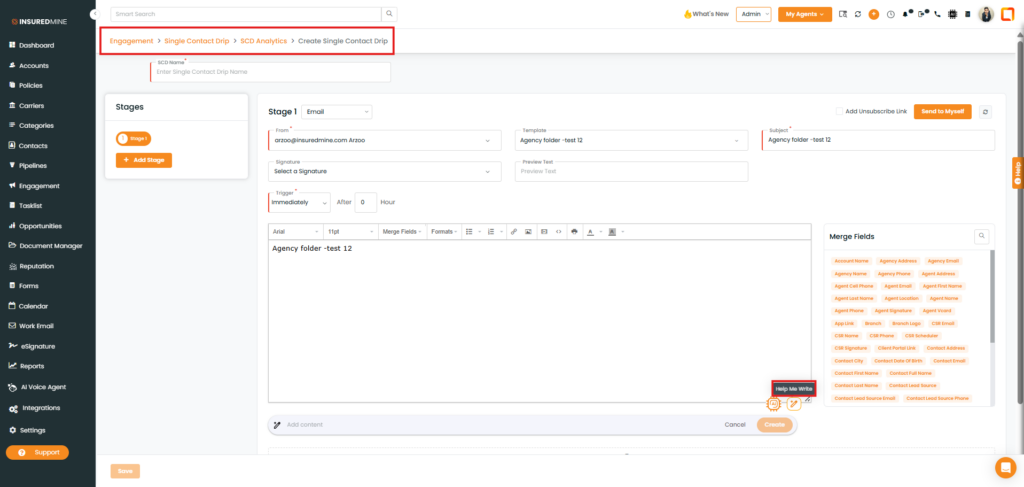
You are redirected to the Create Single ContactDrip page.
As shown below, the Help Me Write feature is available.