We have introduced a new enhancement in the Engagement module that allows users to include an Unsubscribe Link while sending email campaigns. When enabled, recipients receive a confirmation pop-up to either unsubscribe or keep themselves subscribed, allowing them to manage their subscription preferences
Use case: This enhancement helps agencies manage email communication preferences more effectively by allowing recipients to unsubscribe directly from emails.
It supports compliance, improves email engagement quality, and enhances user experience by ensuring that campaigns are sent only to interested recipients. It also prevents accidental unsubscription by requiring confirmation before unsubscribing.
To View the Enhancement:
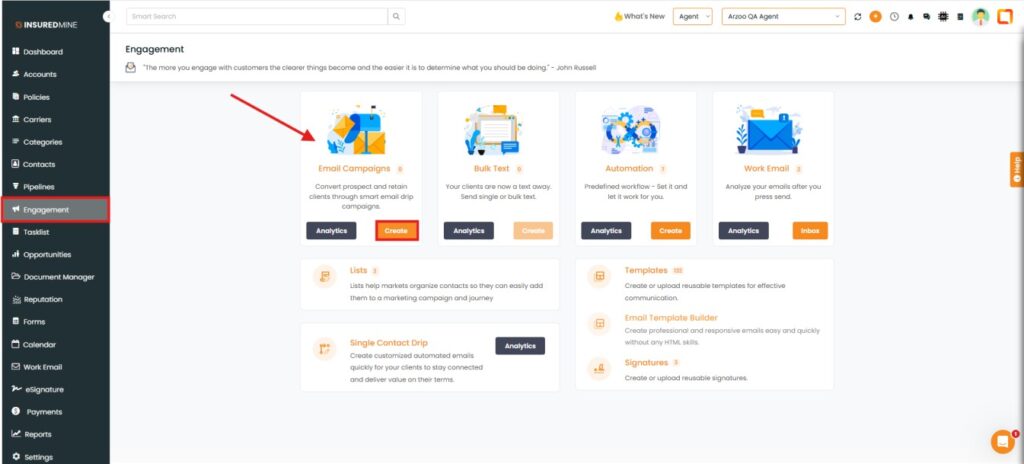
Navigate to Engagement.
From Email Campaign, Click Create.
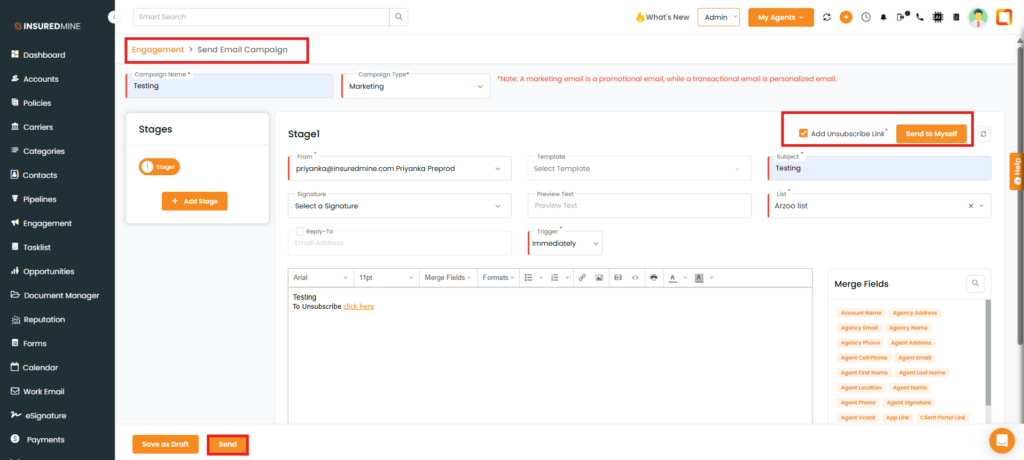
You are redirected to the Engagement > Send Email Campaign page.
Fill in the required mandatory fields.
As shown below, check the box beside Add Unsubscribe Link.
Click Send.
Note: Only when the Add Unsubscribe Link option is enabled, the recipient receives an unsubscribe option in the email.
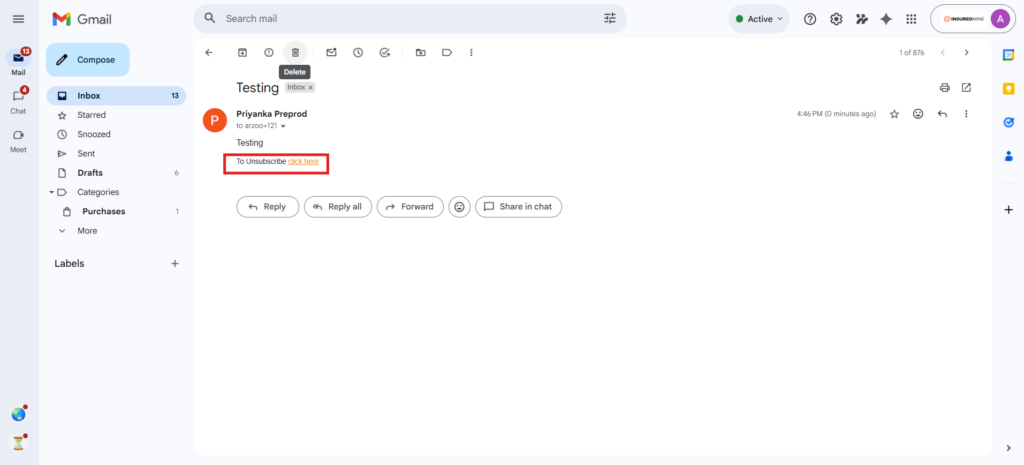
The recipient receives an email with the option “To unsubscribe, click here.”
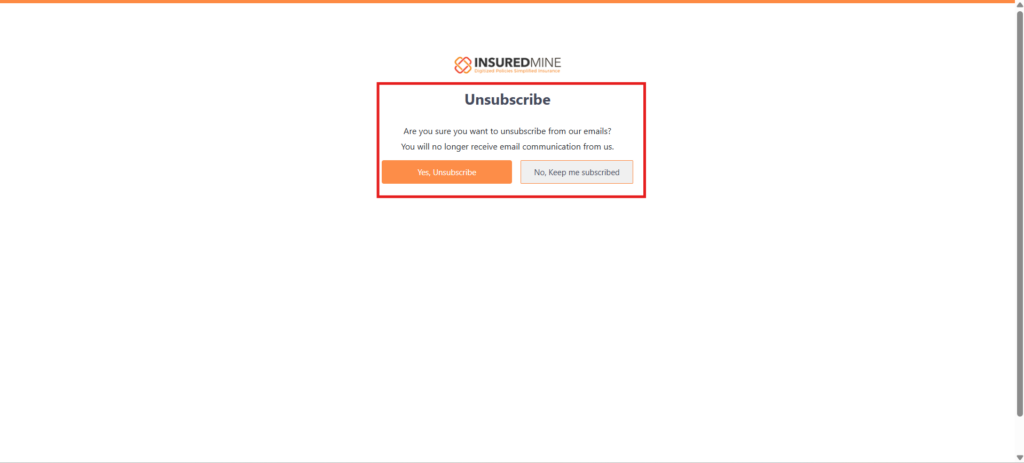
By clicking “click here,” the recipient receives a confirmation pop-up.
If you want to unsubscribe:
Click Yes, Unsubscribe
Click No, Keep Me Subscribed
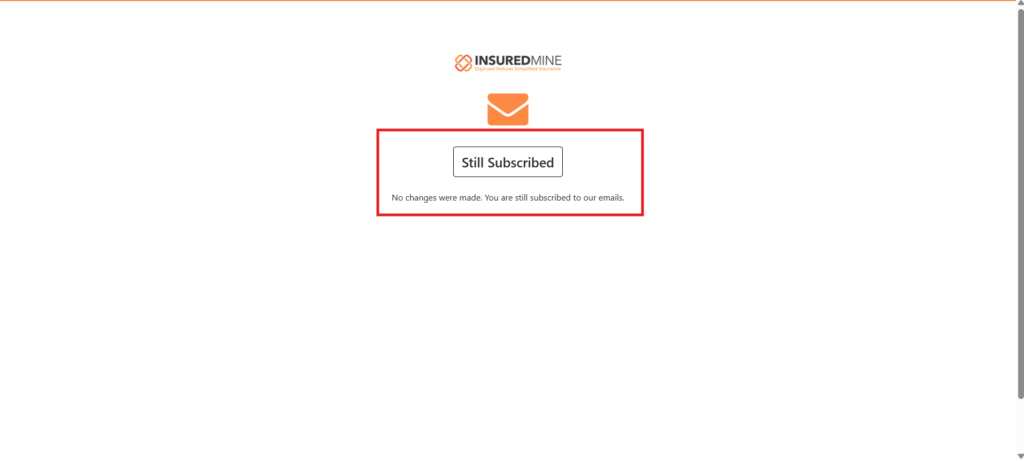
After selecting No, Keep Me Subscribed, a “Still Subscribed” pop-up appears.
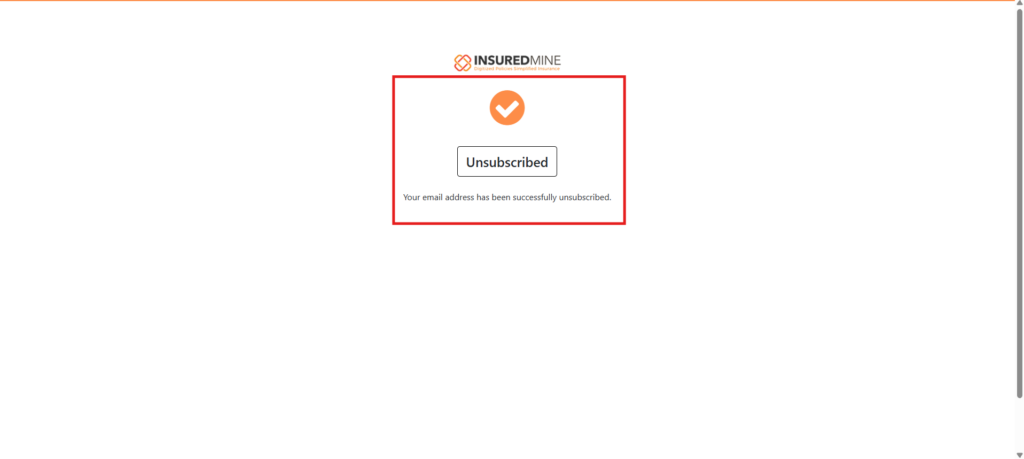
After selecting Yes, Unsubscribe, an “Unsubscribed” pop-up appears.