We have introduced a new enhancement in the Pipeline module that allows users to add tasks to multiple pipeline cards at once using the Add Task option.
Earlier, tasks had to be added individually to each deal card, but with this enhancement, users can now select multiple pipeline cards and assign tasks in a single action. This helps streamline overall task management within the pipeline.
Use Case: This enhancement allows users to assign tasks to multiple pipeline cards in a single action,without opening each deal card individually.
It saves time, improves task management, and ensures follow-up activities are tracked efficiently across selected deals.
To view the Enhancement:
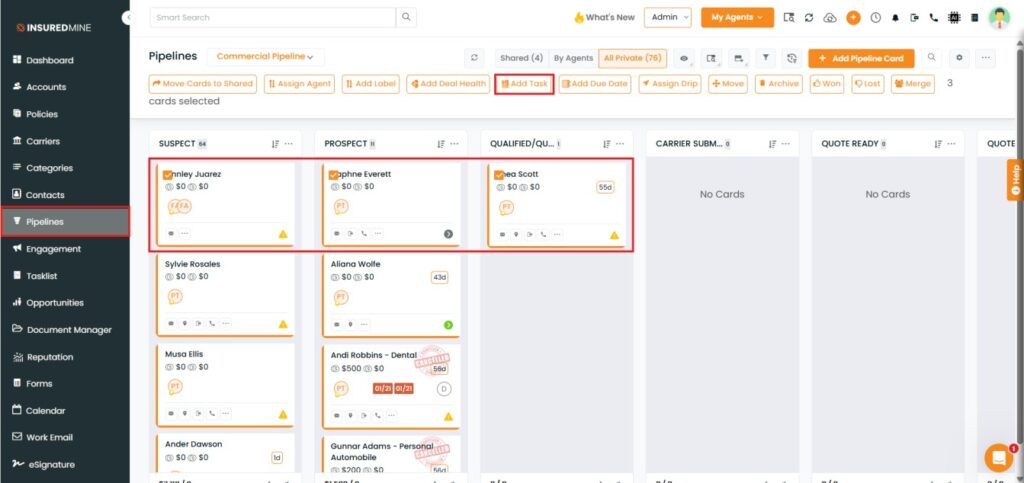
Navigate to Pipelines.
Check the box beside the preferred pipeline. cards.
Click on Add Taskfrom the Top action buttons.
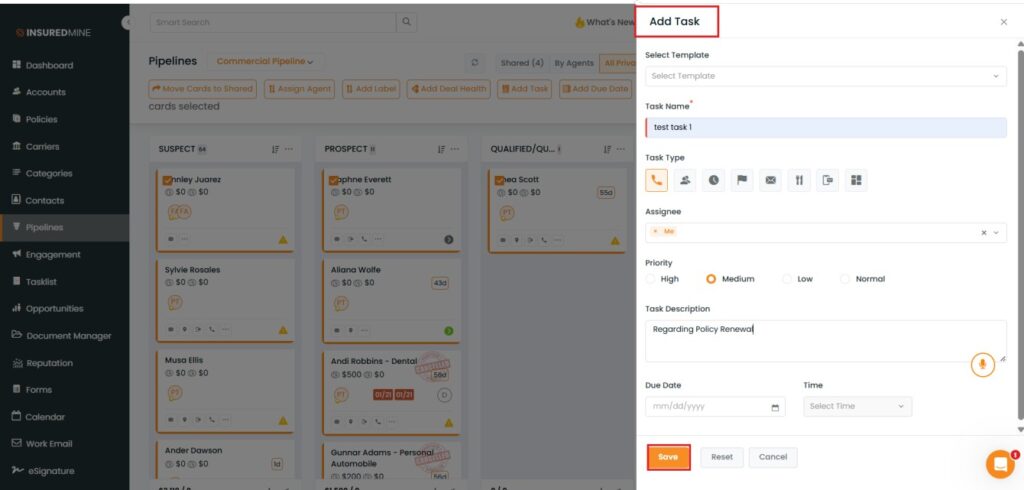
An Add Task panel appears on the right side.
Fill in the required mandatory fields
Click Save.
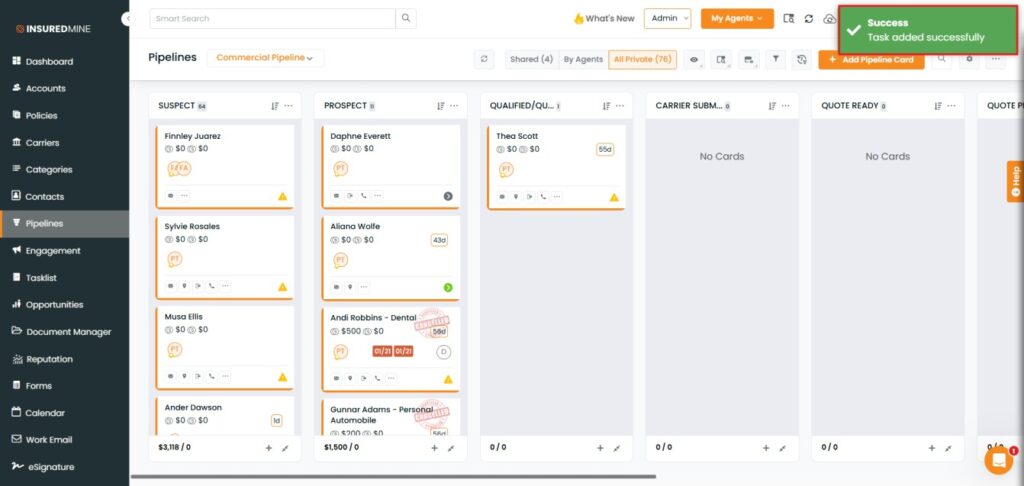
A success pop-up: “Task added successfully” appears.
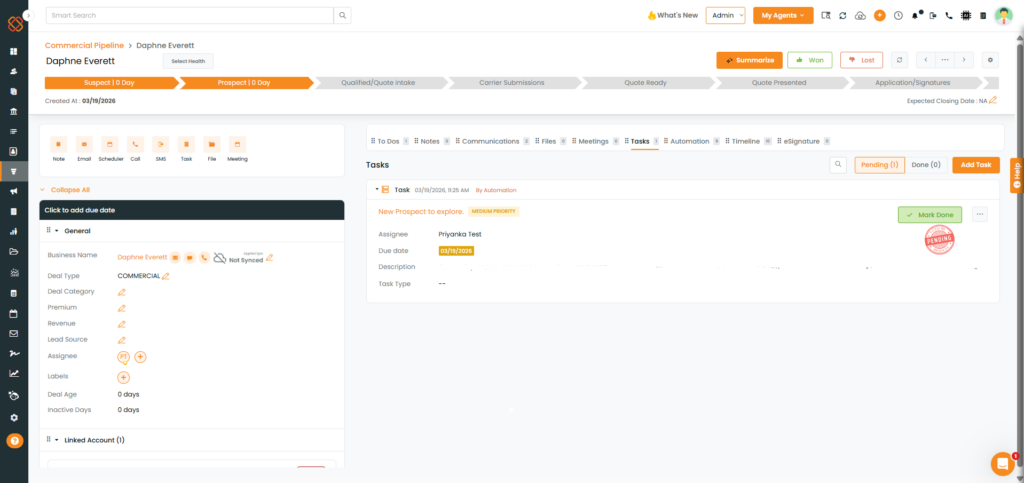
Note: The added task will appear as pending in the Task section of the deal card.