Home » Knowledge Base » Option to Select Multiple Age Groups Filter on Contact Module
Account and Contact Management
Option to Select Multiple Age Groups Filter on Contact Module
December 22, 2025
Release Date:- December 16th 2025
We have introduced a new enhancement under the Contact module. You can now select multiple age groups in the filter to efficiently view and manage contact data.
This feature allows for better segmentation and analysis based on different age ranges, making it easier to handle large datasets.
Use Case: Agents can quickly filter and view contact details belonging to specific or multiple age groups, helping them target communications, campaigns, or offers more effectively.
To view the enhancement:
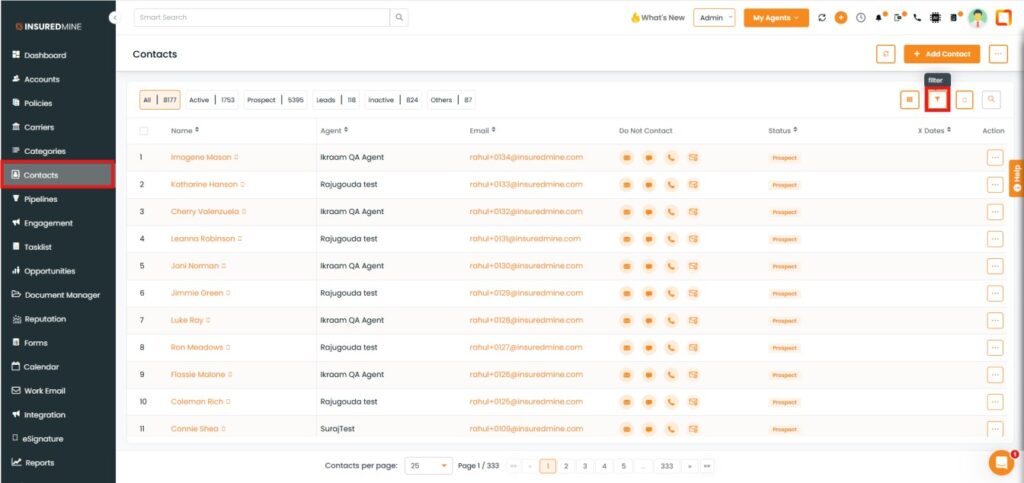
Navigate to Contacts.
Click on Filter.
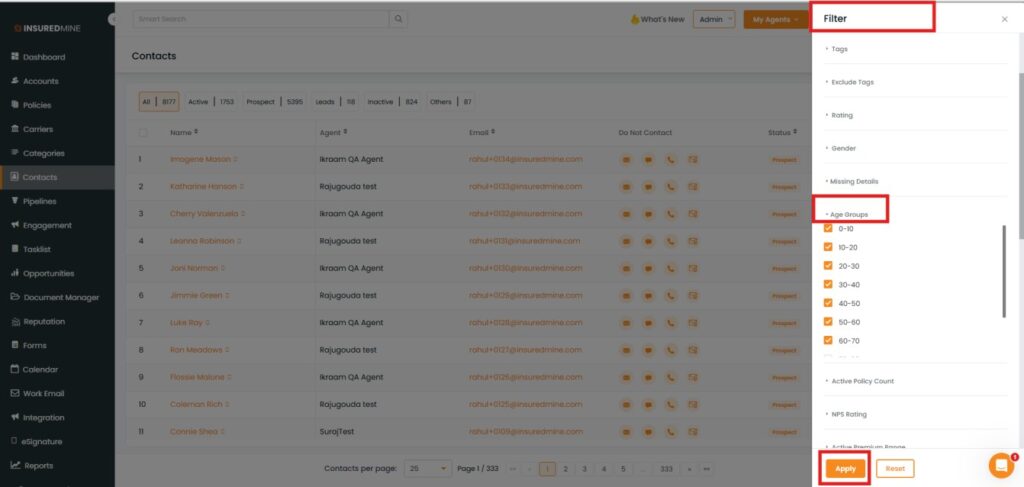
A filter Panel appears on the Right Side.
From the dropdown, Click on the Age Groups.
As shown below, select multiple age ranges as per your preference.
Click on Apply.
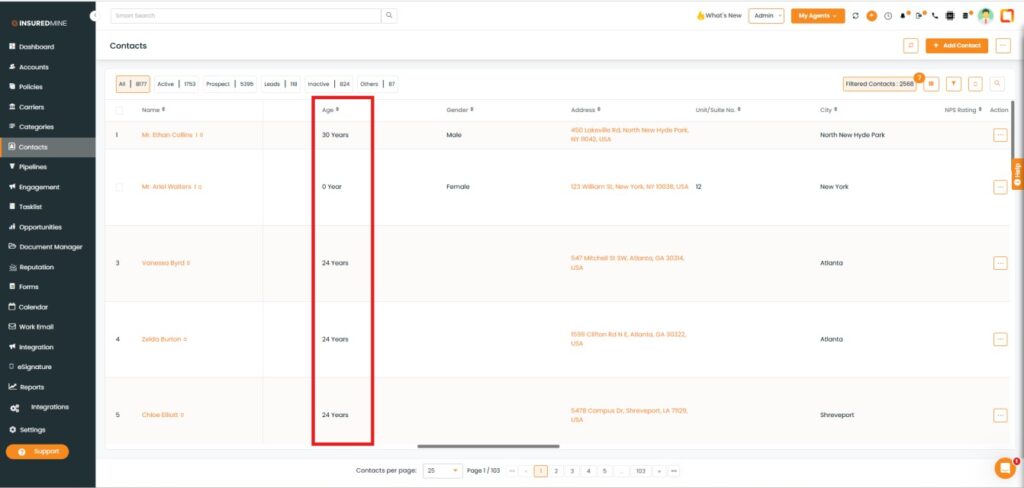
As shown below, View contact details and names based on the selected age group.