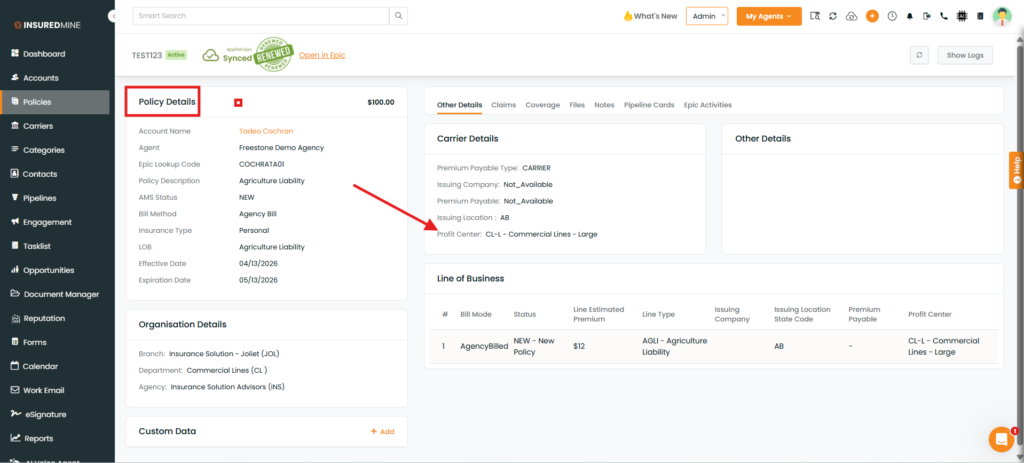
We have introduced a new enhancement in the Engagement module that allows users to filter contacts and accounts using the Profit Centre filter while creating a list. This helps refine contact and account selection based on specific business units in the Contacts and Accounts Policies section.
Use Case: This feature enables users to segment contacts and accounts based on their associated Profit Centre, making it easier to run targeted campaigns, manage lists efficiently, and improve communication with specific groups.
Note: This feature is available only for Epic Agency.
To view the enhancement:
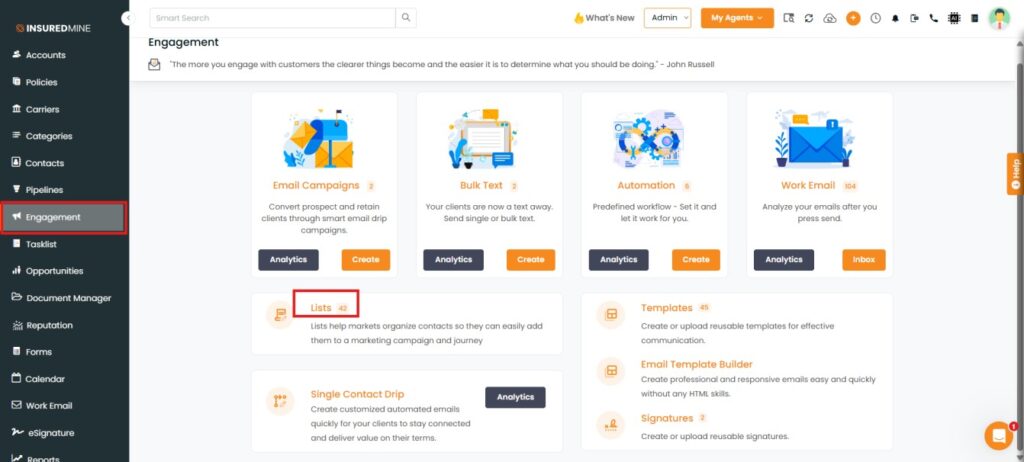
Navigate toEngagement.
Click on the Lists.
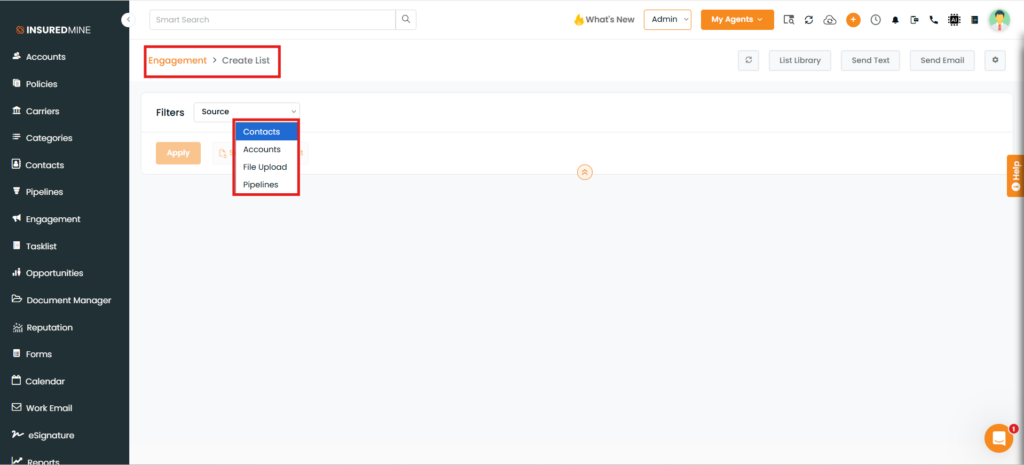
An Engagement > Create List page is displayed.
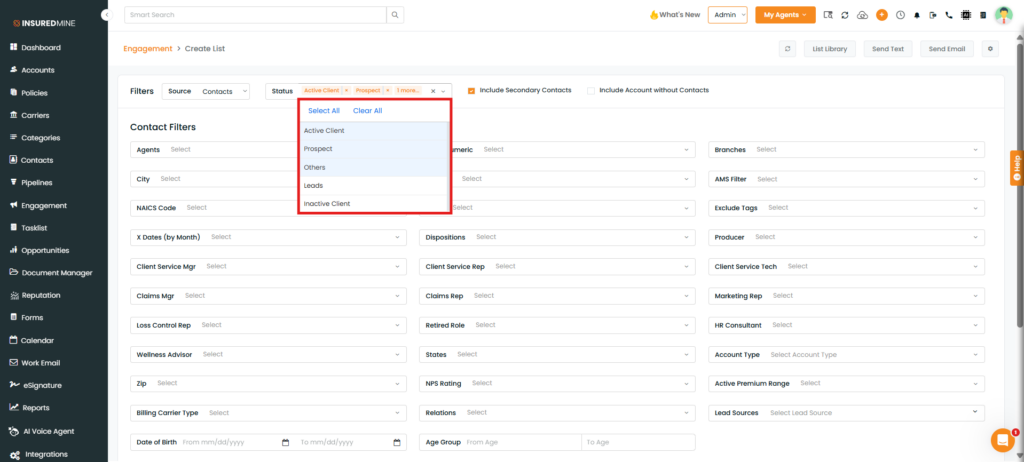
As shown below, from the source dropdown select the preferred option (e.g, Contact)
Note: You can select only Accounts and Contacts from the source dropdown to apply the Profit Centre filter.
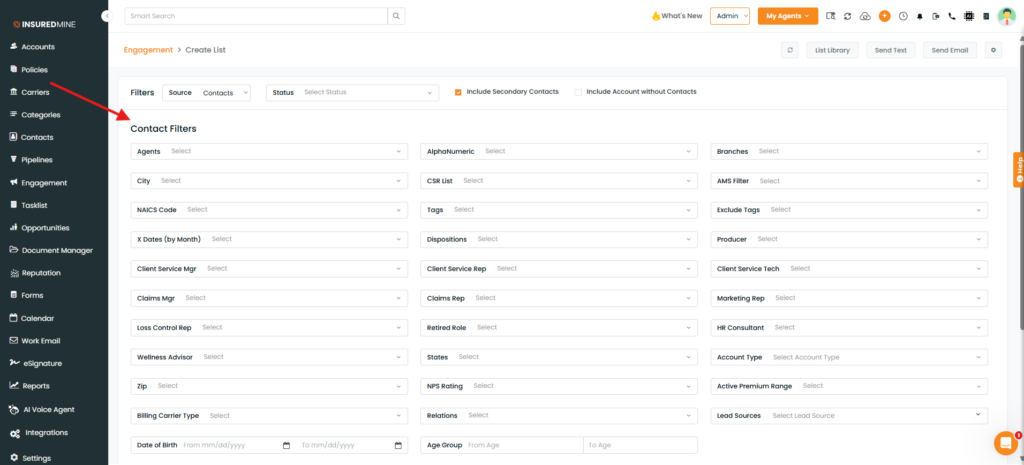
After applying the filter, the Contact Filters page is displayed.
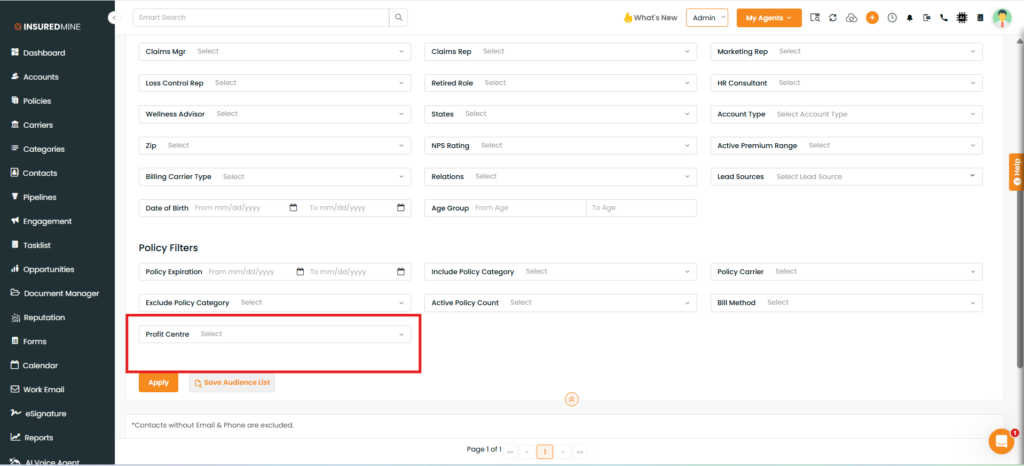
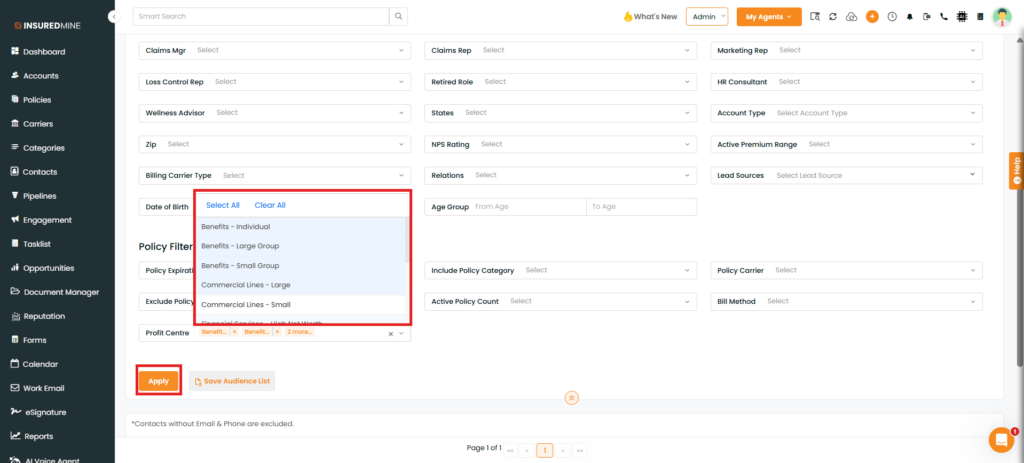
Scroll down to view the newly added filter, Profit Centre.
How to Apply the Filter:
As shown below, select the preferred Status and fill in the required details.
Select the preferred Profit Centre or Select All from the dropdown.
Click on Apply.
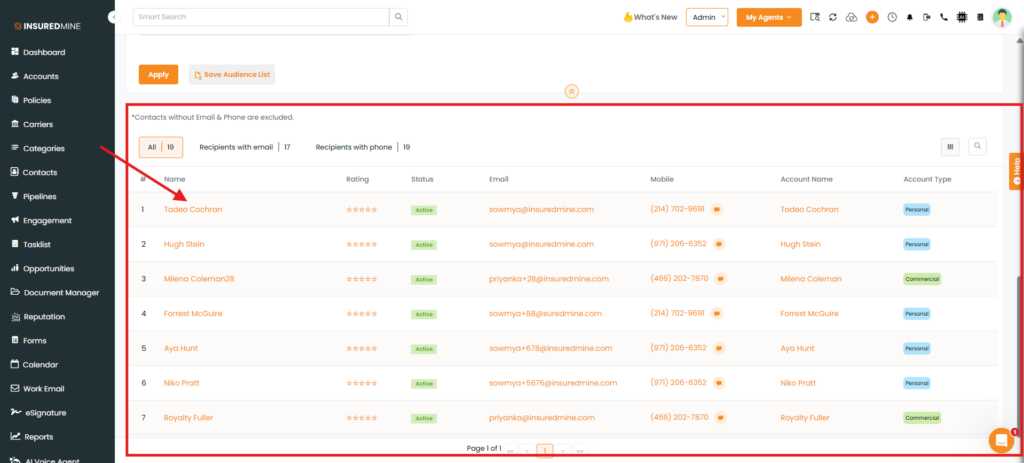
Contact names are displayed below the page based on the applied Profit Centre filter.
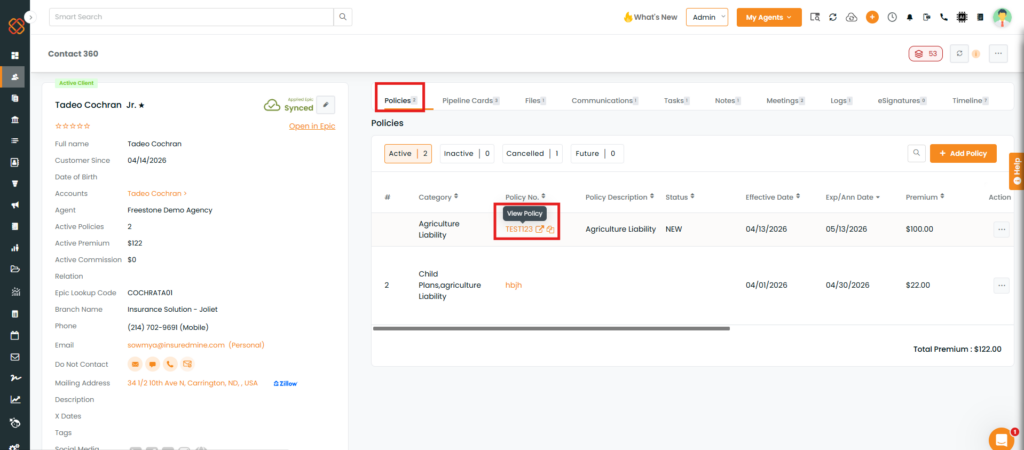
Click on the Preferred contact name to view the Profit Centre in policy.
View the Profit Centre of your preferred contact based on the applied filter.