


Release Date:- January 6th 2026
We’ve introduced a new enhancement in the Pipeline module under the Renewal Pipeline section. This update provides additional options in the Renewal to select policy types, allowing agents to create renewal deal cards more accurately and manage renewals more efficiently.
Use Case: This enhancement helps agents easily select the correct policy type while creating renewal deal cards, ensuring hassle-free and accurate renewal management. This flexibility streamlines renewal workflows and reduces manual adjustments during deal creation.
Note: This functionality is available for all EPIC and will only be set-up by the Admin.
To View the Enhancement:
- Navigate to the Pipeline.
- Click on the three dots and from the dropdown, select Pipeline Settings.
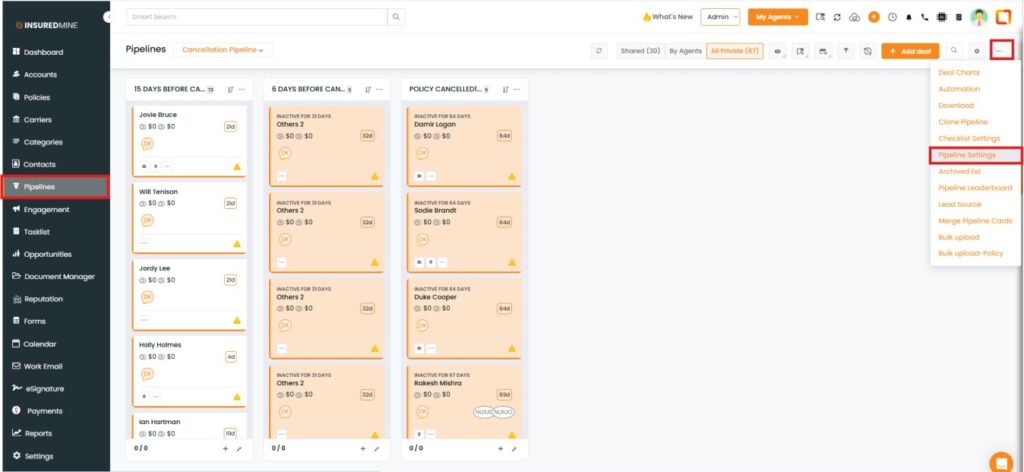
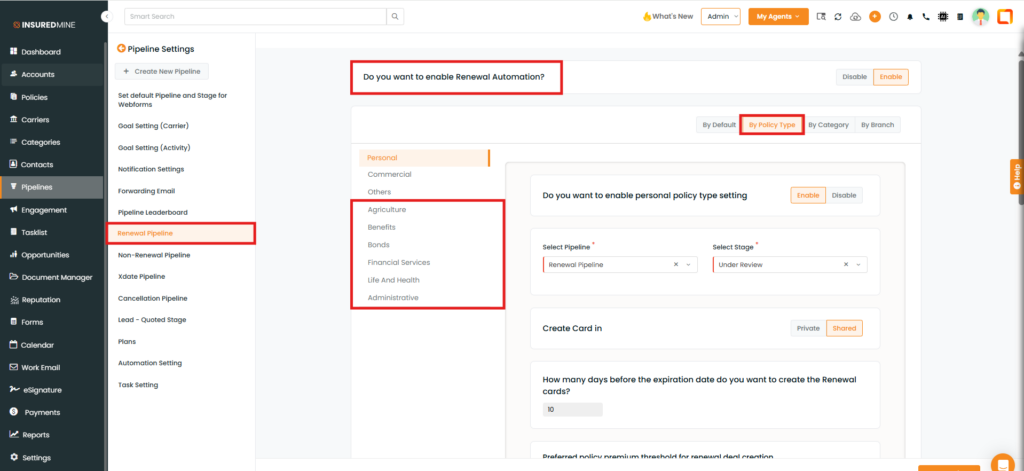
- From the Pipeline Setting Menu, select Renewal Pipeline, the Renewal Automation page appears.
- Select By Policy Type.
- As shown below, new policy types from Agriculture to Administrative have been added.
To create the Renewal card:
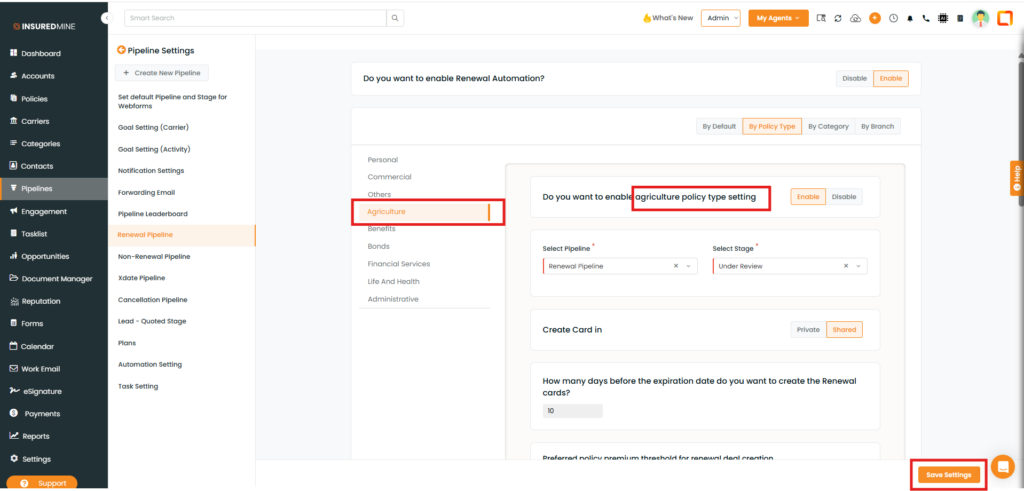
- Select the preferred policy type
- For example, if Agriculture is selected, the Agriculture policy type settings are displayed.
- Fill in the required information.
- Click Save Settings.
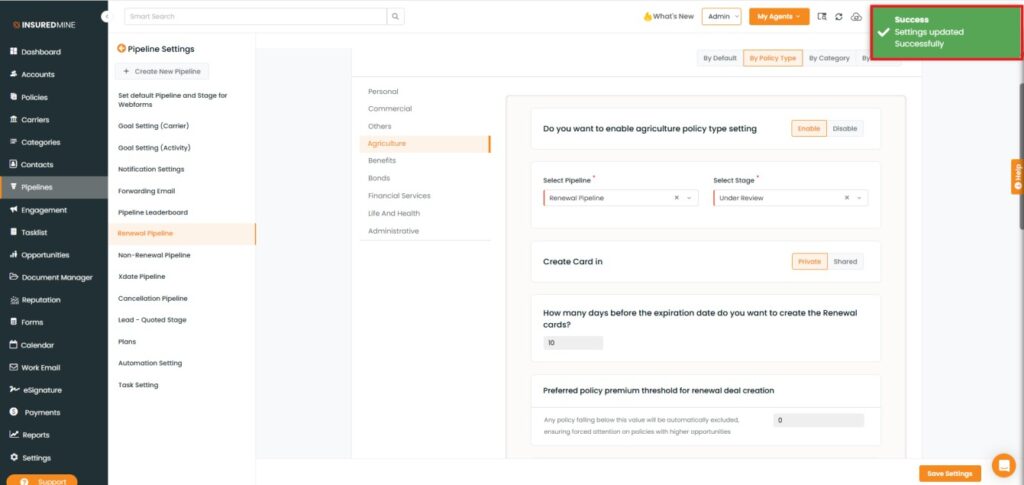
A successful pop-up, ‘Settings updated successfully,’ appears.
Note: The Others policy type will not work automatically. You must set up renewals for the specific policy types that were previously configured under Others
Additional Update
Another update available in Renewal Settings: Do you want to create single renewal card per account?
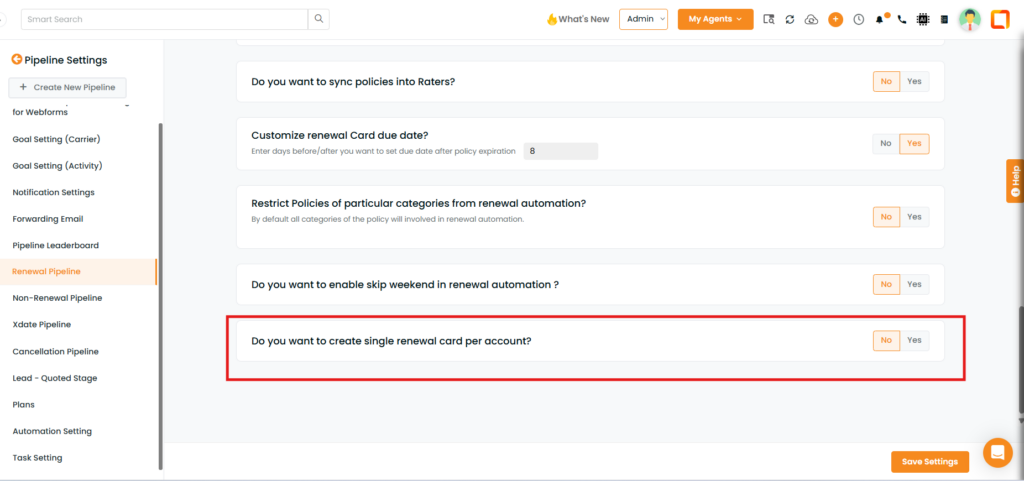
When enabled, renewal cards are created per policy type under an account.
If an account has multiple policies of the same policy type, they will be grouped into one renewal card.
If an account has multiple policy types, separate renewal cards will be created for each policy type.


