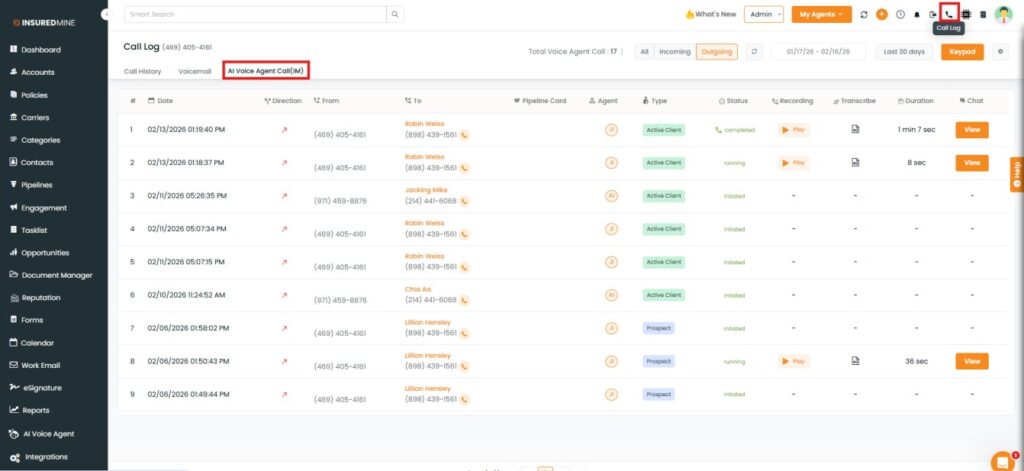
We have introduced a new option, AI Voice Agent Call (IM), under the Call Log section in the Header module.
This feature allows agents to view AI-generated summaries of conversations with clients, along with the complete conversation transcript in text format. Agents can also view the call duration and play the recording.
Use Case: This feature enables agents to quickly review client interactions without listening to the full call recording.
It helps in understanding discussions, tracking communication history, and improving follow-ups and service quality.
To View the Enhancement:
Navigate to the Header menu.
Click on Call Log.
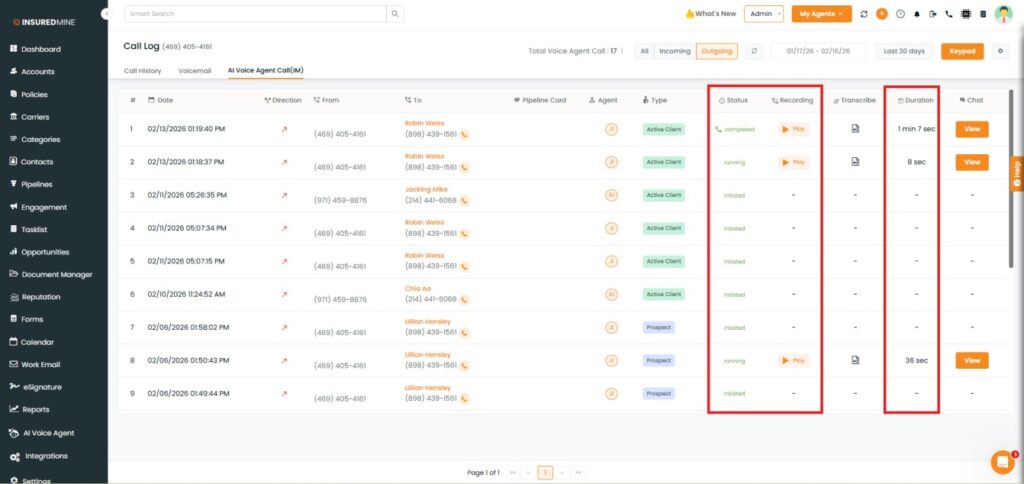
As shown below, AI Voice Agent Call (IM) is available.
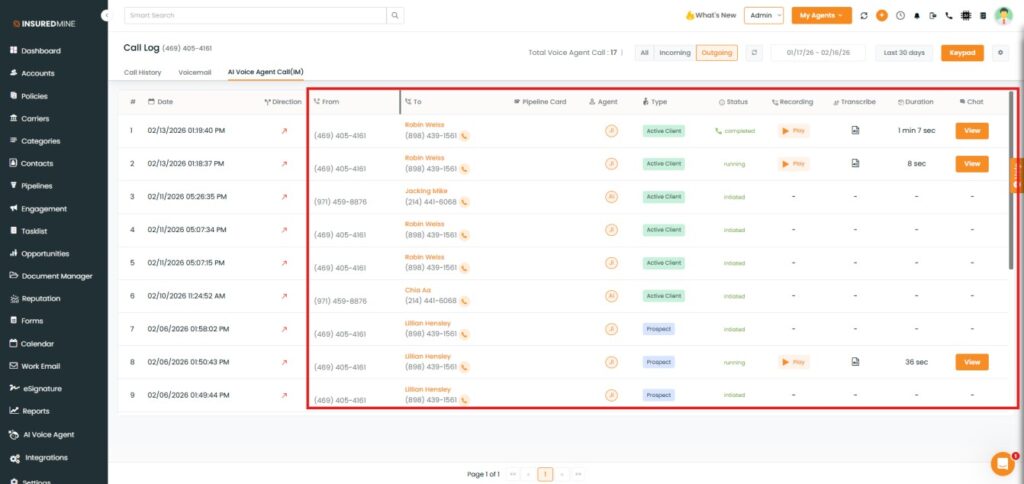
Click on AI Voice Agent.
As shown below, Recording, Transcribe, Duration, and Chat options are available.
To view the conversation summary between the agent and the client:
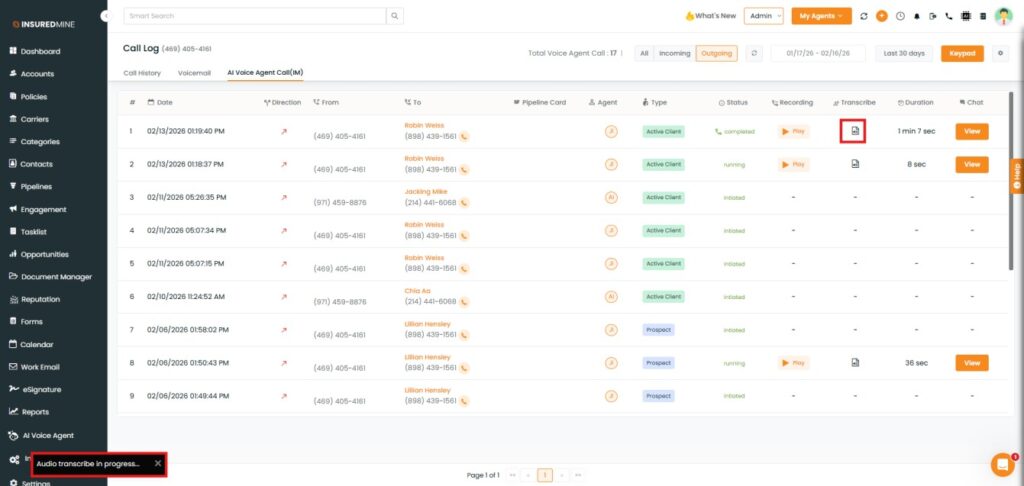
As shown below, click the Transcribe icon.
A pop-up appears showing Audio Transcribe in progress.
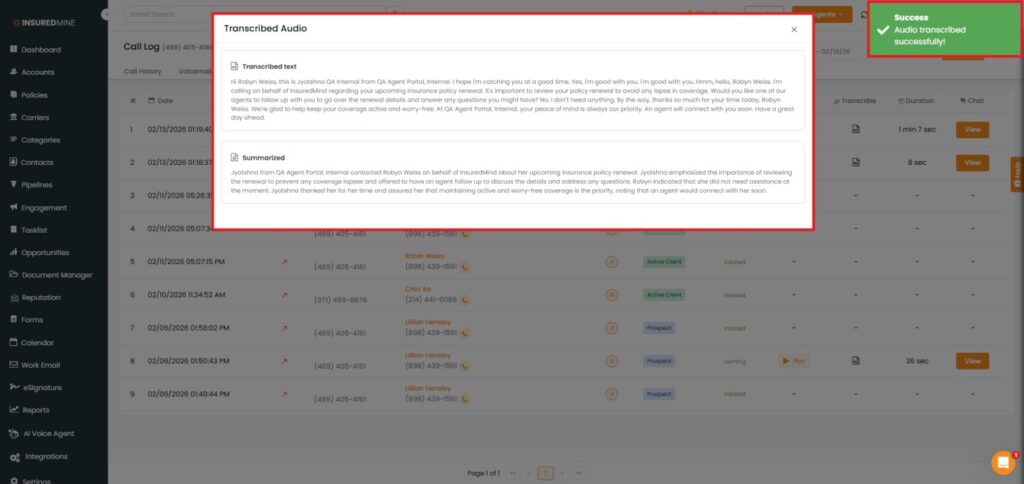
After processing, a success message: “Audio transcribed successfully” appears.
The Transcribed Audio pop-up opens, displaying:
Transcribed text
Conversation summary
You can also:
View the conversation status.
Play the call recording.
Check thecall duration.
To view the complete conversation in text format:
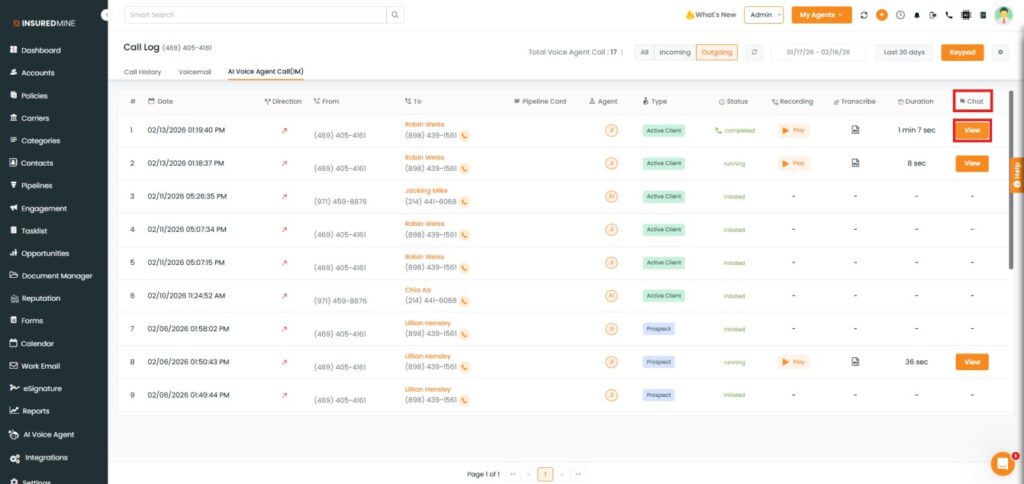
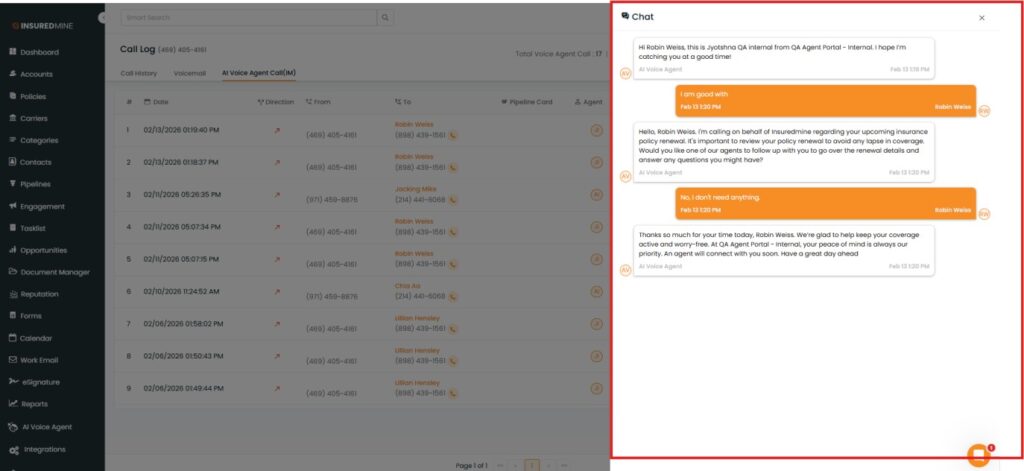
In the Chat section, click View.
A chat panel opens on the right side, displaying the full conversation between the agent and the client in text format.
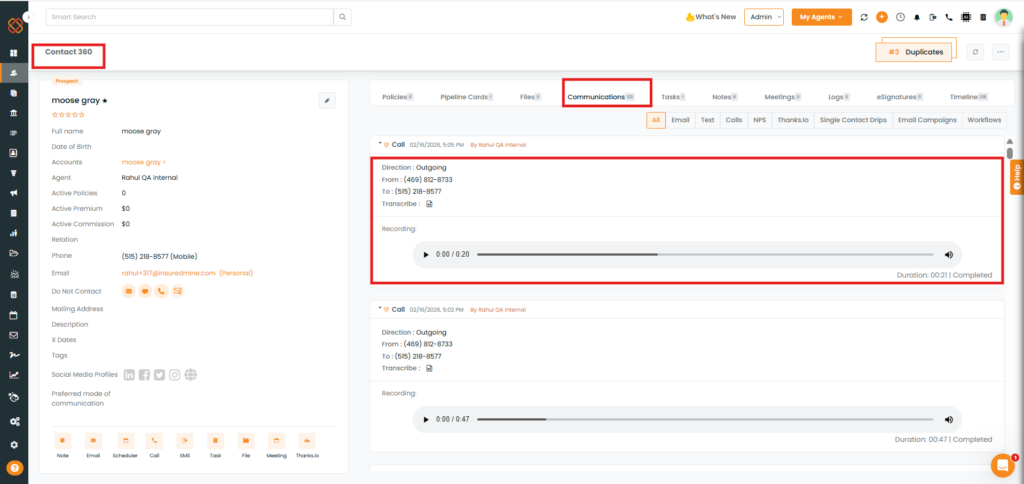
Note: The Transcribe option and call recording playback are also available in the Communication section of Contact 360.