We have introduced a new enhancement under the AI Voice Agent module, Outbound call section, a new option called Script template has been added. Using this feature, agents can create messages based on business needs and send them manually to specific clients.
Use Case:This enhancement allows agents to create customized outbound call scripts using the new Script Template option. Agents can send messages for renewal reminders, cross-sell or upsell opportunities, policy updates, important service notifications, and more.
This ensures consistent communication, improves message personalization, and helps agencies effectively manage targeted outreach efforts.
To view the enhancement:
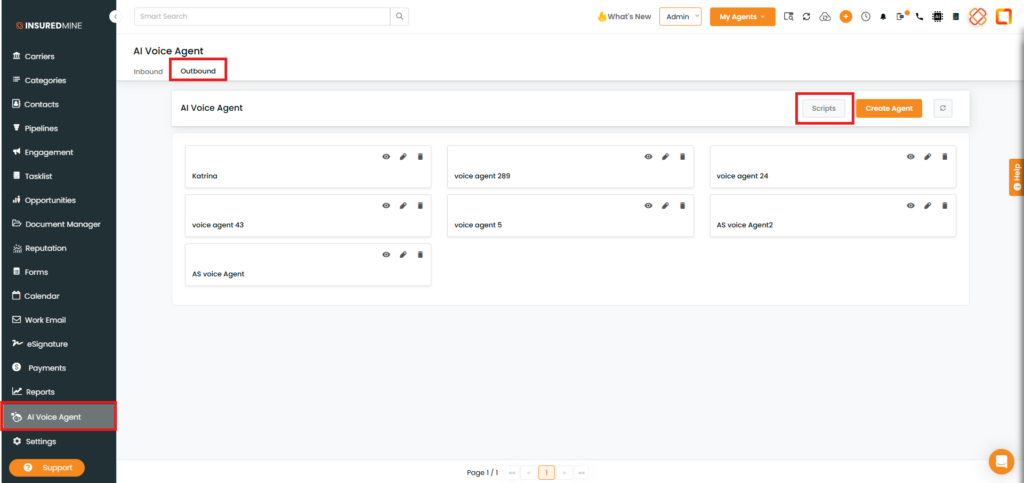
Navigate to AI Voice Agent.
Click on Outbound.
As shown below, a new option, Script Template, has been added.
Click on Scripts.
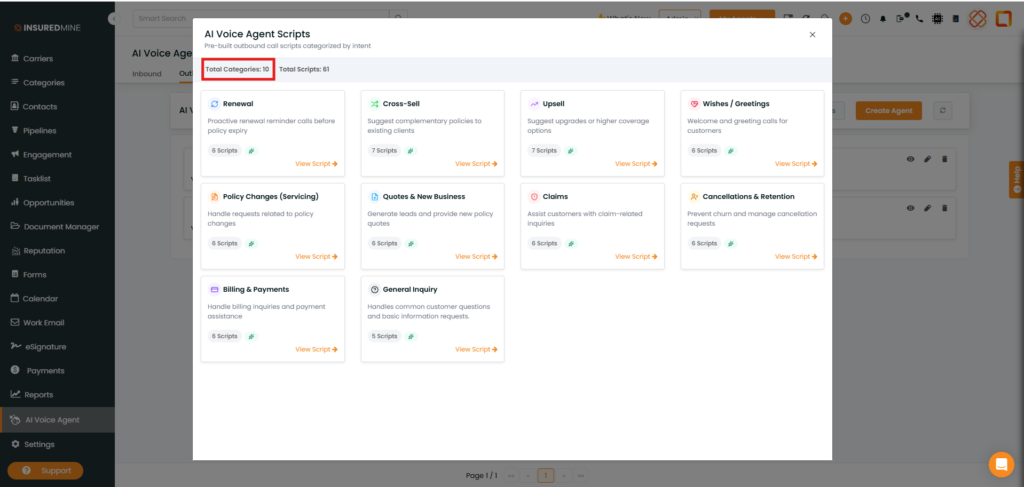
An AI Voice Agent Scripts pop-up appears.
As shown below, based on the available categories, you can select and send messages to clients.
To send a Message:
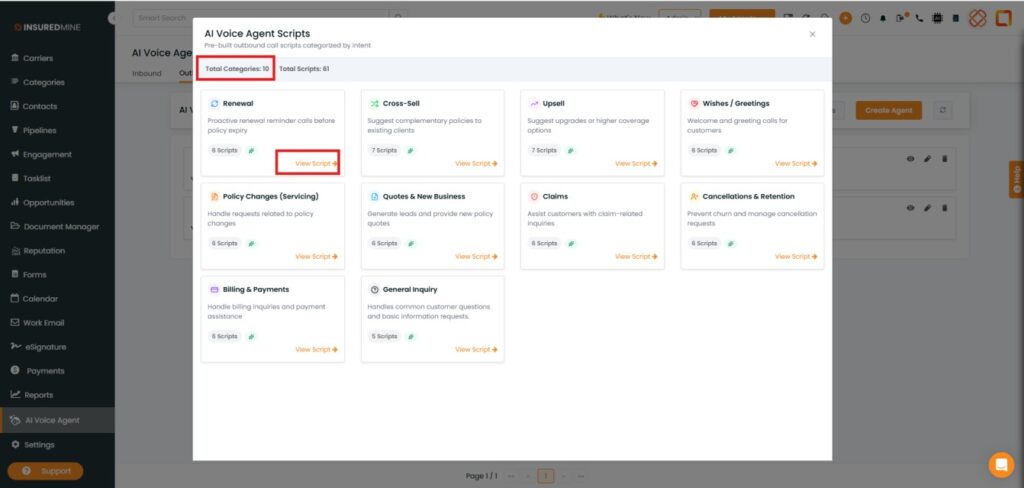
Click on View Script. Select the preferred template from the options (e.g., Renewal).
Click on View Script.
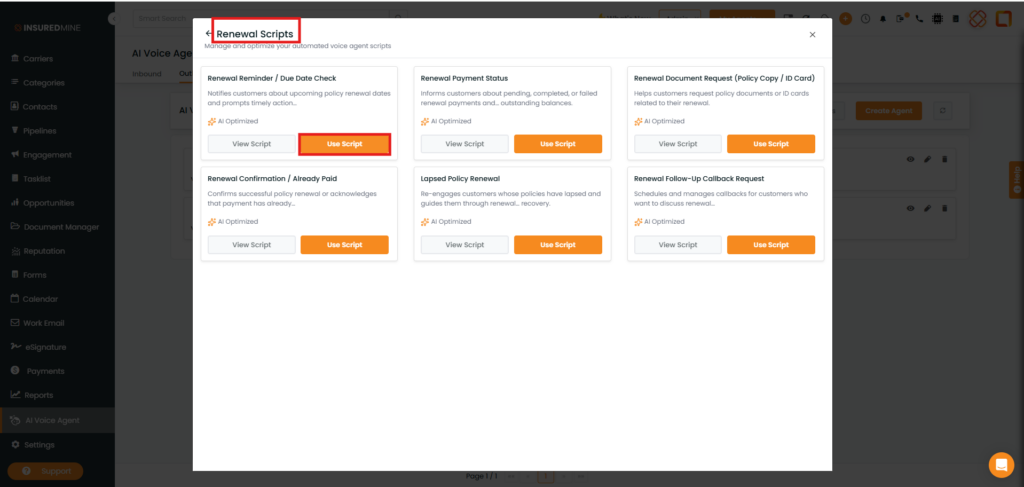
A Renewal Scripts pop-up appears.
Based on your requirement, select the preferred Renewal script template.
Click on Use Script.
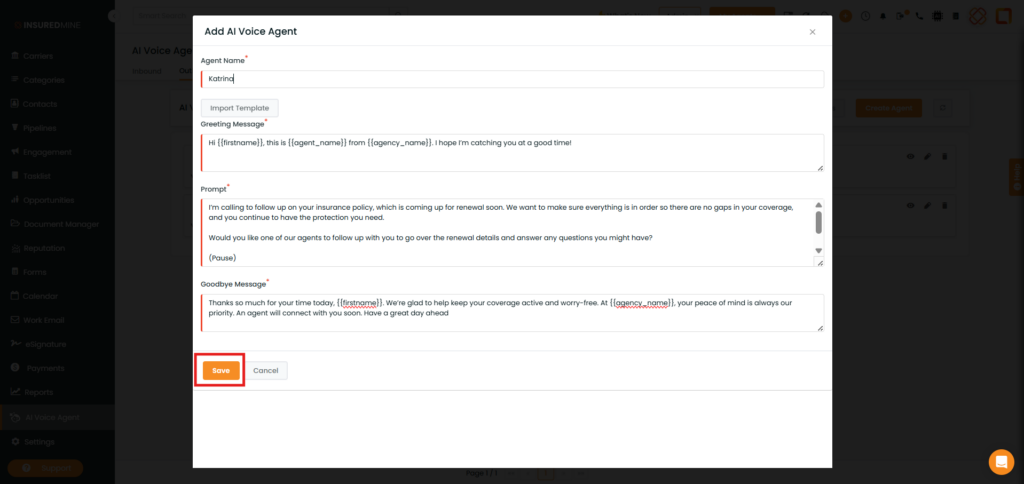
An Add AI Voice Agent pop-up appears.
Enter the Agent Name.
Click on Save.
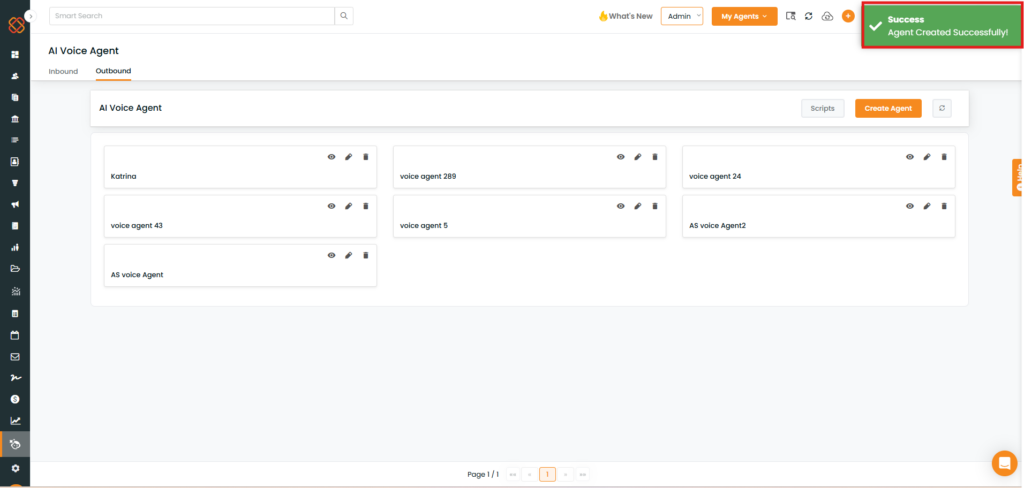
A success message appears: “Agent Created Successfully.”
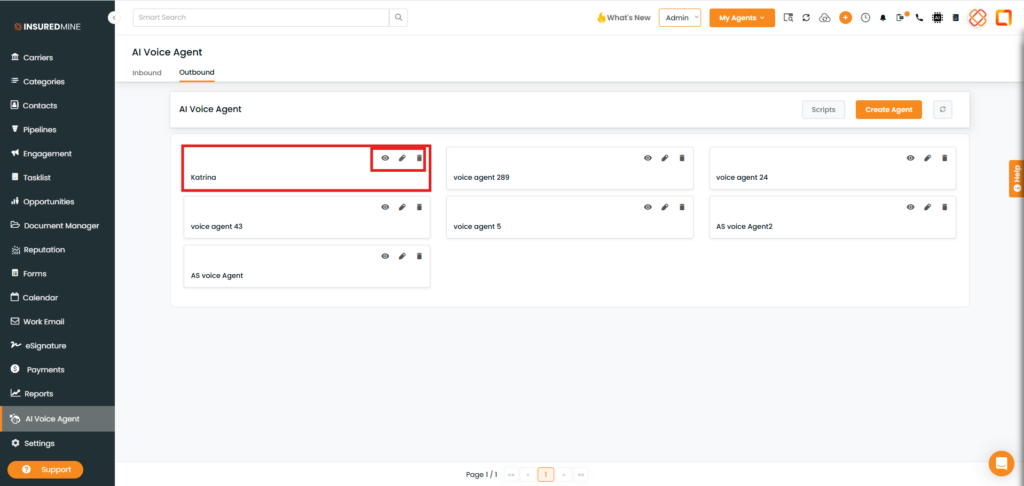
As shown below, the created template is displayed.
You can preview, edit, or delete it as per your preference.