InsuredMine CRM | Optimize and Grow Your Insurance Agency
Release Date: November 15, 2023
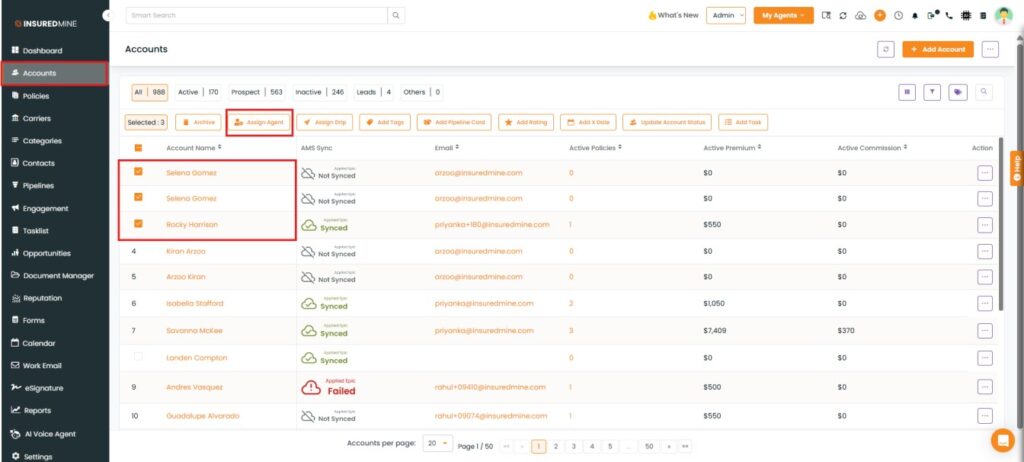
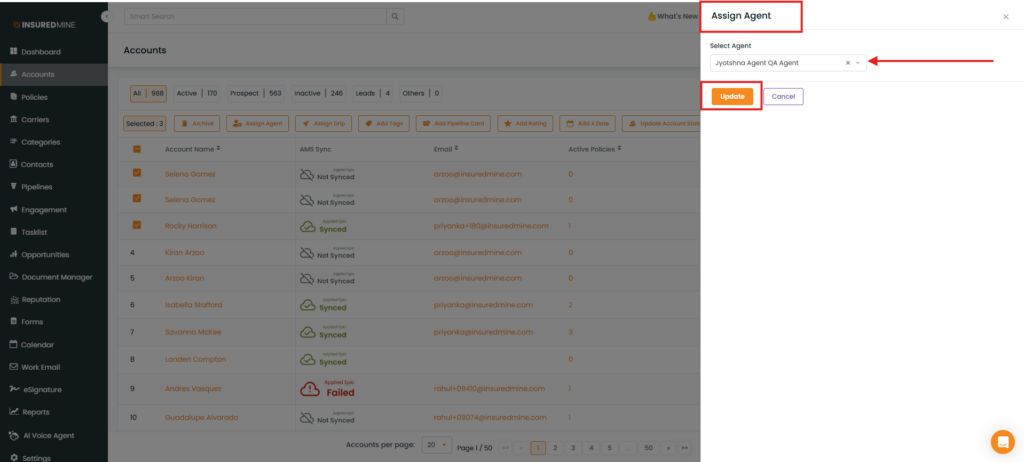
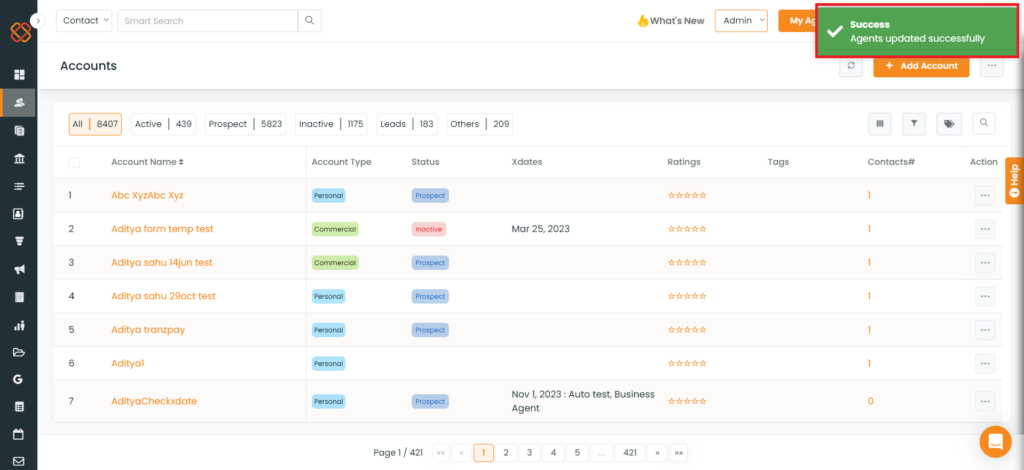
A recent update in the “Accounts” section now allows users to assign agents to multiple accounts simultaneously.
Use Case: To expedite and simplify the process of assigning agents to multiple accounts simultaneously within an agency.
Navigation: