We have introduced an enhancement to the Import Pipeline Card feature that allows users to map and import quote-related data while creating Pipeline Cards through CSV upload. Users can now map fields such as Insurance Type, Premium Amount, Policy Number, Effective Date, Expiration Date, Revenue, Category, Carrier, and Policy Term. The mapped information is automatically added to the associated quote of the newly created Pipeline Card.
Use Case: This enhancement allows users to seamlessly incorporate quoted data after mapping, eliminating the need to manually enter the same information in the quote after the Pipeline Card is created. This reduces duplicate data entry and saves time.
To view the enhancement:
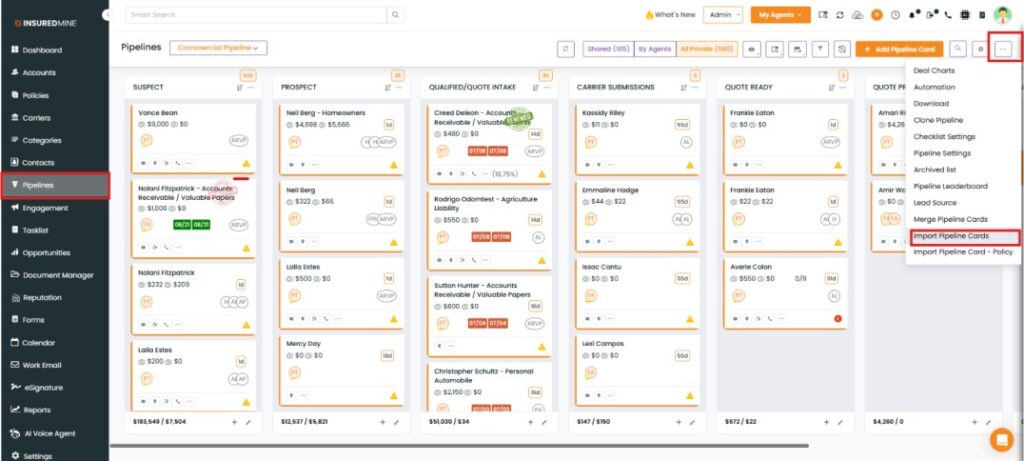
Navigate to the Pipeline module.
Click on the three-dot icon located in the top right corner.
From the drop-down, select ‘Import Pipeline Cards.’
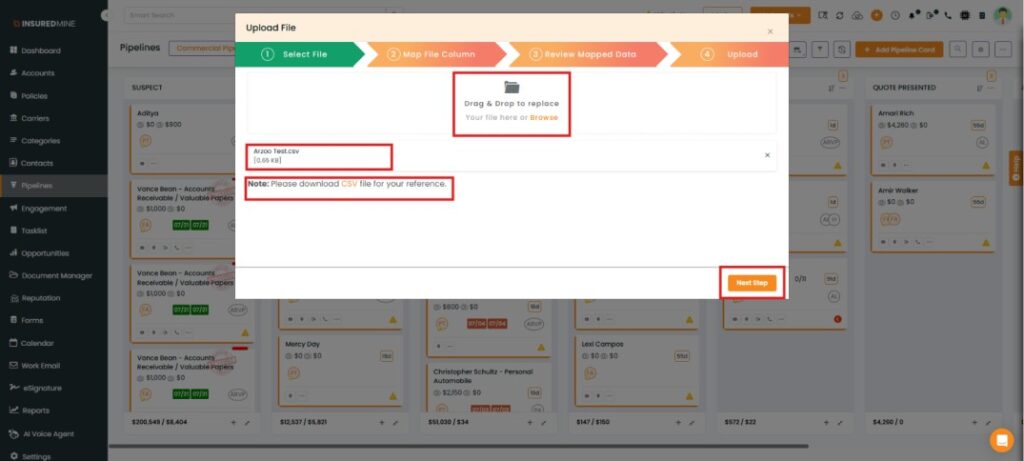
Select the CSV file and proceed to ‘Next Step.’
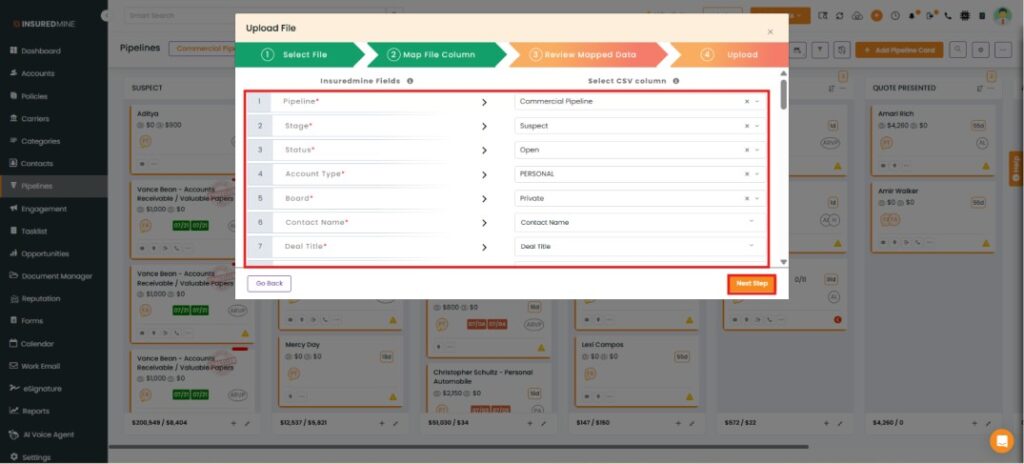
Additional fields are available in the Map File section for mapping, including Insurance Type, Premium Amount, Policy Number, Effective Date, Expiration Date, Revenue, Category, Carrier, and Policy Term.
After mapping the required fields, clickNext.
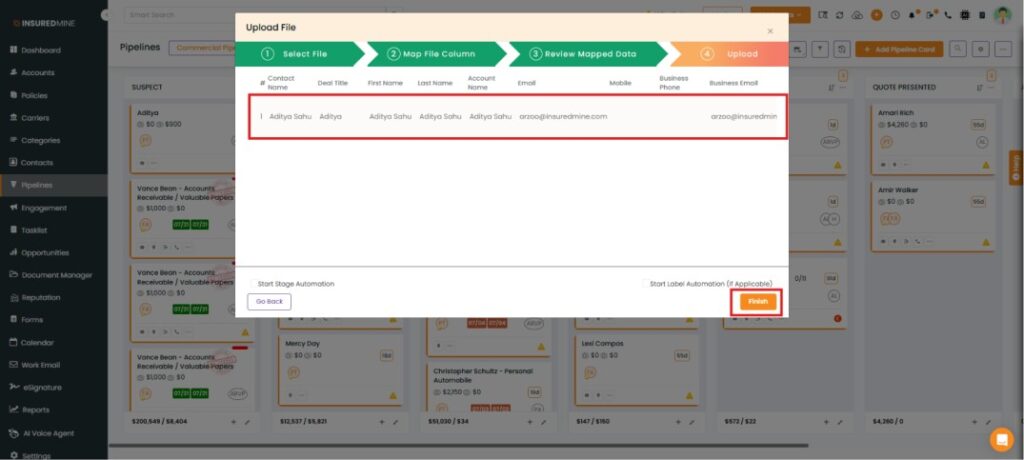
Review the mapped data and clickNext.
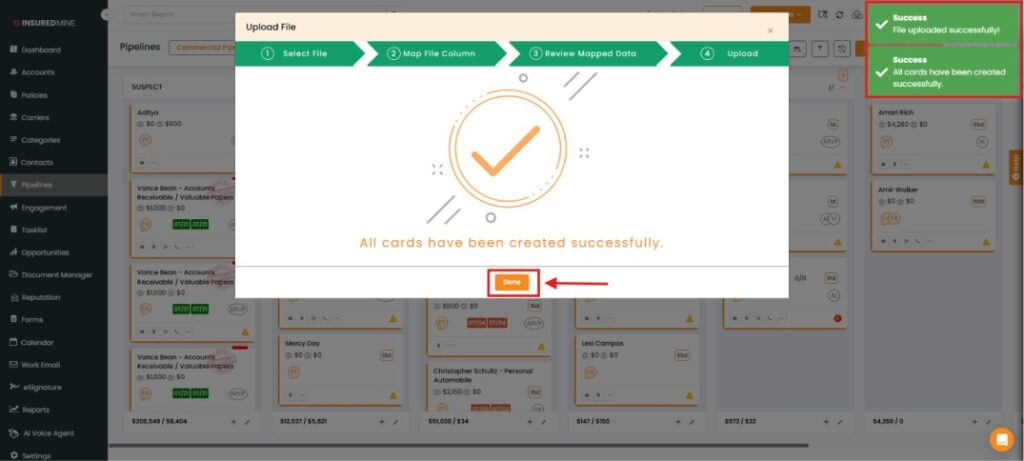
Upload the data once you’re done.
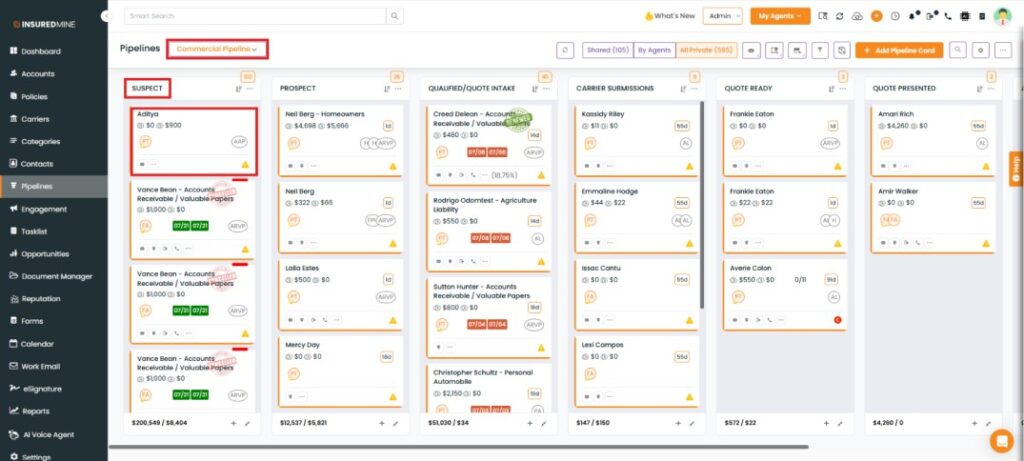
A Deal Card with the same name is created based on the provided details.
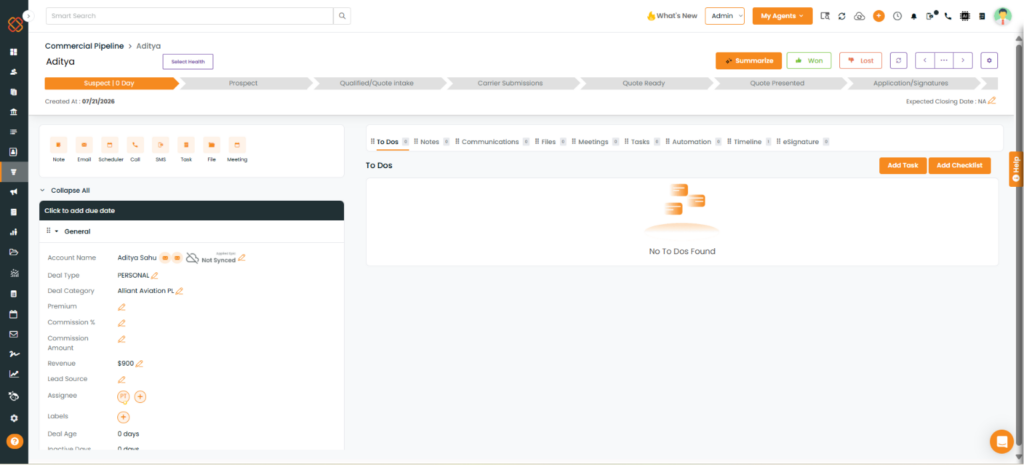
Click the newly created Deal Card to view its details.
Scroll down the Deal Card to view the Quotes section.
Within the deal card, select the deal quote to access the quote/policy data after mapping.
You can now view the data seamlessly integrated within the quotes.