We have introduced a new enhancement under Engagement Module → List. While creating a list, you can now apply filters based on your preferred account types to view the filtered results.
Use Case:This feature allows users to create targeted engagement lists by filtering accounts based on specific account types, ensuring accurate segmentation and efficient communication.
To view the enhancement:
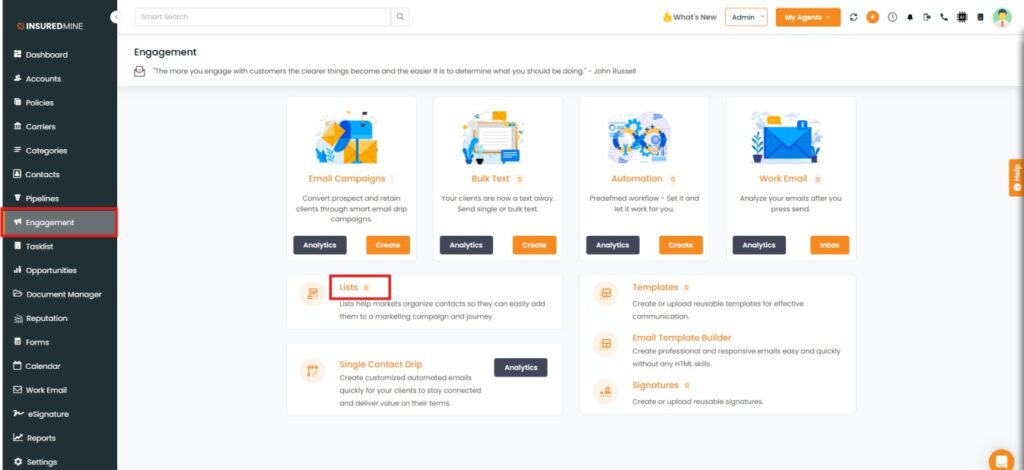
Navigate to Engagement
Click on List
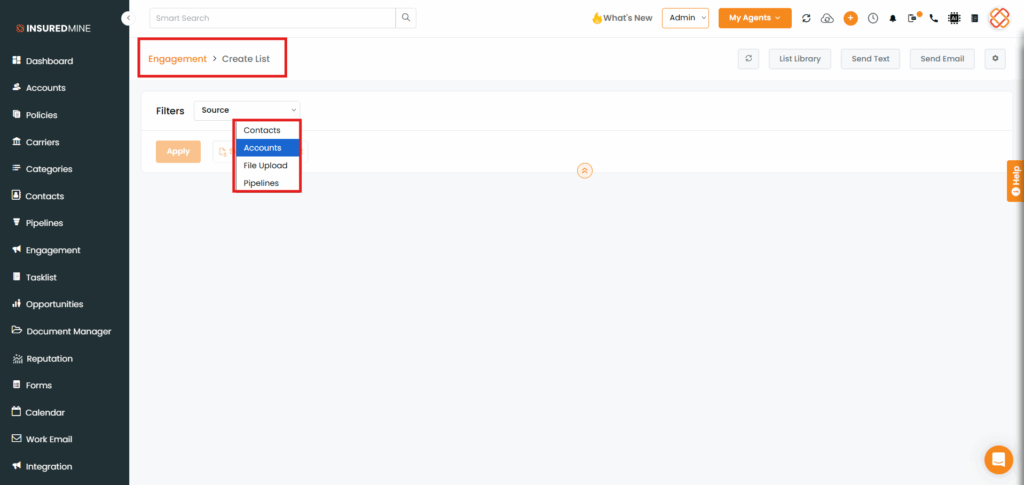
You will be redirected to the Engagement > Create List page.
From the Source dropdown, select the preferred Accounts/Contacts to apply the filter.
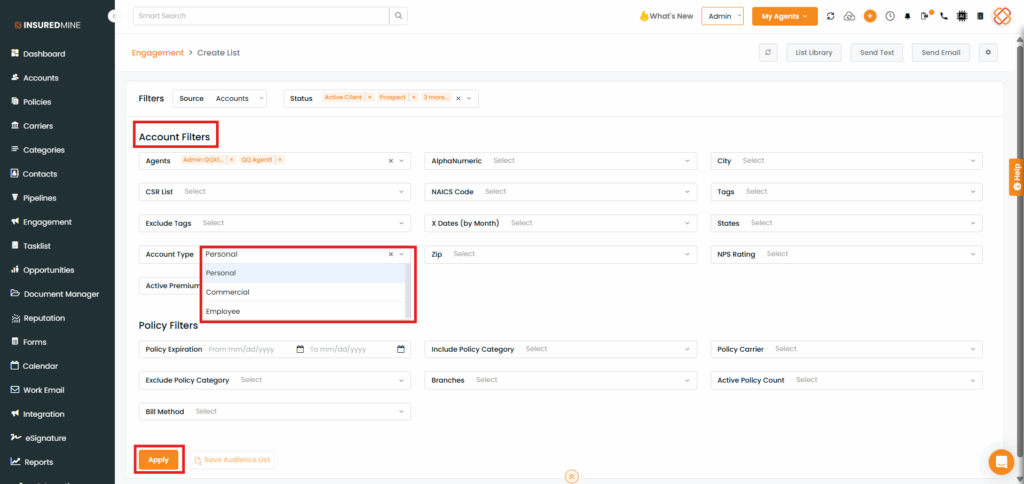
You will be redirected to the Account Filters page.
A new Filter, Account Type has been added
From the Account Type dropdown, select thepreferred Account
Click on Apply
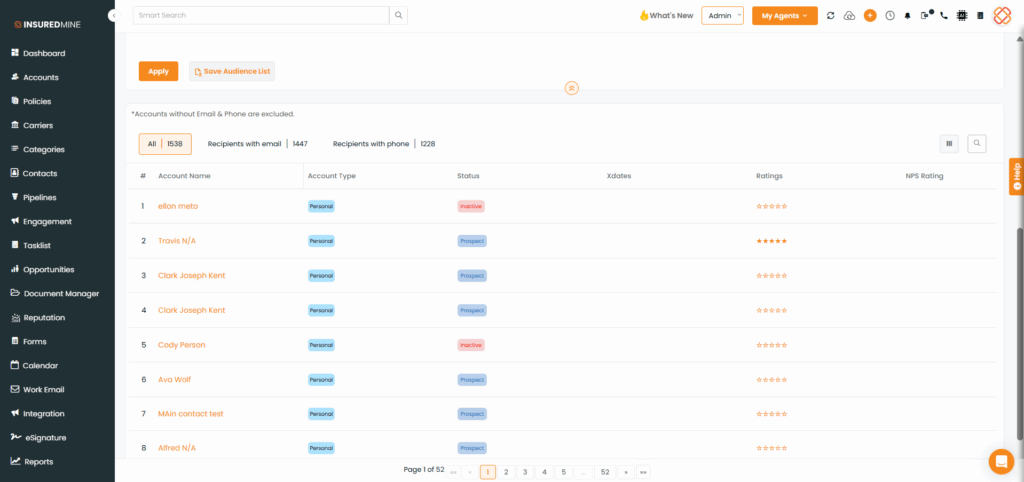
As shown below, Filtered results display based on the selected account type & other applied filters.