Home » Knowledge Base » New Business Data should be based on Entered date rather than the Effective date of the policy – (Epic Agencies)
Specific Reports
New Business Data should be based on Entered date rather than the Effective date of the policy – (Epic Agencies)
January 20, 2026
We’ve added a “New Policy Date” section to the New Business Report, alongside the existing “Effective Date”, to improve visibility into newly written policies.
Previously, the report was based only on the policy effective date, so policies written in one month but effective in a future month did not appear in the current month’s report.
With New Policy Date, policies are shown based on when they were written, regardless of their effective date. This allows agencies to accurately track all new business written within a selected period.
Use Effective Date to review policies becoming active in a given timeframe, and New Policy Date to track all policies written during that period.
Note: This Feature is only for Epic Agencies
Use Case: To accurately track an agency’s new business production for a specific month, the New Business Report should use the New Policy Date (the month the policy was written) rather than the policy’s Effective Date. This allows the agency to see true monthly production, even for policies with future effective dates.
To view the enhancement:
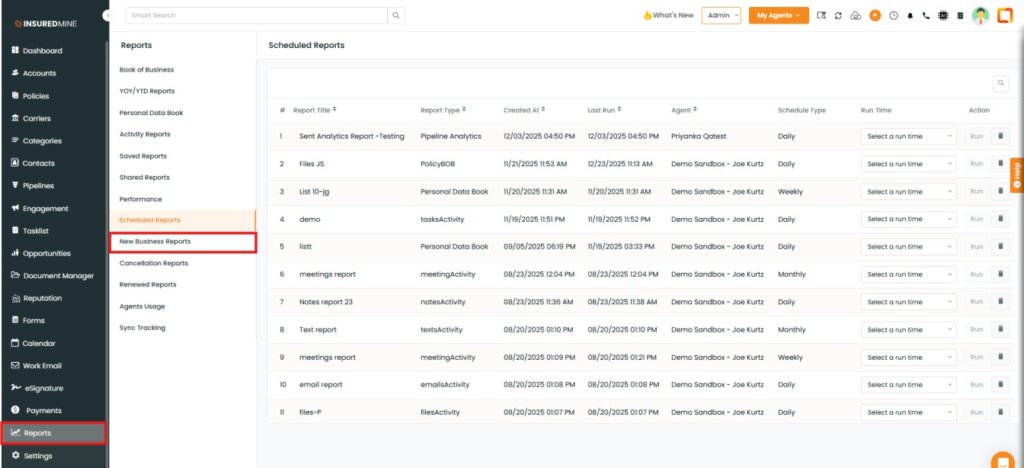
Navigate to Report Module
From the Reports, click on New Business Reports
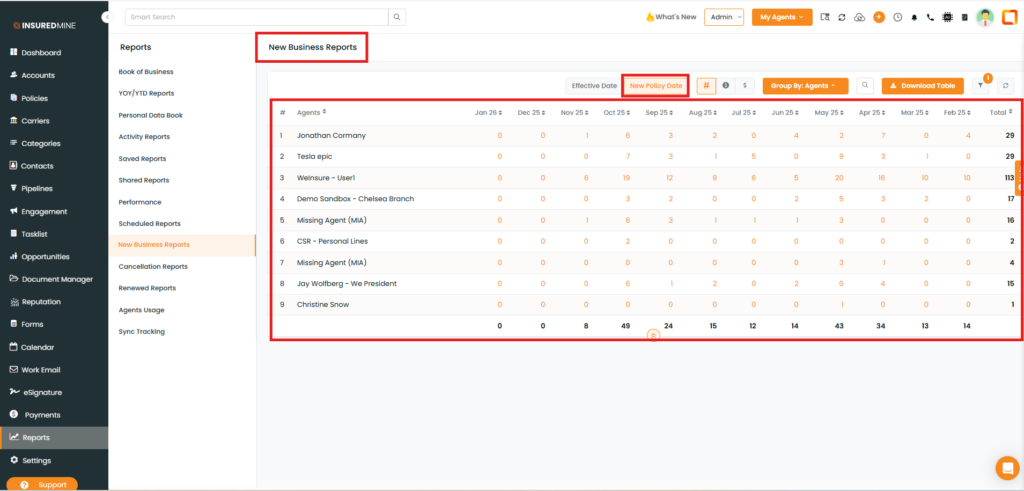
The New Business Reports page appears.
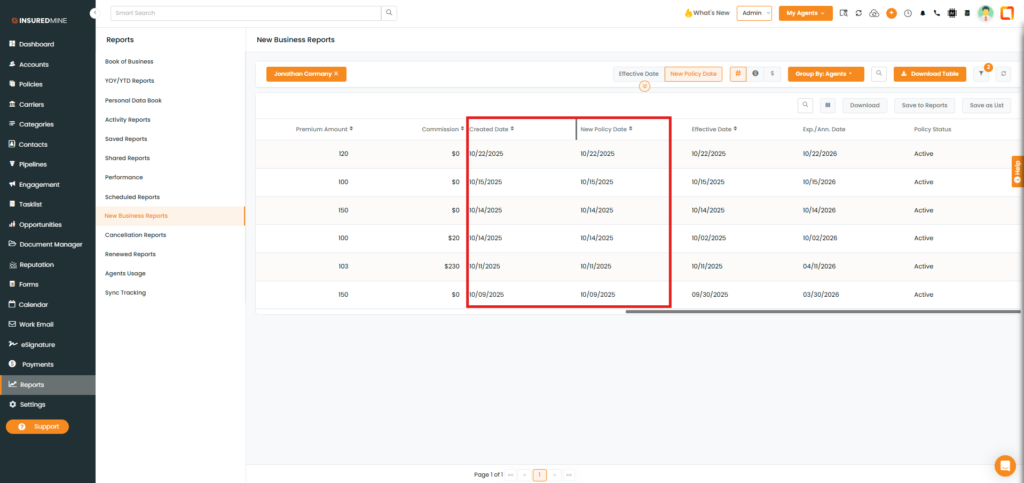
As shown below, a new option, New Policy Date is available.
Click on New Policy Date.
The report displays the count of policies added by each agent, grouped month-wise based on the policy added date.
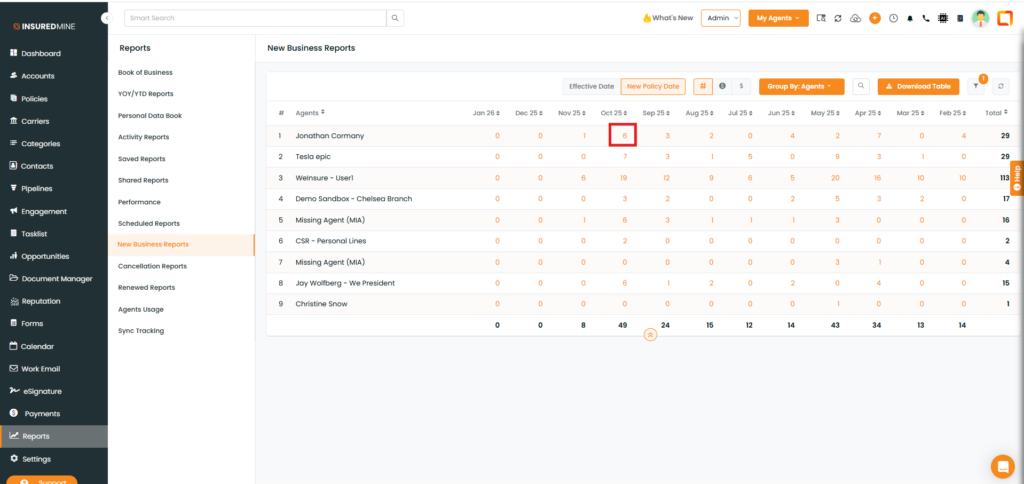
To view policy details:
Click on the policy count (e.g., 6).
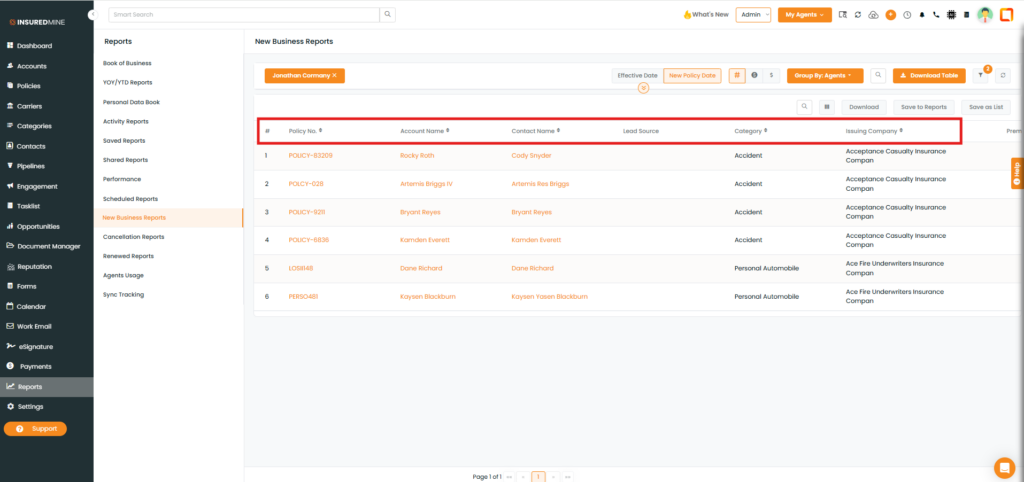
As shown below, complete policy details are displayed along with two new fields: Created Date and New Policy Date.