Release Date:- January 13, 2026
We have introduced a new enhancement in the Reports module under the Personal Data Book (PDB) section. This enhancement allows users to view a unique NAICS (North American Industry Classification System) code for each account, and also retrieve complete account details based on industry classification.
Note: The NAICS categorization is exclusively applicable to Commercial accounts and does not extend to Personal accounts.
Use Case: This feature enables grouping of accounts based on their NAICS (North American Industry Classification System) codes, allowing businesses to categorize customers by industry for better reporting and analysis. It helps teams easily identify industry-specific trends and opportunities, improve reporting accuracy, and support more targeted sales, servicing, and marketing strategies.
To View the Enhancement:
- Navigate to Reports
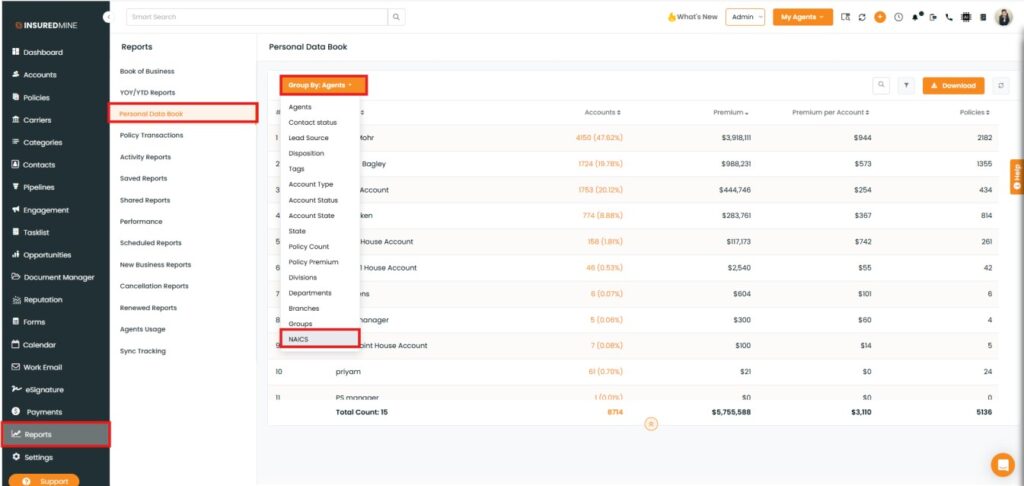
- From the Reports menu, select Personal Data Book. The Personal Data Book page will open.
- In the Group By dropdown, you will now see a new option labelled NAICS.
- Click NAICS.
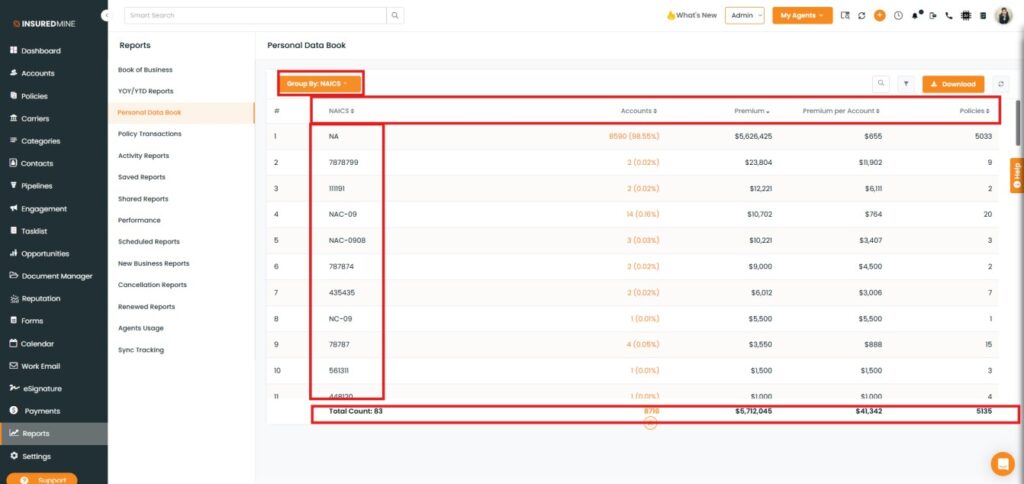
The Group by: NAICS page is displayed, showing industry-wise details based on NAICS codes. The report includes the following metrics:
- Number of Accounts
- Total Premium
- Premium per Account
- Total Policies.
- As shown below, a total summary row appears at the bottom, displaying overall totals for accounts, premiums, policies, and the total count of NAICS codes.
Note: NA in the NAICS column indicates that NAICS code details are not available for those accounts.
To View Account Details for a NAICS Code:
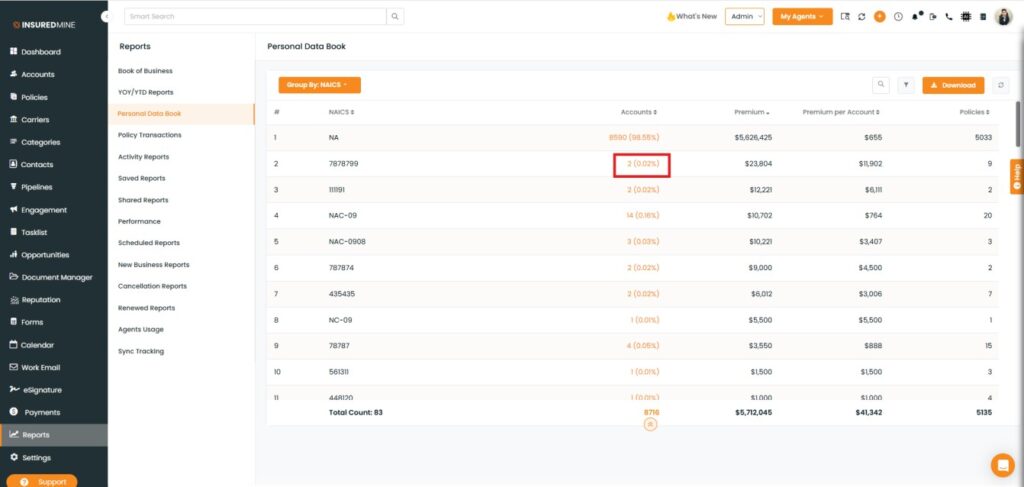
- Click on the Account count for the required NAICS code.
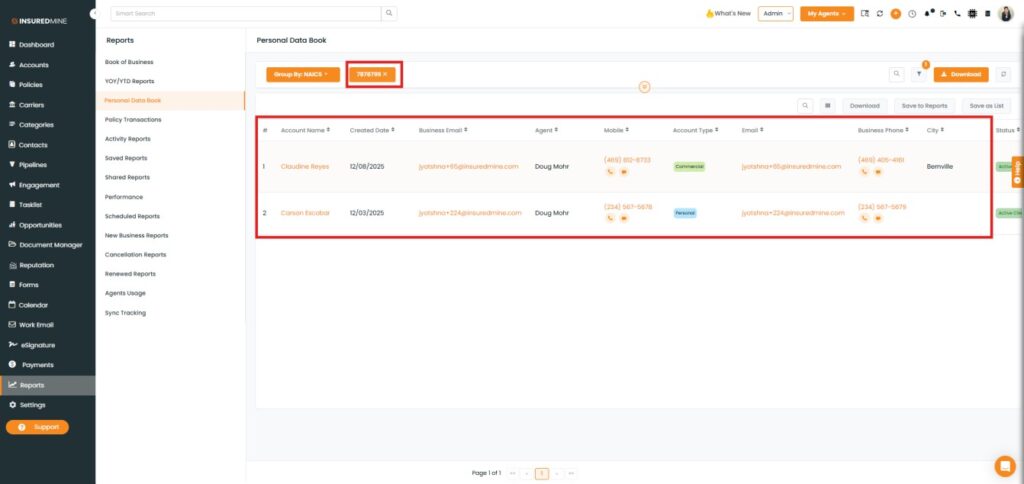
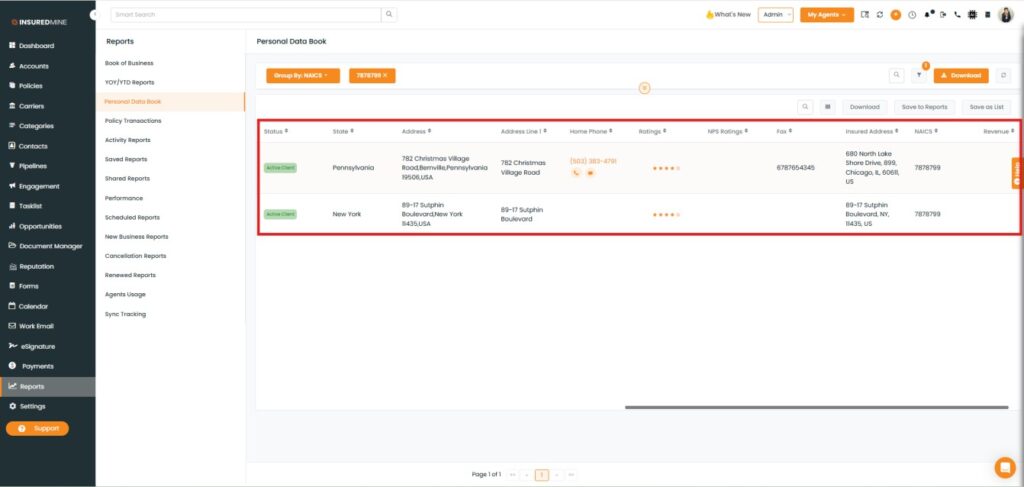
Note: If the account count shows 2, it means there are two accounts associated with that NAICS code (for example, NAICS code 787899).
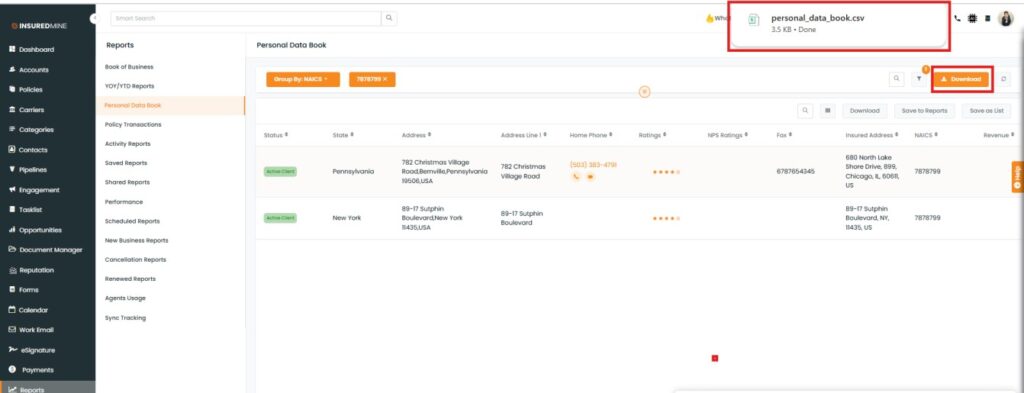
- You are redirected to the Account Details page for the selected NAICS code.
- As shown below, details from Account Name to Revenue are displayed.
To Download NAICS Details:
- Click Download to export account details related to the selected NAICS code.
- As shown below, the data is downloaded as a CSV file.