Home » Knowledge Base » Add Assign Drip Option in the X-dates, Auto NO Home & Home No Auto
Opportunity Management
Add Assign Drip Option in the X-dates, Auto NO Home & Home No Auto
February 13, 2026
Release Date:- 13 February, 2026
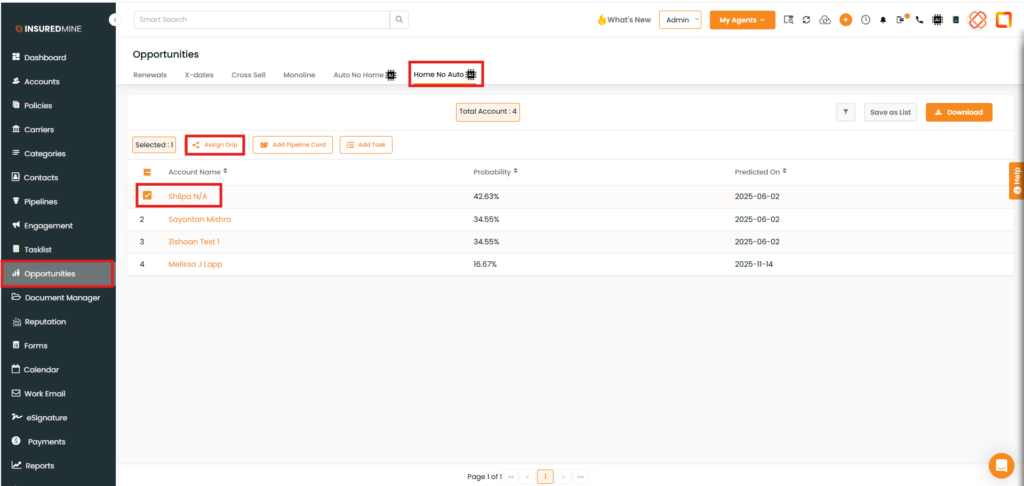
A new enhancement has been introduced under the Opportunity Module within the X-Date, Auto No Home, and Home No Auto sections. With this update, users can now assign a SCD campaign and select a preferred Contacts/Accounts to send to the respective client directly from these sections.
Use Case: This enhancement enables agencies to quickly assign SCD campaigns directly from the X-Date, Auto No Home, and Home No Auto sections. It streamlines targeted outreach by allowing users to select specific Contacts or Accounts and send relevant campaigns efficiently from the Opportunities module.
To view the enhancement:
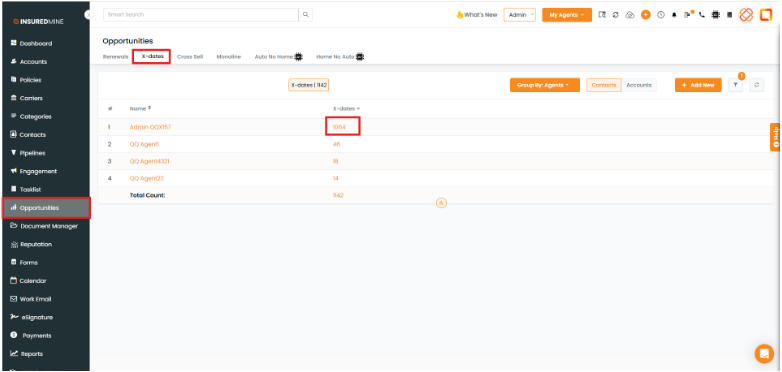
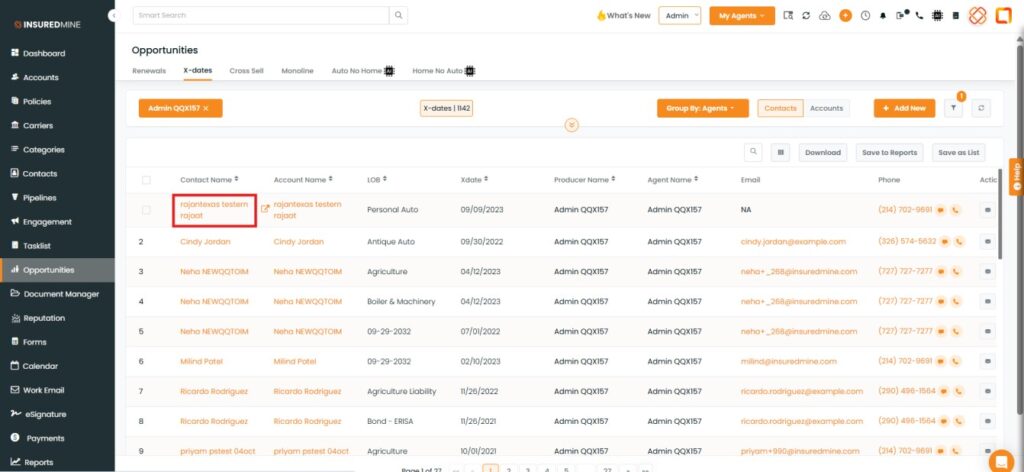
Navigate to Opportunities.
Click on X-dates.
Click on X- dates Count.
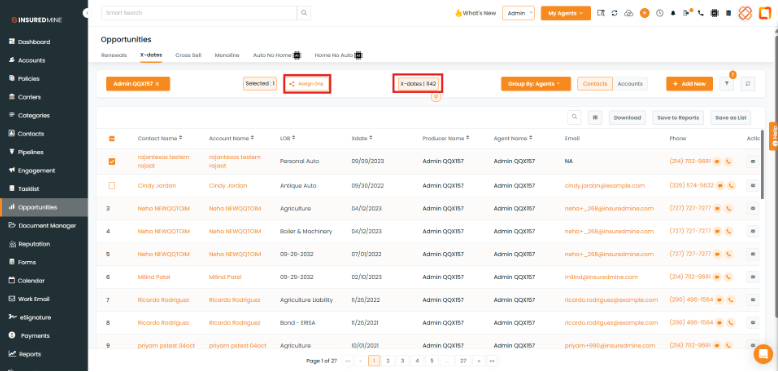
Select the preferred Contact Name.
Check the box beside the Contact Name.
Click on Assign Drip.
Note: You also have the option to select multiple contacts or all contacts when assigning a drip.
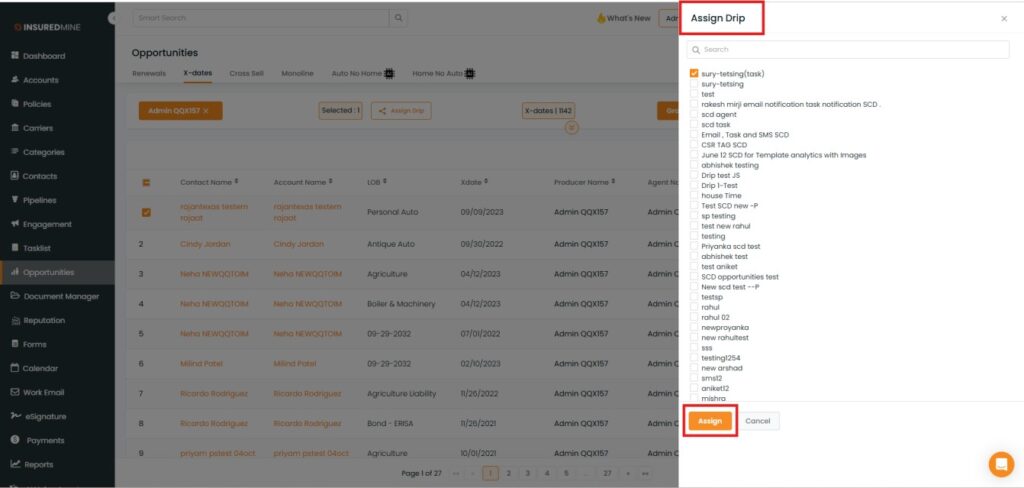
An Assign Drip Panel appears.
From the available options, select the preferred Drip.
Click on Assign.
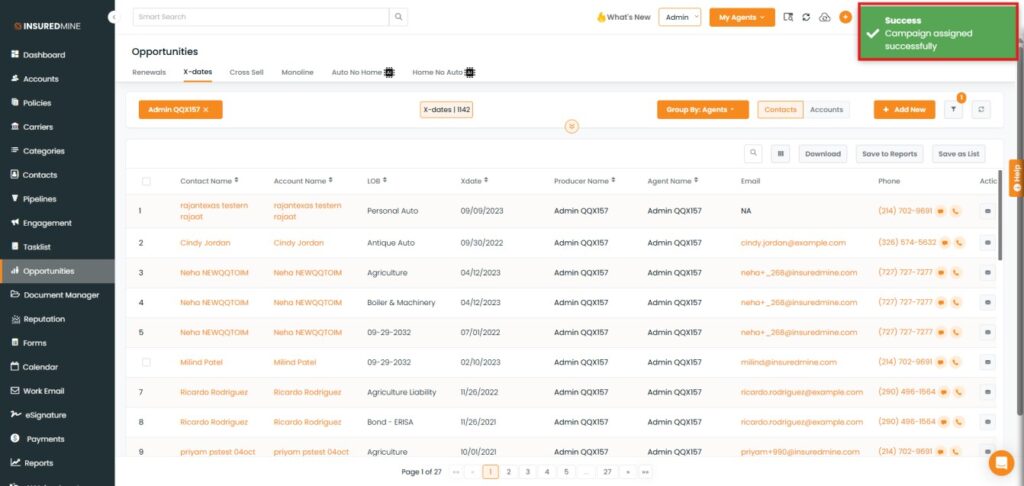
A success message appears: “Campaign assigned successfully”.
To View the Assigned Drip
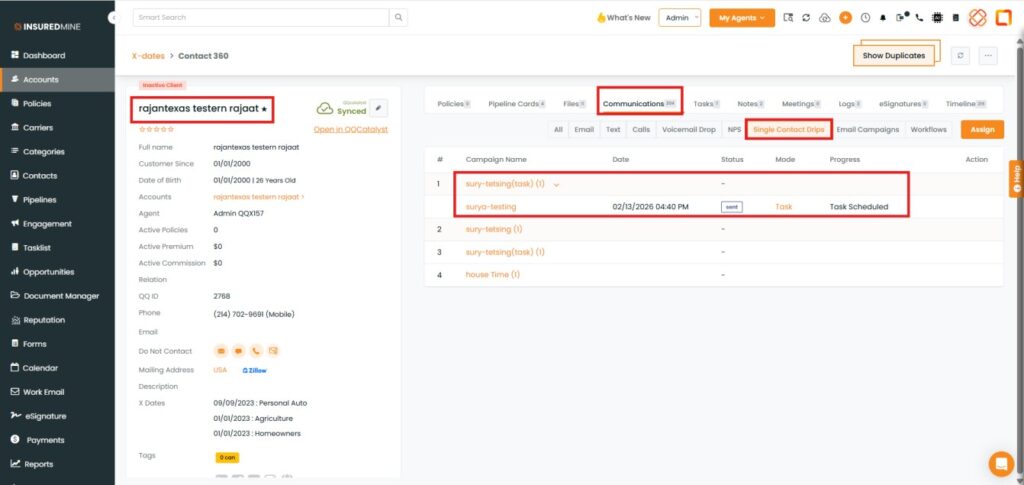
Click on the contact name to which you have assigned the drip.
You will be redirected to Contact360.
Click on Communication.
Click on Single Contact Drips.
As shown below, the assigned campaign name is displayed.
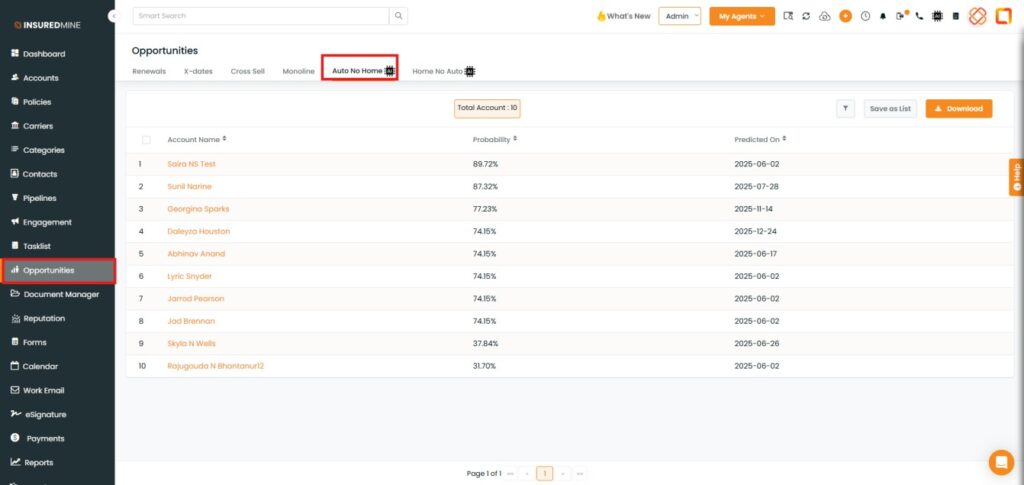
To view the enhancement in Auto No Home.
Navigate to Opportunities.
Click on Auto No Home.
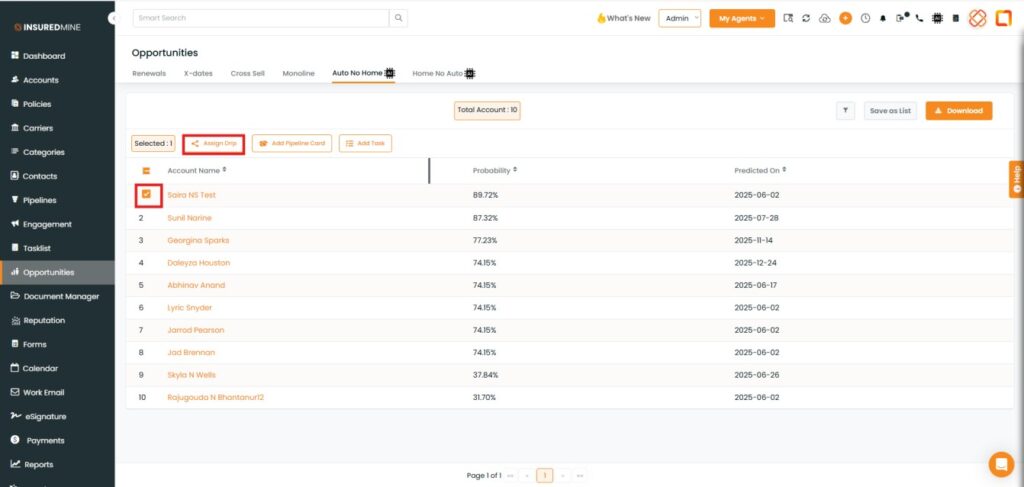
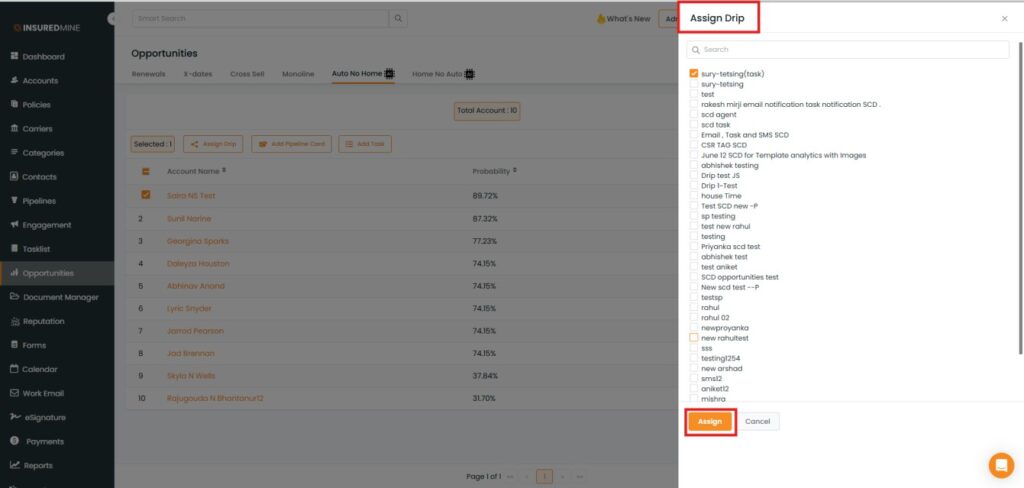
Select the preferred Account Name.
Check the box beside the Account Name.
Click on Assign Drip.
An Assign Drip Panel appears.
From the available options, select the preferred Drip.
Click on Assign.
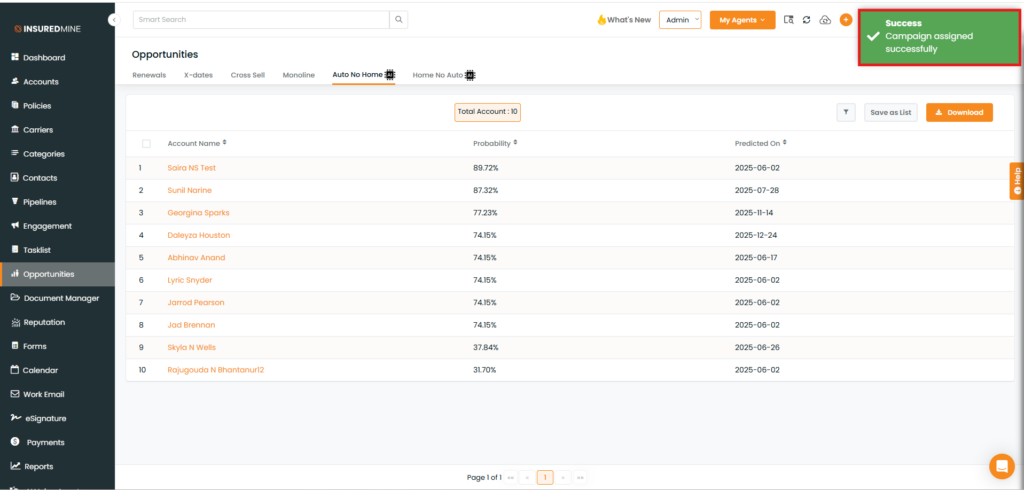
A success message appears: “Campaign assigned successfully”.
To View the Assigned Drip
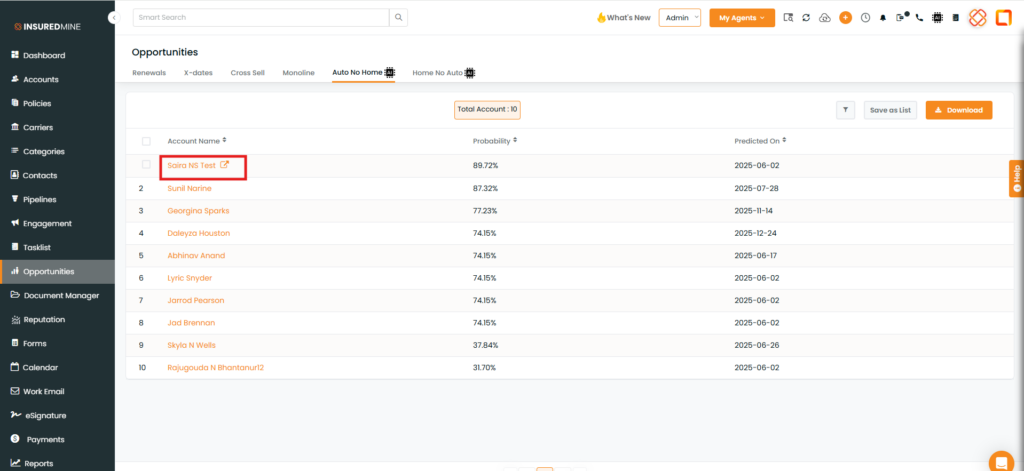
Click on the account name to which you have assigned the drip.
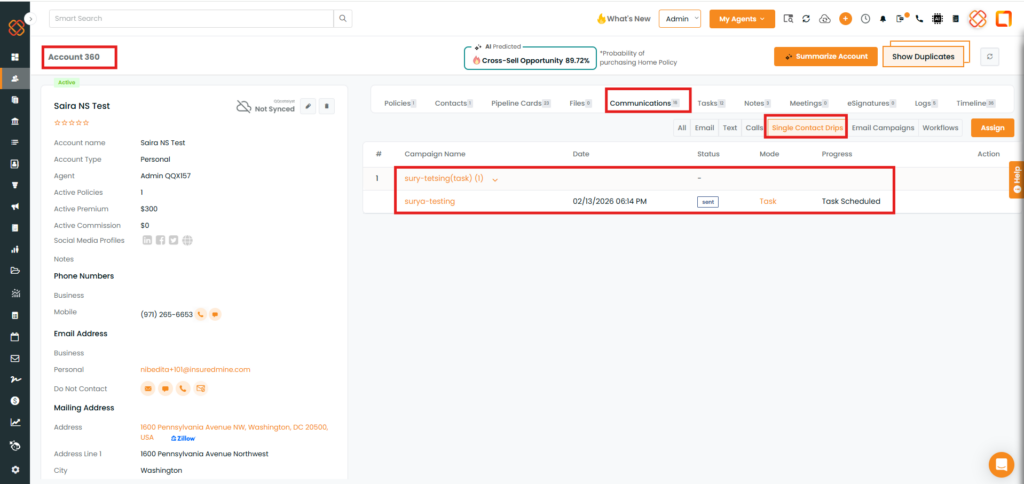
You will be redirected to Account360.
Click on Communication.
Click on Single Contact Drips.
As shown below, the assigned campaign name is displayed.
To view the enhancement in Home No Auto, follow the same steps as described for Auto No Home.