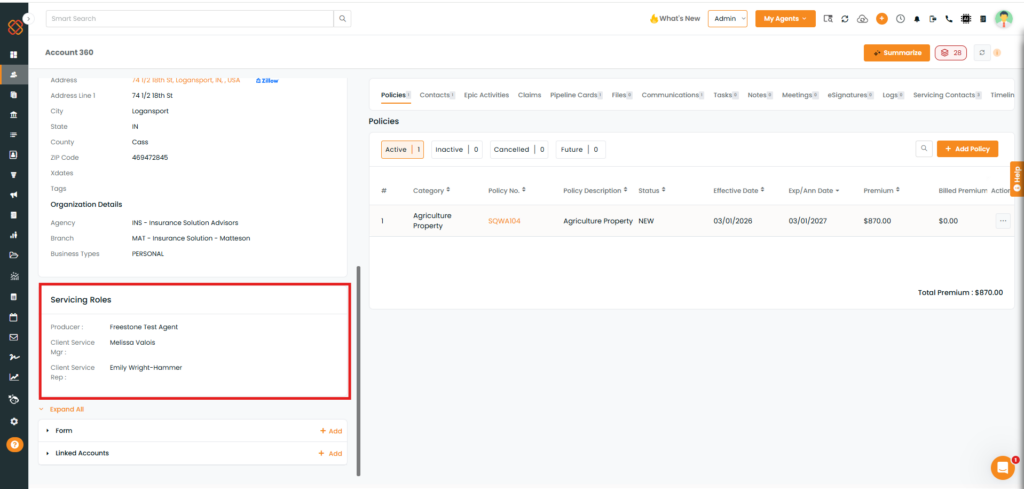
We’ve enhanced the Accounts module, specifically the Account 360 page, to allow users to edit and update servicing roles directly. Previously, servicing roles could only be added during the initial creation of an account in Epic. Once an account was created and synced with Epic AMS, there was no option to add or modify these roles.
Now, if the account is synced with Epic, users have the flexibility to edit or update servicing roles directly from the Account 360 page in IM.
Use Case: This feature allows users to update servicing roles for synced Epic accounts directly from the Account 360 page. It improves flexibility in account management and ensures that servicing role information remains accurate and up to date.
Users can easily edit or update account servicing roles according to their preference without any hassle.
To view the enhancement:
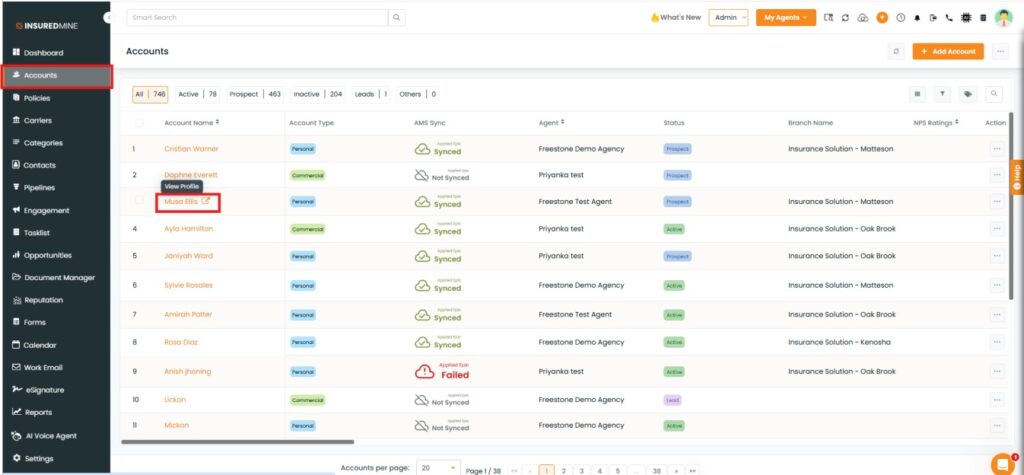
Navigate to Accounts.
Click on the preferred Account Name to view the Account 360 page.
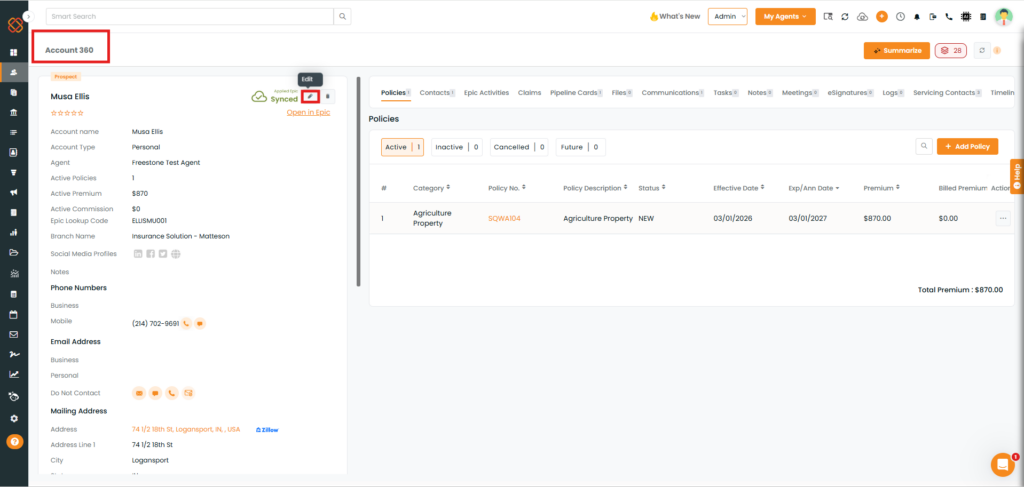
You will be redirected to the Account 360 page.
As shown below, click on the Edit icon.
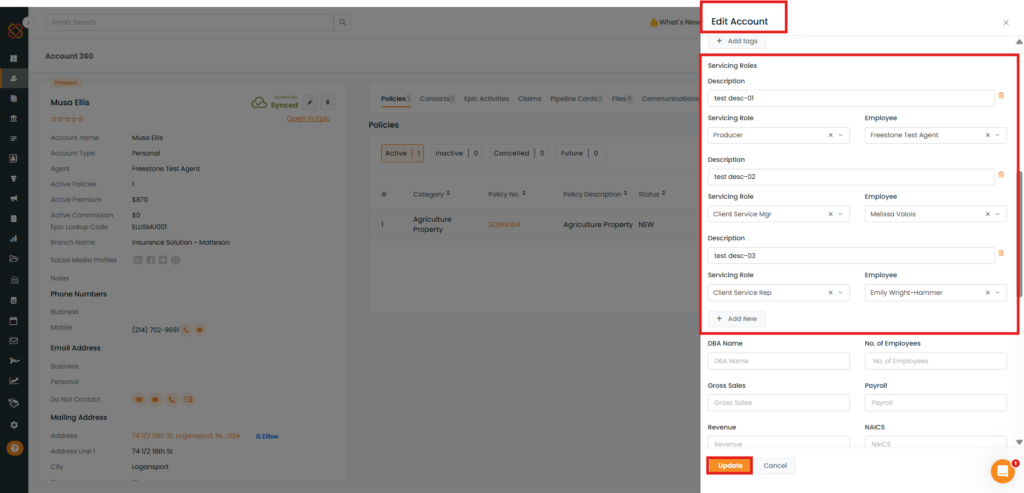
An Edit Account panel appears on the right-hand side.
Scroll to the Servicing Roles section.
As shown below, edit the Description, Servicing Role, and Employee fields.
Click Add New to add an additional servicing role if required.
Once the changes are completed, click Update.
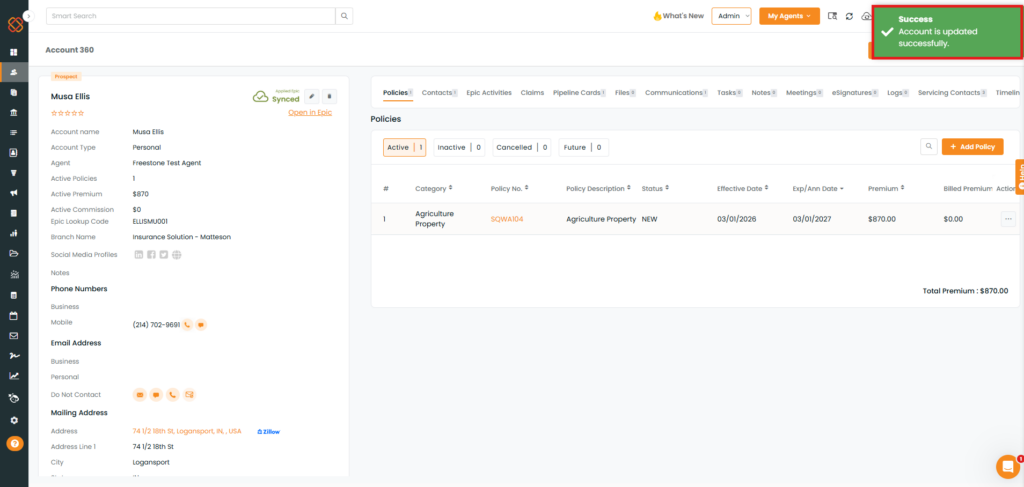
A success pop-up, “Account is updated successfully,” appearss.
As shown below, the updated Servicing Roles are displayed on the Account 360 page.