Home » Knowledge Base » Group by Servicing Role in Book of Business & Personal Data Book (EPIC)
Data Grouping and Fields
Group by Servicing Role in Book of Business & Personal Data Book (EPIC)
March 19, 2026
Release Date: 19 March 2026
We have introduced a new enhancement under the Reports module. Now, you can filter your data based on Servicing Roles in the Book of Business and Personal Data Book sections.
This enhancement allows you to easily identify which policies are associated with each servicing role in Book Of Business, and also accounts/ contact which are associated with each servicing role in Personal Book Account, related to how many policies are linked to them.
Note: This feature is released only for Epic Integration.
Use Case: This feature helps users easily track how policies and accounts/contacts are divided among different servicing roles for better workload visibility and management, enabling efficient tracking and performance analysis.
To view the enhancement:
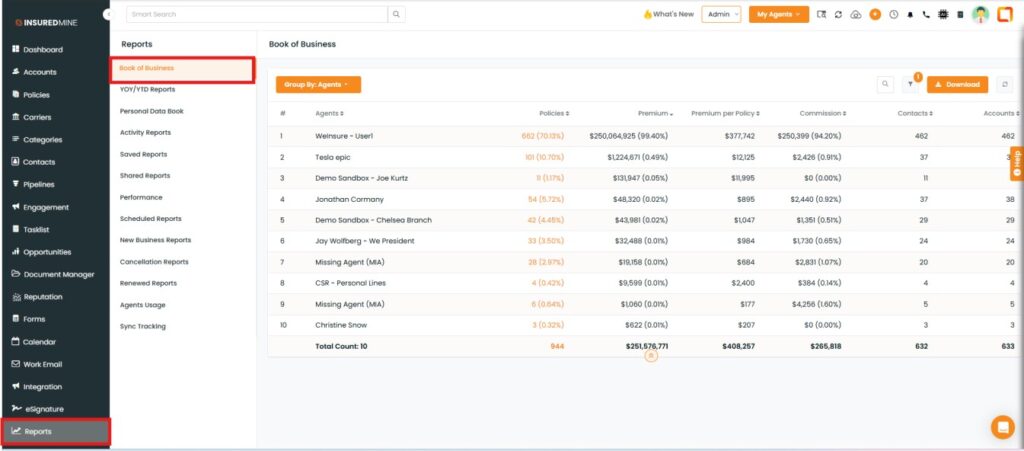
Navigate to Reports.
From the Reports, click on Book of Business.
The Book of Business page appears.
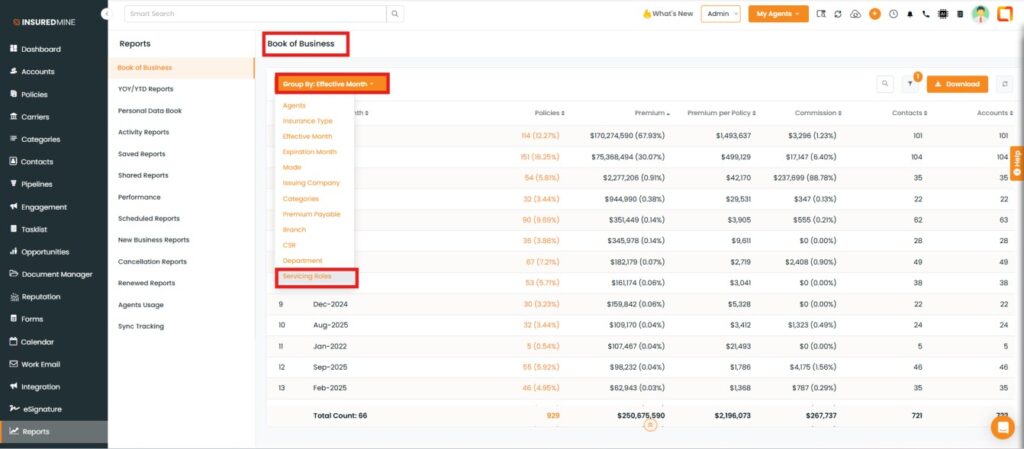
As shown below, click on Group by and from the dropdown select Servicing Roles.
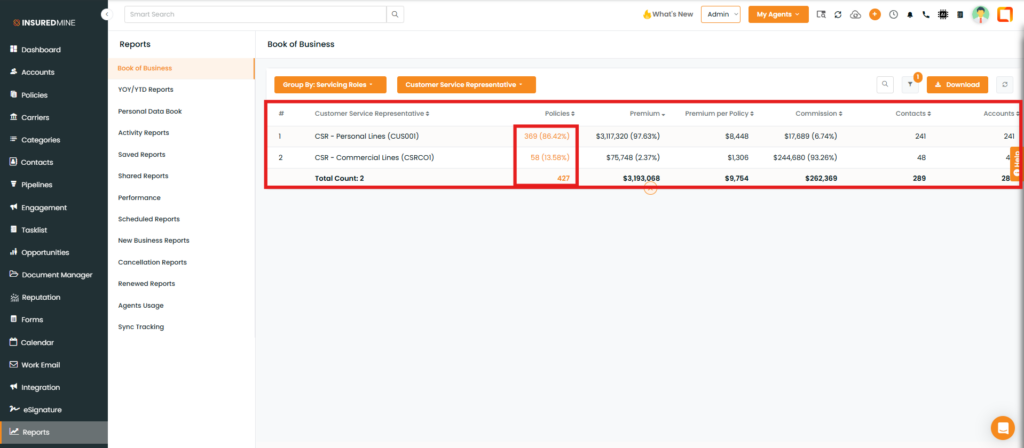
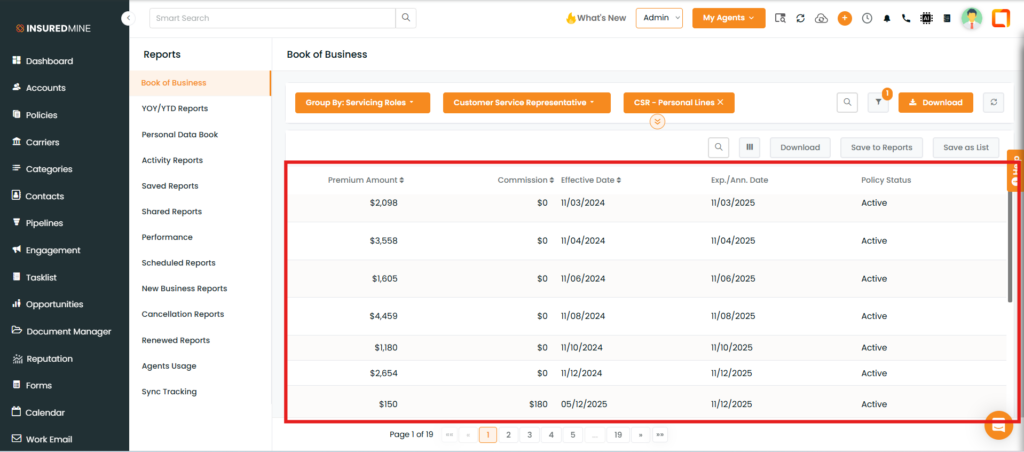
As shown below, the Customer Service Representatives(CSRs) data appears
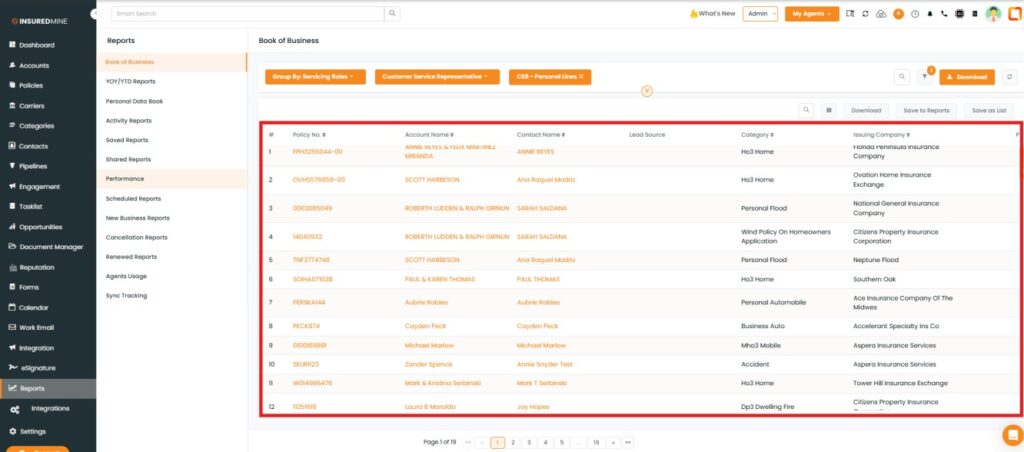
Click on the policy number of your preferred CSR to view the complete policy data.
As shown below, view complete policy information from Account Name to Policy Status.
Note:The Policy data is displayed only when you have added a policy along with the preferred Servicing Role.
To view the Enhancement in the Personal Data Book:
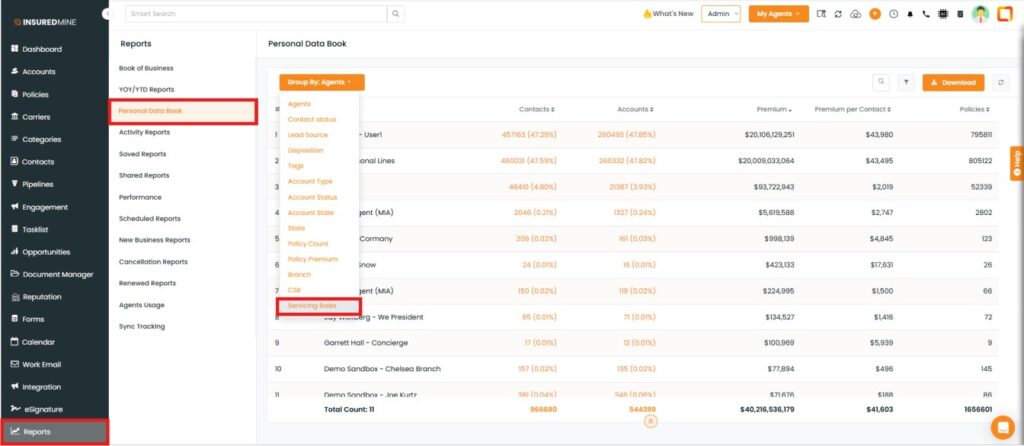
Navigate to Reports.
From the dropdown, select Personal Data Book.
As shown below, click on Group by, and from the dropdown, select Servicing Roles.
Note: Follow the same process as in the Book of Business to view the data for your preferred servicing roles.