We have introduced a new Expected Closing Date filter in the Pipeline module. This enhancement allows users to filter pipeline cards based on expected closing dates, making it easier to track and manage deals within specific timelines.
Use Case: This enhancement helps users quickly identify and analyze pipeline cards based on expected closing dates.
It enables agencies to focus on deals nearing closure, track sales timelines more effectively, and access relevant records without manually reviewing the entire pipeline, reducing manual effort and saving time.
To View the Enhancement
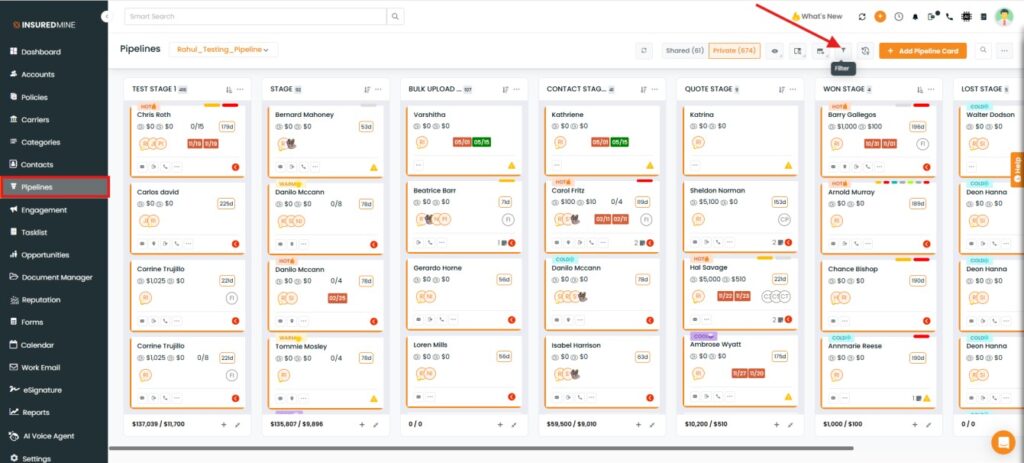
Navigate to Pipeline.
Click on the Filter Icon.
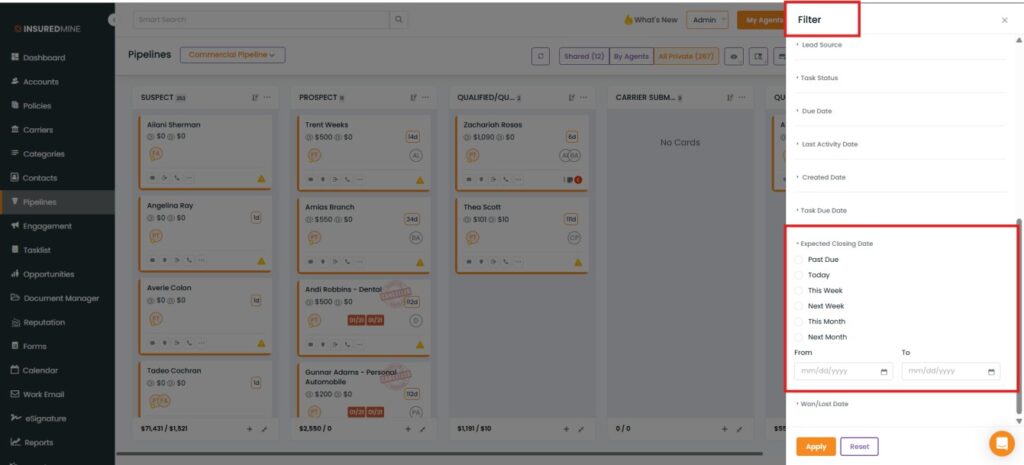
A Filter panel appears on the right-hand side.
As shown below, a new Expected Closing Date has been added.
How to apply the filter?
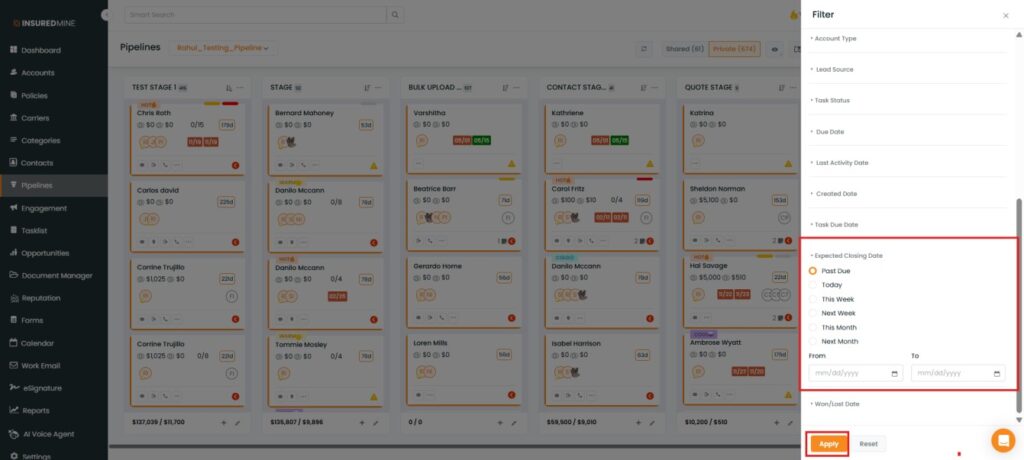
Select the preferred Expected Closing Date option from the dropdown.
Click on Apply.
Note: Users can also add a custom Expected Closing Date range using the From and To fields, in addition to the available dropdown options.
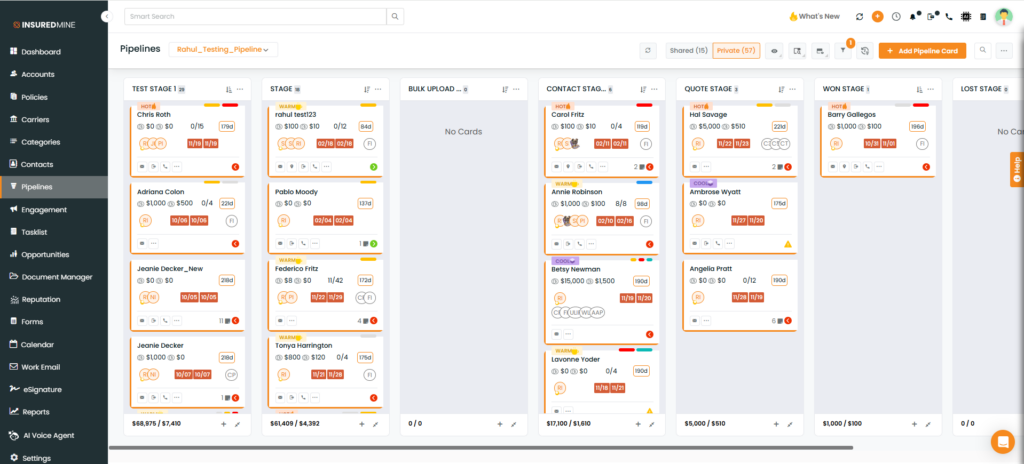
Pipeline cards with the selected Expected Closing Date are displayed.