InsuredMine CRM | Optimize and Grow Your Insurance Agency
Release Date: 13 March, 2024
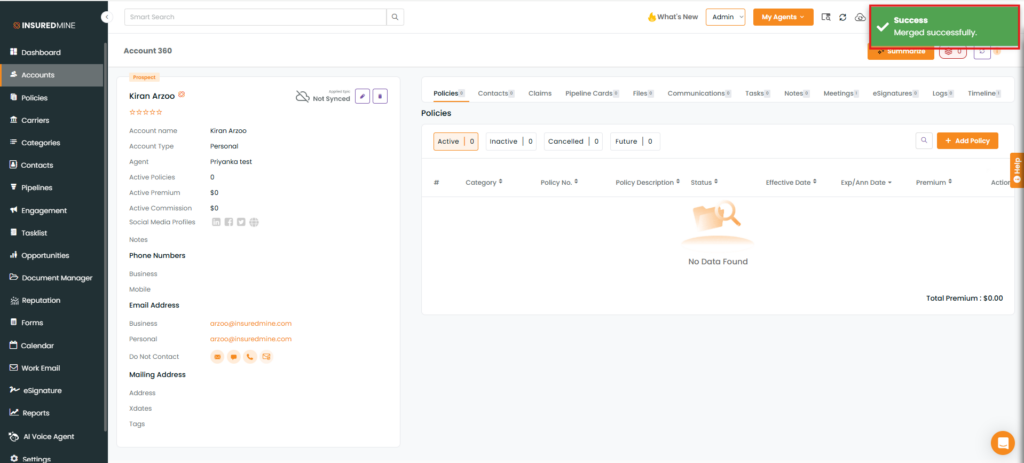
Easily merge duplicate accounts and contacts from Account360 and Contact360 pages for simplified data organization.
Use Case: Easily consolidate duplicate entries to maintain organized data in both Account360 and Contact360.
To View this Enhancement:
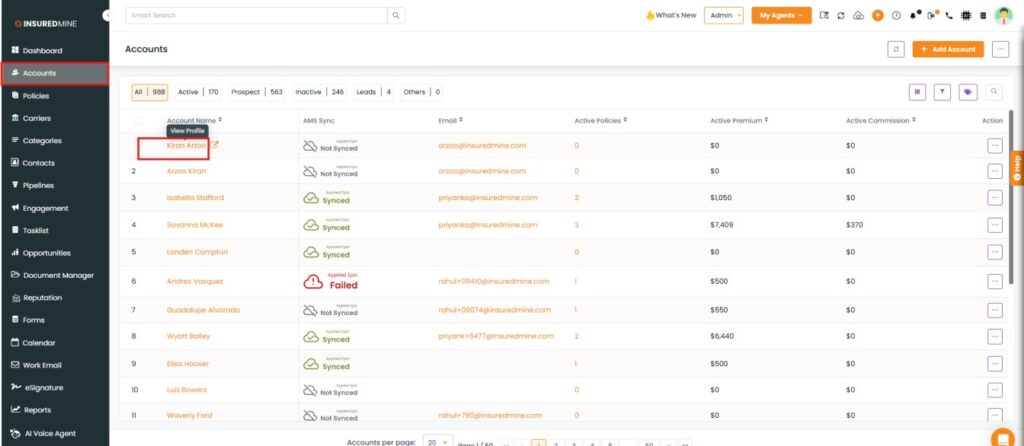
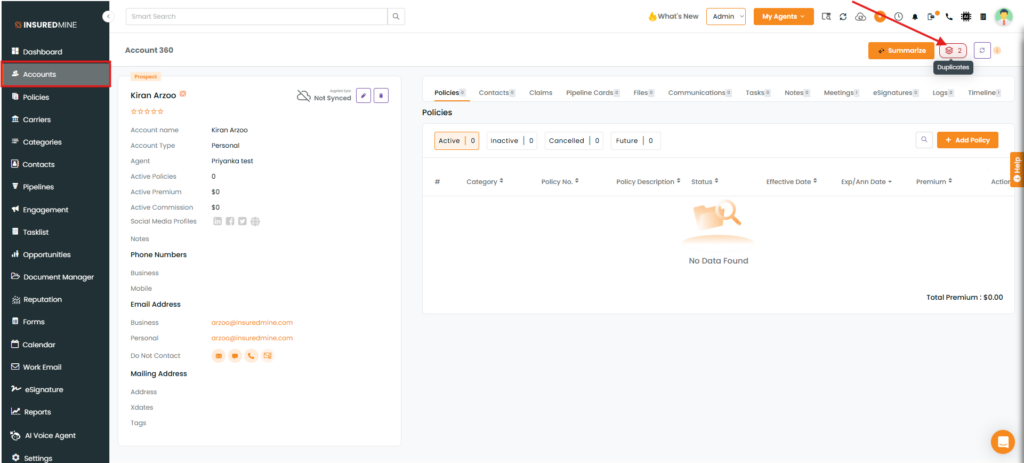
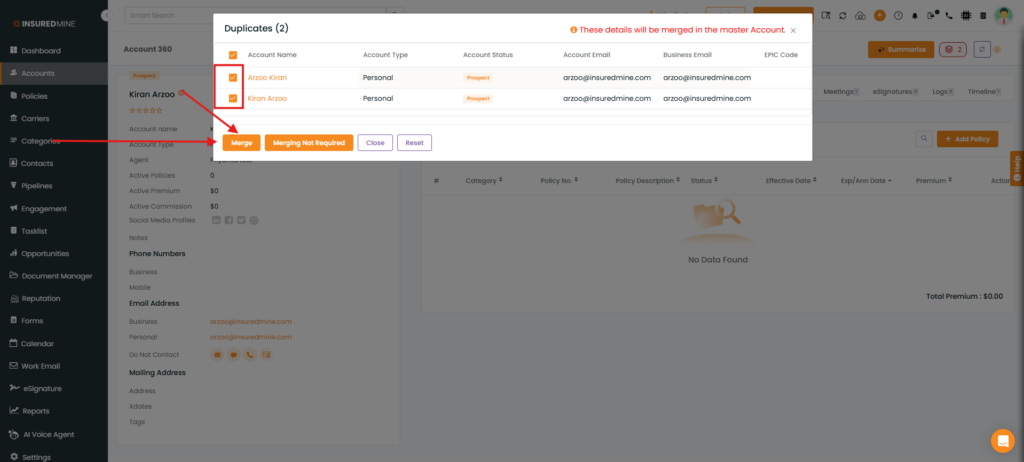
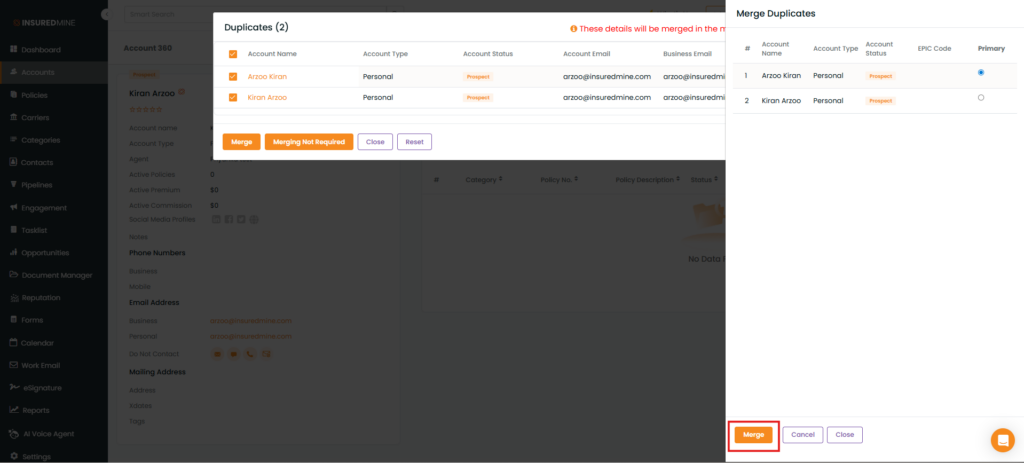
From Account360:
Note: To merge duplicate contacts, follow the same steps described above for merging accounts.