We have introduced an enhancement in the Accounts module that allows users to save customized account reports and schedule them to run automatically. Users can define report recipients, access saved reports from the Reports module, and configure report delivery at a preferred date and time.
Use Case: This enhancement helps users automate the generation and delivery of frequently used account reports. By saving report configurations and scheduling them in advance, users can ensure timely access to account data, reduce manual effort, and keep stakeholders informed through automated report emails.
To view the enhancement:
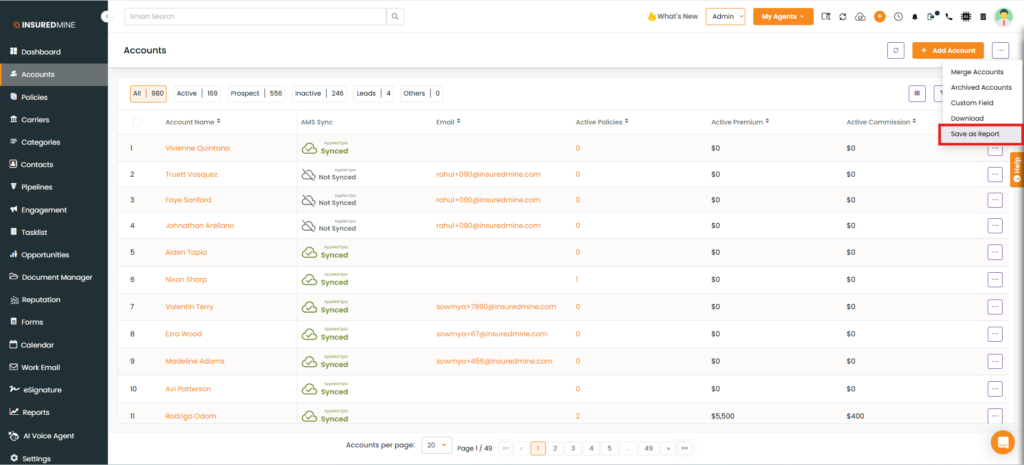
Navigate to Accounts and select the Setting option from the top-right corner.
Click on Save as Report.
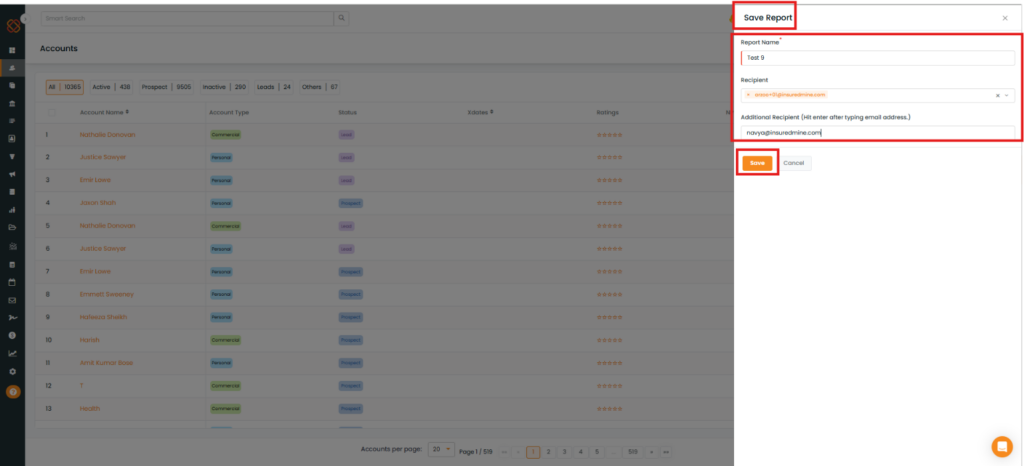
Enter the Report Name
InsuredMine will auto-populate the logged-in agent’s email address under Recipient. You may add other email addresses under Additional Recipient.
Click on Save.
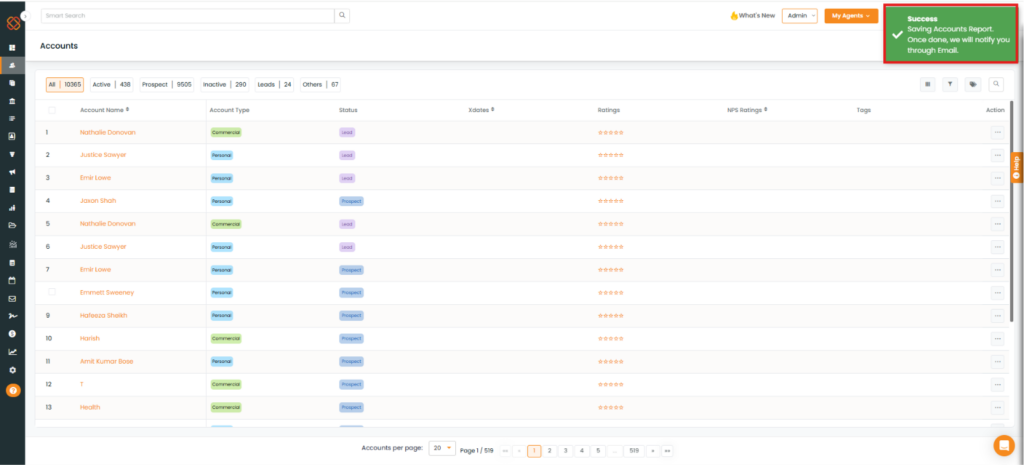
A success pop-up, “Saving Accounts Report, Once Done We Will Notify you through Email,” appears.
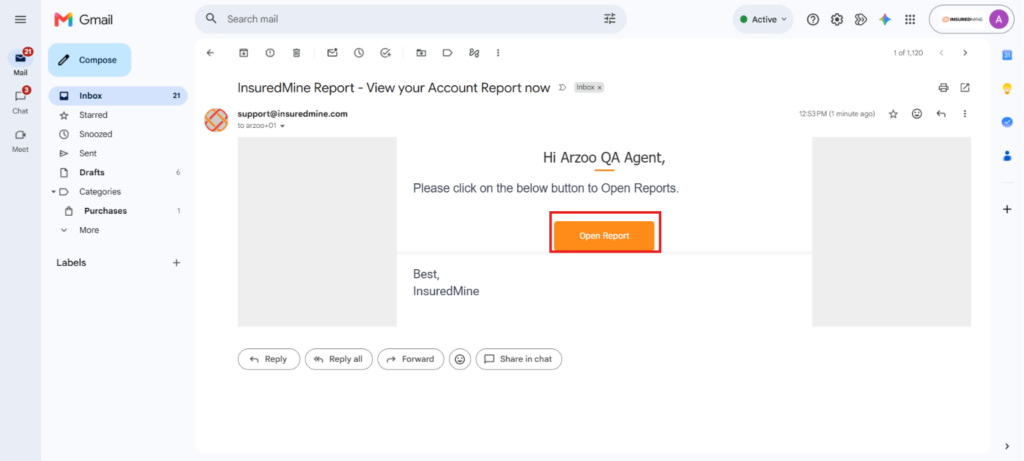
An email will be sent from InsuredMine. Click on Open Report and you will be redirected to the Book of Business under the report module.
To view this Report
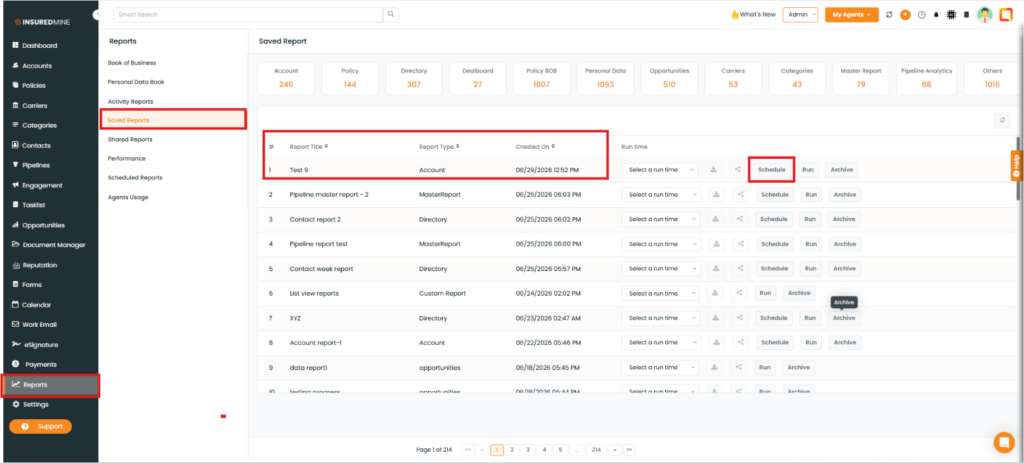
Navigate to the Report
Click the Saved Reports.
As shown below, click Schedule
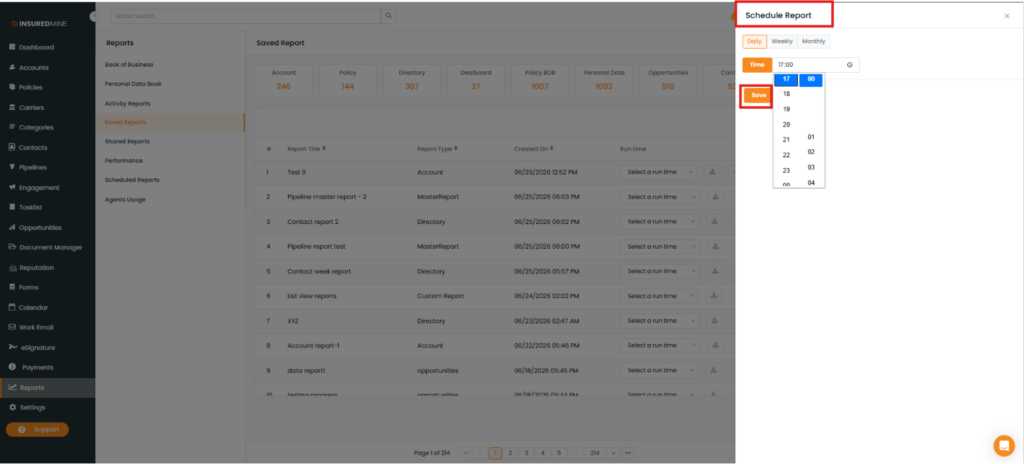
A Saved Report panel appears on the right- hand side
You can choose your preferred time to run the report
Click on Save.
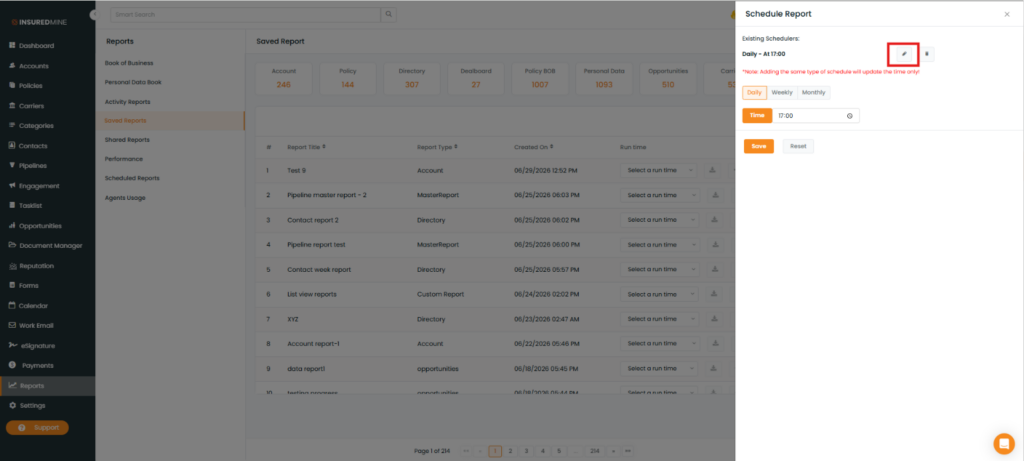
You may edit an existing report by clicking on Schedule.
Click on Edit to reschedule the report day and time.