Home » Knowledge Base » Add Cards Option to Lost Deal Reason and Deal Conversion on Pipeline Dashboard
Data Management and Reports
Add Cards Option to Lost Deal Reason and Deal Conversion on Pipeline Dashboard
August 19, 2026
Release Date: August 18, 2026
Overview
We have introduced a new enhancement in the Pipeline module: the By Cards option is now available in Lost Deal Reasons and Deal Conversion. This option allows users to view deal data based on the number of Deal Cards, in addition to existing views such as By Quotes, By Count, By Premium, and By Revenue.
Use Case: The Cards option helps users analyze deal data based on the actual number of Deal Cards. This provides a more accurate view of the deals represented in Lost Deal Reasons and Deal Conversion, helping users evaluate pipeline activity and deal performance more effectively.
To view the enhancement:
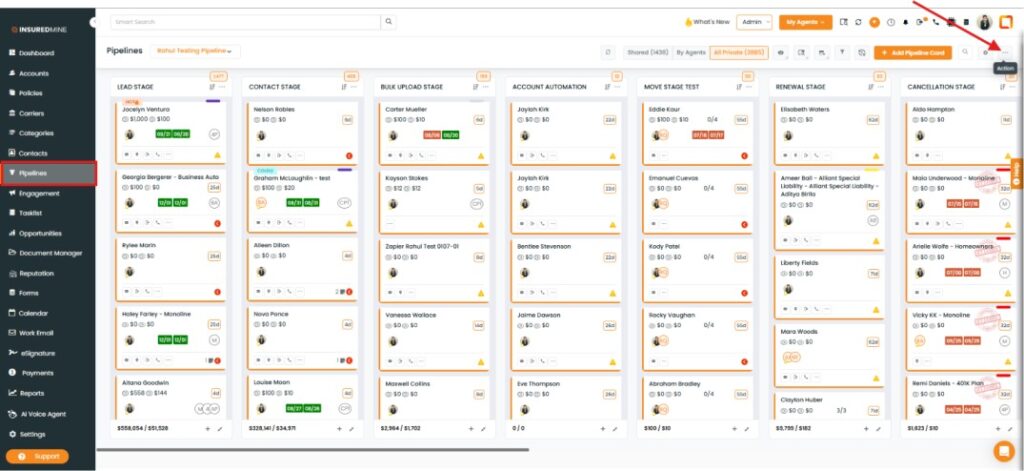
Navigate to Pipeline.
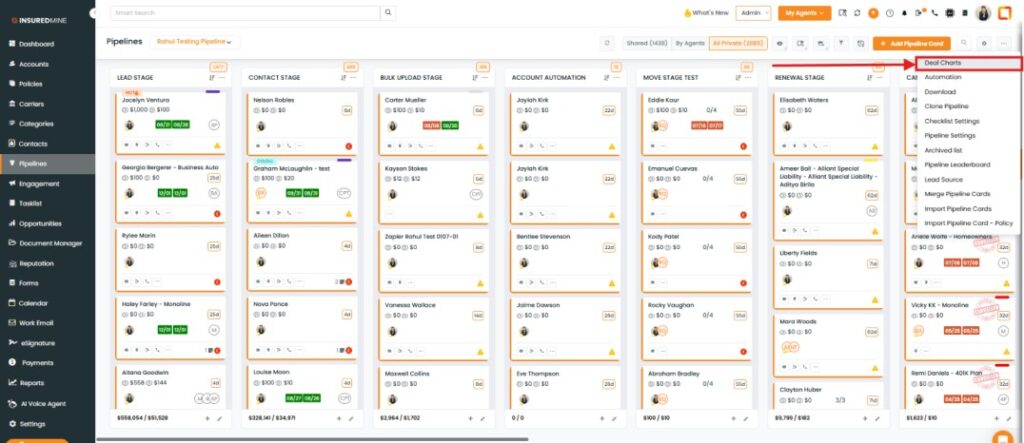
Click the three-dot (Action) menu.
From the dropdown, select Deal Charts.
The Deal Charts page appears.
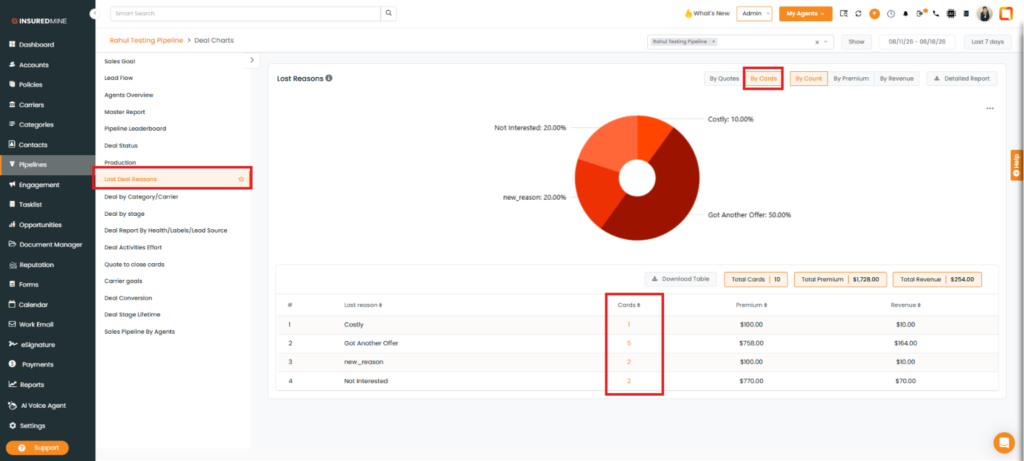
From the dropdown, select Lost Deal Reasons.
A new By Cards option is available.
Select the By Cards option.
The chart displays the Deal Card count based on the number of Deal Cards.
Example: If one Deal Card contains two quotes, the Quotes count is displayed as 2, while the By Cards count is displayed as 1, because there is only one Deal Card.
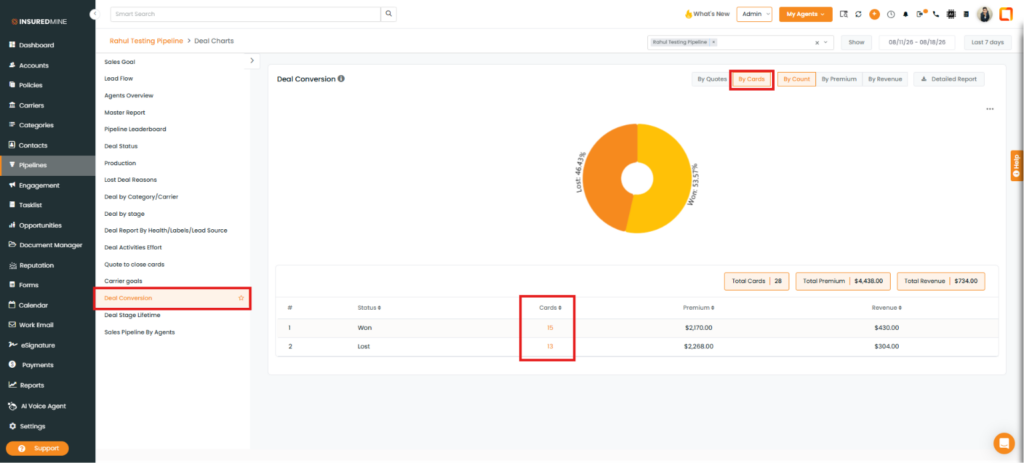
Note: You can also view the By Cards option in Deal Conversion.