Home » Knowledge Base » Active commission Filter Range on Account and Contact Module
Data Management
Active commission Filter Range on Account and Contact Module
August 19, 2026
Release Date: August 18, 2026
This enhancement is available to Admins and Agents
Overview
The Active Commission Range filter is now available in both the Accounts and Contacts modules. Users can filter active accounts and contacts based on the commission range of their associated policies by specifying a From and To commission amount.
Use Case:This enhancement helps users quickly identify active accounts and contacts within a specific commission range. It can help users analyze commission values, prioritize follow-ups, and manage their accounts and contacts more efficiently.
Note: The Active Commission Range filter can be applied only when a policy is added and the account or contact is active.
To view the enhancement in Account:
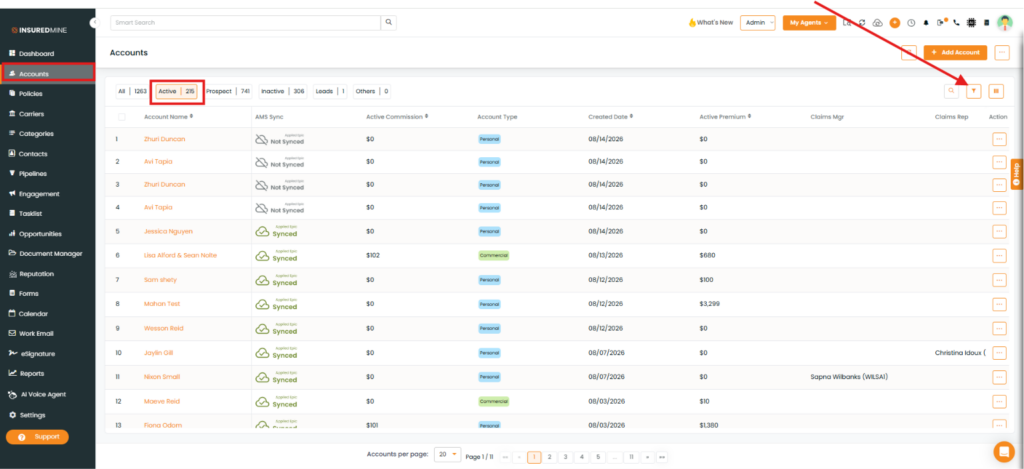
Navigate to Accounts.
Click Active, and then click the Filter icon.
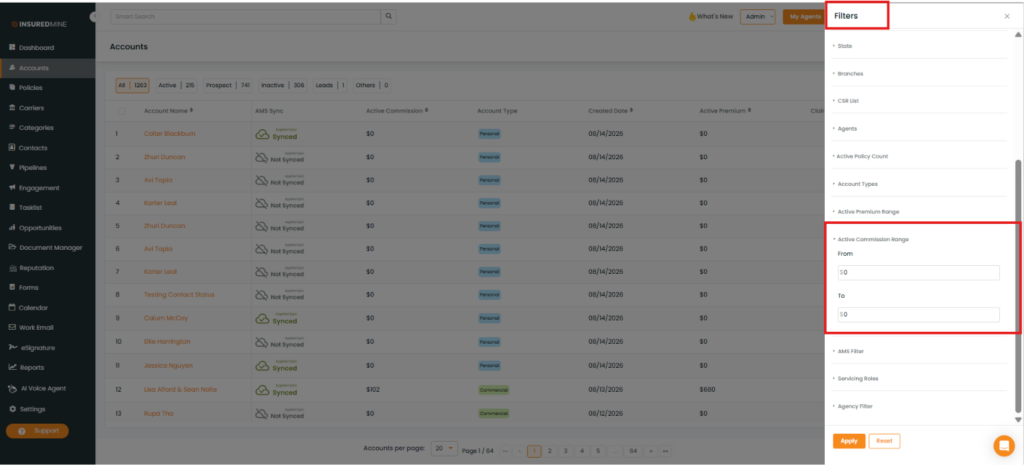
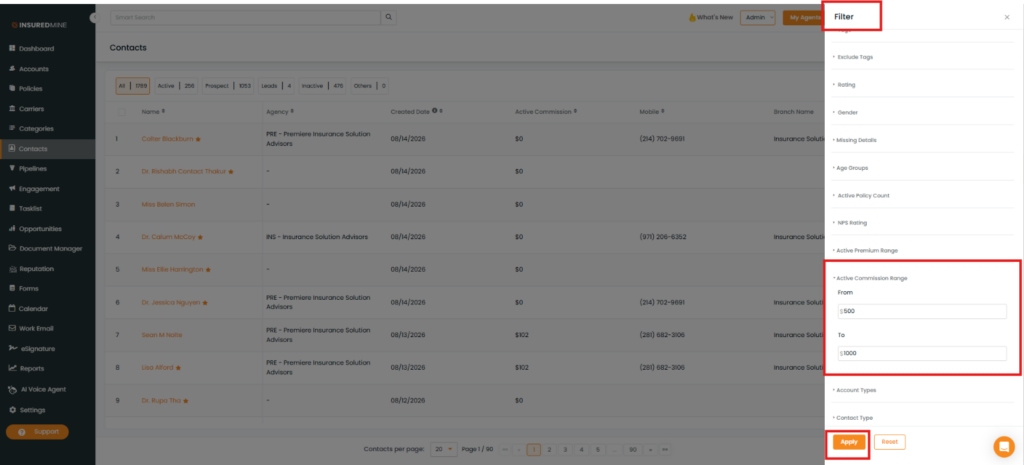
The Filters panel appears on the right-hand side.
Scroll down to view the newly added Active Commission Range filter.
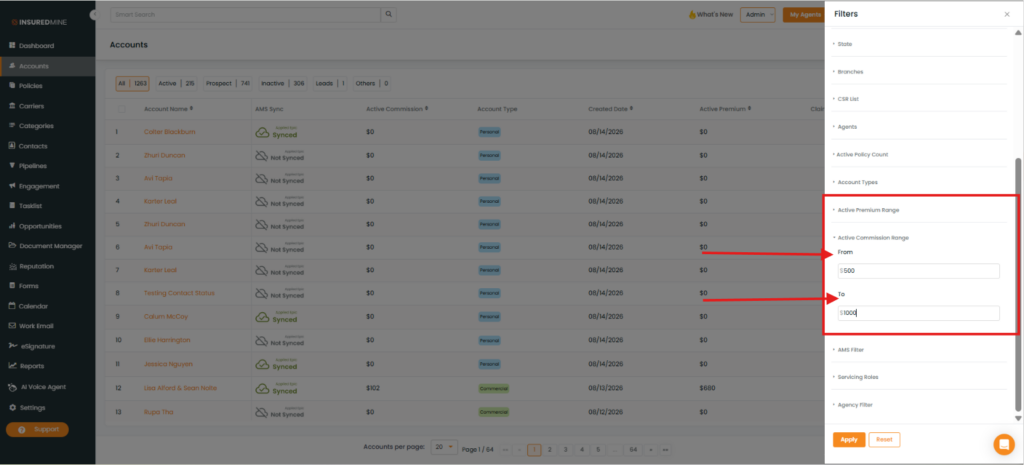
Enter the preferred commission range in the From and To fields.
Click Apply.
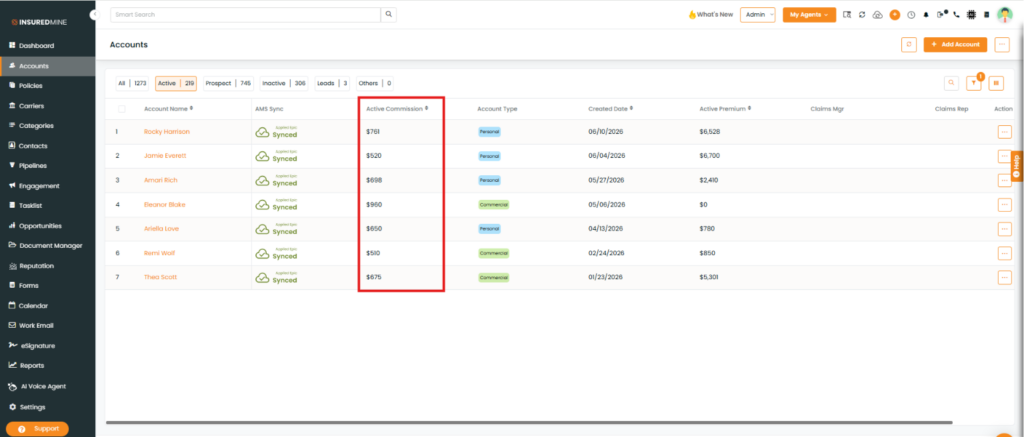
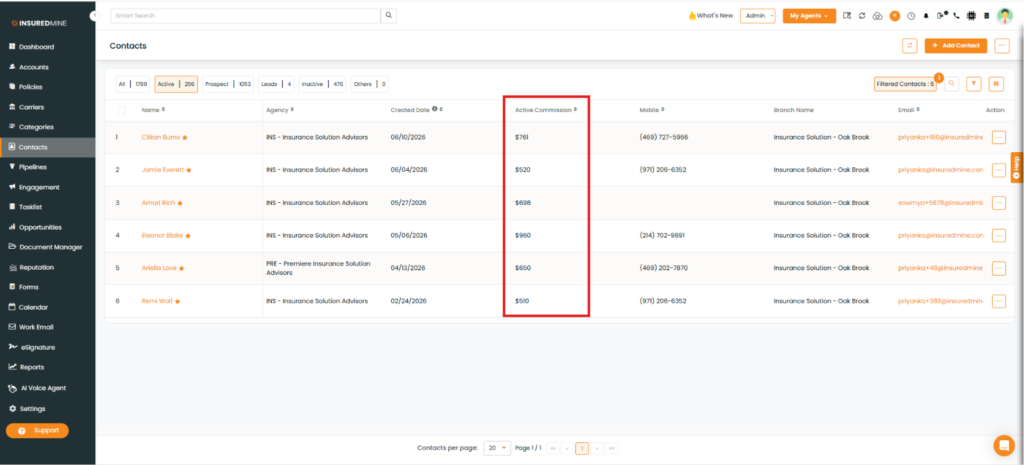
The Account Name has been displayed on the basis of selected Commission Range
Note : To view the enhancement and apply the Active Commission Range filter in Contacts, follow the same process described above for Accounts.