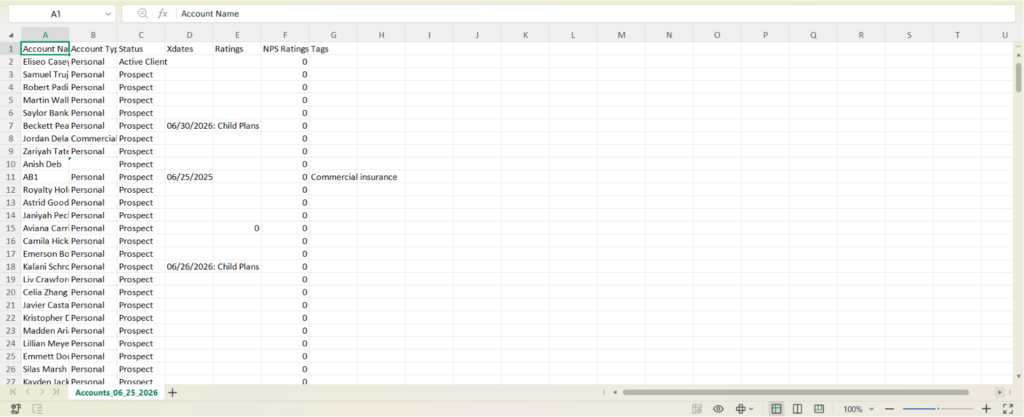
We have introduced an enhancement in the Accounts module that allows users to download account information into an Excel report. Users can select recipients, apply filters, and generate downloadable reports containing account data for further review and analysis.
Use Case: This enhancement helps users export account information for reporting, auditing, and business review purposes. By downloading account data into an Excel file, users can analyze records more efficiently and share account information with relevant stakeholders.
To view the enhancement:
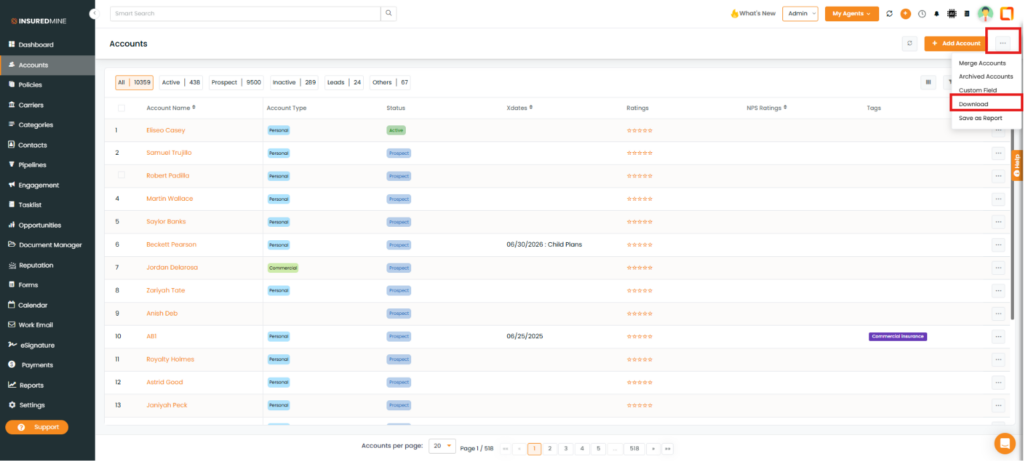
Navigate to Accounts.
As shown below, click the three-dot icon.
From the dropdown, select Download.
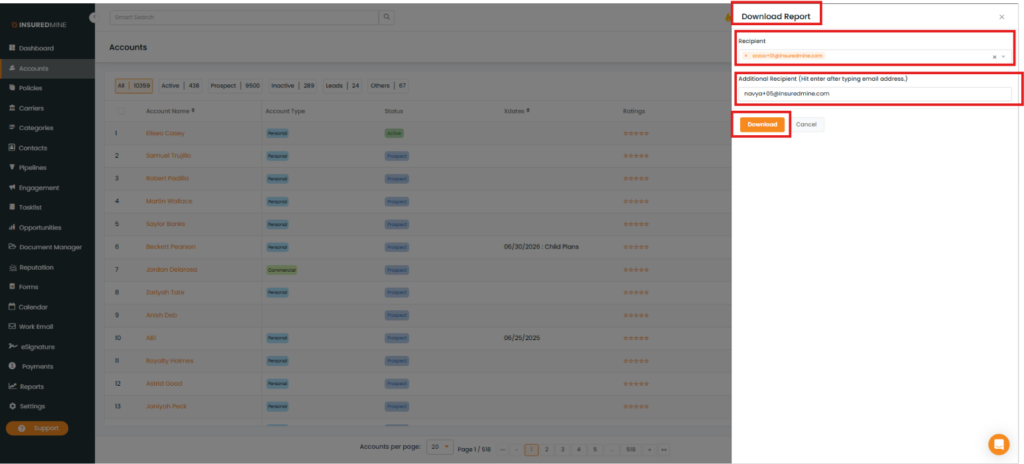
A Download Report panel appears.
From the Recipient dropdown, select one or more recipients.
You also have the option to add an Additional Recipient.
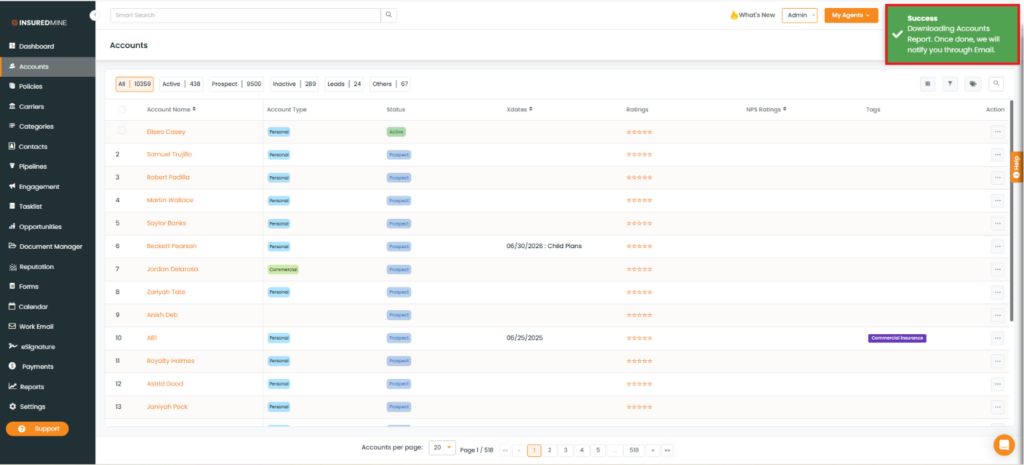
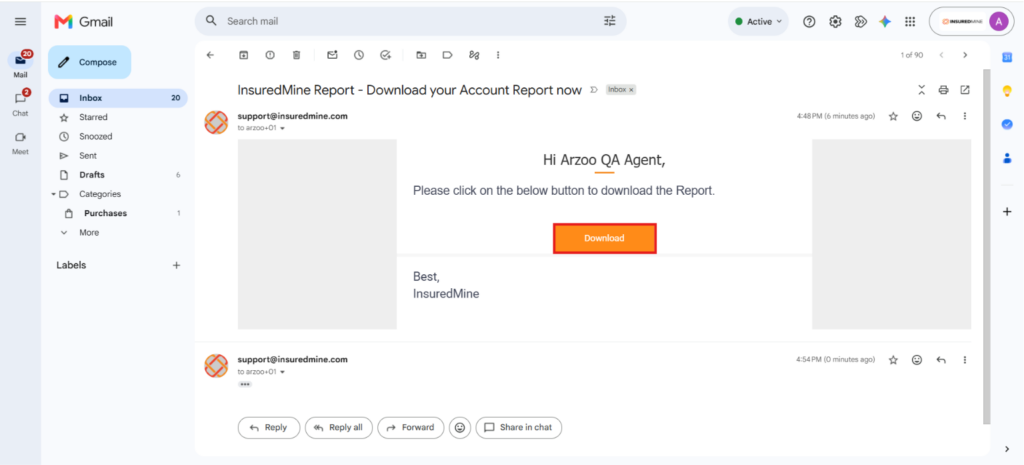
InsuredMine sends an email to the selected recipients with a link to download the report.
Open the email and click Download to download the Excel report.
Note: You can apply filters such as Active, Prospect, Inactive, Lead, and Others before downloading the report. You can also use the Filter icon to filter records by policy count, agent, tags, and other criteria.