


Release Date: 4 February, 2026
We have introduced a new enhancement to the Canopy integration. Along with Admin users, agents can now also connect their own Canopy accounts. This allows agents to integrate Canopy with InsuredMine by simply enabling the option provided by the Admin.
Use Case: This enhancement allows agencies to give agents the flexibility to connect and manage their own Canopy credentials, reducing dependency on Admin users and improving integration ownership at the agent level.
Note: This setting can be configured only by Admin users.
To View the Enhancement:
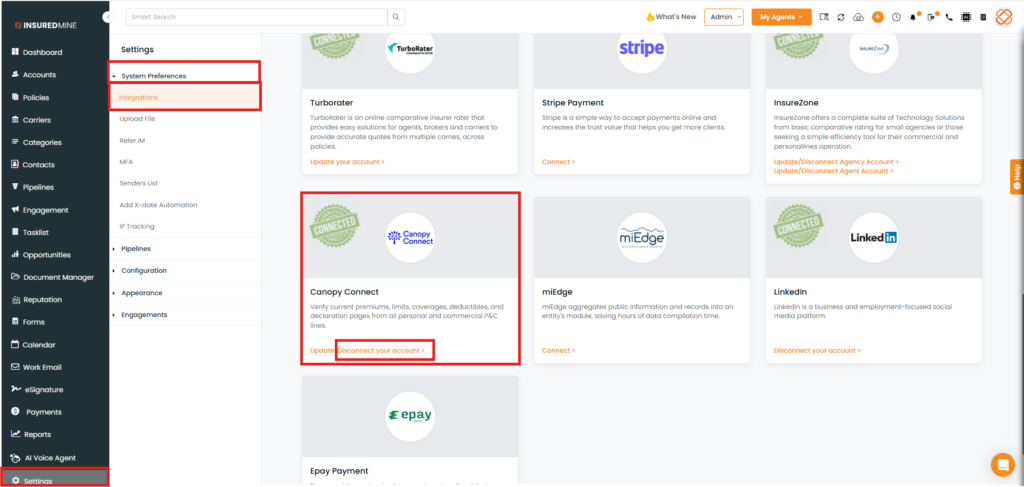
- Navigate to Settings.
- From the System Preferences dropdown, Select Integration.
- Scroll down the integrations page to view Canopy connect Section.
- As shown below, Click on Disconnect your Account.
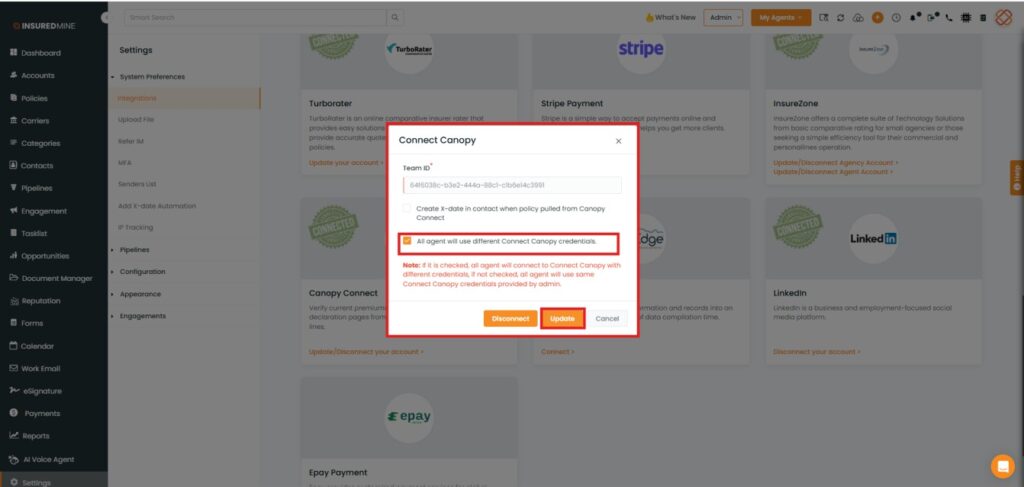
- A Connect Canopy panel appears
- As shown below, Check the box to allow all agents of the agency to set their own canopy credentials.
- Click on Update.
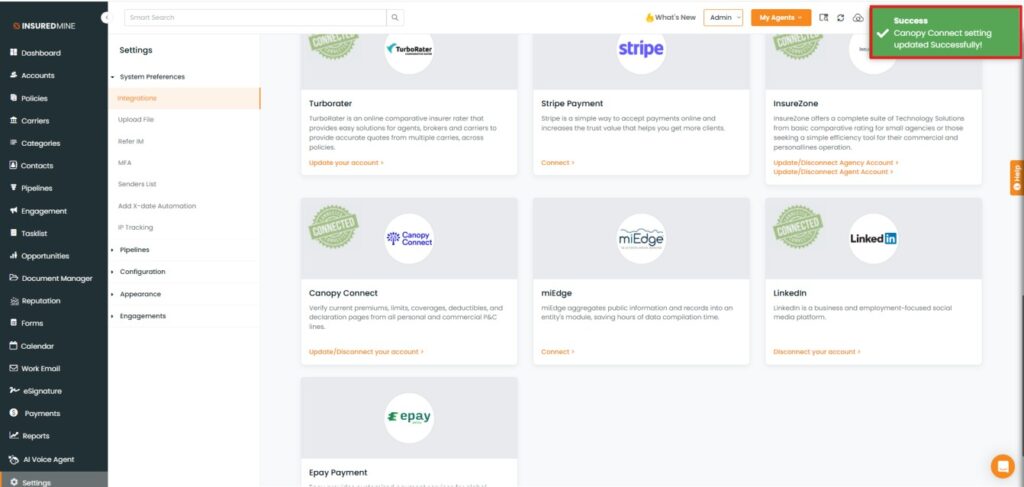
- A Success pop-up: ‘’ Canopy Connect Setting Updated Successfully’’ appears.
Note: When an Admin enables this option, agents are authorized to set up their own Canopy connection from their Account Settings → Canopy section. Agents can configure their credentials by clicking Disconnect Your Account, which opens a pop-up to complete their Canopy setup.
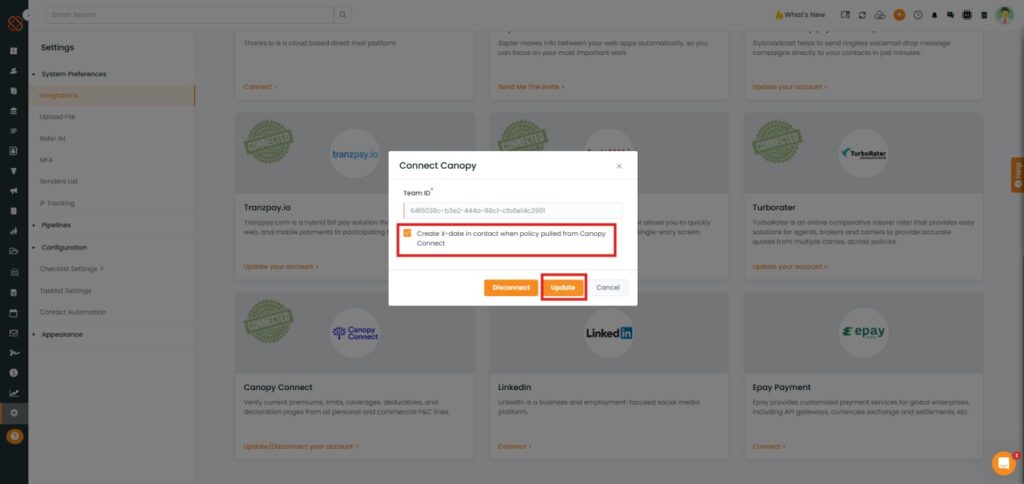
Note: This enhancement requires agents to have Admin-level access on the Canopy Connect platform.


