The IM Agent Mobile App is a user-friendly, all-in-one platform designed to help agents manage daily activities anytime and anywhere. It allows users to track performance, stay updated with tasks and client interactions, and access essential modules such as Contacts, Accounts, Pipelines, Policies, and Performance Tracking – all from a single, clean, and easy-to-use interface.
Built for on-the-go usage, the IM Agent Mobile App helps agents manage activities, track performance, and stay updated from anywhere.
How to Use the App
Download the IM Agent App from the Play Store/App Store
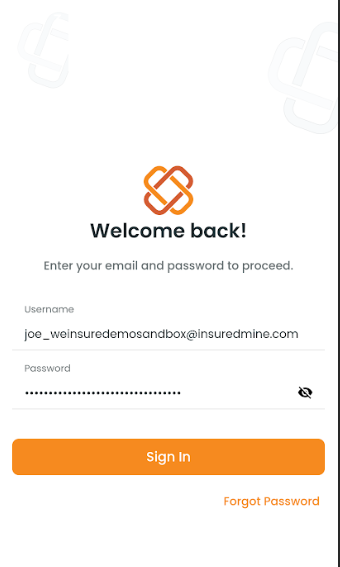
After downloading, a Sign In pop-up appears.
Enter your email address and password.
Click Sign In.
Note: A pop-up appears asking: Allow IM Agent to send notifications so you never miss updates.
Dashboard Overview
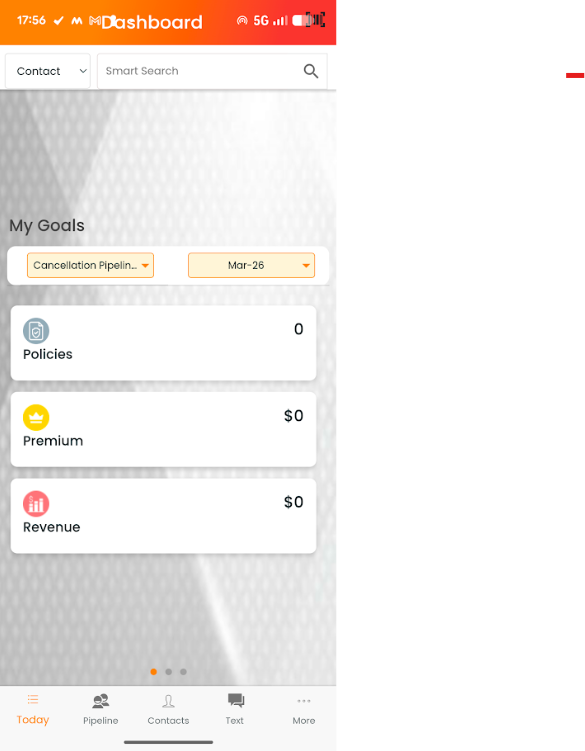
Once logged in, you will land on the Dashboard, which provides a real-time snapshot of key metrics, including:
Number of Active Policies.
Premium Generated.
Revenue Performance.
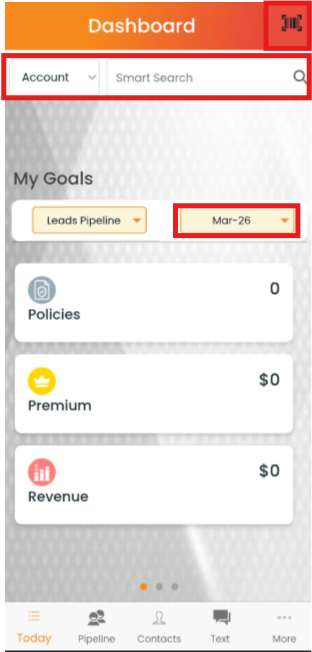
At the top of the Dashboard:
Smart Search helps quickly find Contacts, Accounts, and Policies.
A dropdown allows selection between Accounts, Contacts, and Policies.
A Month selection option is also available for reviewing data of respective months.
Create an account or contact instantly by scanning a business card using the provided Scanning icon.
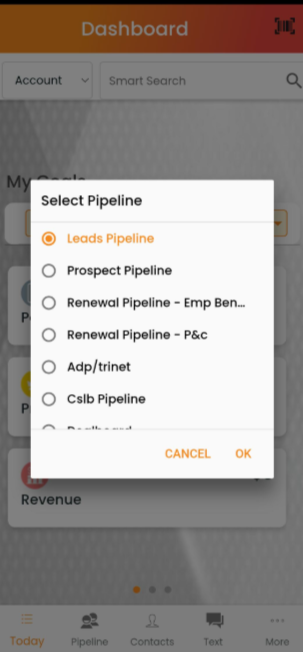
A Pipeline dropdown is also available, allowing users to switch between different pipelines quickly.
Daily Highlights Section
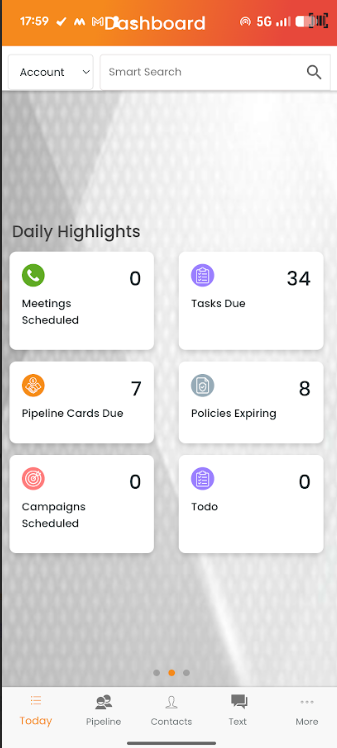
Swipe first left to view Daily Highlights, which shows key activities and pending actions:
Meetings Scheduled – Number of meetings scheduled
Task Due – Number of pending tasks
Pipeline Cards Due – Cards requiring follow-up
Policies Expiring – Number of policies expiring
Campaigns Scheduled – Planned marketing campaigns
To-do – Number of tasks added to the to-do list
Conclusion: The Daily Highlights section helps prioritise daily work efficiently.
Activity Today Section
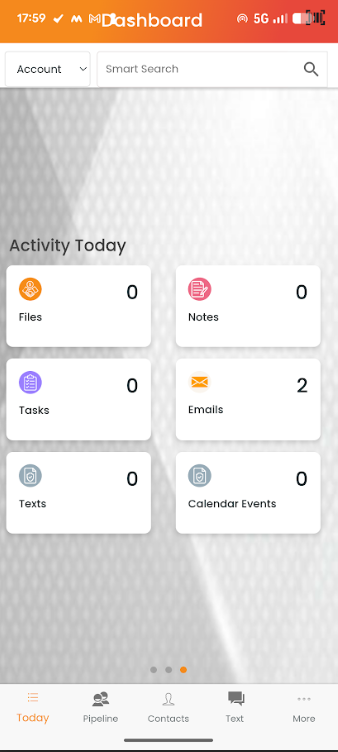
Swipe left again to view Activity Today, which shows daily interactions:
Files – Number of files accessed or added
Notes – Notes created or updated
Tasks – Tasks handled during the day
Emails – Sent or received
Texts – Messages exchanged
Calendar Events – Scheduled events
Conclusion: The Activity Today section provides a detailed view of daily productivity and interactions.
Main Navigation Tabs:
At the bottom of the screen, you will find the main navigation tabs:
Today
Dashboard overview of daily activities and highlights.
Pipelines
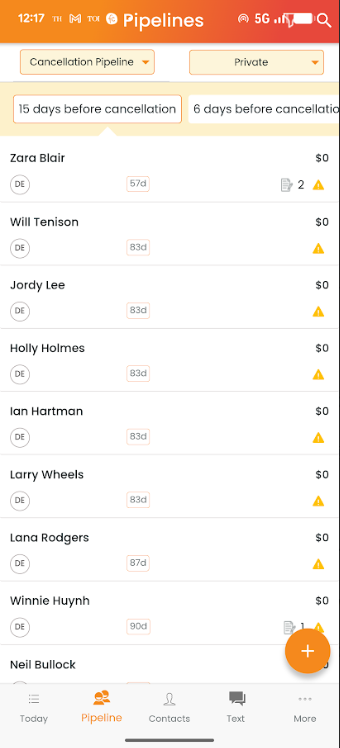
Manage, view, and track sales progress
Select Private or Shared category
Choose the preferred pipeline
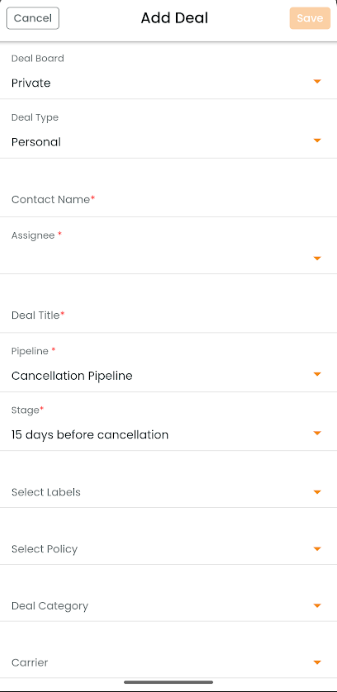
Click the + icon to create a new pipeline card
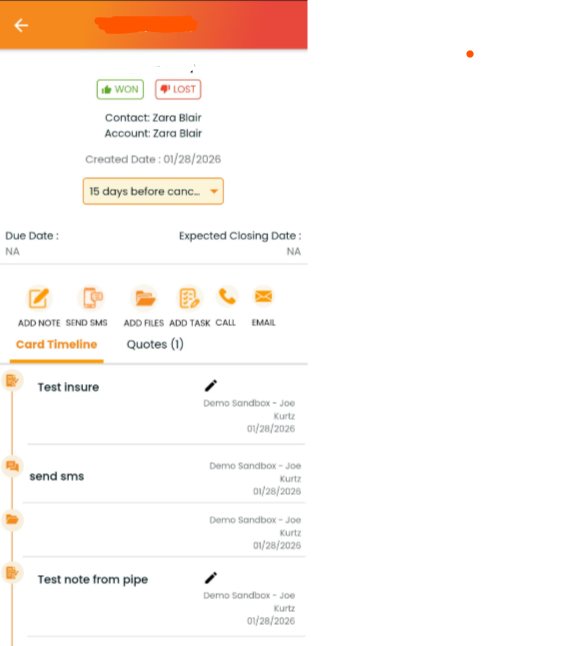
View complete pipeline card details.
Add Deal screen –
Deal View Screen –
Contacts
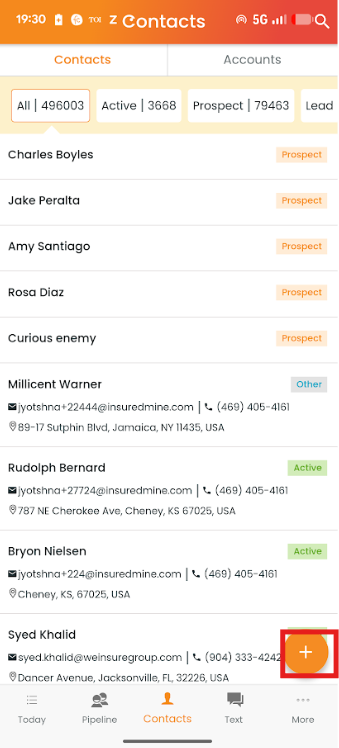
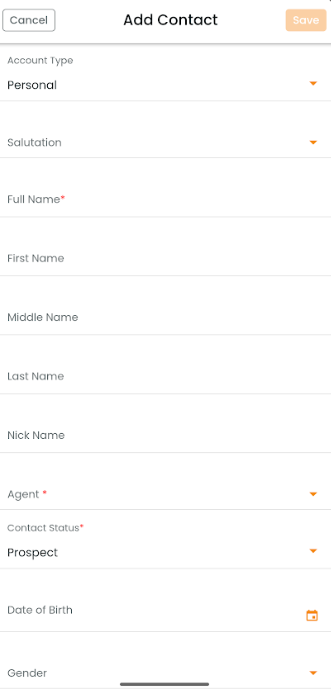
Access, manage, and create contacts by using the +icon.
View contact types: Active, Prospect and Leads.
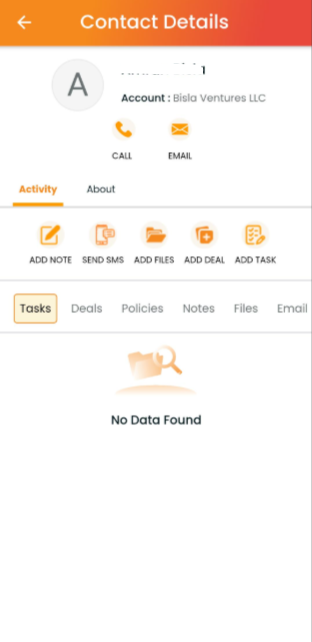
View complete Contact detailss.
Add contact Screen –
Contact created –
Accounts
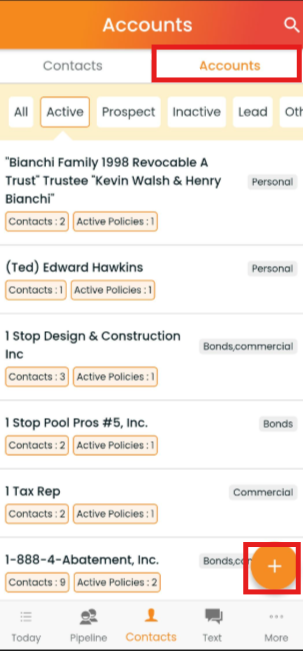
Switch from Contacts to Accounts from the top
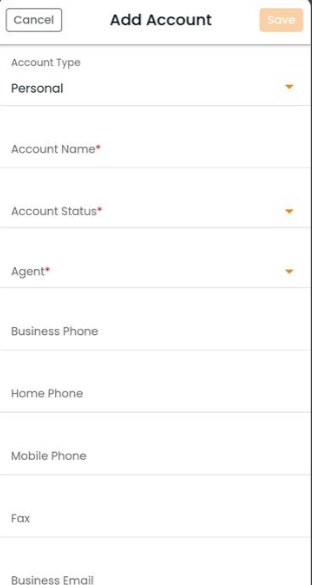
Access, manage, and create accounts using the + icon
View accounts categories: Active, Prospect, and Leads
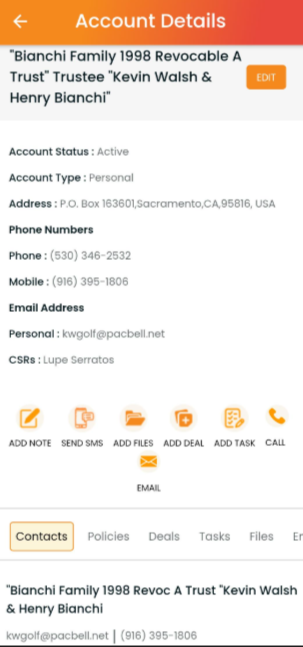
View complete account details.
Account created –
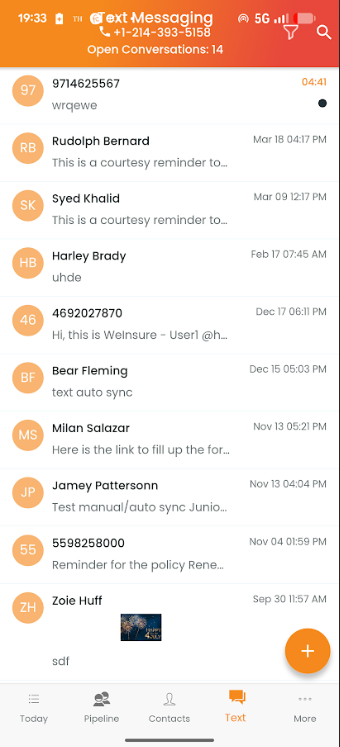
Text
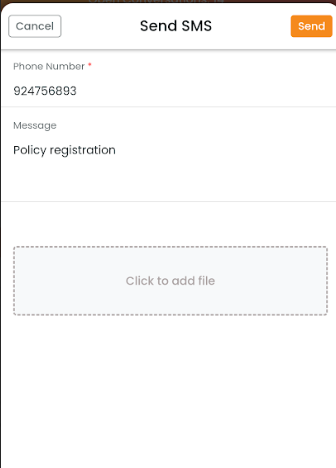
View and send messages to clients using the + icon.
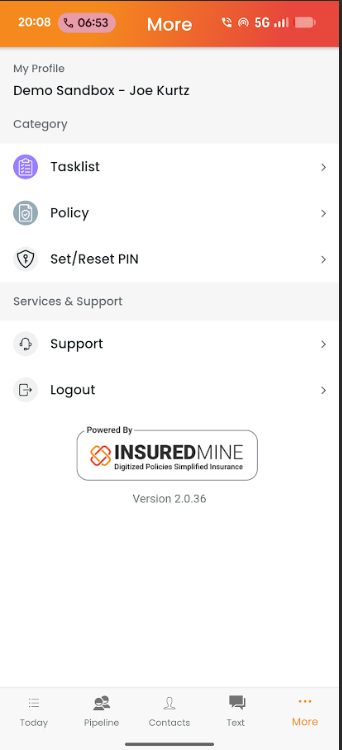
More:
Redirects users to the My Profile page, where they can access Tasklist, Policy, Set/Reset PIN, Support, and Logout options.
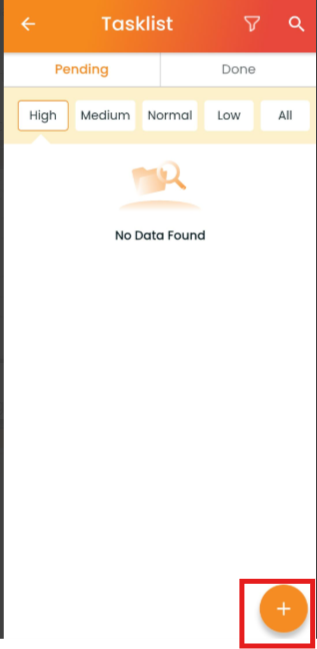
Tasklist:
Tasklist allows users to view and manage tasks under Pending and Done tabs, filter them by priority (High, Medium, Normal, Low, All), and create a new task using the + icon.
Policy:
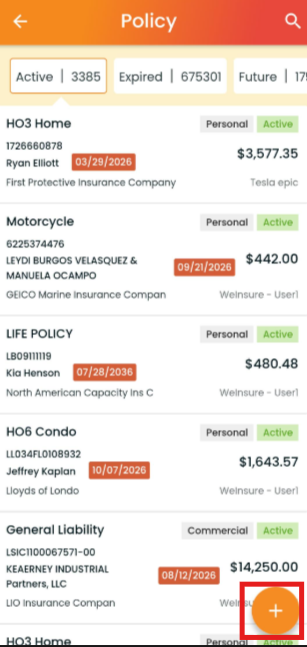
Access, manage, and create policy using the + icon.
View policy category: Active, Expired, and Future.
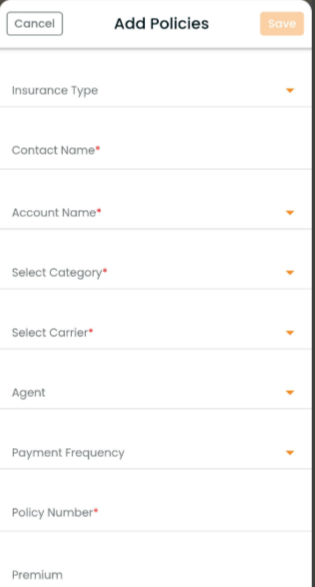
Add policy page –
Final Conclusion:
The IM Agent Mobile App Dashboard is designed to give agents complete visibility into their workflow, helping them track sales and daily activities efficiently.
Stay organised and manage CRM seamlessly at your fingertips!