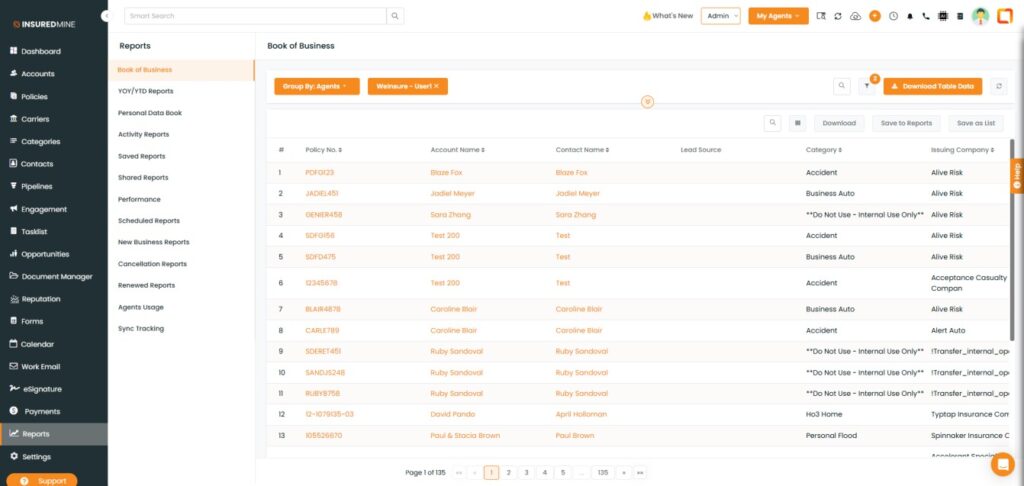
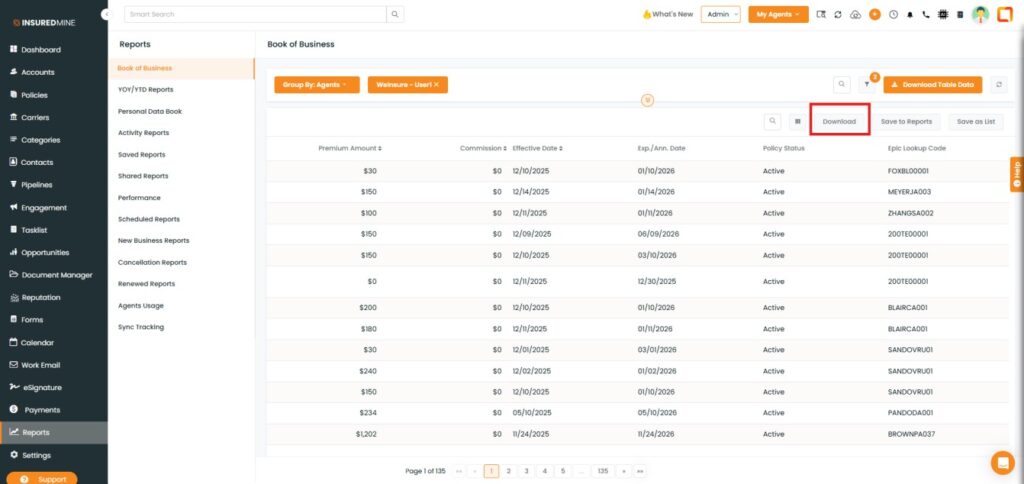
We have introduced a new enhancement in the Reports module under the Book of Business section. Users can now select the Epic Lookup Code column from the Select Table Columns option to view it alongside existing data columns.
Additionally, users can download the table data with the Epic Lookup Code included.
Use Case: This feature enables agencies to quickly perform data reconciliation, reporting, and audits without manual cross-referencing. It improves data accuracy, saves time, and simplifies internal analysis, tracking, reporting, and decision-making.
Note: This feature is available only for Epic users.
To view the enhancement:
Navigate to Reports.
Click on Book Of Business.
Click on the Policies Count.
You are redirected to the Book of Business details page.
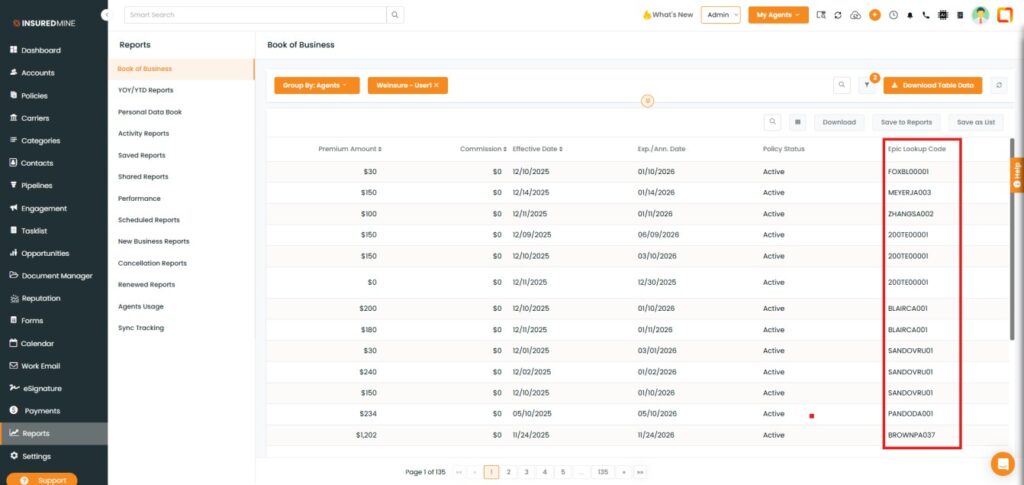
As shown below, a new column Epic Lookup Code is added.
Settings to Select or Deselect the Epic Lookup Code Column:
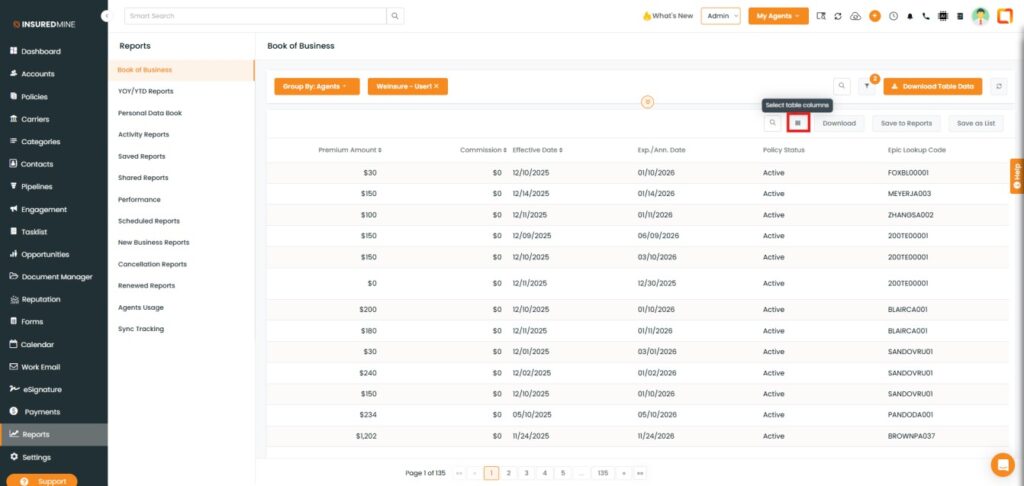
Click on Select Table Columns.
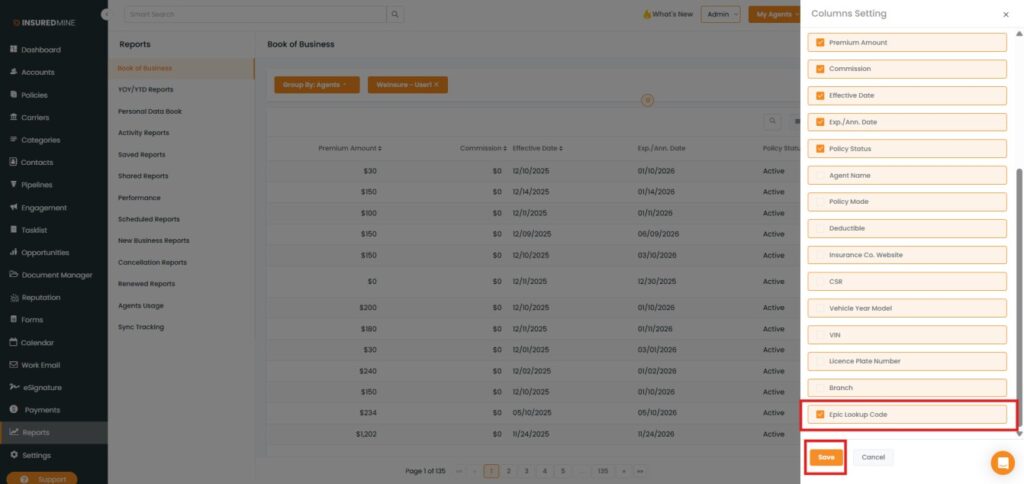
A Select Table Columns panel appears on the right-hand side.
To view the Epic Lookup Code column, check the box next to Epic Lookup Code.
To deselect it, uncheckthe box.
Click Save.
You also have the option to download table data with the Epic Lookup Code included.