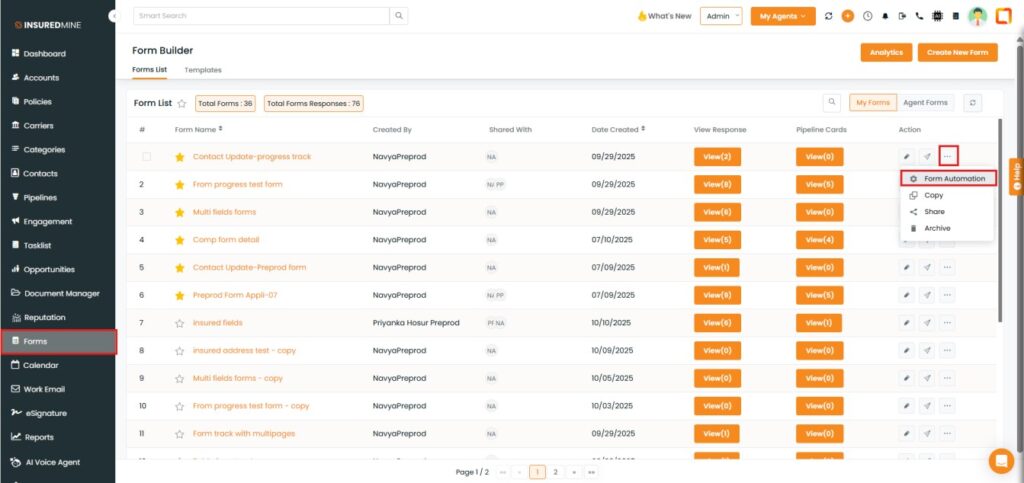
Navigate to Forms, then click the settings icon under the action section.
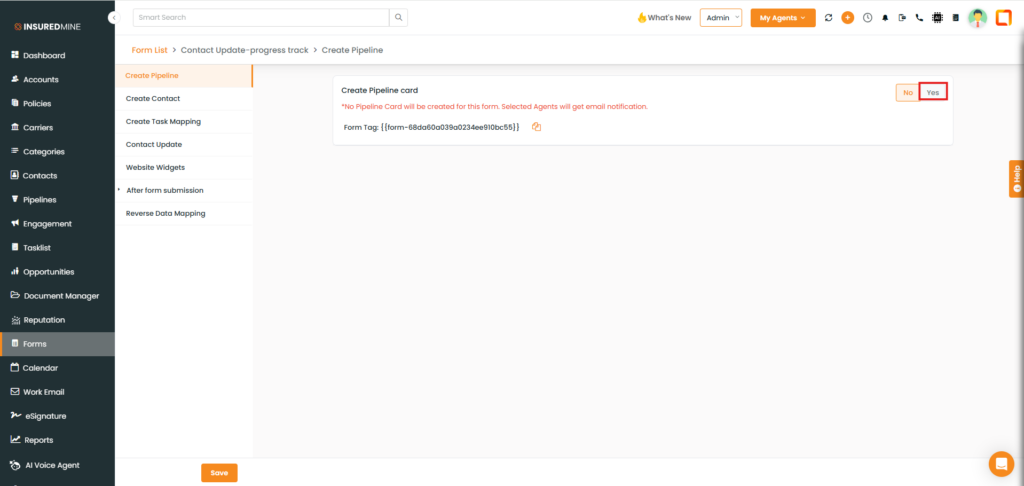
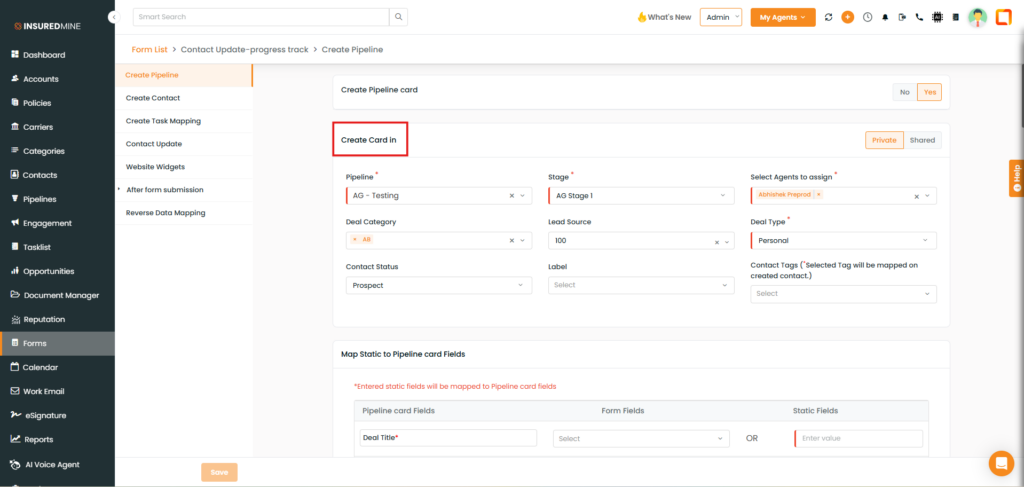
A panel will open to create a Deal Card in Pipeline Settings.
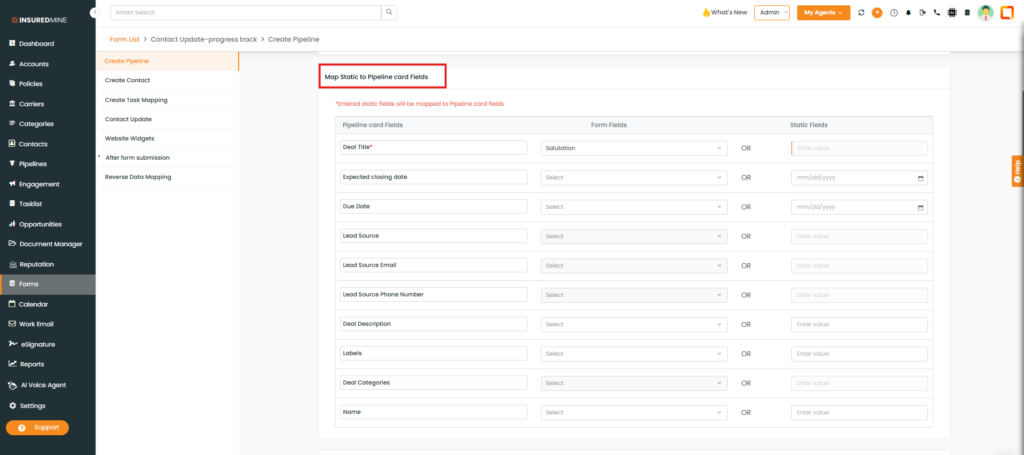
After enabling the Create Deal Card option, two additional options appear: Map Deal Card Items and Map Contact Items.
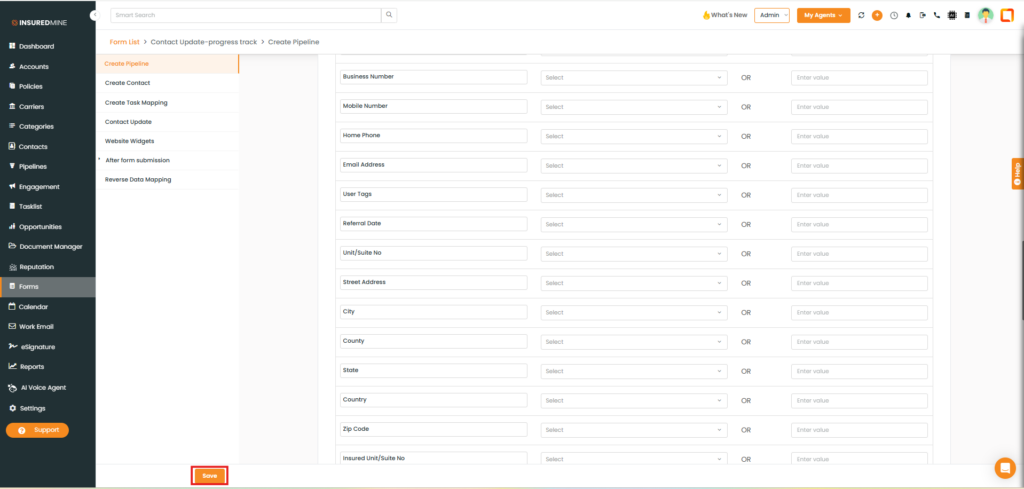
Enable these options and click Save.
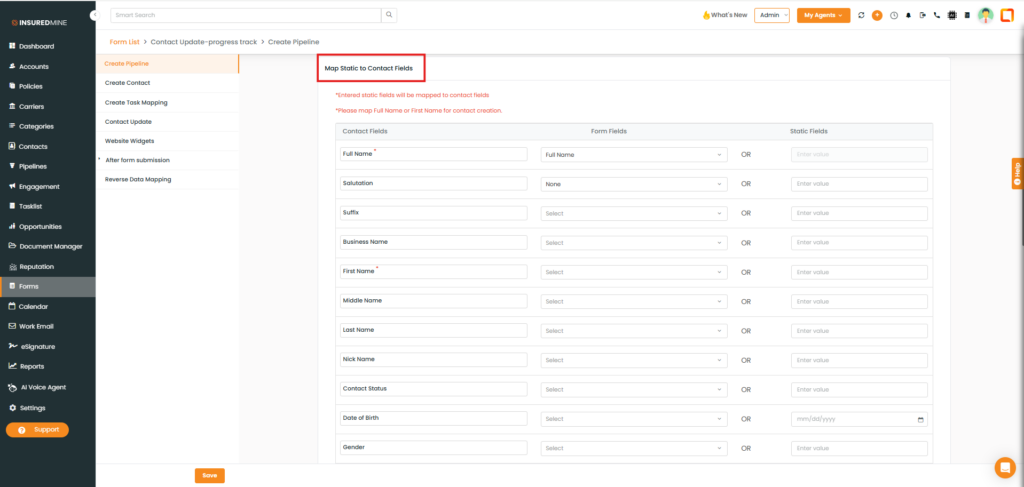
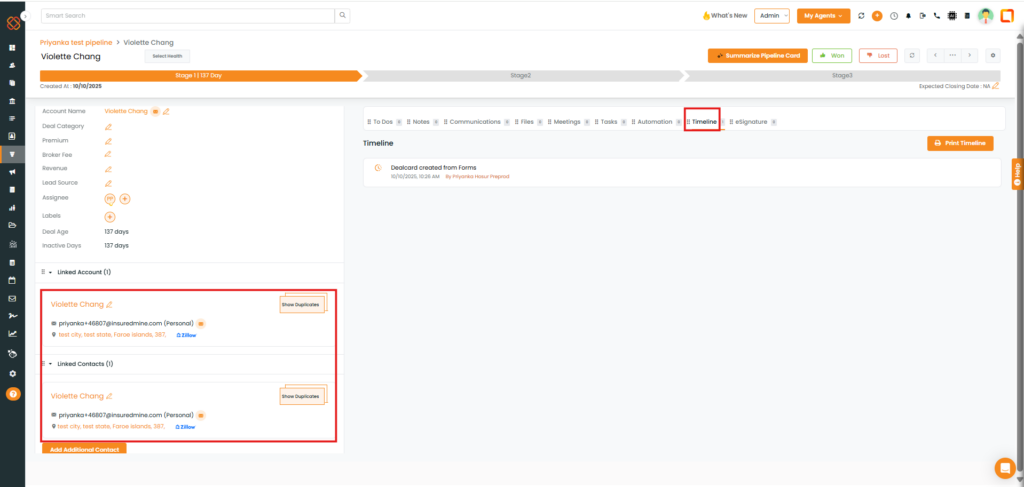
So, you can see and map the contact items of the form to the deal card items. When the deal card is created, it will have all the fields mapped to the card.
When a deal card is created, it will create a contact with the fields that are mapped in the form settings.