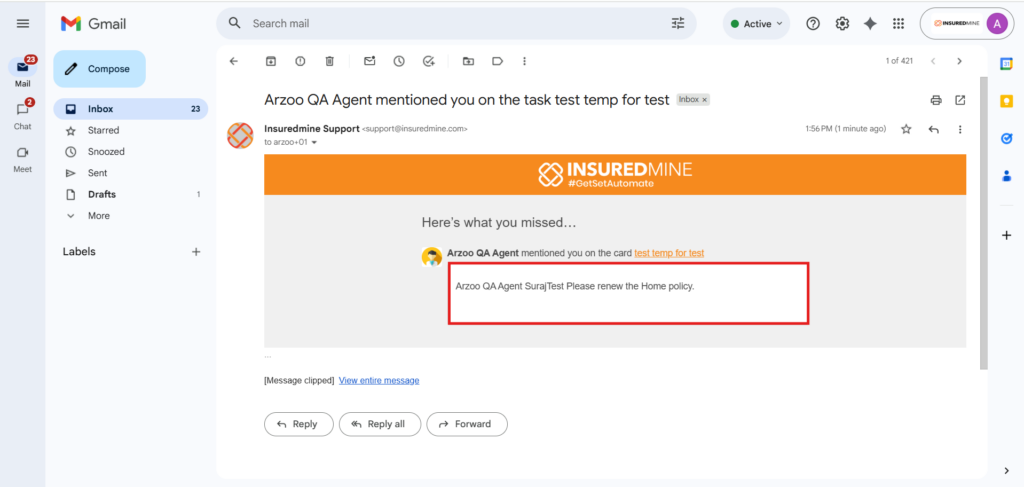
We have introduced a new enhancement under the Tasklist module. Now, any agent can add comments to tasklists created by other agents for their clients. When a comment is added, the assigned agent receives both a notification and an email in their registered email inbox.
Use Case:This enhancement ensures that agents are immediately informed when comments are added to their assigned tasks. With timely notifications and emails, agents can review comments quickly and take prompt action as needed.
To view the enhancement:
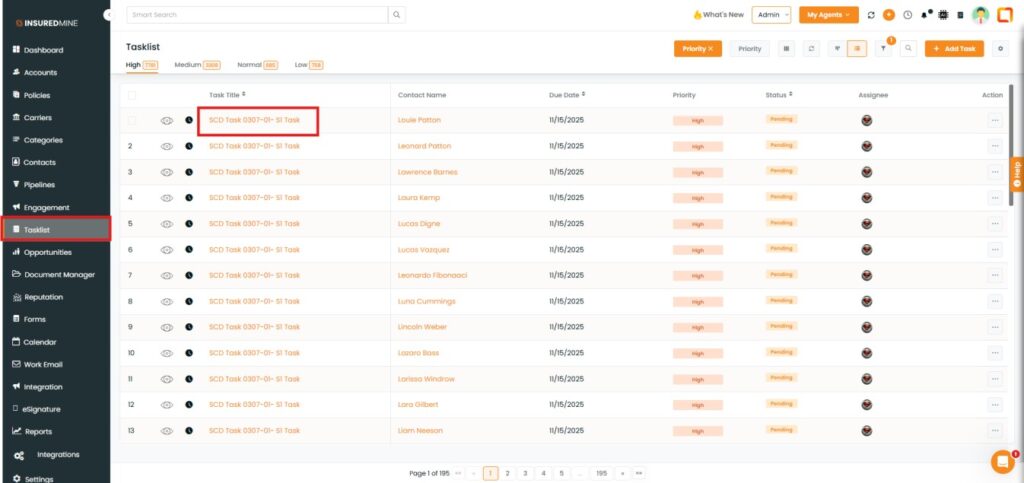
Navigate to Tasklist.
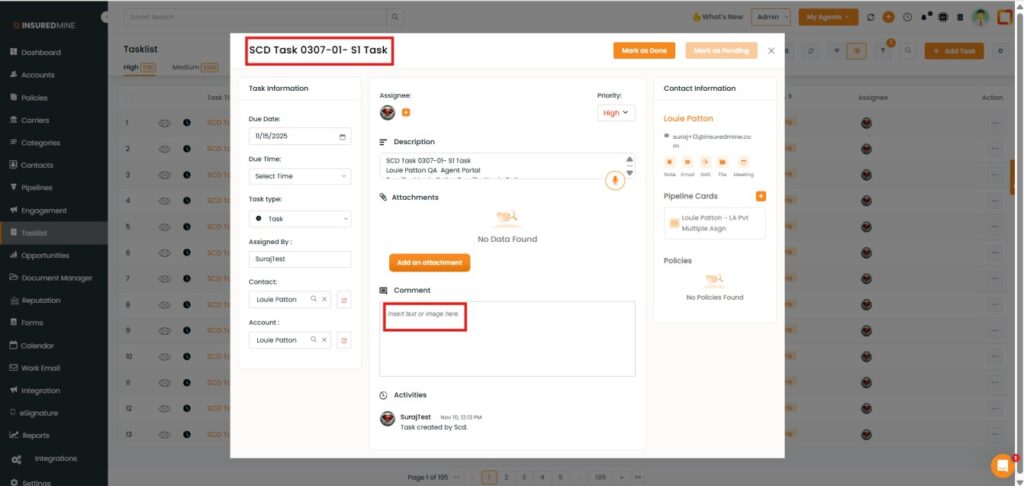
Click on the Task Title.
The task panel appears.
A comment box is available to insert text or an image.
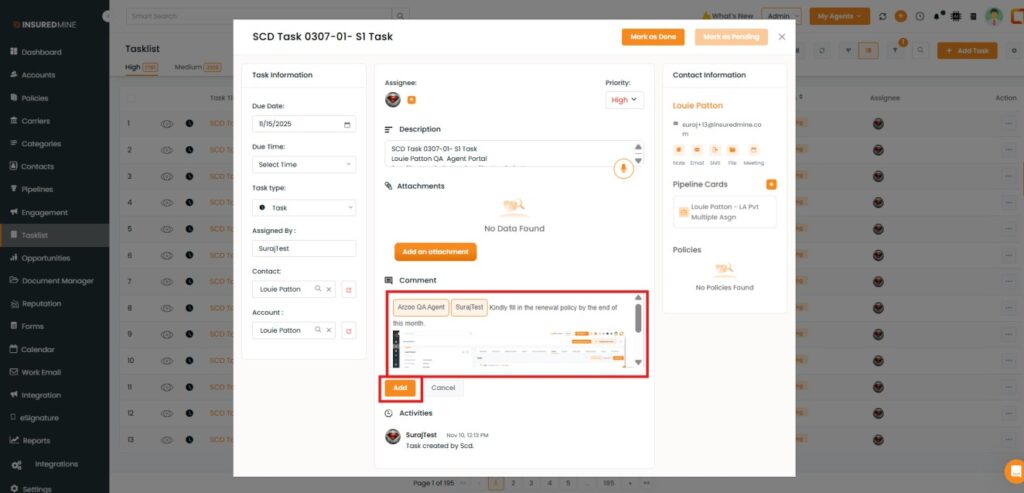
As shown below, add a comment and paste an image for the agent in the Comment Box.
Click on Add.
The agent for whom the comment (task) is added receives the email in their Email Inbox.
Note: You can also add comments for agents in tasks under Account 360 , Contact 360, and Pipeline.