


Release Date: June 3, 2026
This enhancement is available to all users.
Overview
We have introduced new bulk conversation management options in the Text Messages section under the Header menu. Agents can now quickly manage multiple conversations using the newly added actions: Mark Read, Mark Unread, Close, and Delete.
These options help agents efficiently organize conversations, update conversation status, and maintain a clean messaging workspace.
Use Case: This enhancement enables agents to manage multiple client conversations at once without opening each thread individually.
This improves productivity, keeps the conversation panel organized, and ensures accurate tracking of active and completed client interactions.
To view the Enhancement:
- Navigate to the Header menu.
- Click on the Text Messages icon.
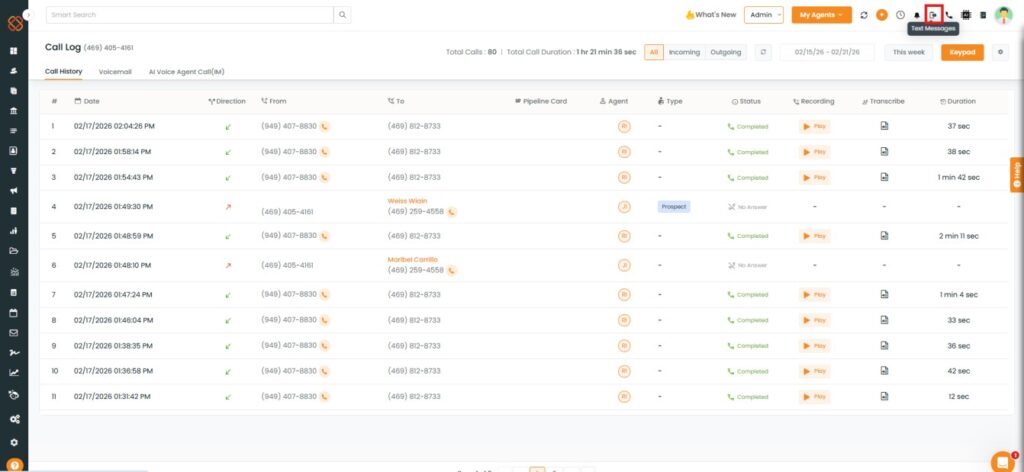
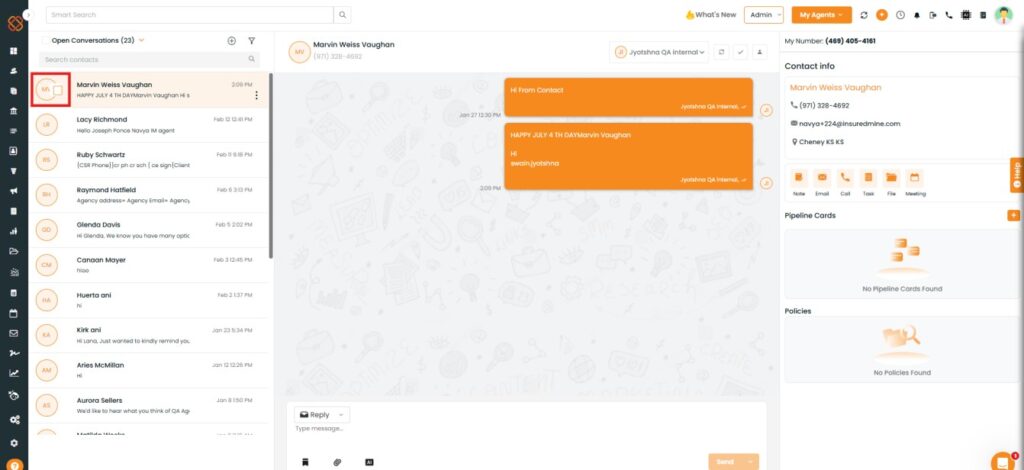
- The Open Conversation panel appears on the left-hand side.
- As shown below, click on the preferred name and a box icon appears beside the name.
To archive Mark Read, Mark Unread, Close, and Delete:
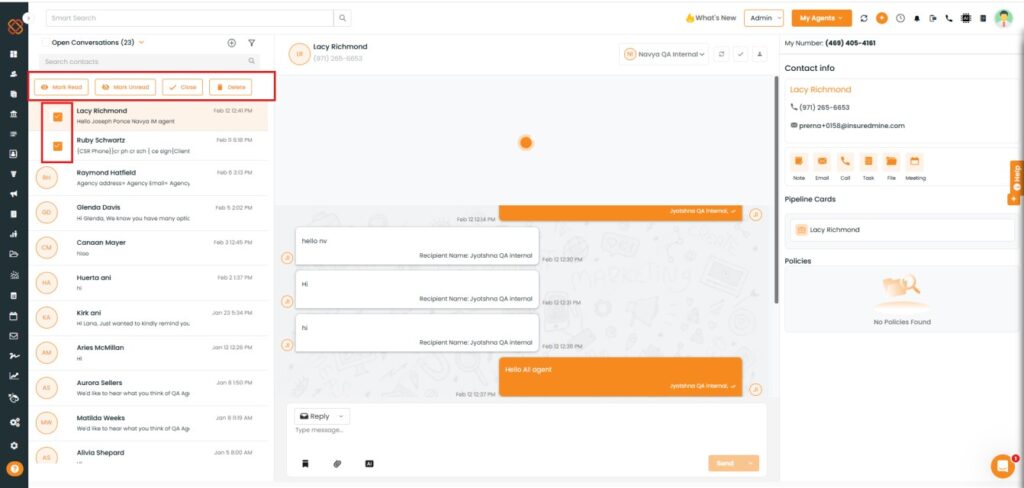
- Select the preferred contacts by checking the boxes next to their names.
- Click on the preferred options among the given options(e.g, Mark Unread)
- As shown below, the newly added options — Mark Read, Mark Unread, Close, and Delete — appear.
- Click on Mark Unread.
Note: You can select multiple contacts at once.
- A confirmation pop-up: “Are you sure you want to mark 2 conversation(s) as unread appears.
- Click on Yes.
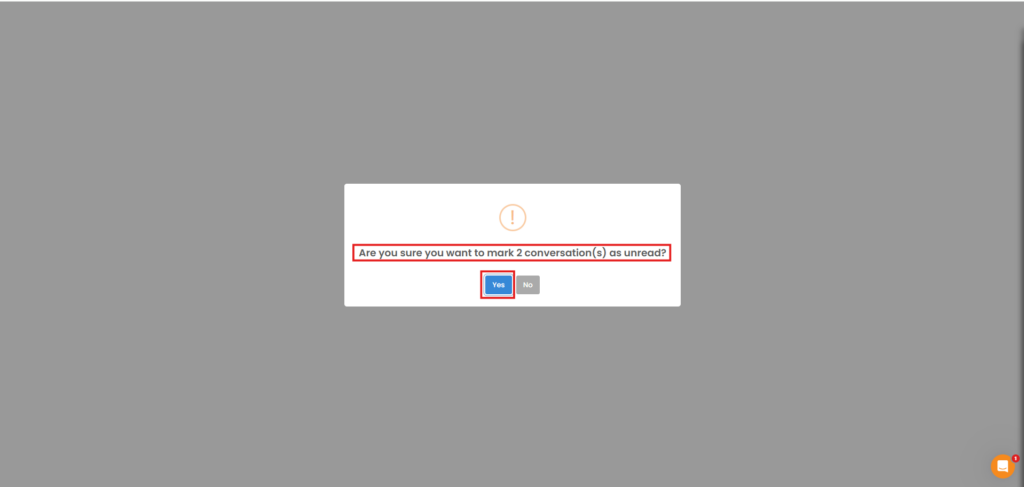
Note: After clicking any of the bulk action options (Mark Read, Mark Unread, Close, or Delete), a confirmation pop-up appears to verify the action before it is applied to the selected conversations.


