Home » Knowledge Base » Search Option in Notes for Account360 and Contact360
Account and Contact Management, Account Management
Search Option in Notes for Account360 and Contact360
June 10, 2026
Release Date: March 9, 2024
Previously, accessing numerous notes within an account or contact was difficult, but now, Account360 and Contact360 feature a dedicated search bar, streamlining the process of locating specific notes swiftly and efficiently.
Use Case: Account 360 and Contact 360 feature a dedicated search bar, ensuring quick and effortless access to essential notes.
To View the Enhancement:
Within Account360:
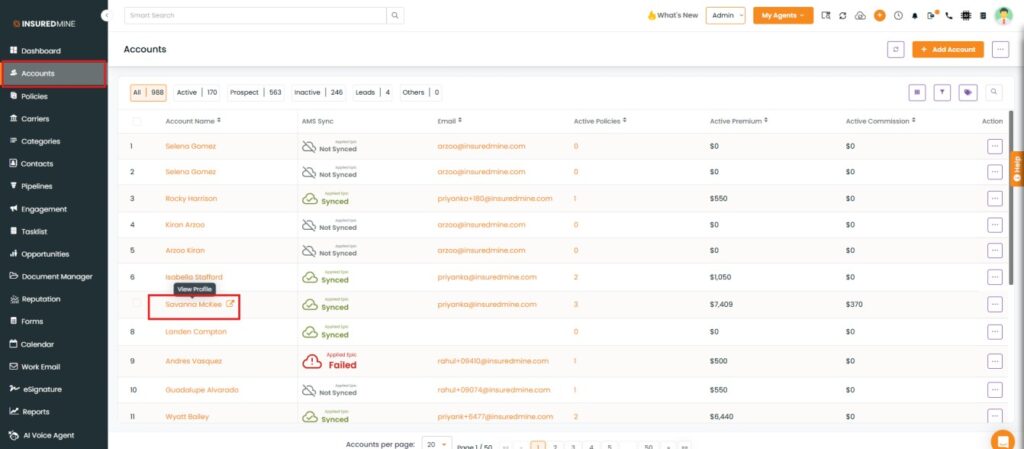
Navigate to the Accounts module.
Select any account name to access its Account360 page.
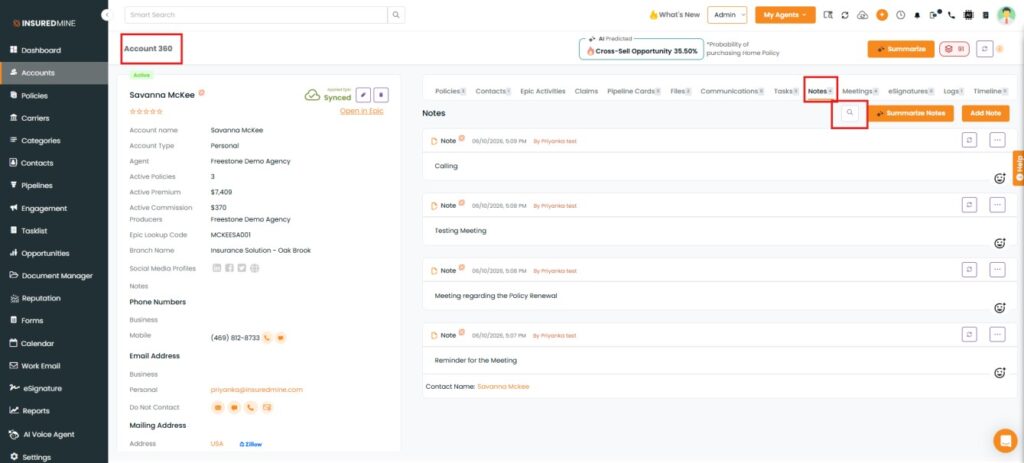
As shown below, click the Notes tab to view the dedicated search option.
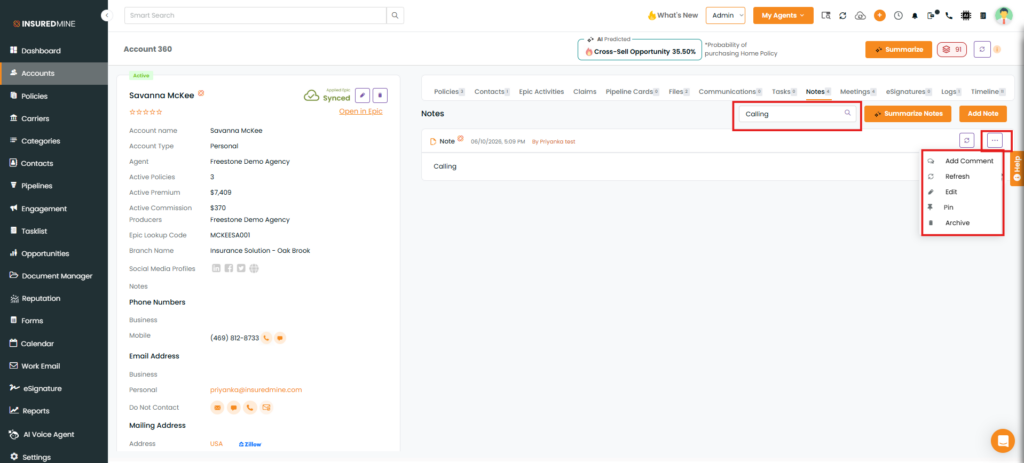
Click the Search icon and enter a keyword to search for notes.
All matching notes are displayed in a single view with a scroll bar, allowing you to easily review notes containing the searched term.
Note: You also have the option to edit, archive, refresh, pin, and add comments to the note.
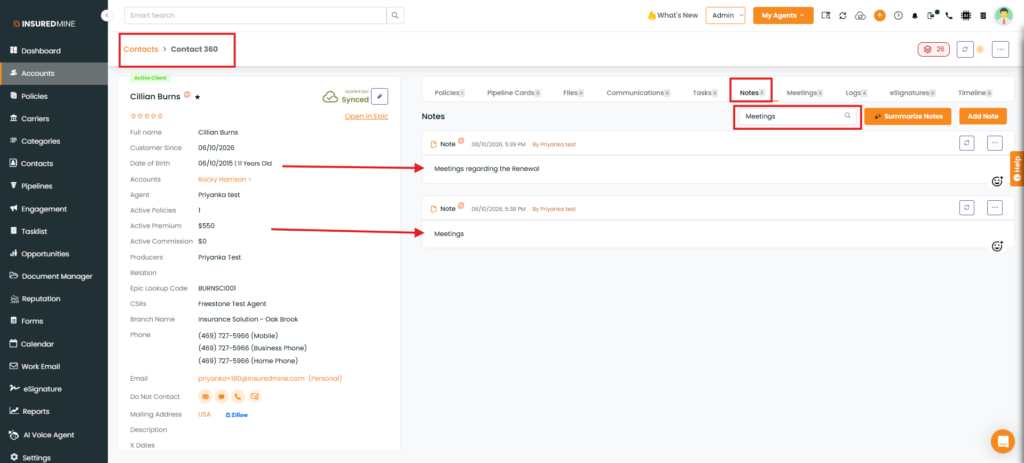
Note: To search notes in Contacts, follow the same steps described above for the Accounts module.
Note: While searching for a particular note within Contact 360/Account 360, if any notes contain the searched term, the results should display all the relevant notes at once.