Release Date: 20 December 2025
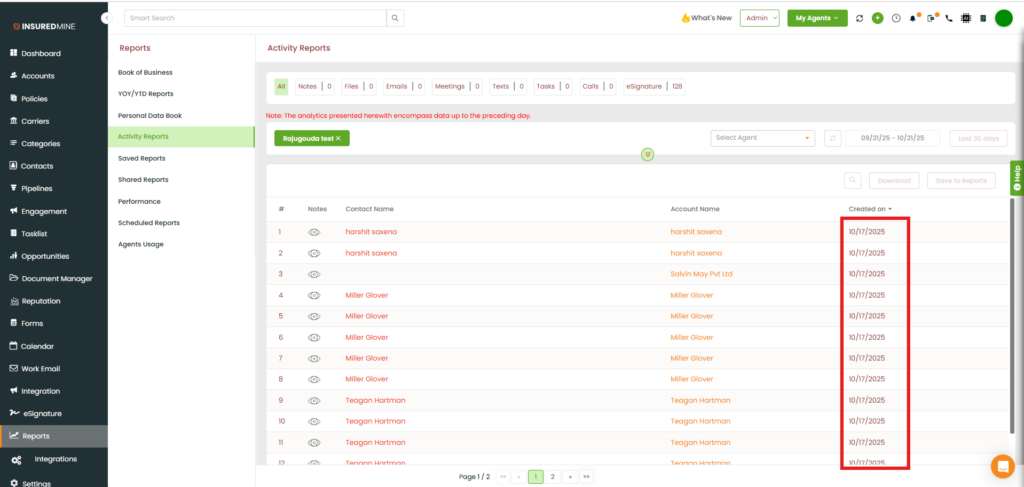
We have introduced a new enhancement under the Reports → Activity Reports section. You can now view the contact creation date within the selected date range. Sorting by Created Date has also been added, allowing easy ascending and descending sorting in the Activity Reports module.
Use Case: This enhancement allows users to easily track and analyze when contacts were created, along with other activities within a specific date range. By default, it displays the latest created activity at the top. This helps in monitoring and verifying activity trends during the selected period.
To view the enhancement:
- Navigate to Reports.
- Click on Activity Reports.
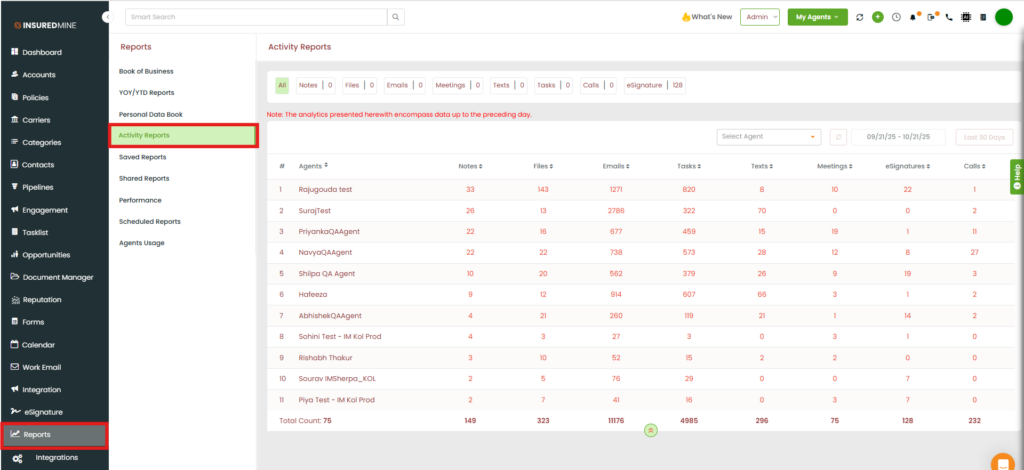
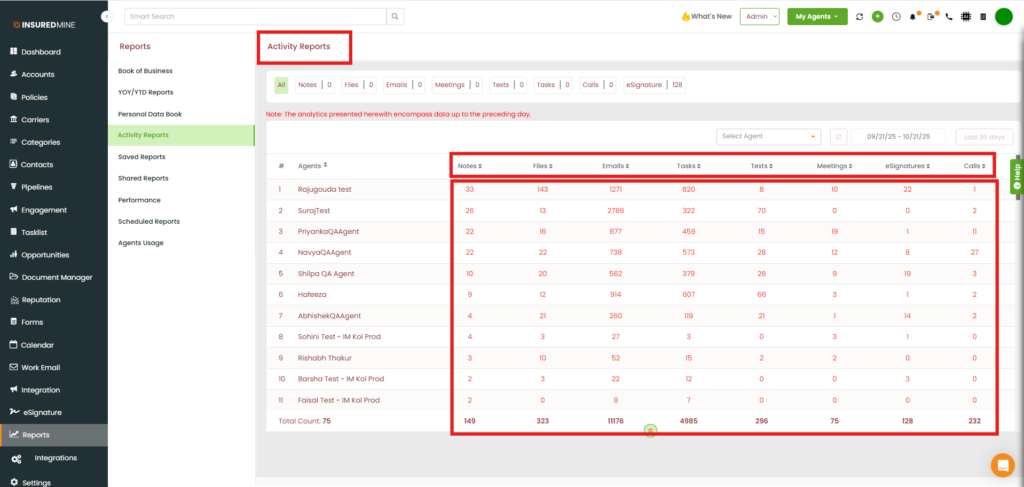
- You will be redirected to the Activity Reports page.
- As shown below, from the All to Calls view, you can see the data within your preferred date range and the individual Activity reports.
- To view the data for Notes, click on the Notes number (e.g., 33).
- As shown below, you can view the Notes data along with the Created Date within your selected date range.
- The system displays the latest activity date by default.
- You can sort the Created Date column in ascending or descending order based on your preference.