Home » Knowledge Base » Provide an Agency Filter across Accounts, Contacts & Policies – Epic
Data Export and Management, Data Management
Provide an Agency Filter across Accounts, Contacts & Policies – Epic
March 19, 2026
Release Date : 19 March 2026
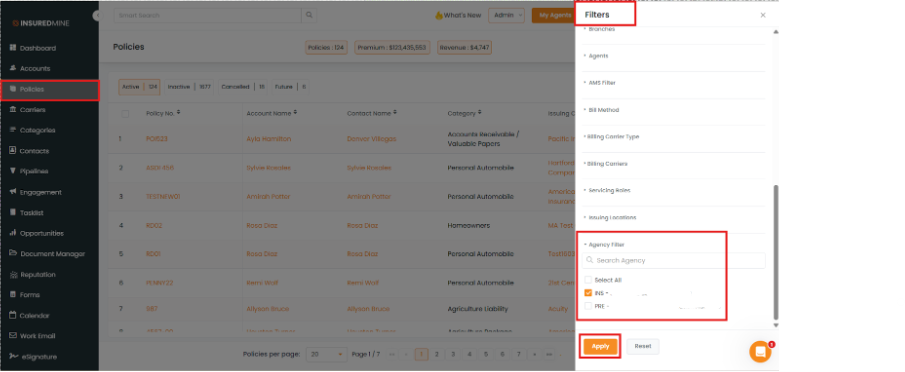
We have introduced a new enhancement in the Accounts, Contacts, and Policies modules. A new Agency Filter has been added in the Filter section, allowing users to filter records based on the preferred agency.
Users can select one or multiple agencies to quickly narrow down the displayed data.
Use Case: This enhancement helps users easily view and manage data agency-wise across Accounts, Contacts, and Policies.
It improves data visibility, makes filtering faster, and helps users focus only on records relevant to the selected agency for better analysis and management.
Note: This feature is available only for Epic Agency.
To view the Enhancement in Accounts:
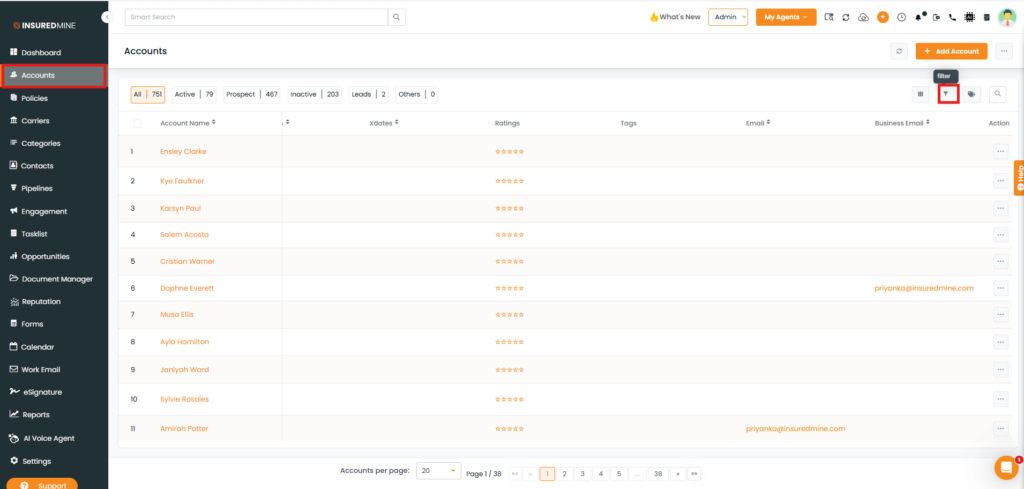
Navigate to Accounts.
Click on the Filter icon.
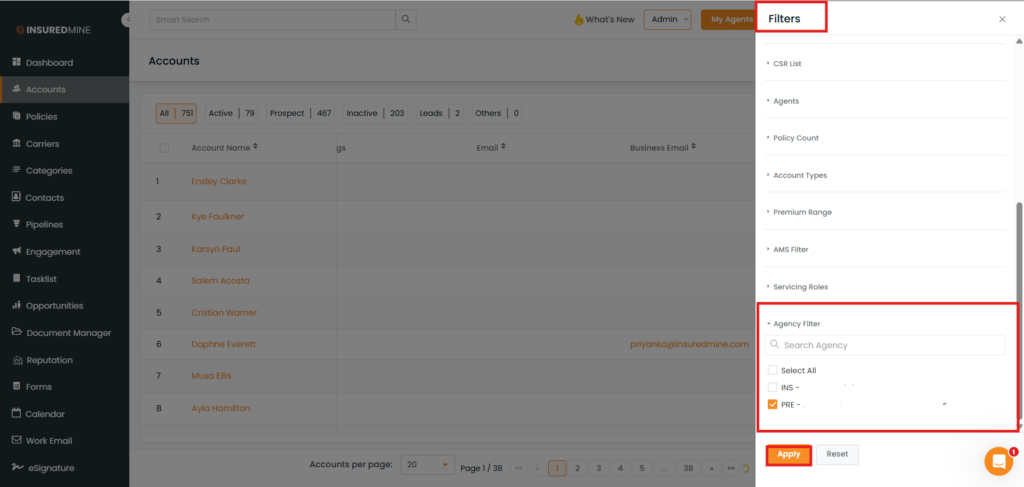
A Filter panel appears on the right-hand side.
As shown below, a new option, Agency Filter has been added.
Check the box to select the preferred agency.
Click Apply.
Note: You also have the option to Select All from the dropdown.
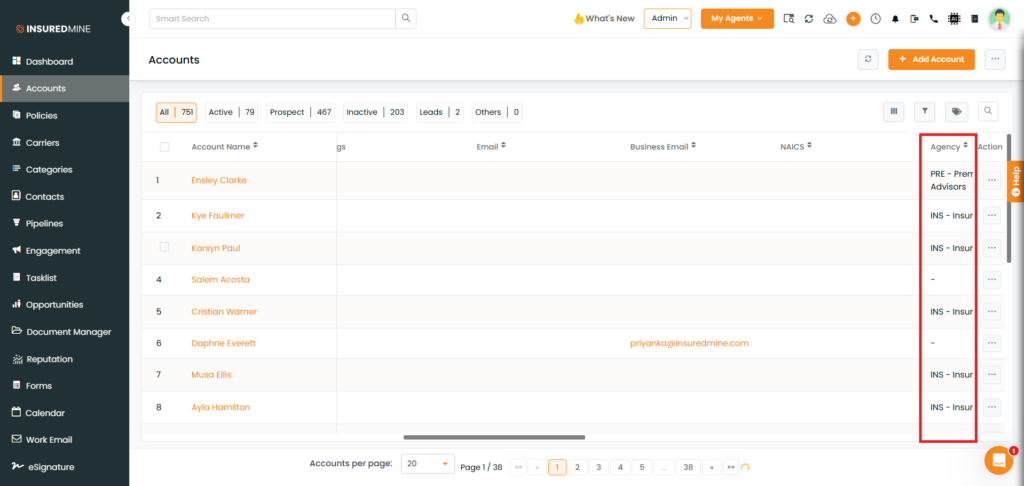
As shown below, the account names are displayed based on the selected agency.
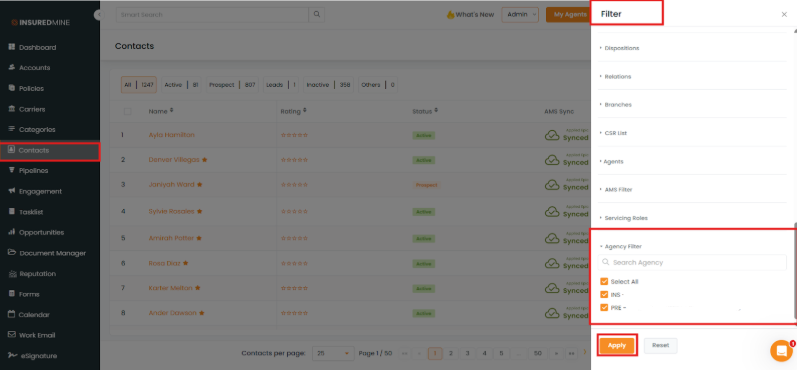
Note: To view the enhancement in Contacts and Policies and see the results, follow the same steps as mentioned above for Accounts.