Home » Knowledge Base » Need Option to Edit or Delete the Scheduled Text in Contact/Account/Deal – Texting
Communication and Notes
Need Option to Edit or Delete the Scheduled Text in Contact/Account/Deal – Texting
March 19, 2026
Release Date: 19 March 2026
New Edit and Archive options have been introduced for text messages in the Communication section of the Contact module.
This enhancement allows users to modify existing scheduled SMS content or archive conversations directly from the message options menu, improving message management and record maintenance.
Use Case:This feature enables agents to correct or update SMS content after scheduling, or archive completed or irrelevant text conversations from Contact 360.
It helps keep communication records accurate, organized, and clutter-free while maintaining a clear interaction for each contact.
To View the Enhancement:
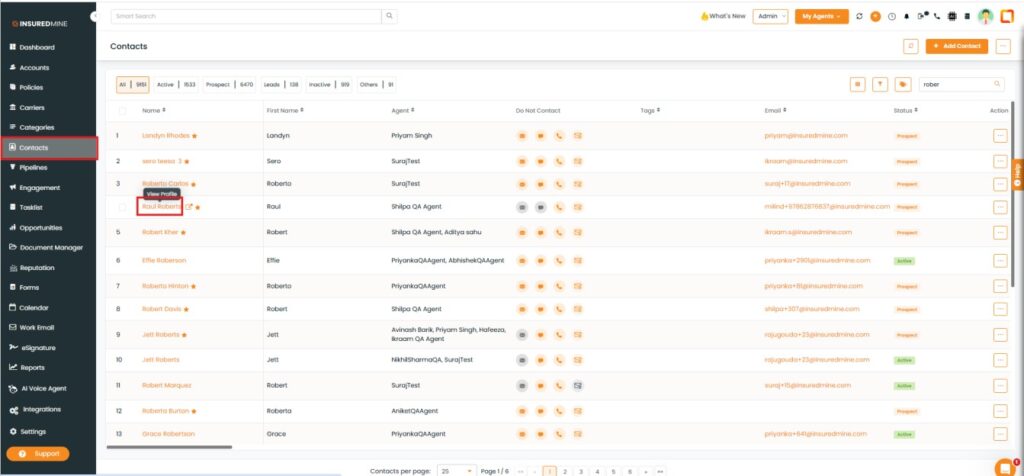
Navigate to Contacts.
Click on the preferred contact to view Contact 360.
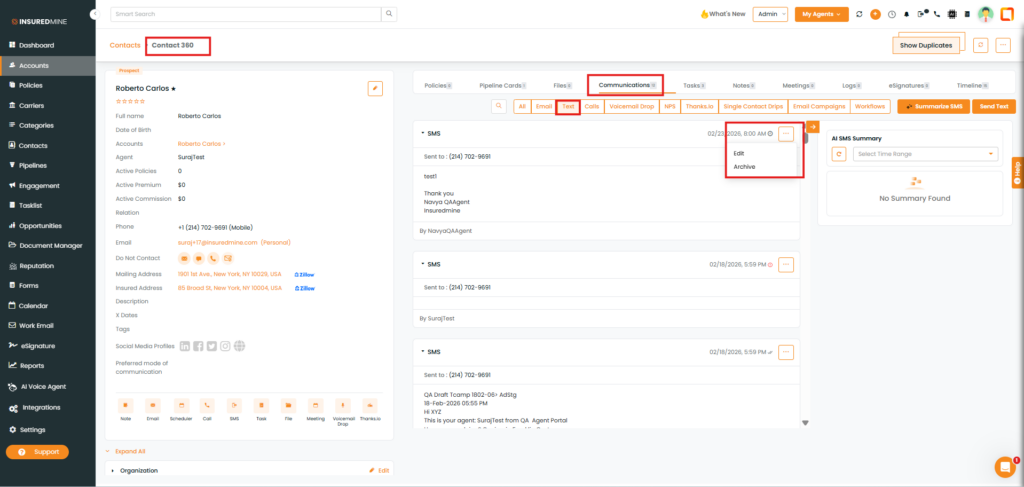
You are redirected to the Contact 360 page.
Click on Communication.
Click on Text.
Click on the three dots .
As shown below, two options Edit and Archive are available.
To Edit:
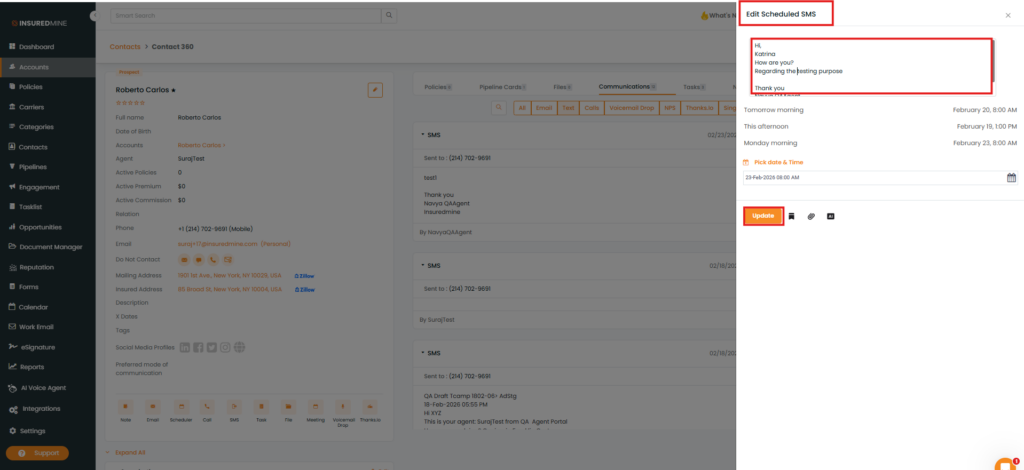
Click on Edit.
An Edit Scheduled SMS panel appears.
Click Update.
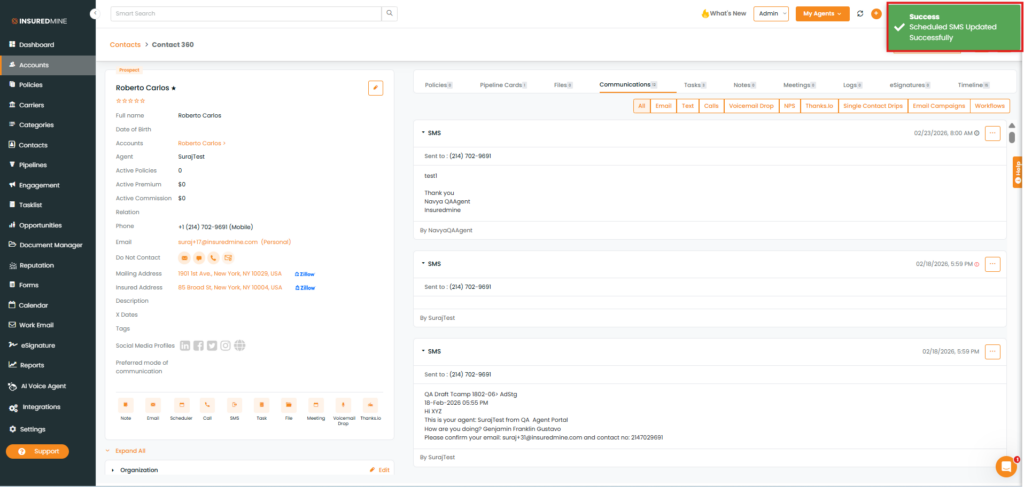
A success pop-up: “Scheduled SMS Updated Successfully” appears.
To Archive:
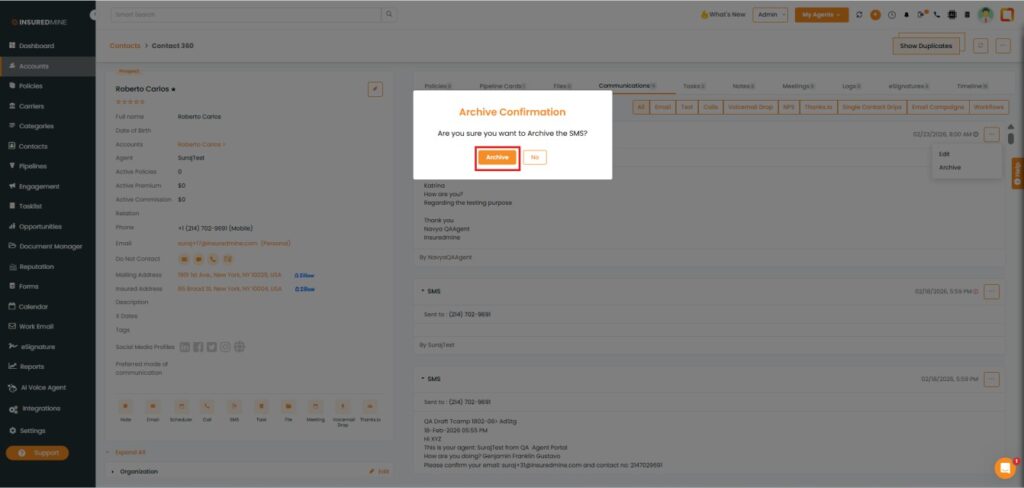
Click on Archive
An Archive pop-up appears.
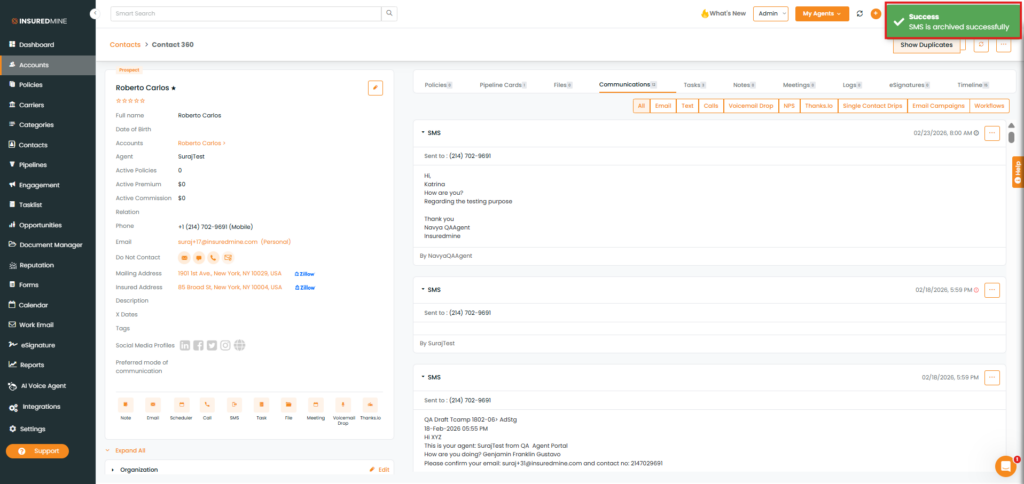
A success pop-up: “SMS archived successfully”appears.