We have introduced a new enhancement in the Engagement module under Automation > Cross Sell Workflow. A new Policy Premium filter has been added, allowing users to send workflows based on a preferred policy premium range.
Use Case: This enhancement helps agencies target cross-sell workflows more effectively by filtering contacts based on policy premium values, enabling more relevant communication for specific premium segments.
To view the enhancement:
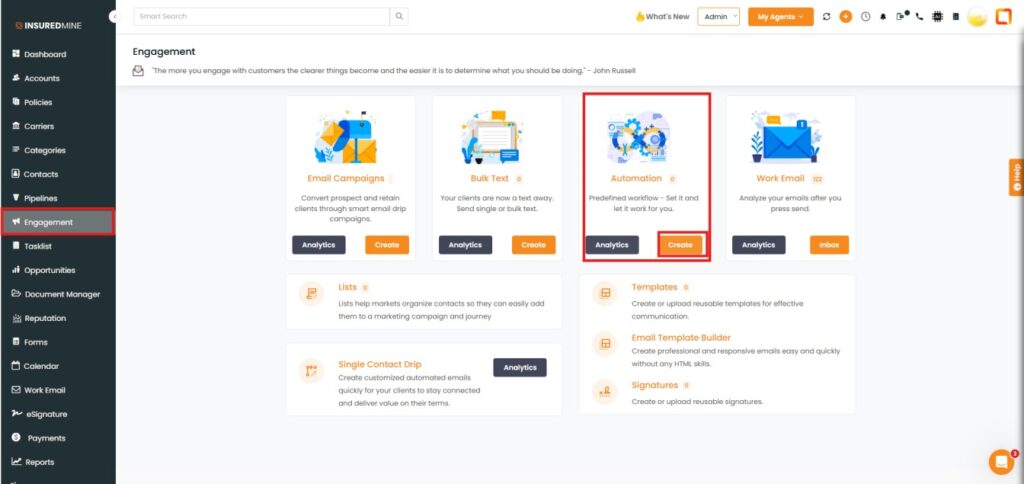
Navigate to Engagement.
Under Automation, click Create.
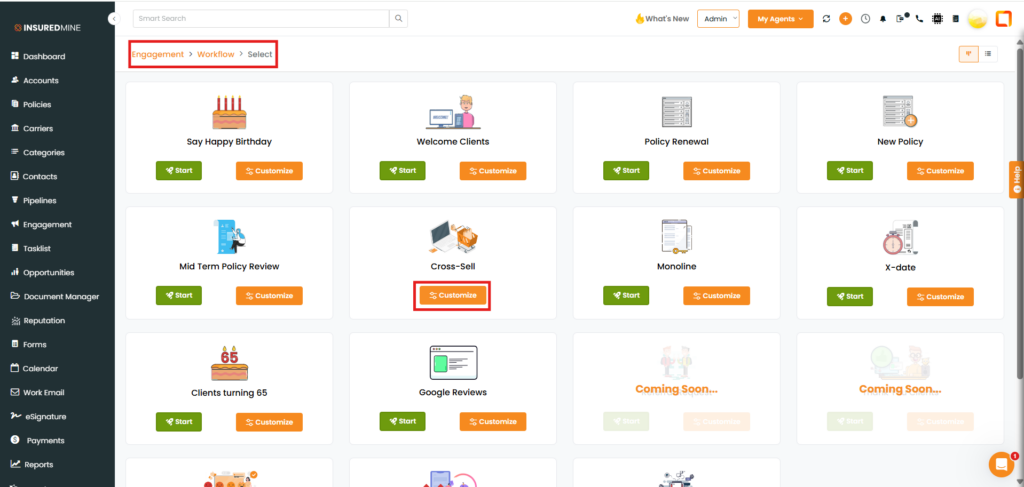
You are redirected to the Engagement > Workflow > Select page.
Under Cross Sell, click Customize.
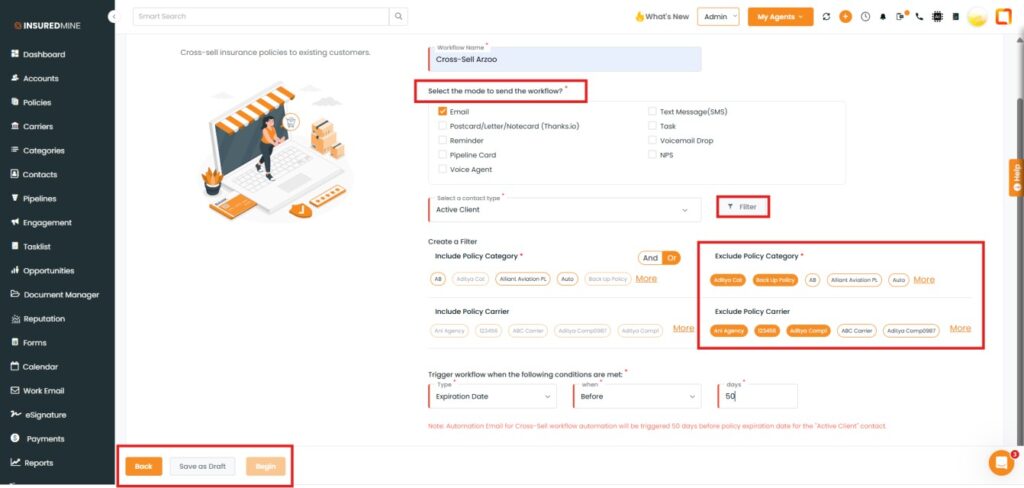
You are redirected to the Engagement > Workflow > Select > Name page.
Fill in the required details.
Select preferred Exclude Policy category and Carrier.
As shown below, click the Filter icon.
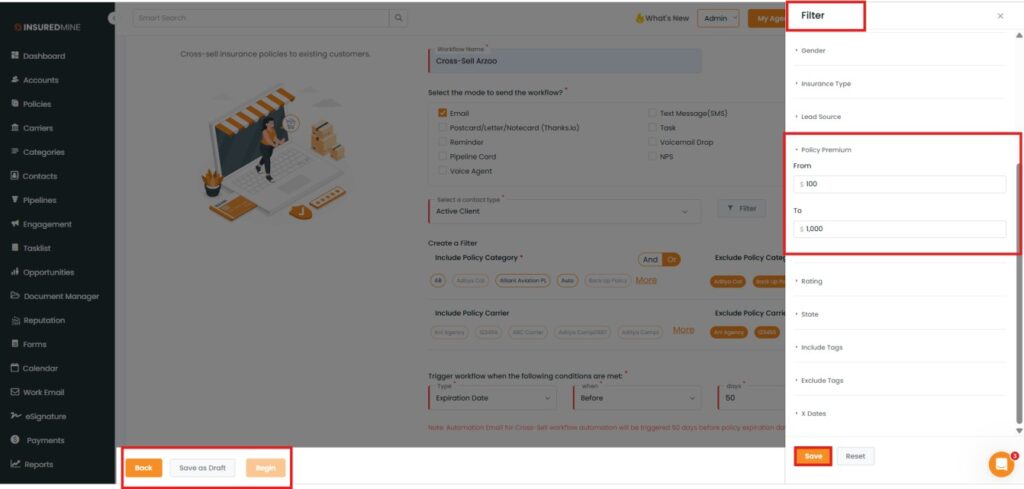
A Filter panel appears on the right side.
Scroll down to view the newly added Policy Premium filter.
Select the preferred Policy Premium range.
Click Save.
Finally, click Begin (Example: Save as Draft).
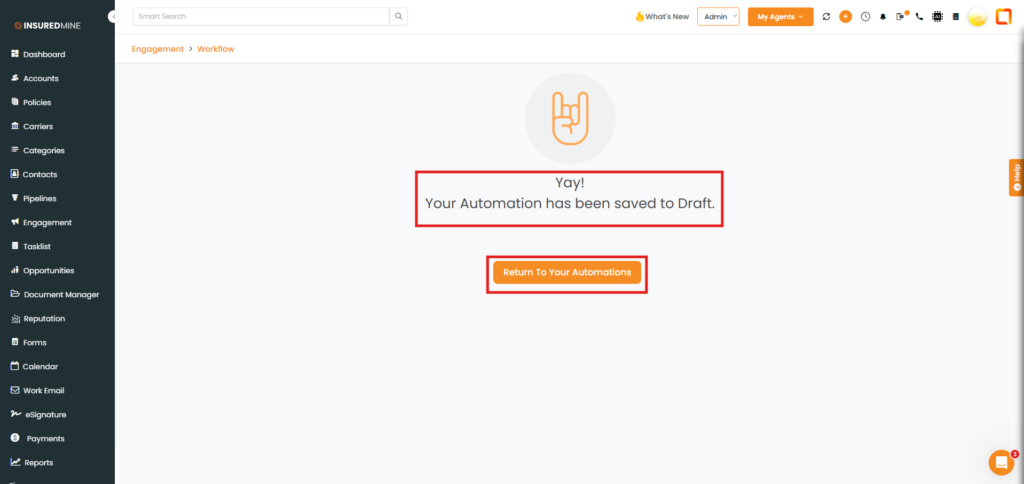
A successful pop-up for automation appears.
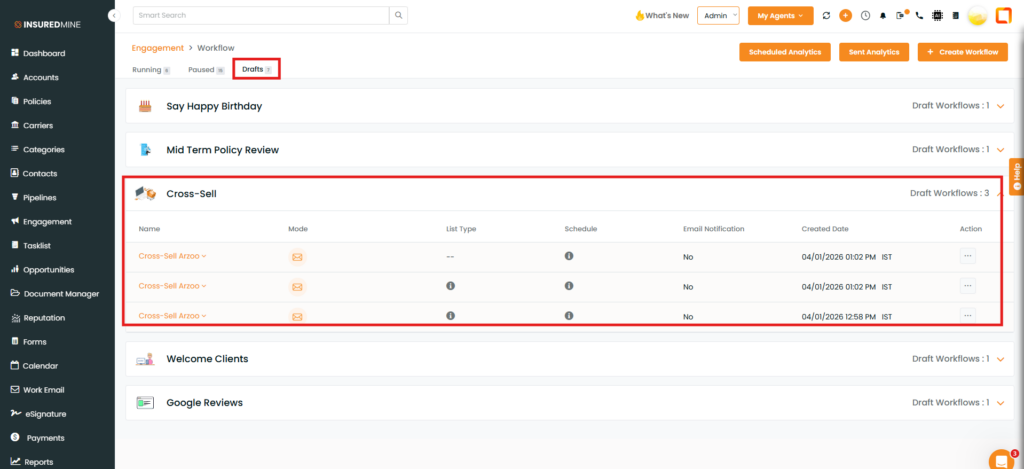
Click Return to Your Automation to view the automation created for the trigger.