Release Date: June 22, 2026
This enhancement is available to Admins and Agents.
Overview
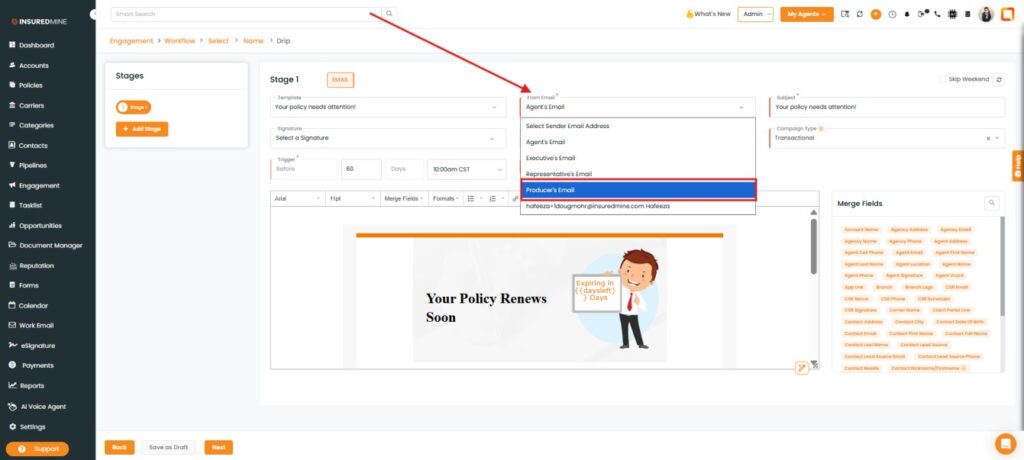
We have introduced a new Producer’s Email option in the Sender Email dropdown under the Engagement module within Workflow Automation. This enhancement allows users to configure automated emails to be sent using the assigned producer’s email address, enabling more personalized and relevant communication with recipients.
Use Case: This enhancement helps agencies improve client communication by sending workflow automation emails from the assigned producer’s email address instead of a default sender email. This creates a more personalized experience for recipients, increases email recognition, and helps maintain consistent communication between producers and their clients.
Note: This feature applies to all AMS integrations except EPIC.
To view the enhancement:
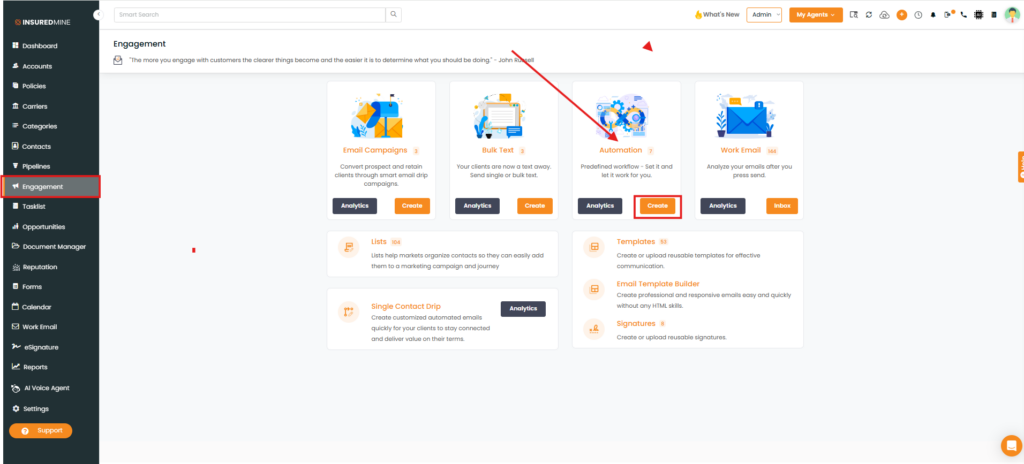
- Navigate to Engagement.
- From Automation, click Create.
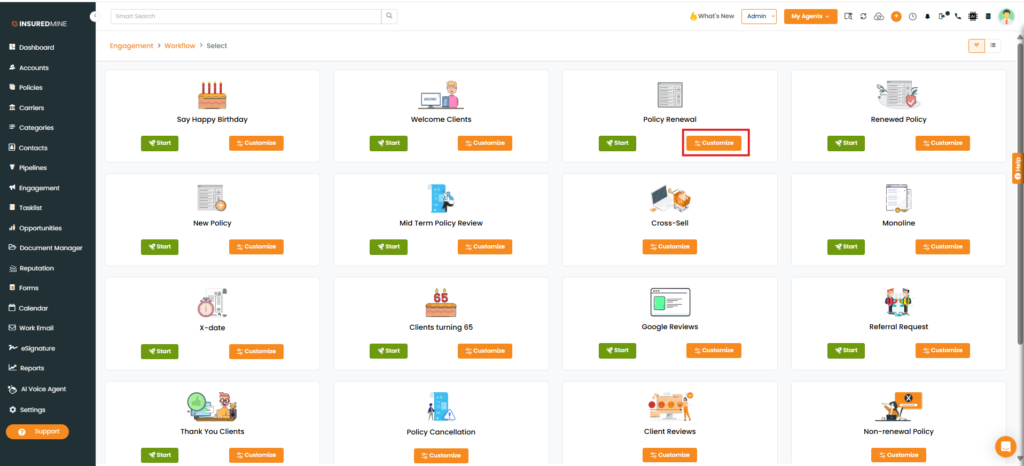
- The Engagement > Workflow page appears.
- Select the desired Workflow type.
- Click Customize.
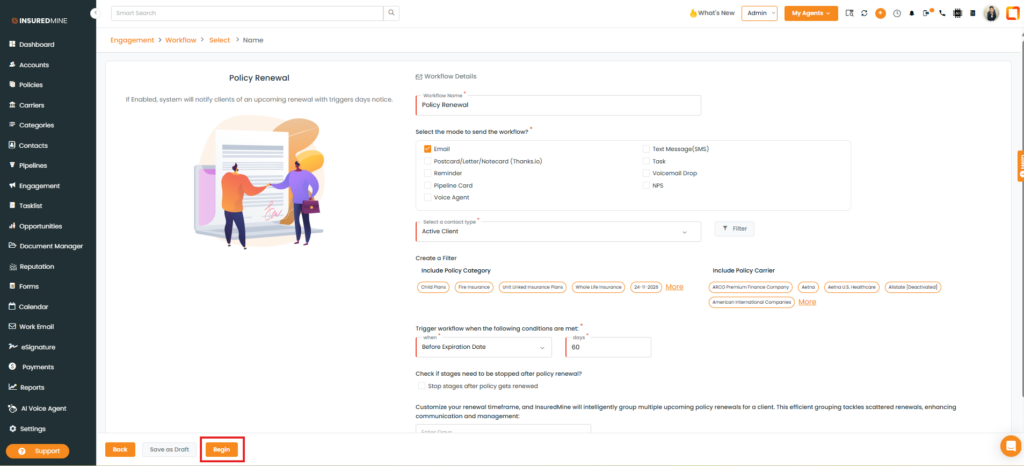
- The Workflow Details page appears.
- Fill in the required fields.
- Click Begin.
- The Drip Workflow page appears.
- As shown below, a new Producer’s Email option has been added to the Sender Email dropdown.
- Select Producer’s Email.
- Click Next.
Note: When Producer’s Email is selected in the Sender Email field, the automation is triggered using the assigned producer’s email address as the sender. If a producer email is available for the record, emails are sent from that address instead of the default sender email.