Home » Knowledge Base » Agency Filter in the Renewal & New Policy Workflow (Epic)
Workflow Automation
Agency Filter in the Renewal & New Policy Workflow (Epic)
May 7, 2026
Release Date: May 5, 2026
A new Agency Filter has been added to the Policy Renewal and New Policy Workflows. This enhancement allows users to filter and refine workflow audiences by specific agencies, enabling more targeted and organised engagement.
Use Case: The Agency Filter allows users to segment and target workflows based on specific agencies.
This helps organise data more effectively, run agency-specific campaigns, and improve workflow efficiency by focusing on relevant and preferred agencies.
Note: This feature is available only for Epic Agency.
To view the enhancement:
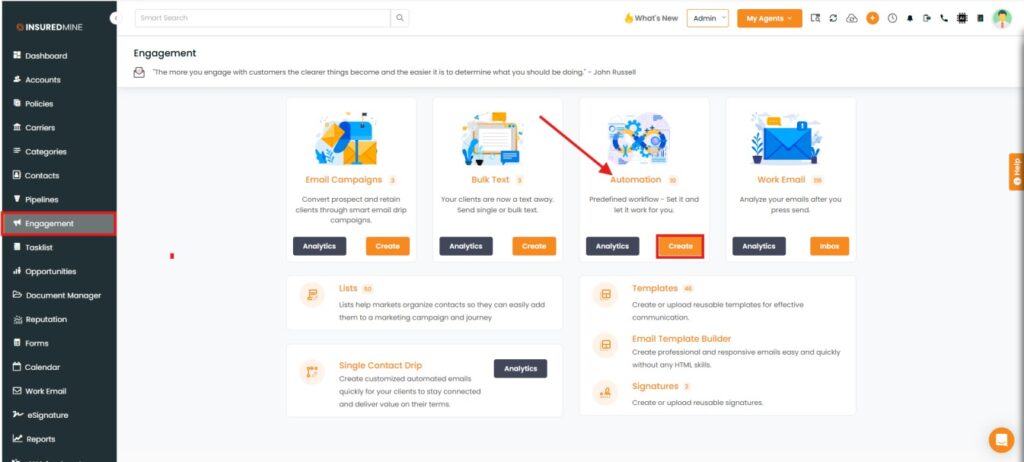
Navigate to Engagement.
Under Automation, click on Create.
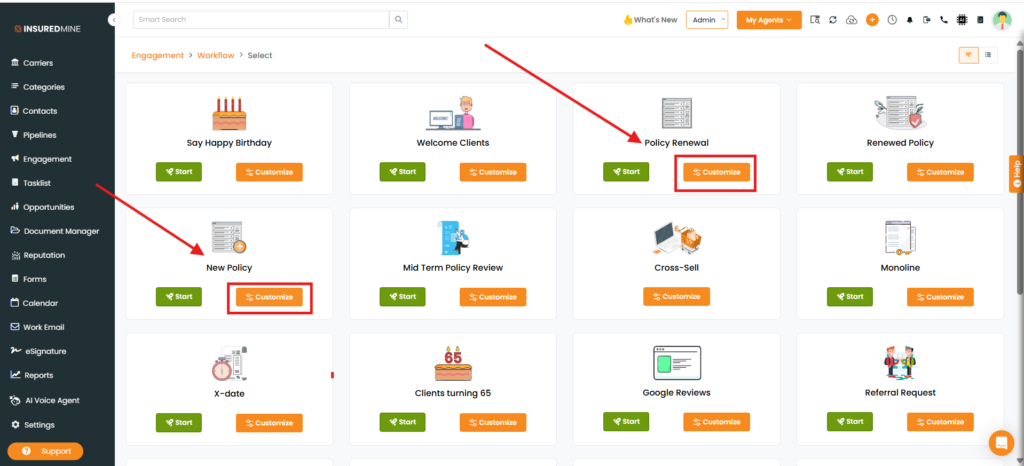
The Engagement > Workflow > Select page appears.
Under the Policy Renewal and New policy, theAgencyFilter has been added.
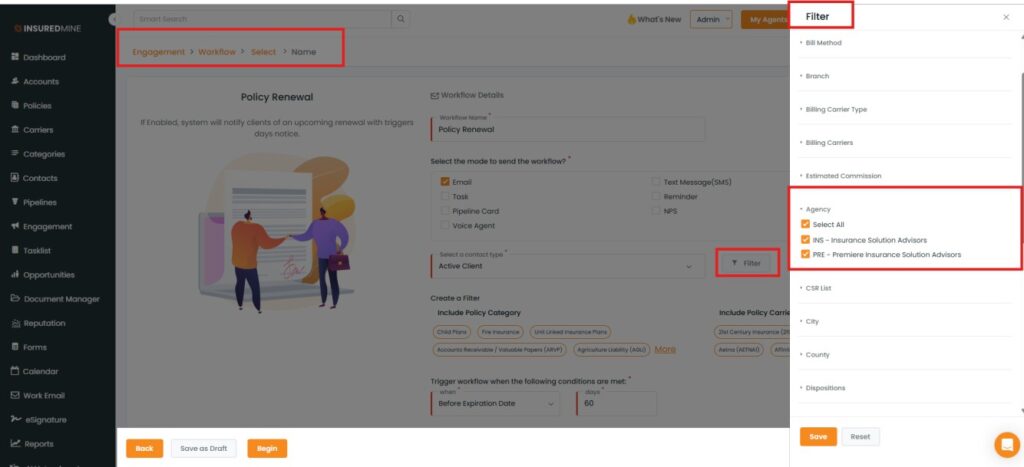
To view the Filter in Policy Renewal:
Click on Customize.
From Engagement > Workflow > Select > Name, click on the Filter icon.
The Filter panel appears on the right-hand side.
Scroll down to view the newly added Agency filter.
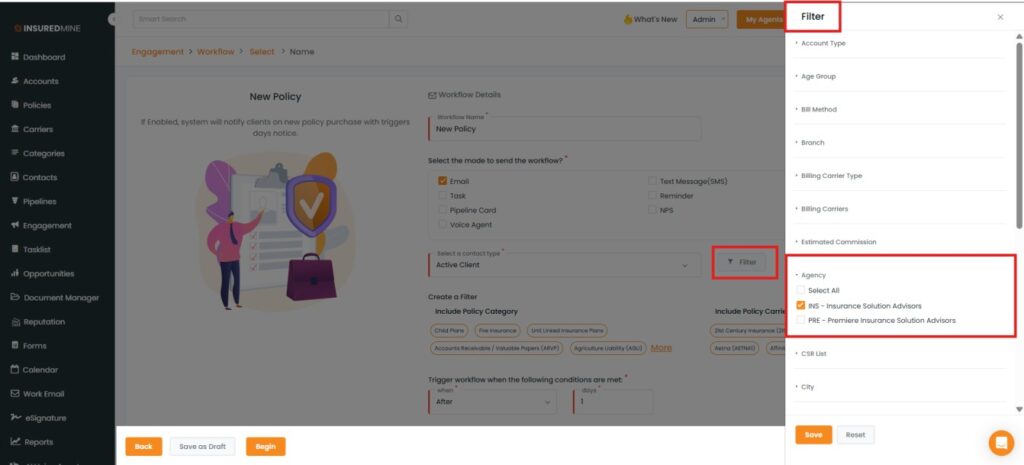
Note: To view the Agency filter in the New Policy Workflow, follow the same steps as for Policy Renewal.