Home » Knowledge Base » Account Active Premium, Account Active Commission, and Agency Filters in Workflows (EPIC)
Workflow Automation
Account Active Premium, Account Active Commission, and Agency Filters in Workflows (EPIC)
July 16, 2026
Release Date: June 22, 2026
Available for: Admins and Agents.
Overview
We have introduced new Account Active Premium Range, Account Active Commission Range, and Agency filters in Workflow Automation for Applied Epic agencies. These filters allow users to configure workflow automations based on an account’s active premium, active commission, and agency. By applying these filters, users can target specific account segments and trigger workflows only for accounts that meet the defined premium, commission, or agency criteria.
Use Case: This enhancement helps agencies automate engagement, renewal, and retention activities by targeting accounts based on Agency, Active Premium, and Active Commission values. Users can create more targeted workflows for specific agencies and account segments, reducing manual effort and improving automation efficiency.
Note: This is available for all Workflows.
To view the enhancement:
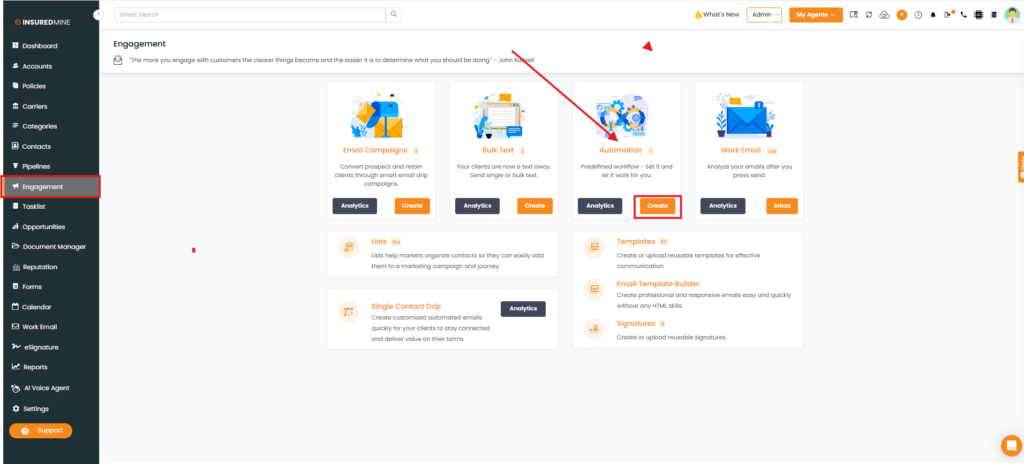
Navigate to Engagement.
From Automation, Click create.
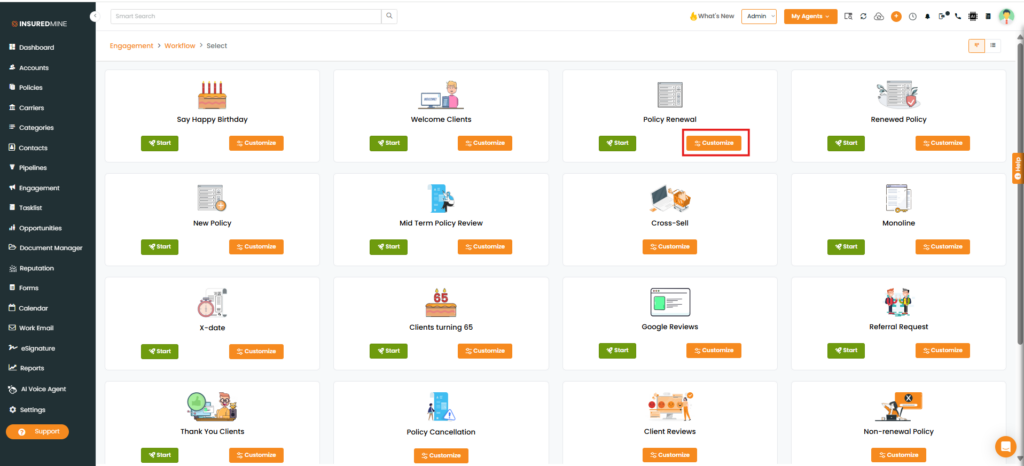
The Engagement > Workflow page appears.
Select the desired Workflow type.
Click Customize.
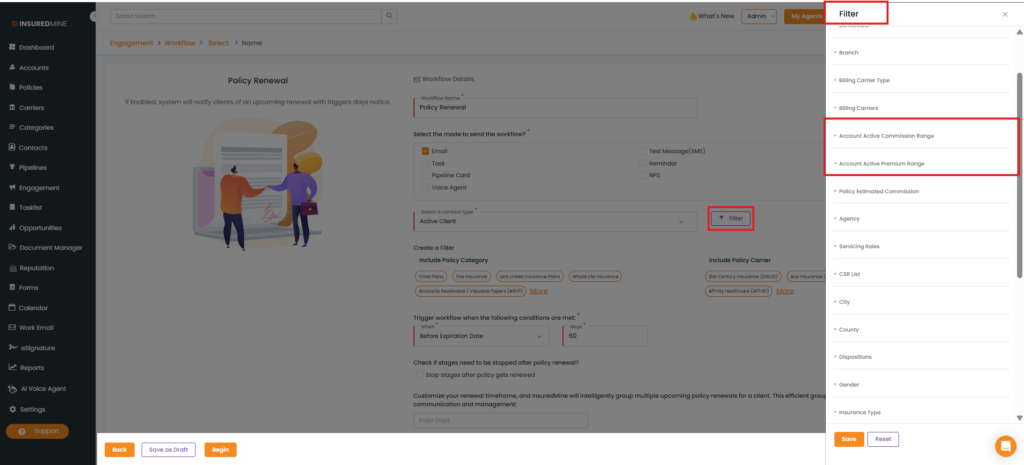
The Policy Renewal Workflow Details page appears.
Click Filter.
The Filter panel appears on the right-hand side.
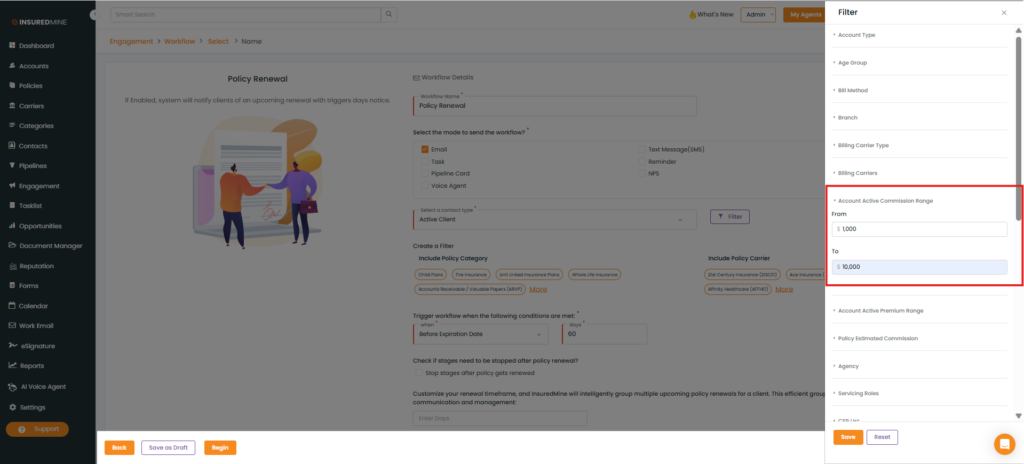
As shown below, two new filters have been added:
Account Active Commission Range
Account Active Premium Range.
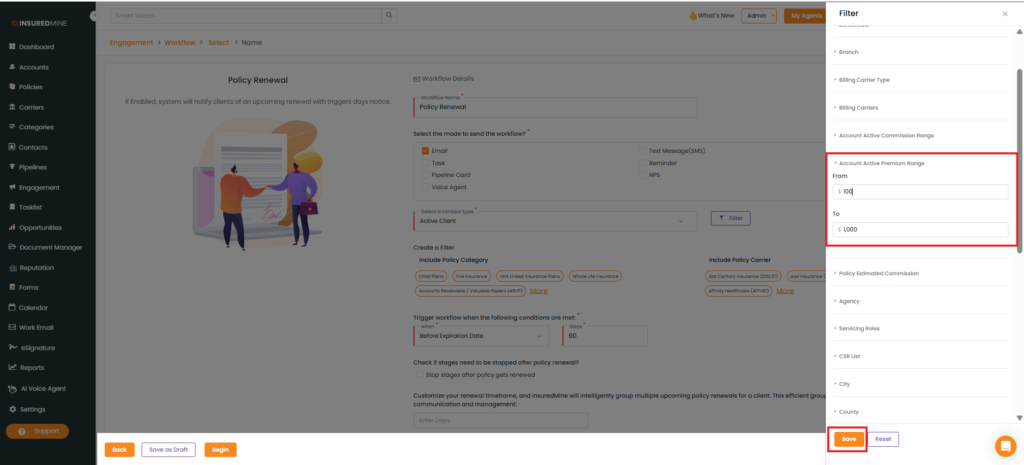
How to Apply the Active Premium and Active Commission Filters:
Account Active Premium Range:
Enter the preferred premium range in the From and To fields.
Click Save.
Account Active Commission Range :
Enter the preferred commission range in the From and To fields.
Click Save.
Note: Only accounts whose Premium or Commission amounts fall within the specified range will qualify for the workflow.
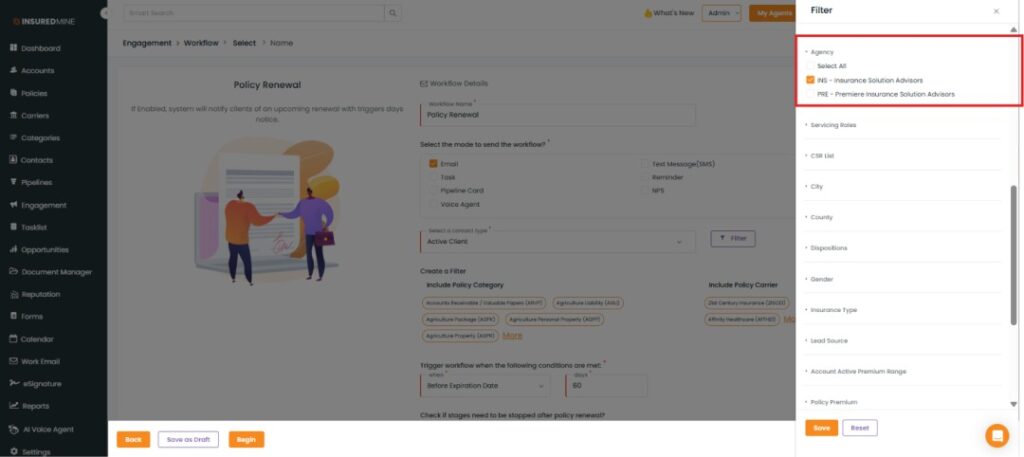
Apply the Agency Filter:
From the Agency dropdown, select the preferred agency.